Portal-Operation-Manual-REV-I.pdf - 第28页
PVA Portal Manual Revision I / Janua ry 2022 Page 28 of 106 8. Select the “ Cam era ” tab to set th e camera attr ibutes related to the current inspection. In thi s tab, the shutt er speed, brigh tness, and gain can also…
PVA Portal Manual
Revision I / January 2022
Page 27 of 106
6.6.2 Manual Mode Vision Window
The Vision Window in Manual mode is used to set inspection attributes, create new
fiducials from a template, and edit and test inspections.
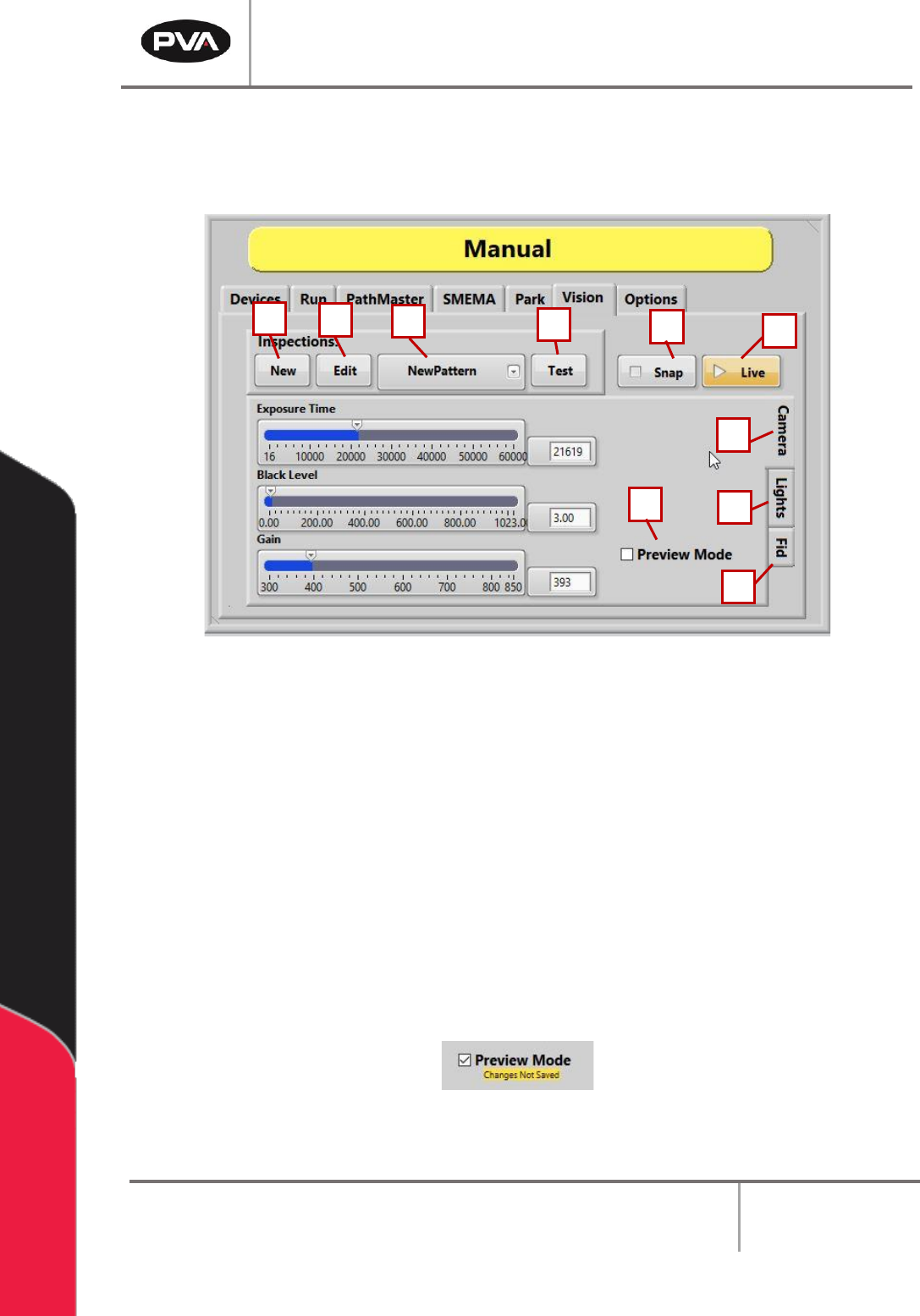
Figure 16: Vision Tab
1. Select the “New” button to create a new inspection from a list of templates.
2. Select the “Edit” button to take the current image and open NI Vision Builder to edit
the steps of the current inspection.
3. Select the New Pattern drop down menu to create a new pattern.
4. Select the “Test” button to take the current image and run the current inspection.
5. Select the “Snap” button to save the current live image.
6. Select the “Live” button to toggle the camera live mode on and off.
7. Select the “Preview Mode” checkbox to toggle the preview mode on and off.
Figure 17: Preview Mode Toggled On
1
2
3
4
6
6
8
9
5
7
10
PVA Portal Manual
Revision I / January 2022
Page 28 of 106
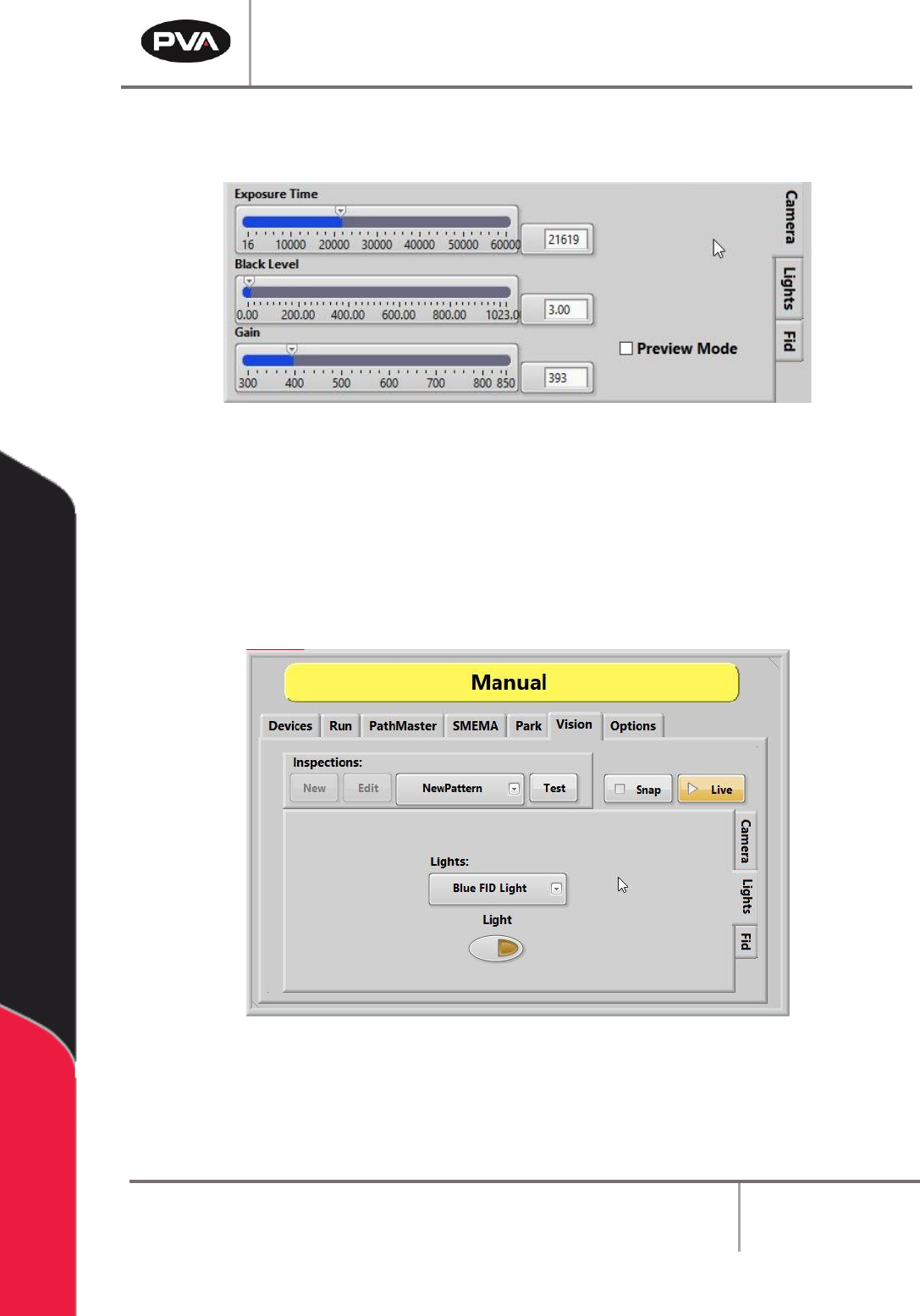
8. Select the “Camera” tab to set the camera attributes related to the current
inspection. In this tab, the shutter speed, brightness, and gain can also be adjusted.
Figure 18: Camera Tab Options
Note: The selected program is updated as soon as image adjustments are changed for
shutter speed, brightness, and gain.
9. Select the “Lights” tab to toggle the selected light on and off. This is a manual only
function that does not change on the automated inspection. Within the Lights drop
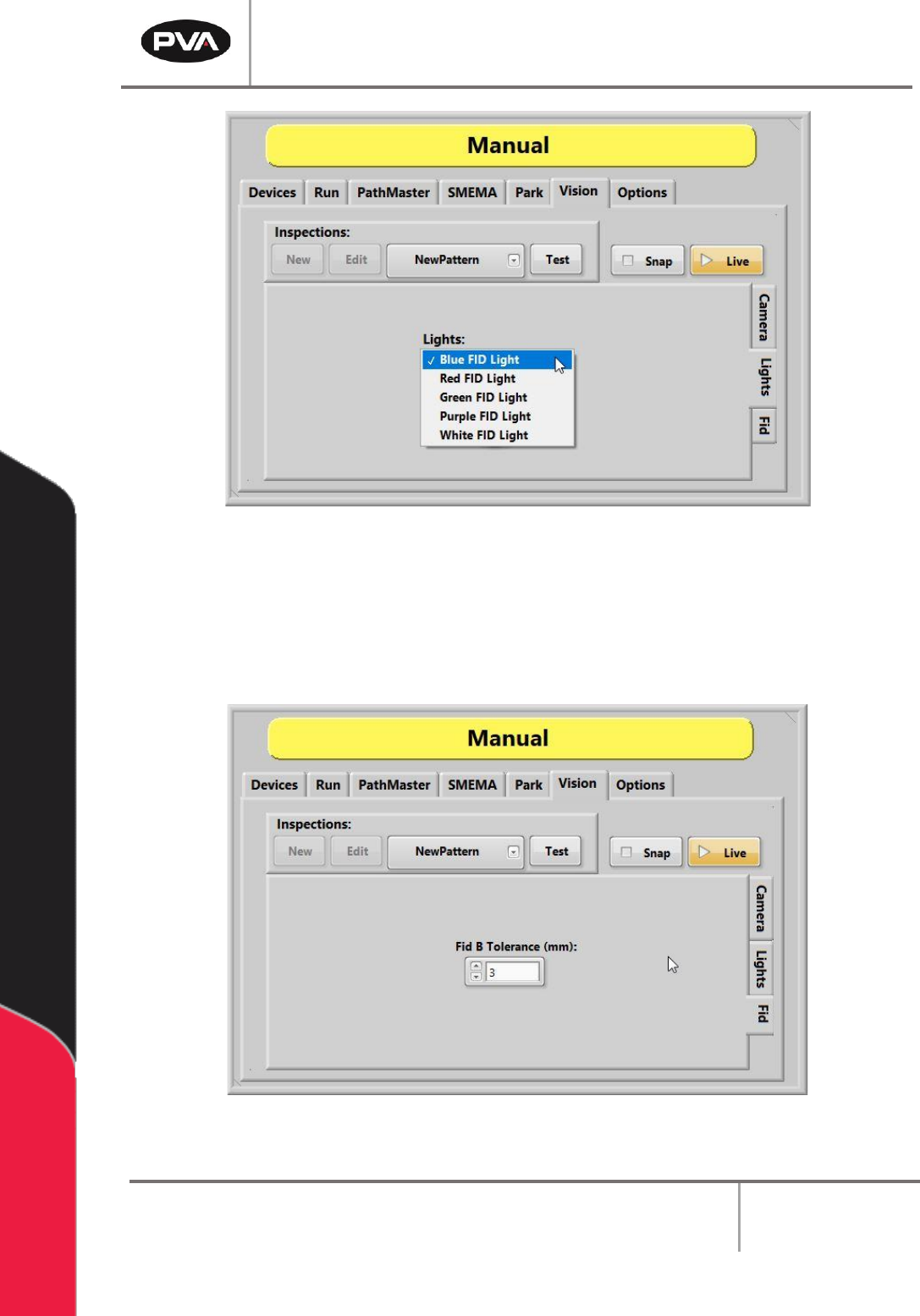
down menu, the FID Light color can be changed to blue, red, green, purple, or white.
Figure 19: Lights Tab
PVA Portal Manual
Revision I / January 2022
Page 29 of 106
Figure 20: FID Light Options
10. Select the “Fid Tab” to set the tolerance for the B fiducial for the current inspection.
Note: An inspection can be used for an A or B fiducial or general inspection type.
Fiducial tolerance is the radial tolerance from nominal for a fiducial B type
inspection. Refer to the PathMaster® Vision manual for more information.
Figure 21: Manual Vision, FID