Portal-Operation-Manual-REV-I.pdf - 第64页
PVA Portal Manual Revision I / Janua ry 2022 Page 64 of 106 9.7 FIS Refer to Sectio n 6.8.2 for mor e information on FIS. Note: This is no t a standard option on all ma chines. 9.8 Laser The Laser tab sh ows the curre nt…
PVA Portal Manual
Revision I / January 2022
Page 63 of 106
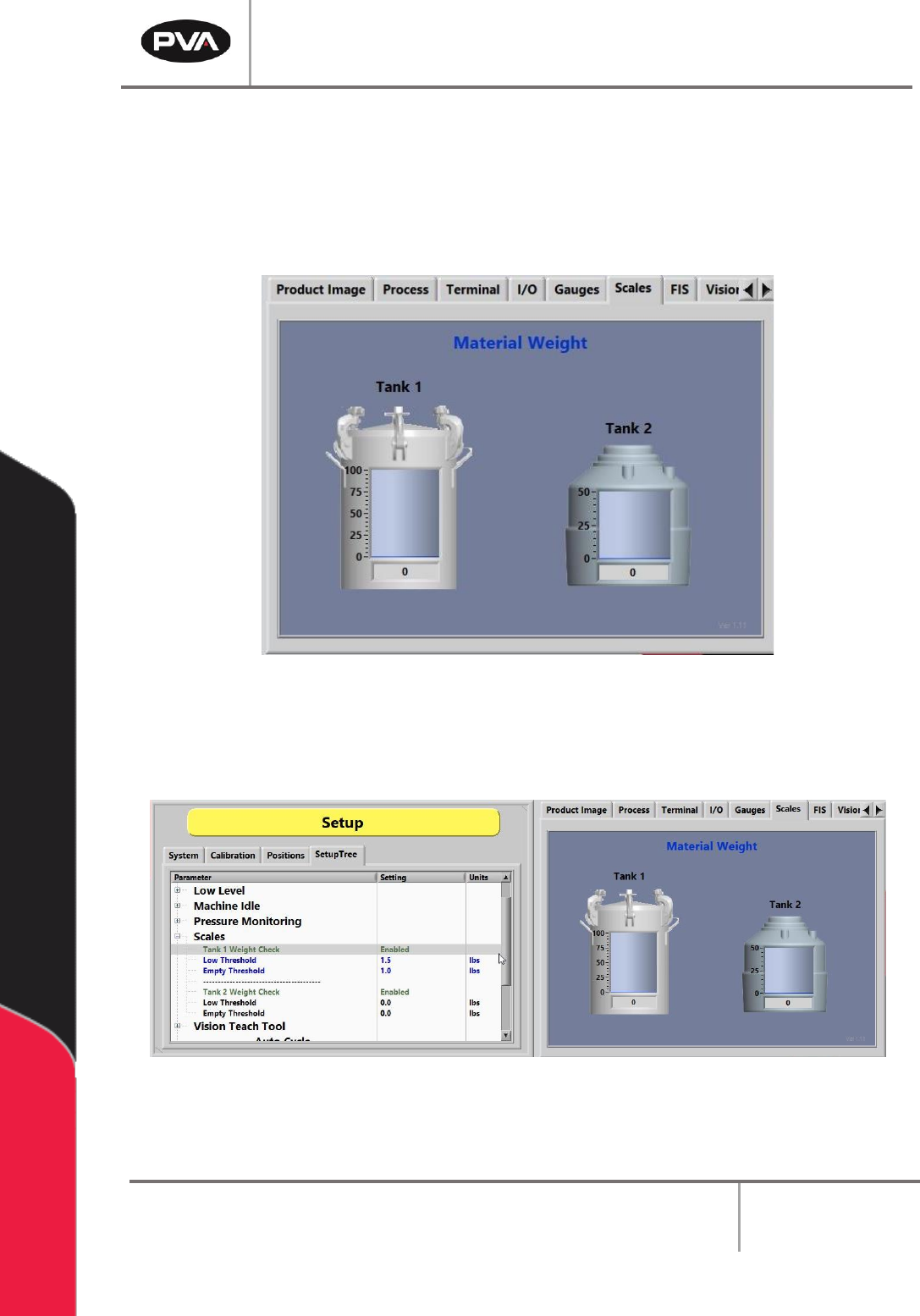
9.6 Scales
The Scales tab displays the current weight readout of the digital scale indicators. Refer to
Section 15.2 for additional information.
Note: This is not a standard option on all machines.
Figure 64: Scales Tab
If enabled, the Scales are typically monitored in the SetupTree tab.
Figure 65: Scales Tab in the SetupTree
PVA Portal Manual
Revision I / January 2022
Page 64 of 106
9.7 FIS
Refer to Section 6.8.2 for more information on FIS.
Note: This is not a standard option on all machines.
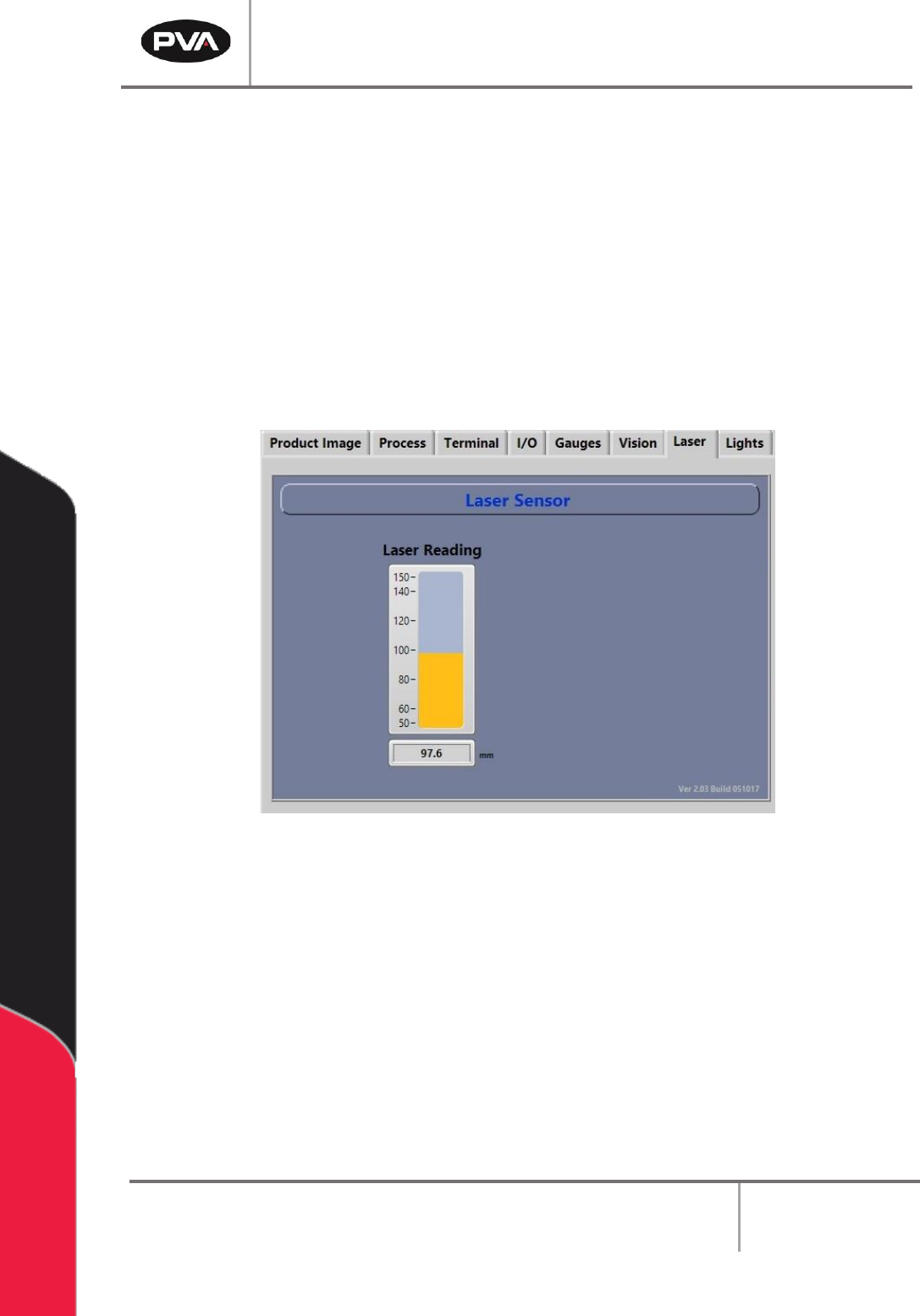
9.8 Laser
The Laser tab shows the current readout of the laser height sensor.
Note: This is not a standard option on all machines.
Figure 66: Laser Sensor Screen
Refer to the PathMaster® manual for more information on teaching the laser.
PVA Portal Manual
Revision I / January 2022
Page 65 of 106
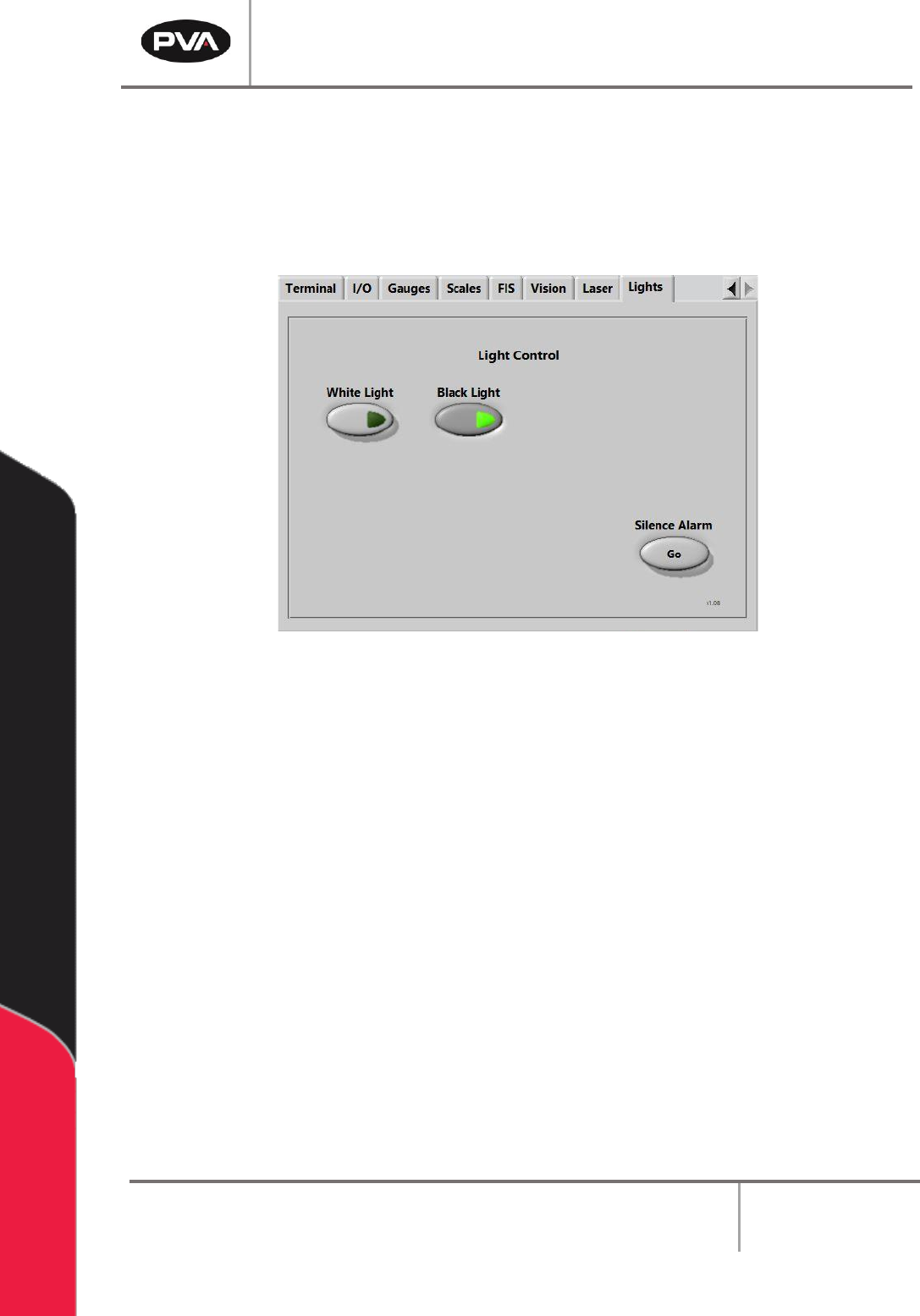
9.9 Lights
The Lights tab allows the user to toggle the installed lights on or off.
If the machine is in an error state, the alarm can be silenced by pressing the Silence Alarm
– “Go” button or by pressing the Teach button located on the teach pendant.
Figure 67: Light Control