Portal-Operation-Manual-REV-I.pdf - 第95页
PVA Portal Manual Revision I / Janua ry 2022 Page 95 of 106 15.7 Limit Error Recovery Pr ocedure The machine en counters a limit error when the gantr y exceeds the softwar e or hardware limits. The stop codes are sho wn …
PVA Portal Manual
Revision I / January 2022
Page 94 of 106
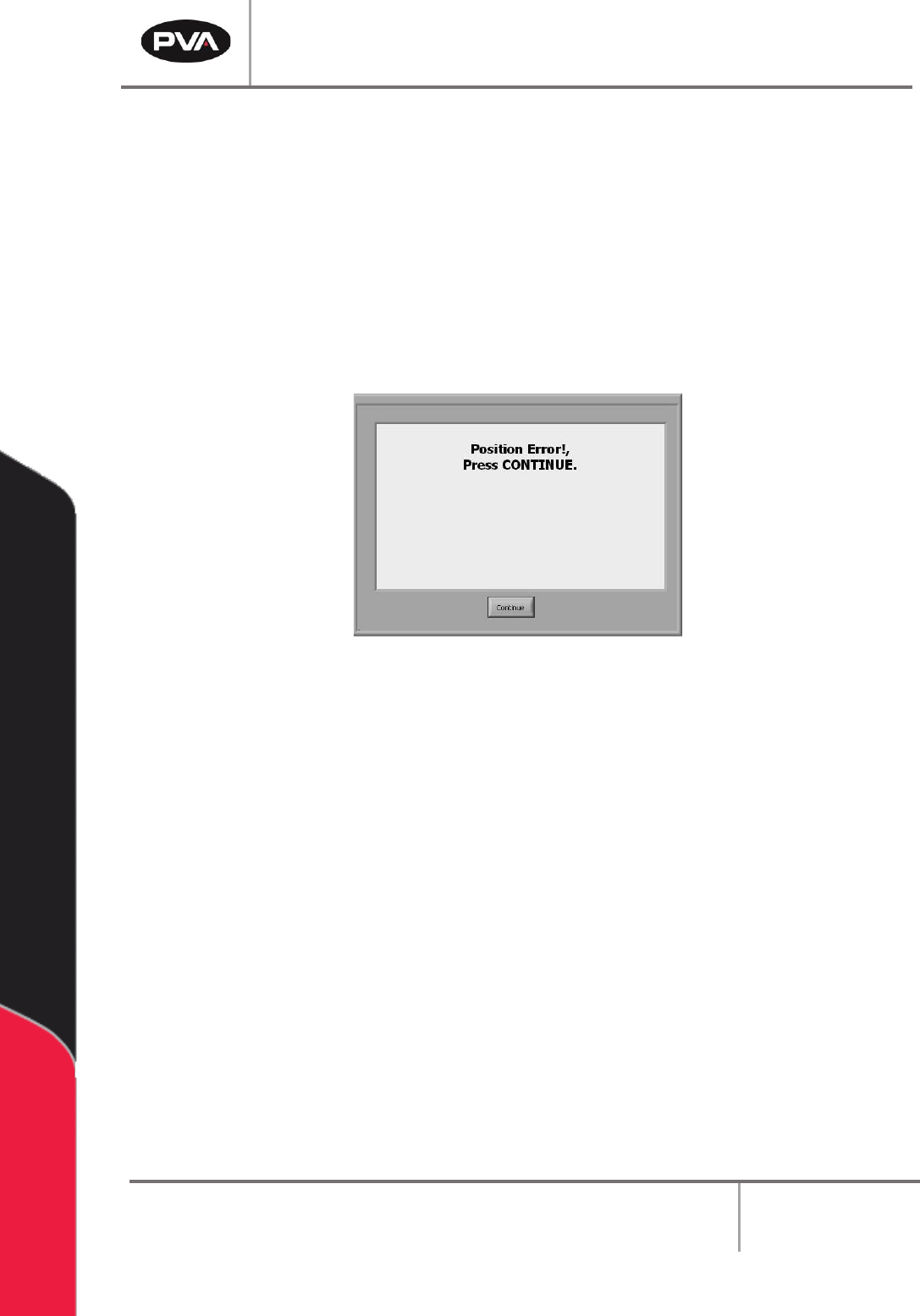
15.6 Position Error Recovery Procedure
A position error occurs when the difference between the commanded position and the
current position is more than the maximum allowable error limit for an axis.
An error limit will happen if the dispense/spray head hits a hard stop in Manual mode, if the
speed or acceleration is set too high, or if the axes drives are not powered. Ensure the
“Emergency Stop” button is not engaged. The motor stop codes are shown in the system
messages window.
Note: Refer to Section 15.8 for more information on stop codes.
Figure 120: Position Error
To correct the position error, perform the following steps:
1. Engage the “Emergency Stop” button.
2. Open the access door.
3. Move the dispense head to the center of the work area. Engage the brake on the Z-
axis. Turn the Z-axis motor coupling by hand to move the dispense head, as
necessary.
4. Close the access door.
5. Disengage the “Emergency Stop” button.
6. Select the “Continue” button to clear the error.
7. Perform the Startup Procedure. Refer to Section 10.1 for more information.
PVA Portal Manual
Revision I / January 2022
Page 95 of 106
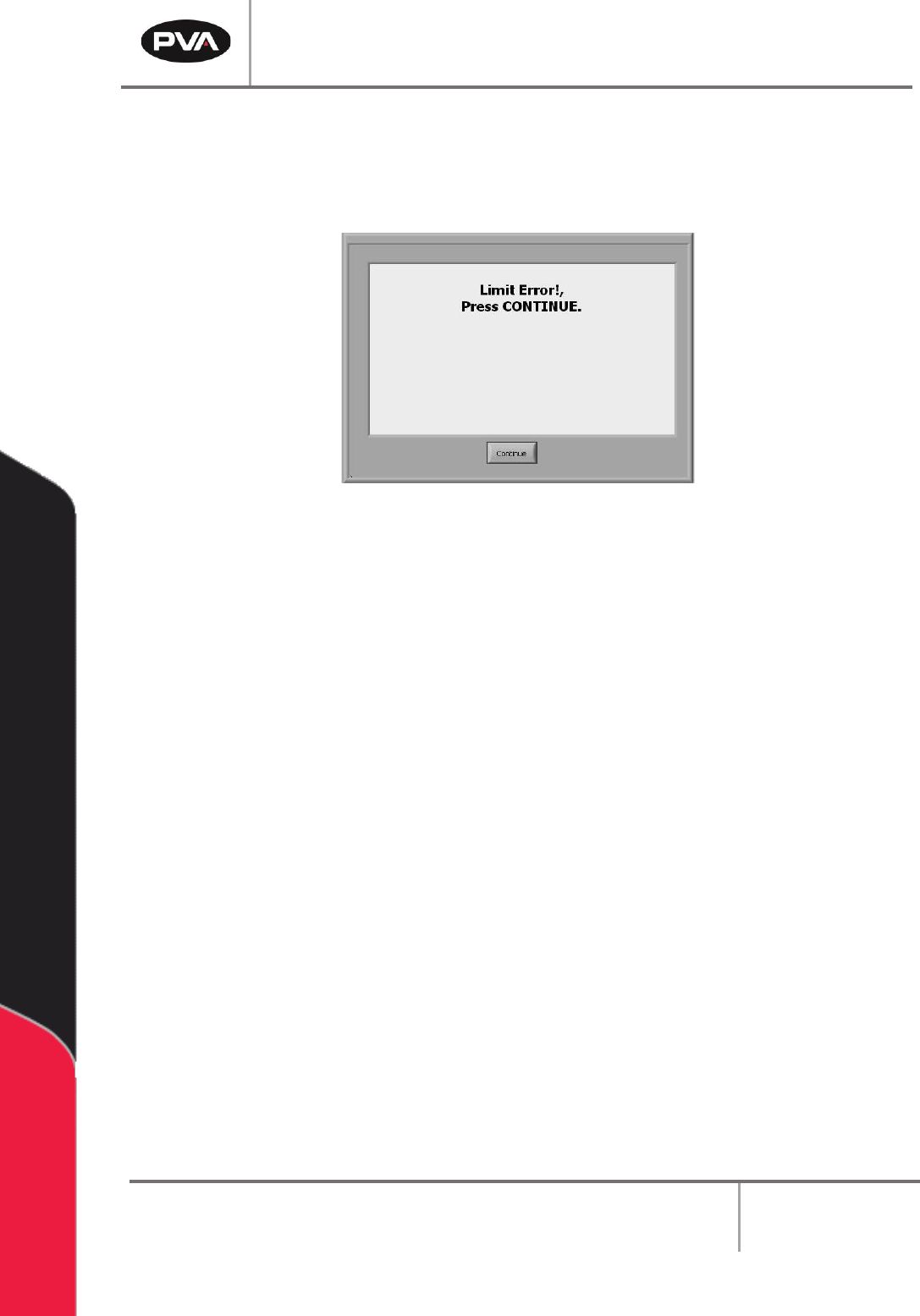
15.7 Limit Error Recovery Procedure
The machine encounters a limit error when the gantry exceeds the software or hardware
limits. The stop codes are shown in the system messages window.
Figure 121: Limit Error
1. Engage the “Emergency Stop” button.
2. Open the access door.
3. Move the dispense head to the center of the work area. Engage the brake on the Z-
axis. Turn the motor coupling by hand to move the dispense head, as necessary.
4. Close the access door.
5. Disengage the “Emergency Stop” button.
6. Select the “Continue” button to clear the error.
7. Perform the Startup Procedure. Refer to Section 10.1 for more information.
PVA Portal Manual
Revision I / January 2022
Page 96 of 106
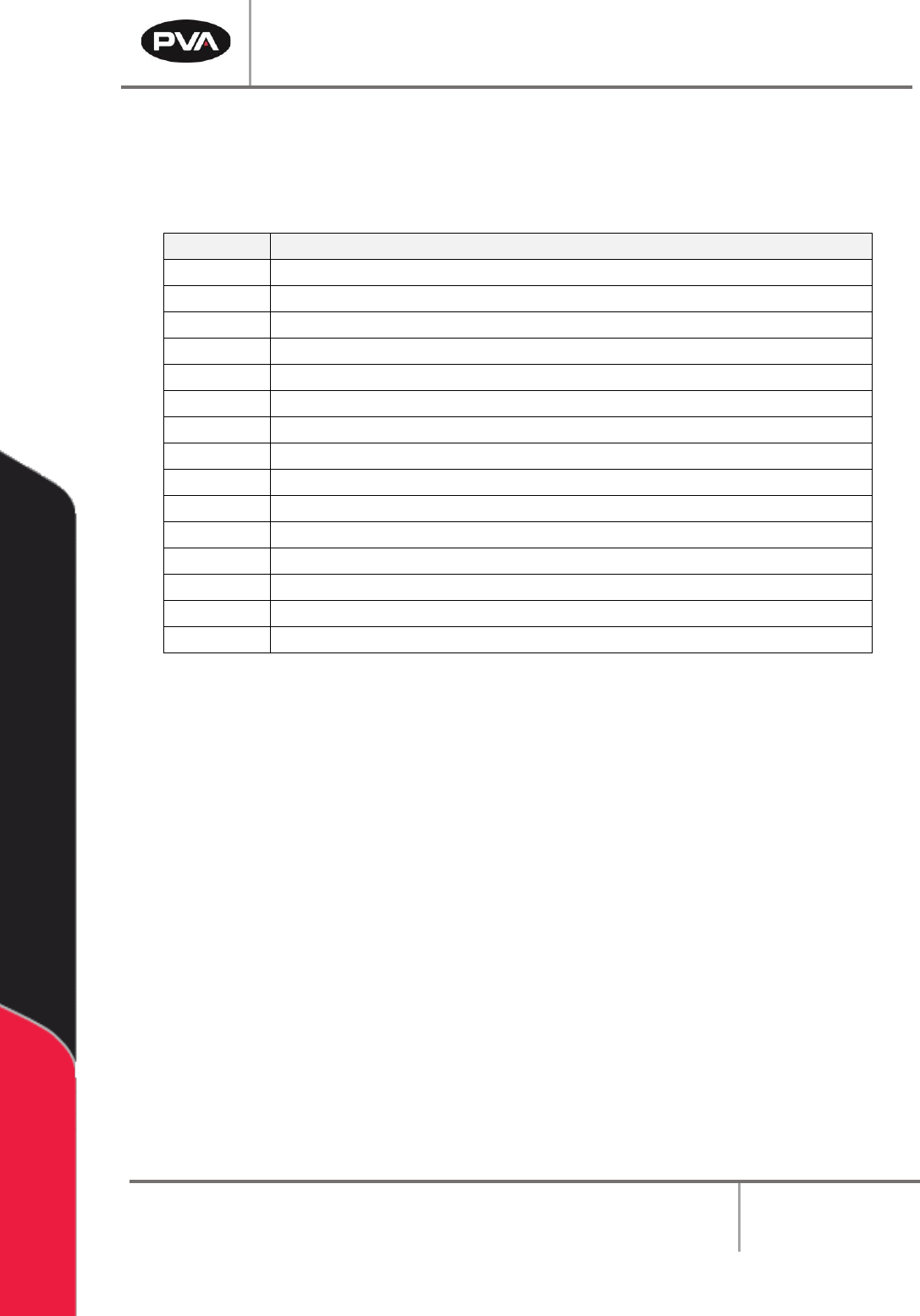
15.8 Stop Codes
For position and limit errors, the error screen shows stop codes for all the motors. This
shows which axis (or axes) caused the machine to fault.
Code
Meaning
0
Motors are running, independent mode.
1
Motors stopped at commanded independent position.
2
Decelerating or stopped by FWD limit switch or software.
3
Decelerating or stopped by REV limit switch or software.
4
Decelerating or stopped by Stop Command (ST).
6
Stopped by Abort input.
7
Stopped by Abort command (AB).
8
Decelerating or stopped by Off-on-Error (OE1).
9
Stopped after Finding Edge (FE).
10
Stopped after Homing (HM).
50
Contour running.
51
Contour Stop.
99
MC timeout.
100
Motors are running, vector sequence.
101
Motors stopped at command vector.
Table 2: Stop Code Definitions