Portal-Operation-Manual-REV-I.pdf - 第43页
PVA Portal Manual Revision I / Janua ry 2022 Page 43 of 106 8.3 Positions To re-teach th e Park/Idle Positions : 1. Select the appropriate positio n option (e.g ., Standby , Sol vent , Pu rge , or ALL ). 2. Sele ct the T…
PVA Portal Manual
Revision I / January 2022
Page 42 of 106
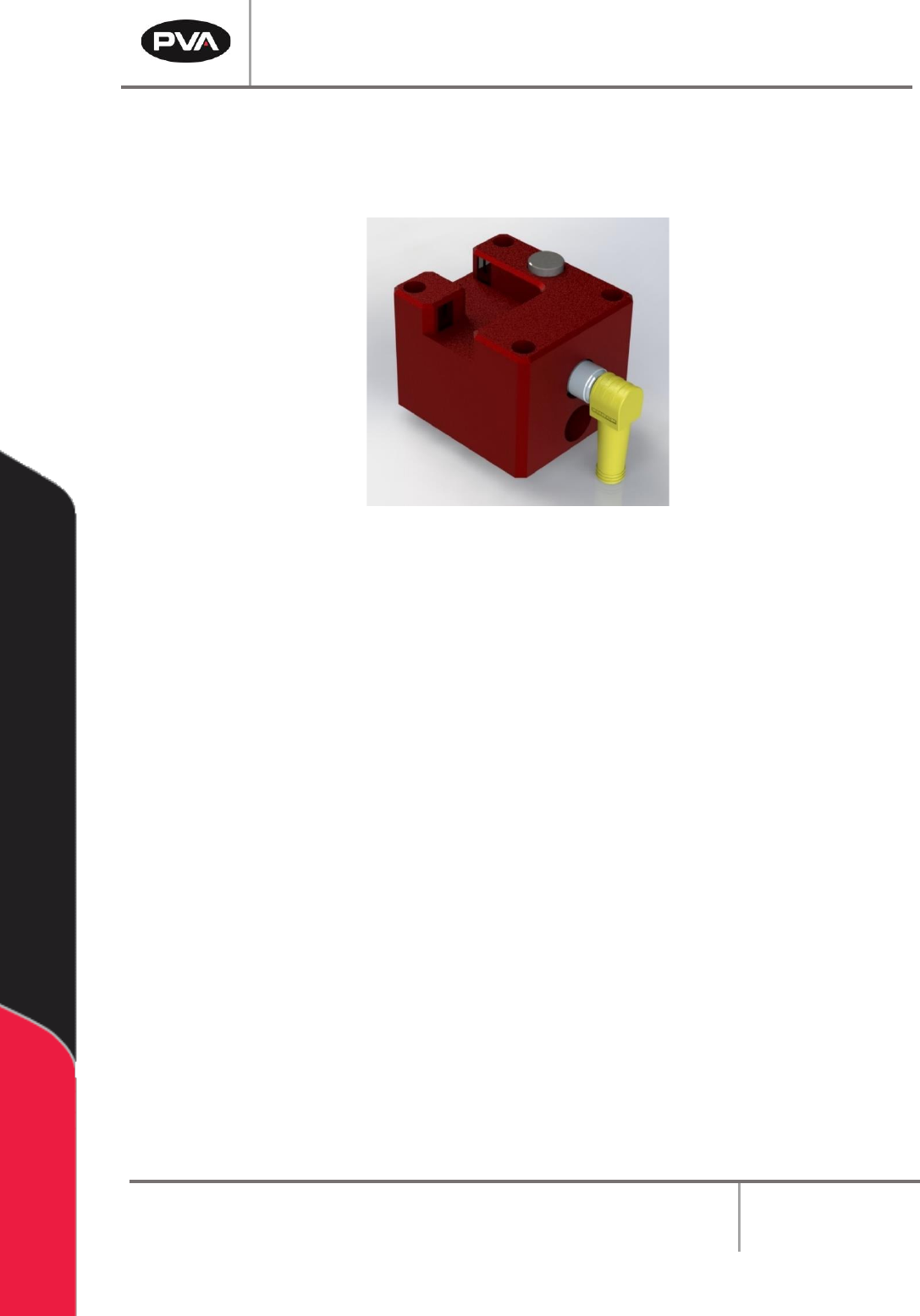
8.2.2 Sensor Defined Tool Calibration
The sensor defined tool calibration block consists of three sensors with one for each
axis (X,Y, and Z).
Figure 37: Tool Calibration Sensor Block
Refer to the PathMaster® Manual for more information.
Warning: Do not unplug the cable from the calibration block while the system is
powered on, as this could damage the sensors and/or motion controller.
PVA Portal Manual
Revision I / January 2022
Page 43 of 106
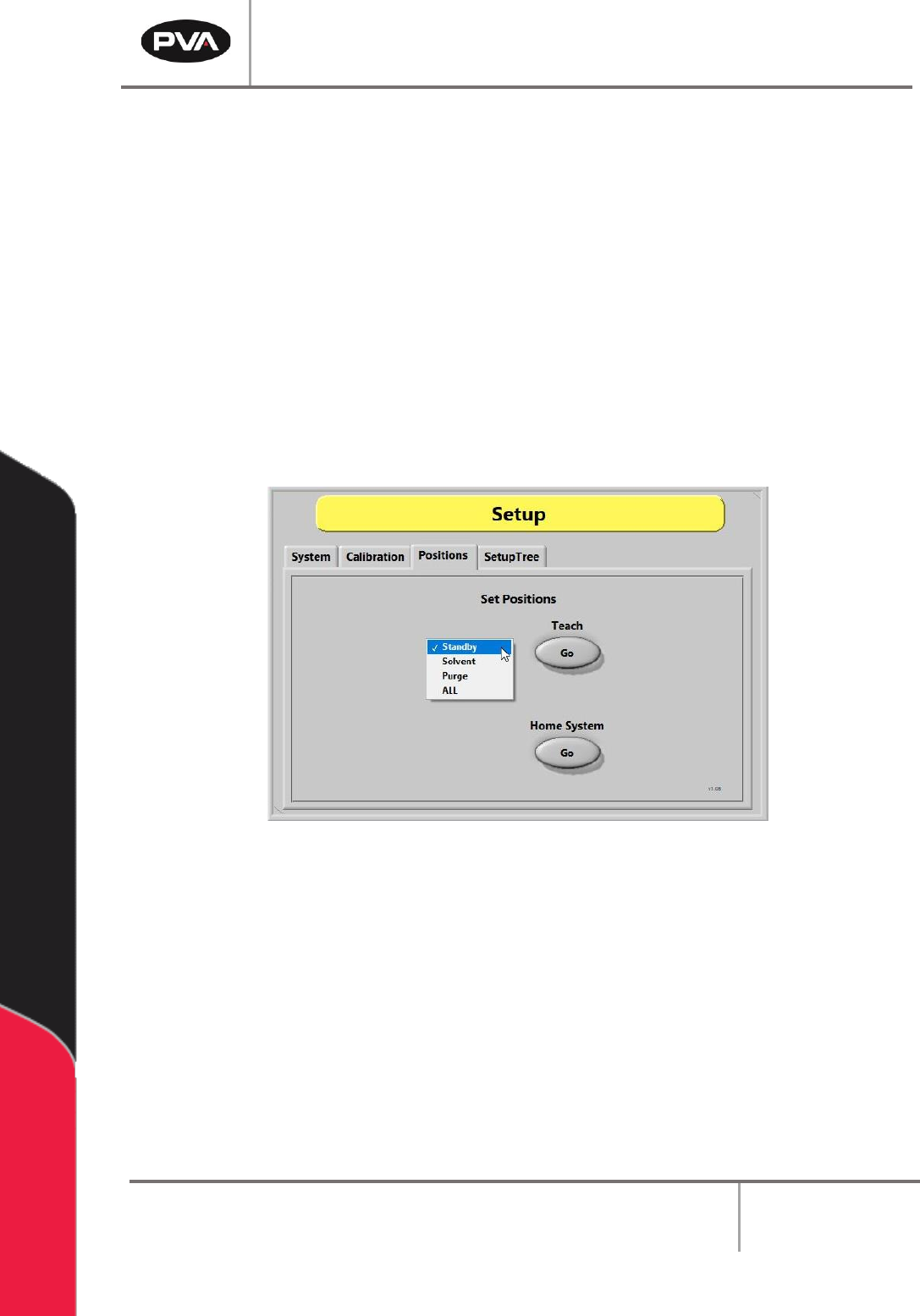
8.3 Positions
To re-teach the Park/Idle Positions:
1. Select the appropriate position option (e.g., Standby, Solvent, Purge, or ALL).
2. Select the Teach – “Go” button.
3. While using the Teach Pendant/Trackball, move the head to the desired position. If
pneumatic Z-slides are installed, press and hold the Purge button to drop them for
teaching the solvent and purge positions.
4. Press the “Teach” button when finished to save the new position.
5. To re-home the system, press the Home System – “Go” button.
Figure 38: Positions Tab
PVA Portal Manual
Revision I / January 2022
Page 44 of 106
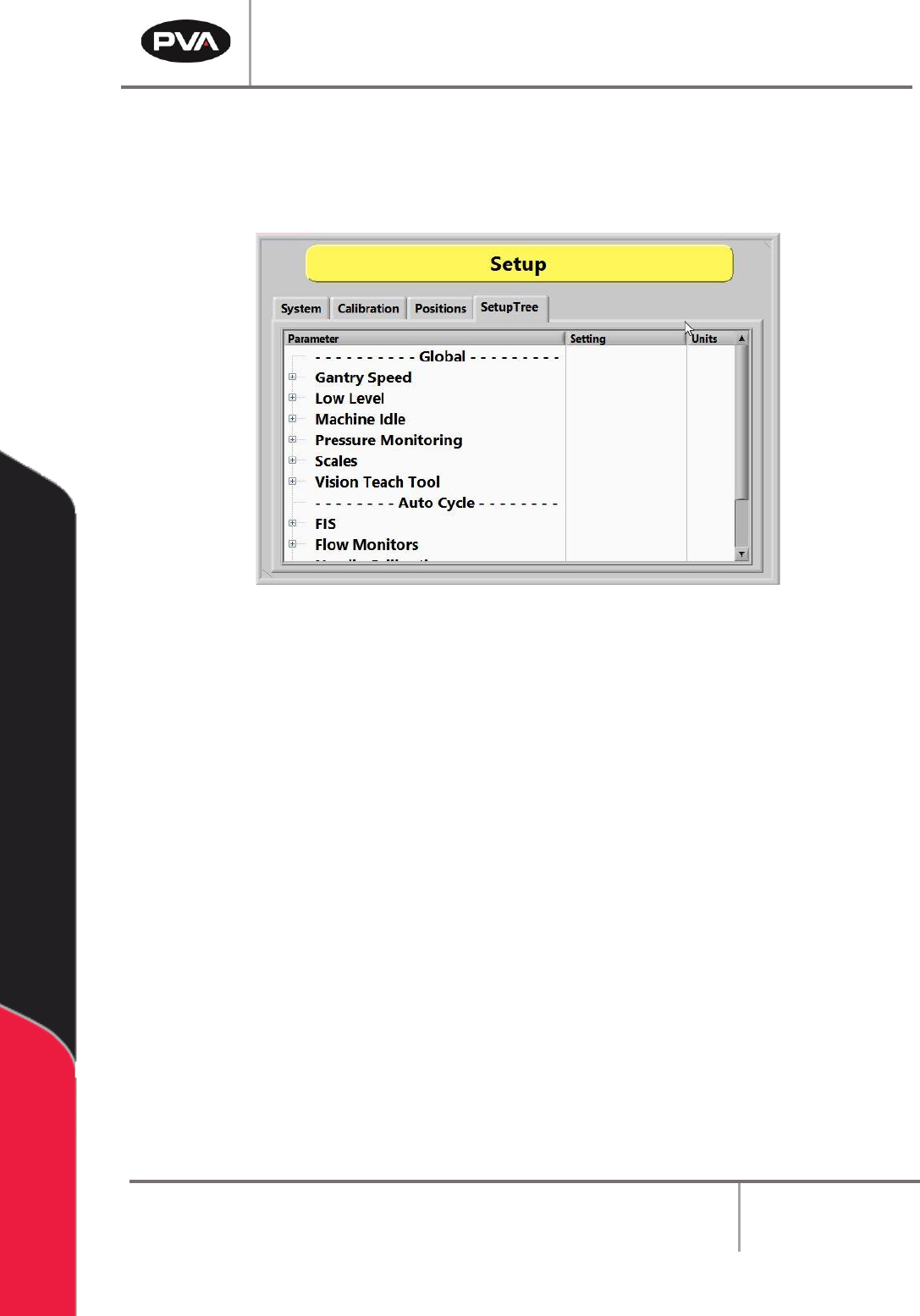
8.4 SetupTree
The SetupTree contains a list of setup options. The tree is split into two main categories:
Global and Auto Cycle.
Figure 39: SetupTree Tab
8.4.1 Gantry Speed
The Gantry Speed can be setup to run at three different movement speeds:
• Slow — the standard gantry speed is reduced by a factor of 2.
• Standard — the default/normal operating gantry speed.
• Fast — the standard gantry speed is increased by a factor of 1.5.
Note: This setup does not adjust the PathMaster® programs.