Portal-Operation-Manual-REV-I.pdf - 第70页
PVA Portal Manual Revision I / Janua ry 2022 Page 70 of 106 After the secon d failure, th e workcell stops and must be restart ed. Turn the work cell power off and on again. Th e secon d failure does not have to be for t…
PVA Portal Manual
Revision I / January 2022
Page 69 of 106
10.3 Machine Safety Check
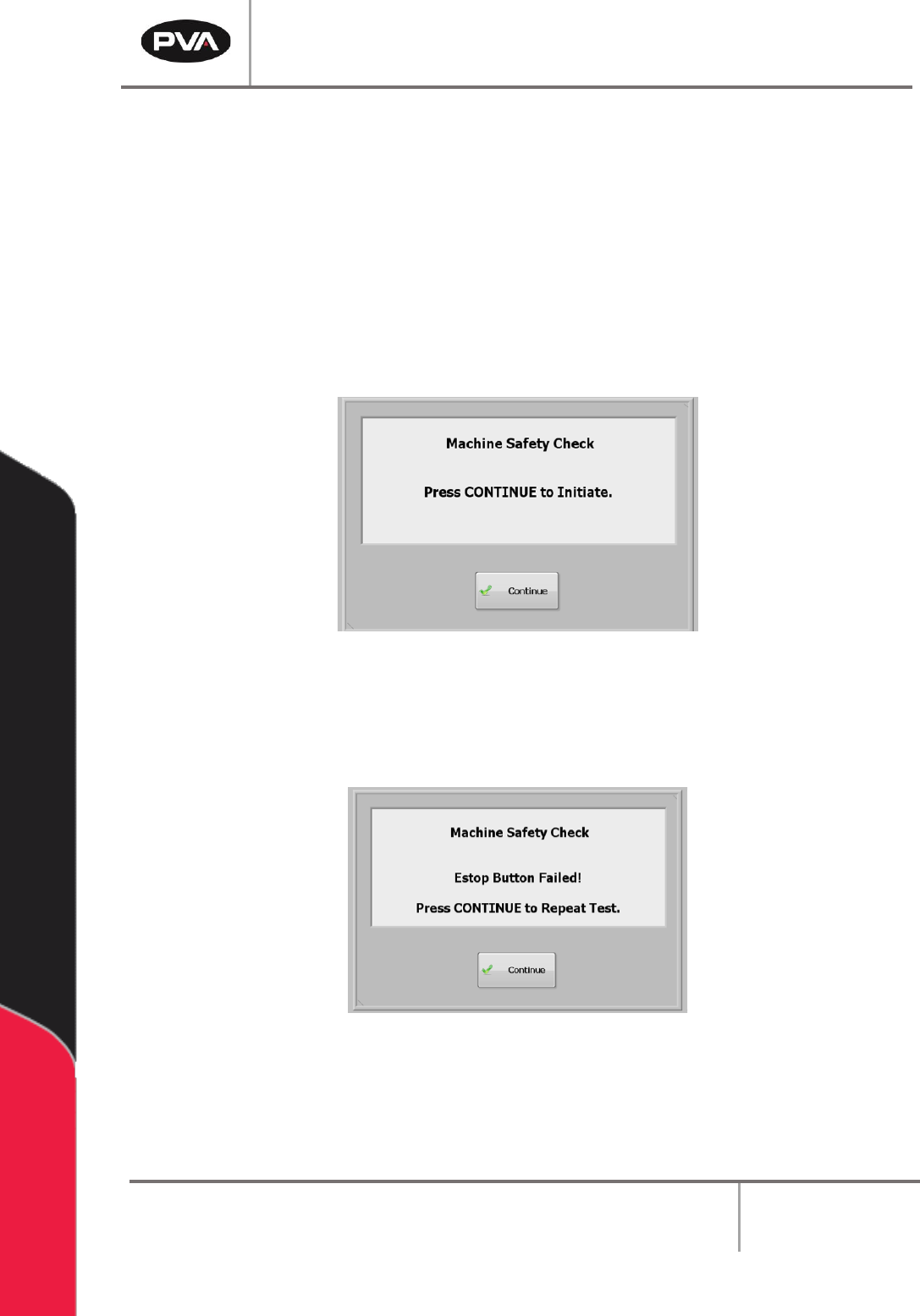
Once initialization and exhaust verification are complete, the operator interface displays
the message seen in Figure 72.
The Machine Safety Check ensures that the workcell safety devices (Emergency Stop,
Door Interlocks, Light Curtain, etc.) are operating correctly. During startup, the operator
must start the safety check and complete it successfully, or the machine will stop all
operations.
1. Select the “Continue” button.
Figure 72: Machine Safety Check
2. Safety devices must be activated and deactivated when shown on the screen. All
events in this procedure are timed. If an action is not completed within 8 seconds,
an error screen will be shown.
Figure 73: Sample Estop Fail
3. Select the “Continue” button to repeat the test.
PVA Portal Manual
Revision I / January 2022
Page 70 of 106
After the second failure, the workcell stops and must be restarted. Turn the workcell power
off and on again. The second failure does not have to be for the same device. For example,
an Emergency Stop failure followed by a Door Interlock failure will stop the workcell.
Note: If the safety check fails, a qualified person must examine the full system before
the machine is operated again. Refer to the Troubleshooting Power Check Failures
Document for more information.
10.4 Homing the Axes
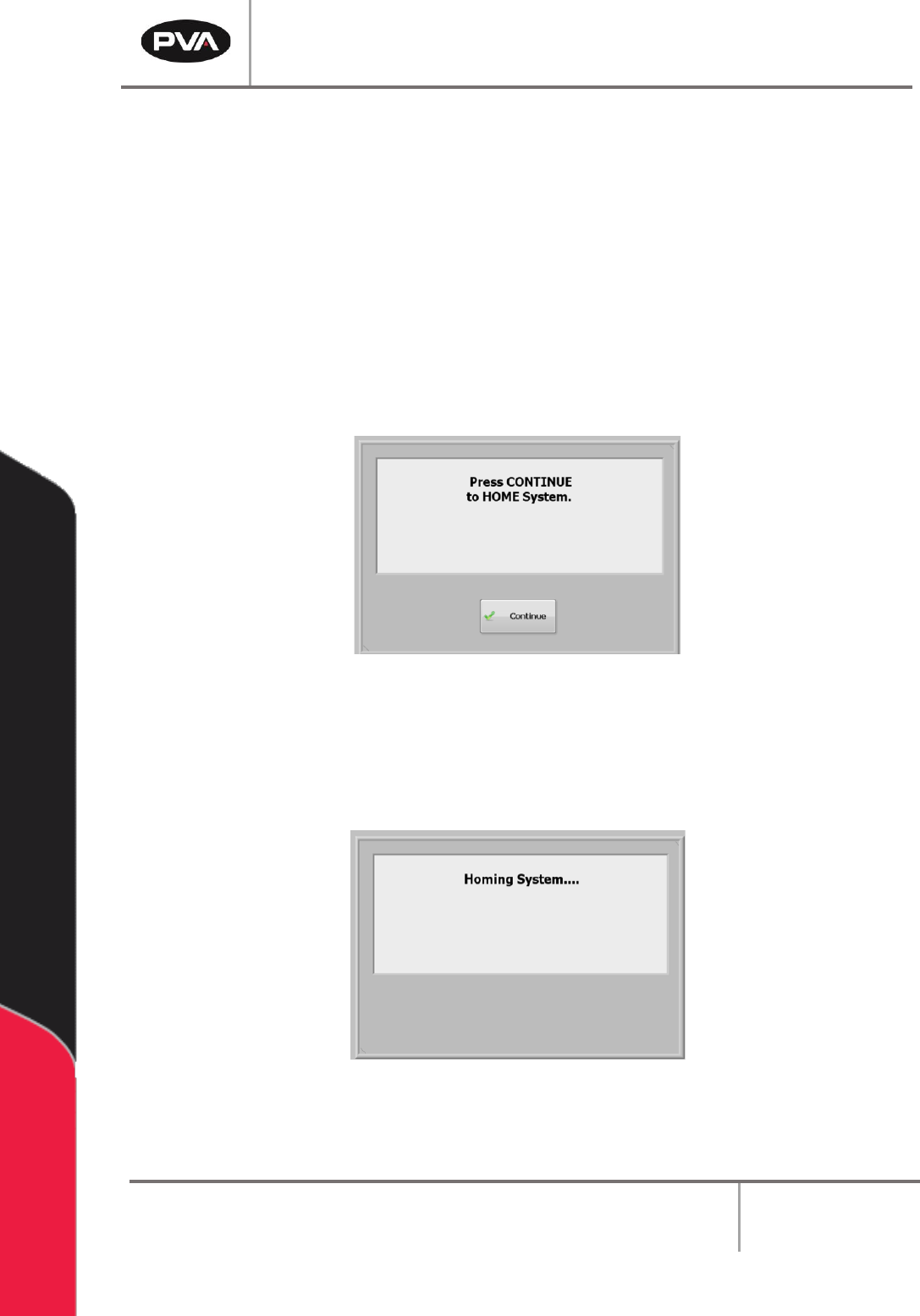
After the safety check is complete, the screen below is shown:
Figure 74: Home the System
1. Select the “Continue” button to home the system.
2. The axes will home in the following order: Z, W (if installed), then X & Y
simultaneously.
Figure 75: System Homing Screen
PVA Portal Manual
Revision I / January 2022
Page 71 of 106
10.5 Standby Position
The end effector will move to the Standby Position when the homing sequence is
complete, all calibration procedures are complete, a part is finished being processed, or if
the machine is waiting for parts but it is not necessary to move to solvent or auto purge.
The Standby Position is a defined location, different from the Home Position. Usually, the
Standby Position is near the board stop to decrease travel during Auto Cycle. The
workcell always goes back to the Standby Position in Cycle Stop mode. If the Standby
Position needs to be changed, refer to Section 8.3 for more information on reteaching the
position.
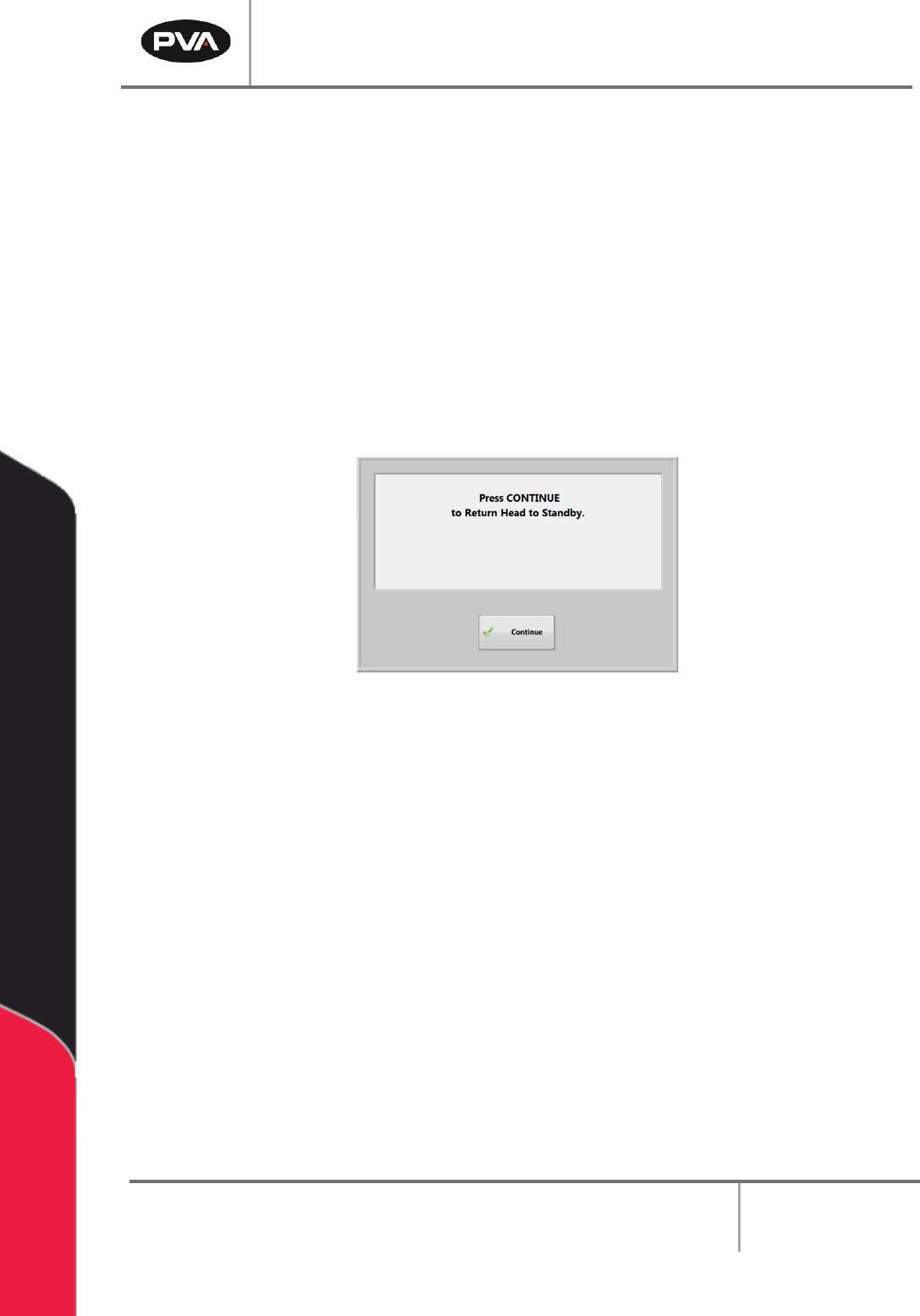
• When Portal opens select the “Continue” button to return the heads to the
Standby Position and to go to Cycle Stop mode.
Figure 76: Return Head to the Standby Position
10.6 Shut Down Procedure
If the machine is in cycle, wait for the cycle to finish and then return to Cycle Stop mode.
The machine must be in Cycle Stop mode in order to shut down.
Note: If the system needs to be flushed before it is shutdown, it is necessary to flush
the system before shutting down Portal.
1. If the machine is in Auto Cycle, wait for the cycle to finish.
2. Select the “Stop” button.
3. Close PathMaster®.
4. Select the “Quit” button on the Portal interface, on the right side of the window.