00196962-04-BA-SX12-V2-EN.pdf - 第206页
4 Setting up and commissioning Us er ma nual SIPLACE SX1/SX2 4.3 Setting up the machine From software version SC 706.1 SP1 Version 10/2014 206 4 Fig. 4.3 - 3 Machine feet (height adapter) (1) 4 height adapters - for vari…
User manual SIPLACE SX1/SX2 4 Setting up and commissioning
From software version SC 706.1 SP1 Version 10/2014 4.3 Setting up the machine
205
4.3.6 Replacing machine feet (height adapter)
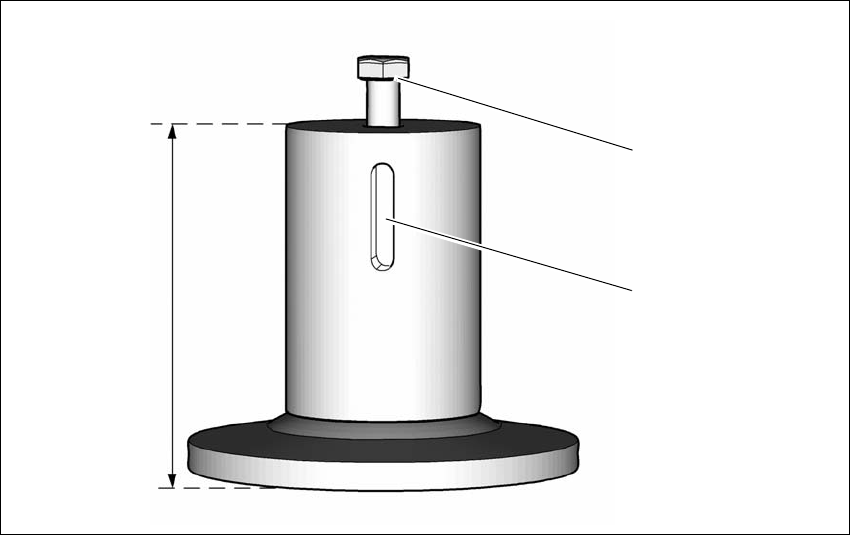
The machine stands on 4 feet ( height adapter) (see 1 in fig. 4.3 - 2, page 205 )
The corresponding height adapters are available for the various PCB conveyor heights.
4
Fig. 4.3 - 2 Machine height adapter
(1) Hexagon socket head screw for height adjustment
(2) Notch for fixture against falling (locking screw)
(3) Various height adapter dimensions
– Height adapter for PCB conveyor height 900 (Item No. 03067048-xx)
– Height adapter for PCB conveyor height 930 (Item No. 03067046-xx)
– Height adapter for PCB conveyor height 950 (Item No. 03065876-xx)
(3)
(1)
(2)
4 Setting up and commissioning User manual SIPLACE SX1/SX2
4.3 Setting up the machine From software version SC 706.1 SP1 Version 10/2014
206
4
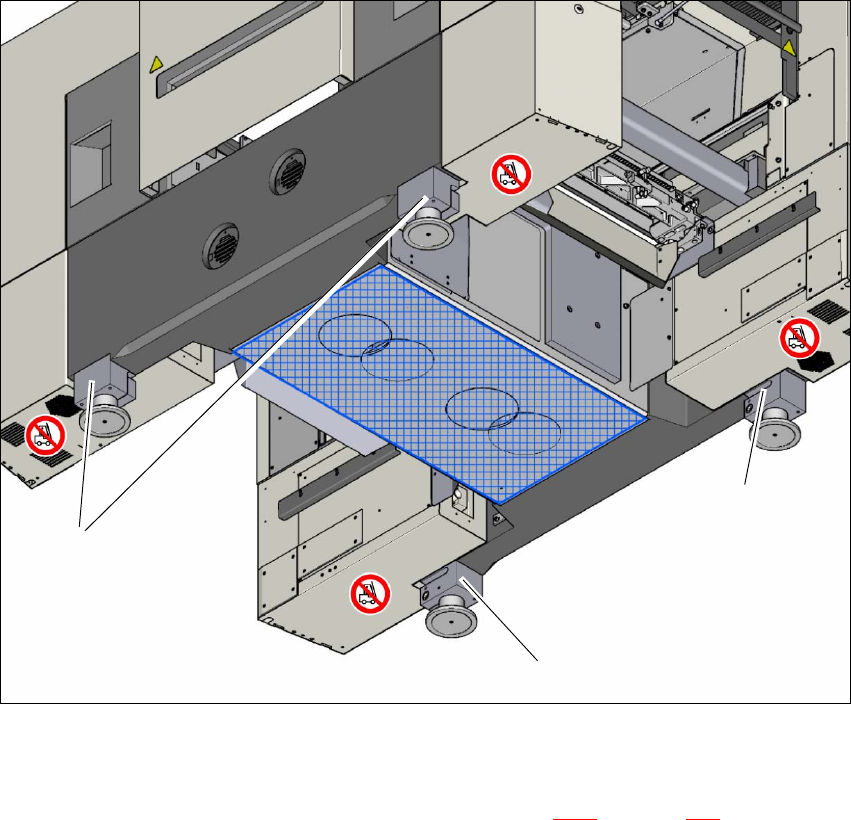
Fig. 4.3 - 3 Machine feet (height adapter)
(1) 4 height adapters - for various heights
Push the forks of the fork lift under the machine. See also 4.3.2, on page 201.
With the fork-lift, raise the machine approximately 35 cm. You can now pull the height adapt-
ers down and out.
(1)
(1)
(1)
User manual SIPLACE SX1/SX2 4 Setting up and commissioning
From software version SC 706.1 SP1 Version 10/2014 4.3 Setting up the machine
207
4
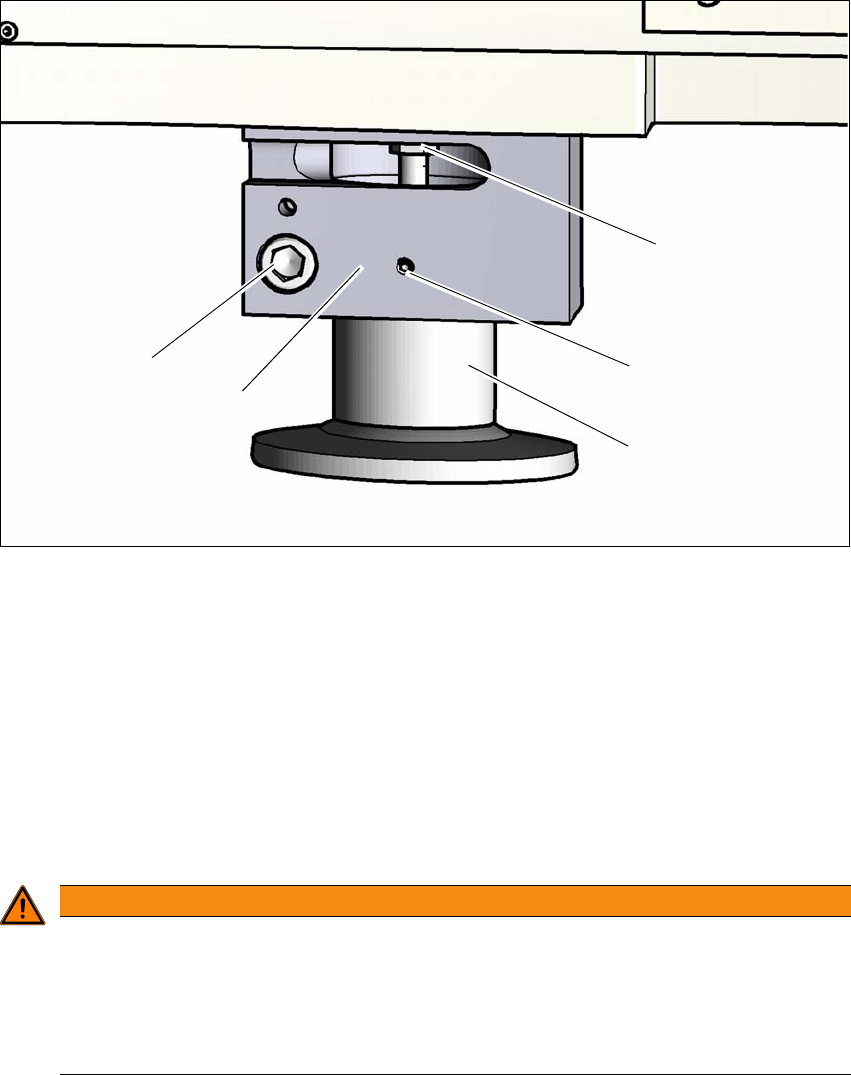
Fig. 4.3 - 4 Height adapter - adjusting the height
4
(1) Setting screw for adjusting the height
(2) Locking screw
(3) Height adapter
(4) Clamping
(5) Clamping screw
Loosen the locking screw (2). This locking screw fixes the height adapter and prevents it fall-
ing down as soon as the clamp has been loosened.
4
Loosen the clamping screw and pull the height adapter down and out.
Check the new height adapter to make sure that the height adjustment screw (1) can be
moved easily. If necessary, loosen the screw and grease the thread with Topas NCA 52.
To make sure that the height adapter can be easily pushed into the clamp (4), grease the
clamping area of the height adapter with Topas NCA 52.
WARNING
Risk of injuries!
After loosening the clamps, the height adapter could still fall out, despite being secured
with the grub screw in the groove, and could then injure hands and feet.
Hold the height adapter while fastening, to prevent it falling down.
Take care that your hands and feet can not be hit.
(3)
(1)
(2)
(4)
(5)