00196962-04-BA-SX12-V2-EN.pdf - 第351页
User manual SIPLACE SX1/SX2 6 Station extensions From software version SC 706.1 SP1 Version 10/2014 6.18 Vision Teach Station 351 6.18.1 Description The vision teach st ation is a system for creati ng and testing package…
6 Station extensions User manual SIPLACE SX1/SX2
6.18 Vision Teach Station From software version SC 706.1 SP1 Version 10/2014
350
6.18 Vision Teach Station
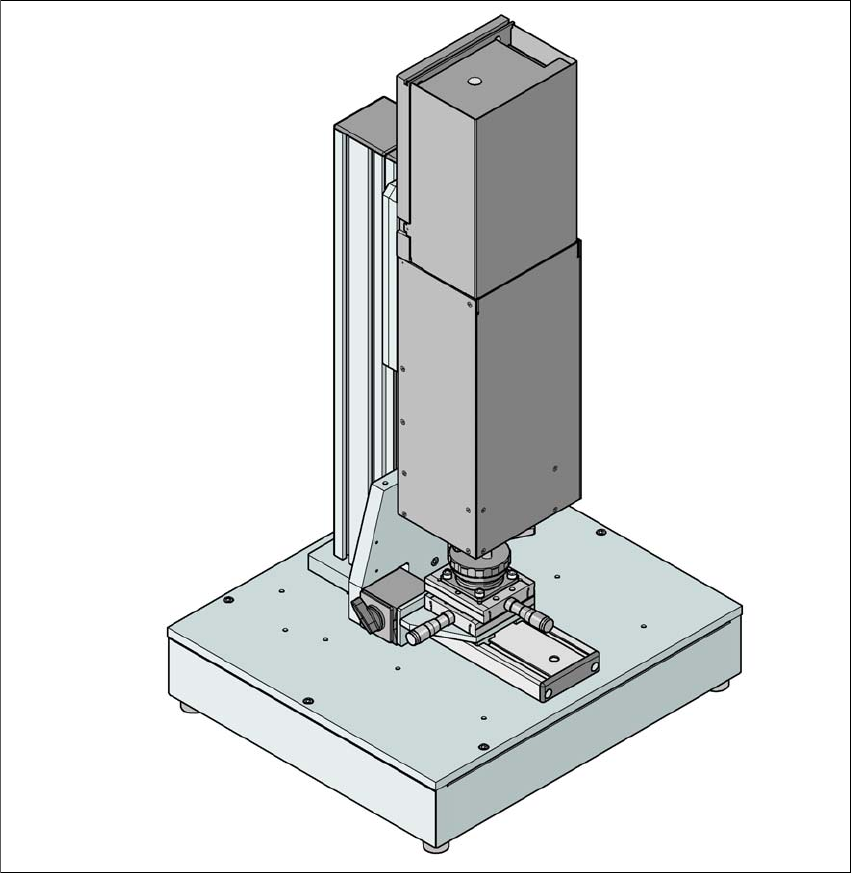
Item no. 00119788-xx Vision teach station
6
Fig. 6.18 - 1 Vision teach station with component camera, type 33
User manual SIPLACE SX1/SX2 6 Station extensions
From software version SC 706.1 SP1 Version 10/2014 6.18 Vision Teach Station
351
6.18.1 Description
The vision teach station is a system for creating and testing package form descriptions for com-
ponents to be processed on SIPLACE placement machines.
The vision teach station essentially consists of the following components:
– Base module with electronic circuits and one or two component cameras
– Mini-tower PC
WINDOWS XP operating system 6
SIPLACE Vision image processing software 6
SIPLACE Pro database server 6
Camera interfaces: CAN bus card and camera bus card 6
The vision teach station is used to create and test descriptions for package forms for any place-
ment machine and to run component inspections.
The package form descriptions thus created may be stored in the SIPLACE Pro database on the
vision teach station and transferred to the SIPLACE Pro database of the production system. You
can also download vision screenshots from placement machines to the vision teach station for
analysis. Only multiple component measurements still have to be carried out on the placement
machine.
6.18.2 Benefits
The major advantage of this offline system is that it is totally independent of the production system,
and no production system resources have to be used for creating and testing package form de-
scriptions. As a result, there is no loss of productivity due to the description and testing of package
forms. The time taken to introduce new products can also be considerably reduced with this inde-
pendent system.
6 Station extensions User manual SIPLACE SX1/SX2
6.19 Capacity on Demand From software version SC 706.1 SP1 Version 10/2014
352
6.19 Capacity on Demand
6.19.1 General
Capacity on Demand: Convincing answers in all situations. Modern electronic production knows
only one constant factor: change. The SIPLACE SX allows you to adapt your production environ-
ment to different business requirements and to continue operating with high efficiency despite
changing productions scenarios. Start small and enjoy quick and easy growth whenever needed.
6
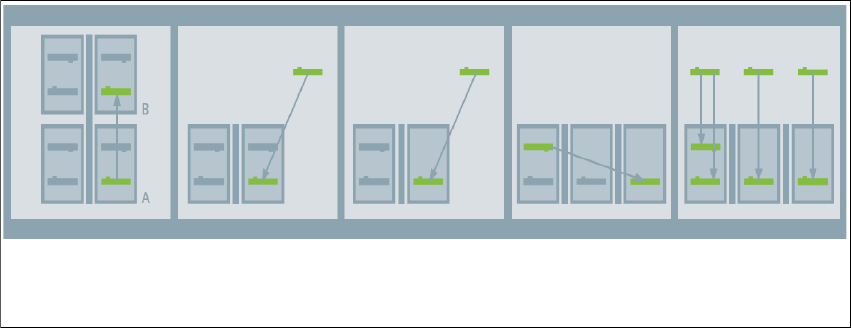
Fig. 6.19 - 1 Capacity on Demand
Free transfer of placement capacity between the lines
This enables you to take SX changeover gantries from lines with lower utilization or to borrow gan-
tries from SIPLACE. This transfers targeted placement capacity to lines experiencing bottlenecks.
Scaling SMT lines synchronous to ramp-up
Scale your line synchronously to the actual requirement. The SX changeover gantries give your
lines reserve capacity which you can call on without risk, when your specific requirement in-
creases.
Borrow capacity for no-risk and easy coverage of peak requirements
Use SX changeover gantries to borrow the additional placement capacity needed on demand.
This gives you a flexible reserve for peak times, helps minimize costs and avoid excess capacity.
Targeted location quantity and flexibility increases
Invest for your specific needs with a SX+ basic module with locations. You save the costs of heads
and gantries. Just move the existing SX changeover gantries to the new basic module.
Transferring gantries
between the STM lines
Scaling gantries for
ramp-up
Lending out gantries
for enhanced place-
ment performance
Increasing locations
as required
Fully flexible produc-
tion