00196962-04-BA-SX12-V2-EN.pdf - 第215页
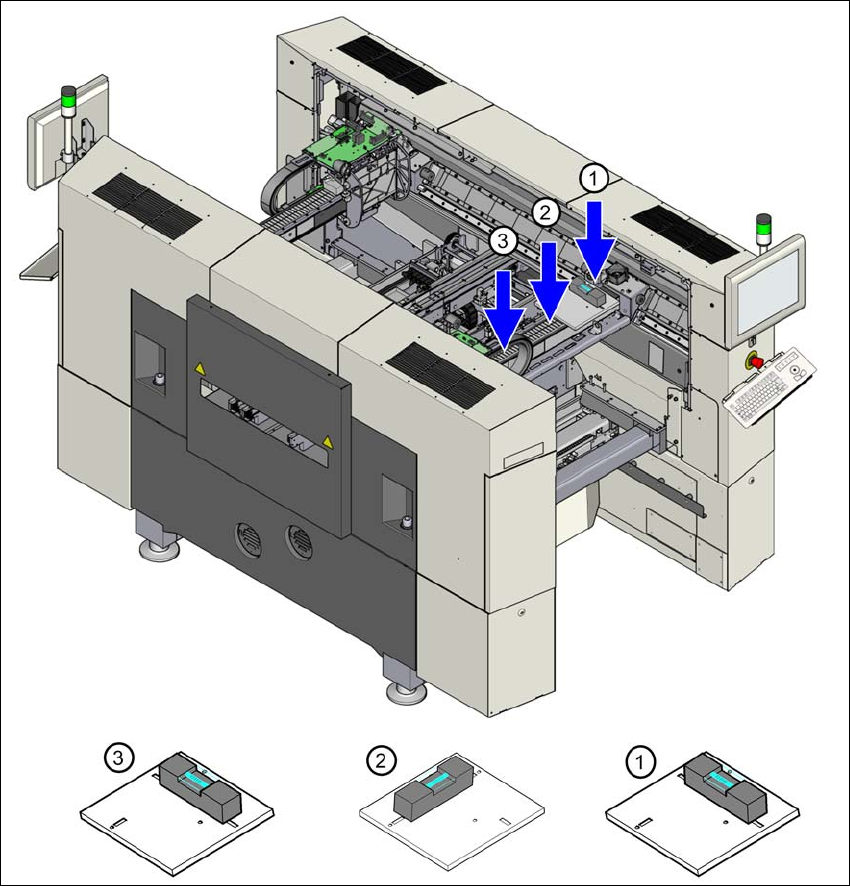
User manual SIPLACE SX1/SX2 4 Setting up and commissioning From software version SC 706.1 SP1 Version 10/2014 4.3 Setting up the machine 215 4 Fig. 4.3 - 9 Measuring points on the machine

4 Setting up and commissioning User manual SIPLACE SX1/SX2
4.3 Setting up the machine From software version SC 706.1 SP1 Version 10/2014
214
4
Adjust the machine by following the instructions below in the order listed:
(1) Align the machine in the Y direction at the fixed and loose bearing sides. The measuring tol-
erance is 0.10 mm.
(2) Align the machine in the X direction to the middle of the gantry. The measuring tolerance is
0.10 mm.
(3) Check the load-bearing strength of the 4 machine feet. The 4 machine feet must touch the
ground and be evenly loaded.
(4) Tighten the machine feet at the clamping screw to a torque of 130 Nm.
(5) Hit the feet with a hammer to check the load-bearing strength of the machine feet.
(6) Use the spirit level to ensure that the machine is precisely aligned.
PLEASE NOTE
Guaranteed handling accuracy of machine spirit level
Make sure that the spirit level is always placed onto the support plate the same way
round when measuring the X and Y directions
User manual SIPLACE SX1/SX2 4 Setting up and commissioning
From software version SC 706.1 SP1 Version 10/2014 4.3 Setting up the machine
215
4
Fig. 4.3 - 9 Measuring points on the machine
4 Setting up and commissioning User manual SIPLACE SX1/SX2
4.3 Setting up the machine From software version SC 706.1 SP1 Version 10/2014
216
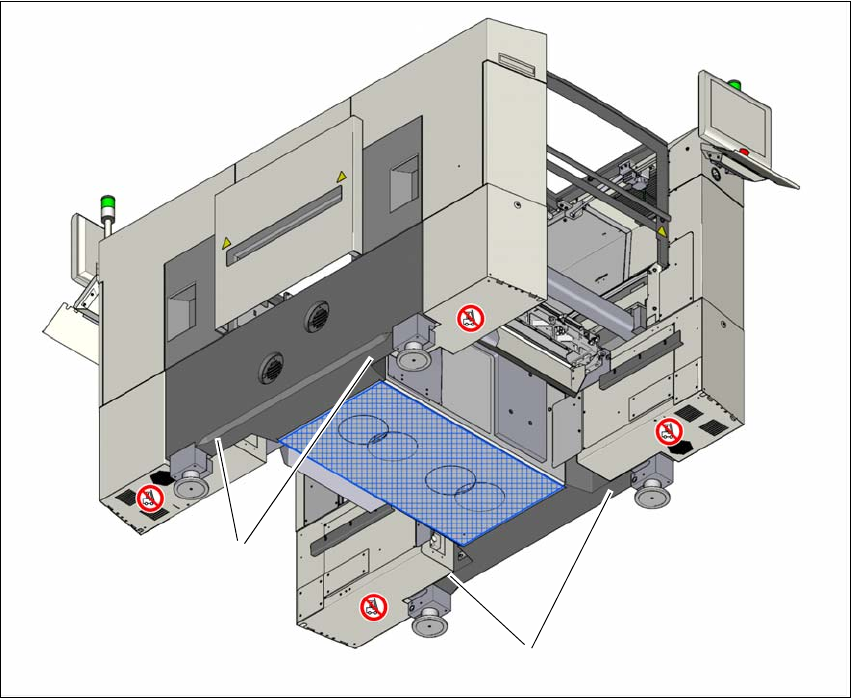
4.3.9.1 Aligning the machine with the air cushion transport system
Place the four air cushions from the air cushion transport system under the contact points on
the machine frame.
Raise the machine and align it with respect to the line.
Check the distance from the PCB conveyor system of the adjacent machine. It should be be-
tween 1 mm and 3 mm.
Lower the machine.
4
Fig. 4.3 - 10 Contact positions for the air cushion transport system
(1) 4 contact points for the air cushion transport system
(1)
(1)