00196962-04-BA-SX12-V2-EN.pdf - 第248页
5 Working with the machine User manual SIPLACE SX1/SX2 5.7 Indicator lamps with horn From software version SC 706.1 SP1 Version 10/2014 248 5.7.1.2 Three color indicator lamp (optional) Fig. 5.7 - 2 Indicator lamps for o…
User manual SIPLACE SX1/SX2 5 Working with the machine
From software version SC 706.1 SP1 Version 10/2014 5.7 Indicator lamps with horn
247
5.7 Indicator lamps with horn
5.7.1 Overview
These indicator lamps are used to signal operating statuses and malfunctions of the machine.
The horn
indicates when an alert has occurred. SIPLACE machines can either be fitted with a two or three
color indicator lamp.The relevant indicator lamp system (two or three color) is set in the autocon-
figuration, see installation guide for station software, Item No. 00196771-xx.
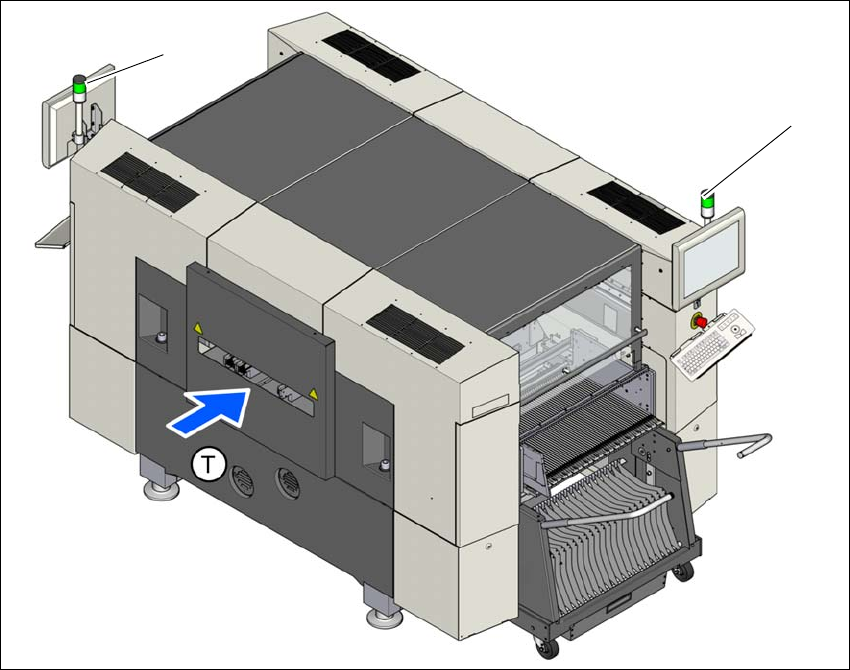
5.7.1.1 Two color indicator lamp (standard)
Fig. 5.7 - 1 Indicator lamps for operating states
L1 left indicator lamp
L3 right indicator lamp
T Direction of PCB transport
(L1)
(L2)
5 Working with the machine User manual SIPLACE SX1/SX2
5.7 Indicator lamps with horn From software version SC 706.1 SP1 Version 10/2014
248
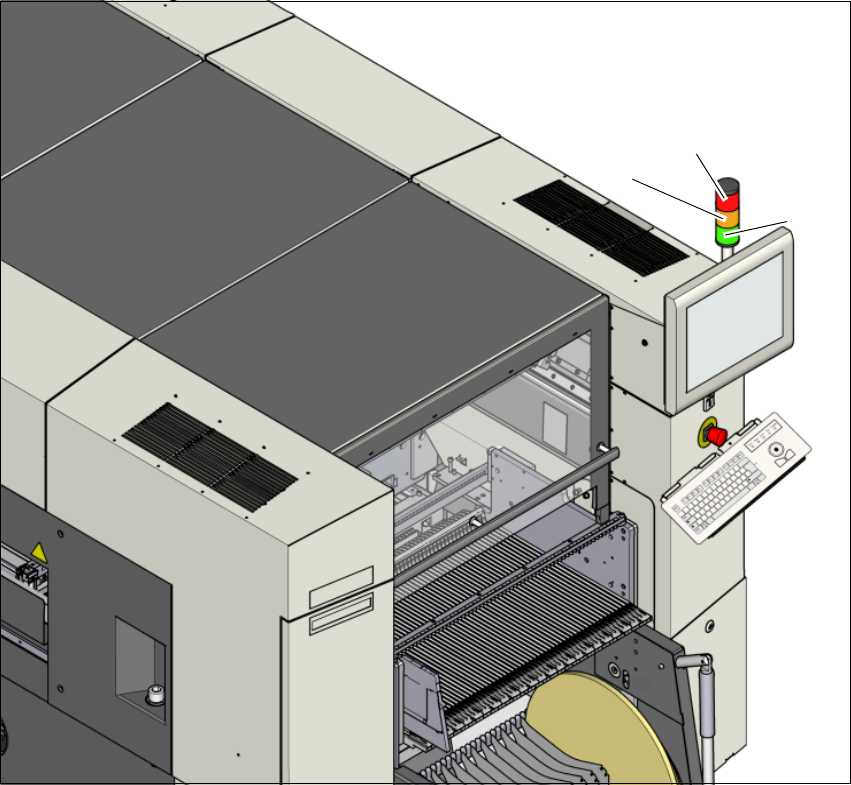
5.7.1.2 Three color indicator lamp (optional)
Fig. 5.7 - 2 Indicator lamps for operating states
L1 red indicator lamp
L2 yellow indicator lamp
L3 green indicator lamp
(L2)
(L1)
(L3)

User manual SIPLACE SX1/SX2 5 Working with the machine
From software version SC 706.1 SP1 Version 10/2014 5.7 Indicator lamps with horn
249
5.7.2 Status displays and their meanings
5
Meaning Machine side Status - two color
(white/green)
Status - three color
(red/yellow/green)
The machine is producing Both sides White: --
Green: On
Red: Off
Yellow: Off
Green: On
The machine is waiting for a
board at input.
Both sides White: --
Green: 700 - 700
Red: Off
Yellow: Off
Green: 500 - 500
The machine has been stopped
with the stop button; The start
button must be pressed to con-
tinue production.
Both sides Not configured Red: Off
Yellow: Off
Green: 500 - 500
Fiducial manipulation by the
operator required.
Both sides White: --
Green: 100 - 100
Red: Off
Yellow: 500-500
Green: Off
The machine is waiting for a
recipe or is waiting for machine
preparation after receiving a
recipe.
Both sides White: --
Green: 100 - 100
Red: Off
Yellow: Off
Green: 500 - 500
The machine is preparing pro-
duction (check nozzle status,
feeder modulerecognition).
Both sides White: --
Green: 100 - 100
Red: Off
Yellow: Off
Green: 500 - 500
An alternative pickup position
will be used.
Respective side White: 100 -100
Green: --
Red: Off
Yellow: On
Green: On
A board needs to be taken out
of the output conveyor (e.g. for
inspection).
Respective side White: 500 -500
Green: 700 -700
Red: Off
Yellow: Off
Green: 500 - 500
The PCB conveyor is jammed
(successor machine is waiting
for boards).
Respective side White: --
Green: 700 -700
Red: Off
Yellow: Off
Green: 500 - 500
More than one pickup position
with the same components is
disabled but there is more than
one pickup position available
for use.
Respective side White: 500 -500
Green: --
Red: Off
Yellow: On
Green: On
Setup verification is required
for at least one pickup position.
Respective side White: 500 -500
Green: --
Red: Off
Yellow: 500 - 500
Green: Off