00196962-04-BA-SX12-V2-EN.pdf - 第241页
User manual SIPLACE SX1/SX2 5 Working with the machine From software version SC 706.1 SP1 Version 10/2014 5.5 The user interface 241 The following view will open: 5 Fig. 5.5 - 4 User interface in the "WPC" view…
5 Working with the machine User manual SIPLACE SX1/SX2
5.5 The user interface From software version SC 706.1 SP1 Version 10/2014
240
Example: View: "Feeder modules, components and nozzles"
Click on "Feeder modules, components and nozzles" in the toolbar .
The following view will open:
5
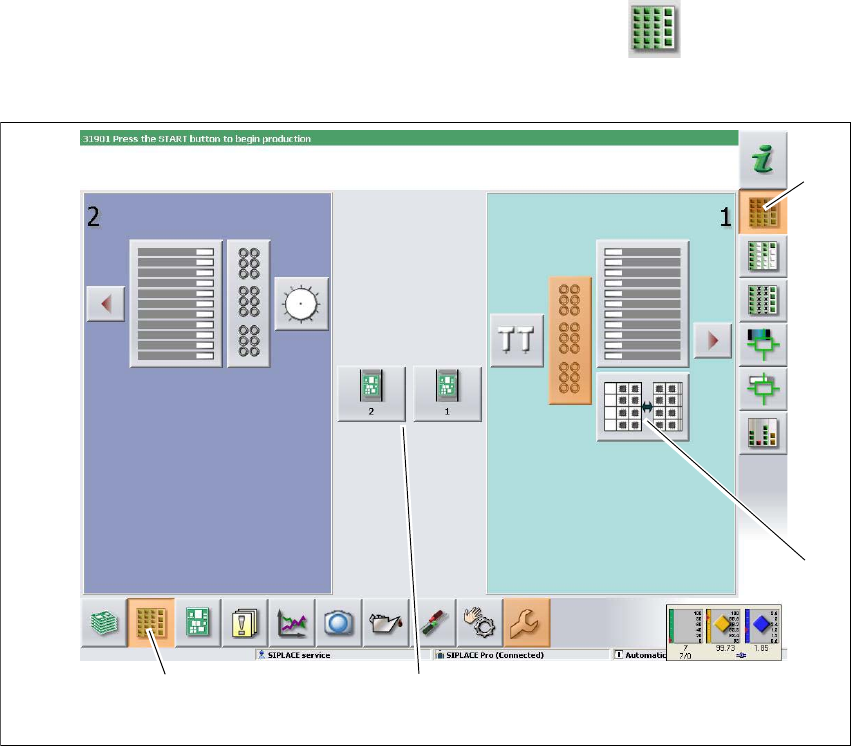
Fig. 5.5 - 3 User interface in the "Feeder modules, components and nozzles" view (example of SIPLACE SX2
shown)
Legend
(1) Toolbar ("Feeder modules, components and nozzles" button)
(2) Vertical toolbar in "Feeder modules, components and nozzles" view
(3) Processing area with 2 gantries
(4) Button for nozzle change at gantry 2
Click, for example, on the WPC for gantry 1 (button 4), to check the configuration.
(1)
(2)
(3)
(4)
User manual SIPLACE SX1/SX2 5 Working with the machine
From software version SC 706.1 SP1 Version 10/2014 5.5 The user interface
241
The following view will open:
5
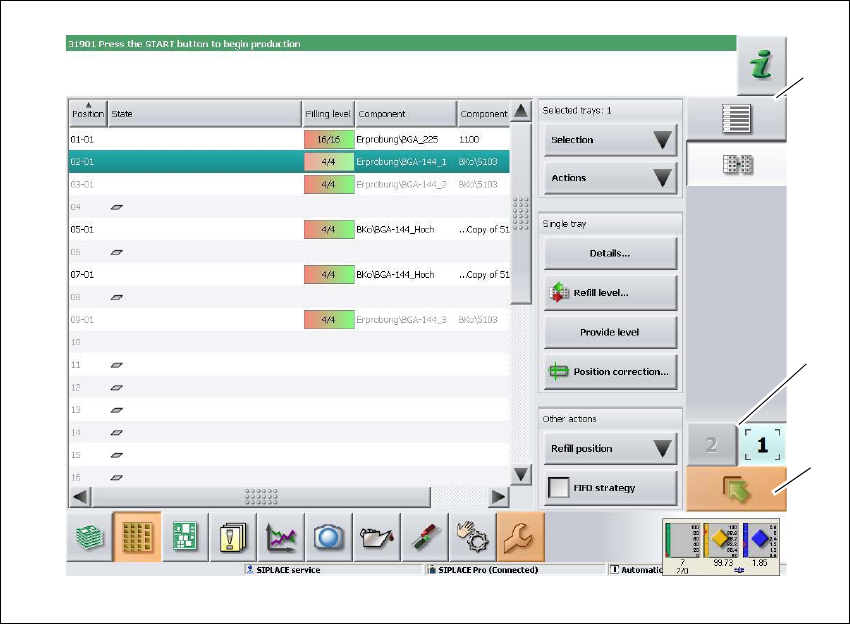
Fig. 5.5 - 4 User interface in the "WPC" view (example of SIPLACE SX shown)
Legend
(1) Vertical toolbar "WPC"
(2) "Up one level" button, to return to previous view (here: "Feeder modules, components and
nozzles" view, see previous diagram)
(3) Buttons for changing directly to a different gantry
(1)
(2)
(3)
5 Working with the machine User manual SIPLACE SX1/SX2
5.5 The user interface From software version SC 706.1 SP1 Version 10/2014
242
5.5.5 Settings
The "Settings" view allows you to change the various user settings, software options and machine
options.
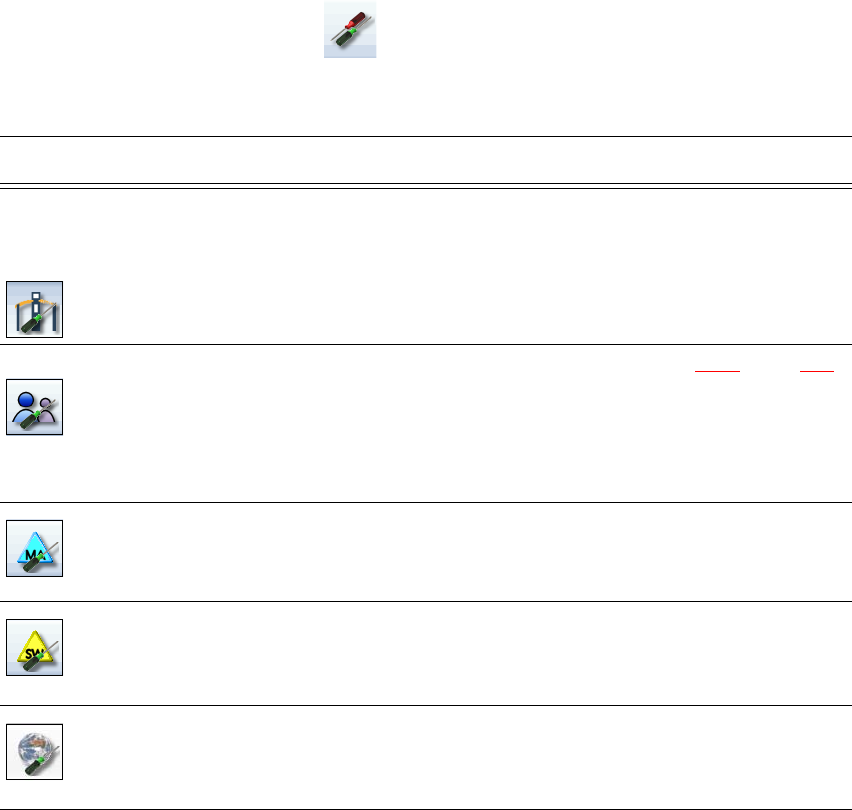
Click on "Settings" in the toolbar .
The right-hand side shows an additional toolbar. The following table briefly describes the icons
and settings.
Icon Settings Description
Machine settings Only for "Advanced production", "Service customer" or "Service
SIPLACE".
Allows you to set the operating mode and options (e.g. running
options).
Allows you to shut down the machine
Allows you to change over to the operating system.
User settings Allows you to set the operator level (see section 5.3.3
, page 231).
Allows you to set the language. As a default, English or German
can be selected. A language CD is provided for installation of other
languages.
Further options can be set from the "Advanced production" operator
level.
Machine options No options can be changed in the "Production" level.
Configuration of machine options.
Software options Only for "Advanced production", "Service customer" or "Service
SIPLACE".
Allows you to activate various test functions.
Overview of con-
nected external
systems
Shows all connected external systems (e.g. OIS, SetupCenter).
Shows the connection status and the memory used or deletes the
connected systems.