00191913-01.pdf - 第159页
User Manual SIPLACE 80S-20/F4 4 Placemen t functions Software Version SR.406.xx 02/2000 Issue US 4.3 Feeders 157 4 Fig. 4.3 - 2 "Empty tracks" view when the "Component verification with barcode" optio…
4 Placement functions User Manual SIPLACE 80S-20/F4
4.3 Feeders Software Version SR.406.xx 02/2000 Issue US
156
4
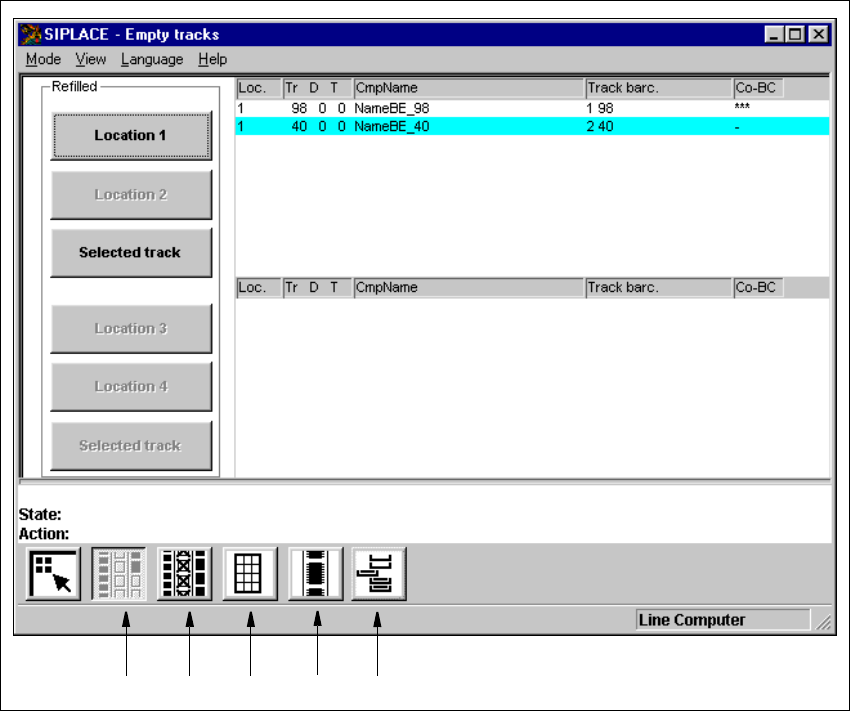
Fig. 4.3 - 1 "Empty tracks" view
Key to Fig. 4.3 - 1
(1) "Empty tracks" view
(2) "Omit components" view
(3) "Trays" view
(4) "Linear feeder" view
(5) "Waffle pack changer" view
4
123
4
5
User Manual SIPLACE 80S-20/F4 4 Placement functions
Software Version SR.406.xx 02/2000 Issue US 4.3 Feeders
157
4
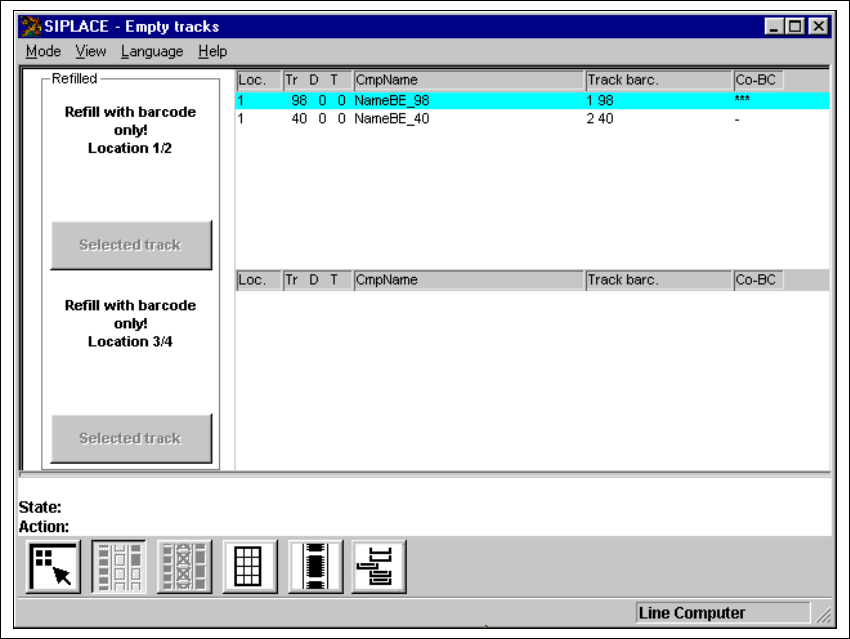
Fig. 4.3 - 2 "Empty tracks" view when the "Component verification with barcode" option is active
4
4.3.1.1 Meaning of the entries in the table "Empty tracks"
– Loc.
Number of the location whose track is "empty".
– Tr D T
Number of the "empty" track and of the feeder division or number of the waffle pack tray com-
partment and the level in the waffle pack changer for the corresponding component
– CmpName
Name of the corresponding component.
– Track barc.
The track barcode assigned to the corresponding track is entered in this column.

4 Placement functions User Manual SIPLACE 80S-20/F4
4.3 Feeders Software Version SR.406.xx 02/2000 Issue US
158
– CO-BC
This column displays whether or not a component barcode is specified for the corresponding
component in the setup using the "***" or "-" symbol.
NOTE
If the "-" character is entered in this column, then this means that no barcode is specified for
the corresponding component. You can therefore manually refill the corresponding track us-
ing "Refill tracks" even if the "Component verification with barcode" option is active (see Sec-
tion 4.3.1.5). 4
4
4.3.1.2 Functions in the "Empty tracks" view
4
Location 1 4
Confirms that all tracks for location 1 are full. 4
Location 2 4
Confirms that all tracks for location 2 are full. 4
Selected track 4
Confirms that the feeder or waffle pack tray on the selected track for location 1 or 2 is full. 4
Location 3 4
Confirms that all tracks for location 3 are full. 4
Location 4 4
Confirms that all tracks for location 4 are full. 4
Selected track 4
Confirms that the feeder on the selected track for location 3 or 4 is full. 4
4