00191913-01.pdf - 第195页
User Manual SIPLACE 80S-20/F4 5 Single functions Software Version SR.406.xx 02/2000 Issue US 5. 2 Single functions, gantry 193 5.2.8.2 Functions Confirm 5 This func tion is used to c onfirm th at an indi vidual nozzle h …
5 Single functions User Manual SIPLACE 80S-20/F4
5.2 Single functions, gantry Software Version SR.406.xx 02/2000 Issue US
192
5.2.8.1 General comments
The "Nozzle changer configuration IC head" view only provides the function for confirming the
nozzle configuration for the individual nozzle holders in the nozzle changer.
Click on the appropriate button to carry out the required function.
The nozzle changer configuration is displayed in the table in the display.
5
Conditions for changing the set-up of the nozzle changer
Remember the following points when changing the set-up: 5
– Each of the nozzle holders can be set up with different nozzle types.
– The maximum number of nozzles per magazine is 5.
– The maximum number of magazines on a nozzle changer is 4.
Meaning of the entries in the table in the display
– Garage
Number of the nozzle holder
– Actual
Type of nozzles currently in the nozzle holder
– Preset
If the type of nozzle currently in the nozzle holder is not the same as shown in this column, then
it is to be changed
– To change
An arrow ( <== ) in this column indicates that the nozzle type currently in the nozzle holder
("Actual" column) must be changed for the nozzle type shown in the "Preset" column.
User Manual SIPLACE 80S-20/F4 5 Single functions
Software Version SR.406.xx 02/2000 Issue US 5.2 Single functions, gantry
193
5.2.8.2 Functions
Confirm 5
This function is used to confirm that an individual nozzle holder has been filled with a new nozzle
type.
When changing the set-up of a machine it may be necessary to change the type of nozzle in
some of the nozzle holders. To do this, the current nozzle configuration (Actual) and the nozzle
configuration for the new set-up (Preset) is shown in the table for each nozzle holder. When you
change the nozzle type from the "Actual" to "Preset" type, you must confirm this for each nozzle
holder separately.
Å In the table, click on the entry for the nozzle holder for which the nozzle is to be replaced. The
line is now highlighted in light blue.
Å Replace the nozzle currently in this nozzle holder with a nozzle of the type entered in the "Pre-
set" column.
Å Click the Confirm button.
The change of is now confirmed. The arrow ( <== ) no longer appears in the table against the
corresponding nozzle holder.
5
5
5 Single functions User Manual SIPLACE 80S-20/F4
5.2 Single functions, gantry Software Version SR.406.xx 02/2000 Issue US
194
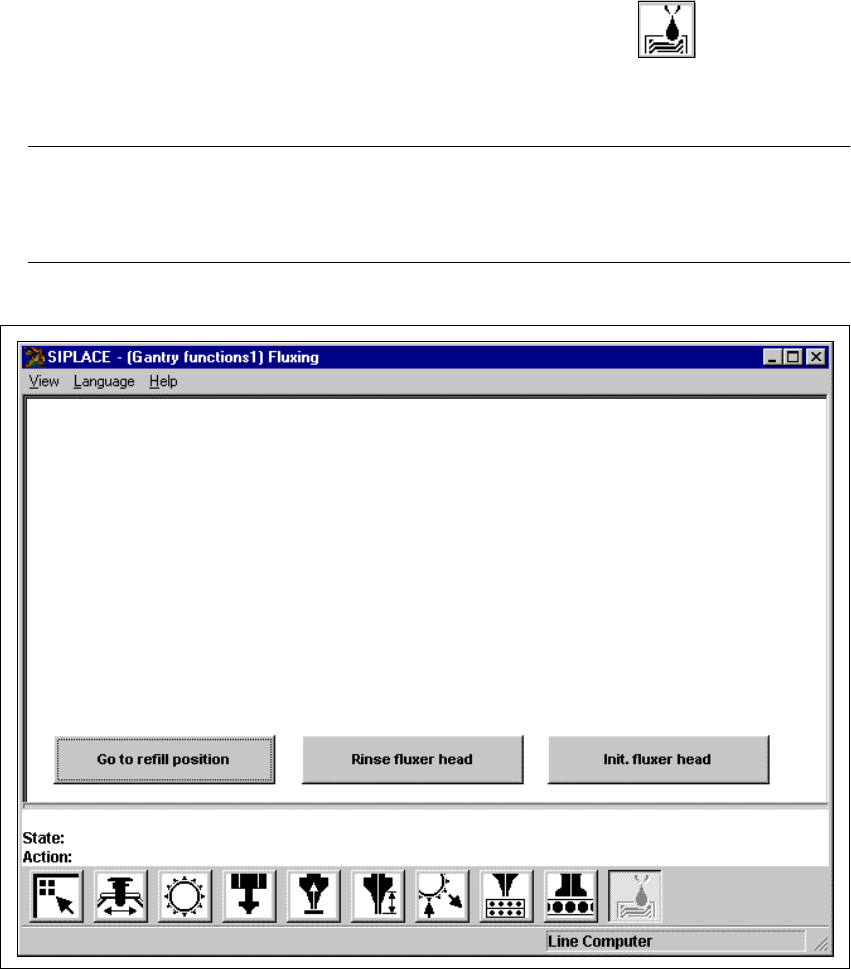
5.2.9 "Fluxing" view
5
Å In the current view for the single function for Gantry, click the symbol .
The user interface is switched to the "Fluxing" view (see Fig. 5.2 - 9). 5
NOTE
The "Fluxing" option must be installed and configured in the machine options before the func-
tions in this view can be executed. 5
5
Fig. 5.2 - 9 "Fluxing" view