00191913-01.pdf - 第401页
User Manual SIPLAC E 80S-20/F4 8 Error information and diagnostics Software Version SR.406.xx 02/2000 Issue US 8.4 Diagnostics 399 Fig. 8.4 - 8 Exam ple of a question Å An swer the question aske d by click ing on th e ap…
8 Error information and diagnostics User Manual SIPLACE 80S-20/F4
8.4 Diagnostics Software Version SR.406.xx 02/2000 Issue US
398
Å Click on the OK button and answer the questions asked by clicking on the corresponding
buttons.
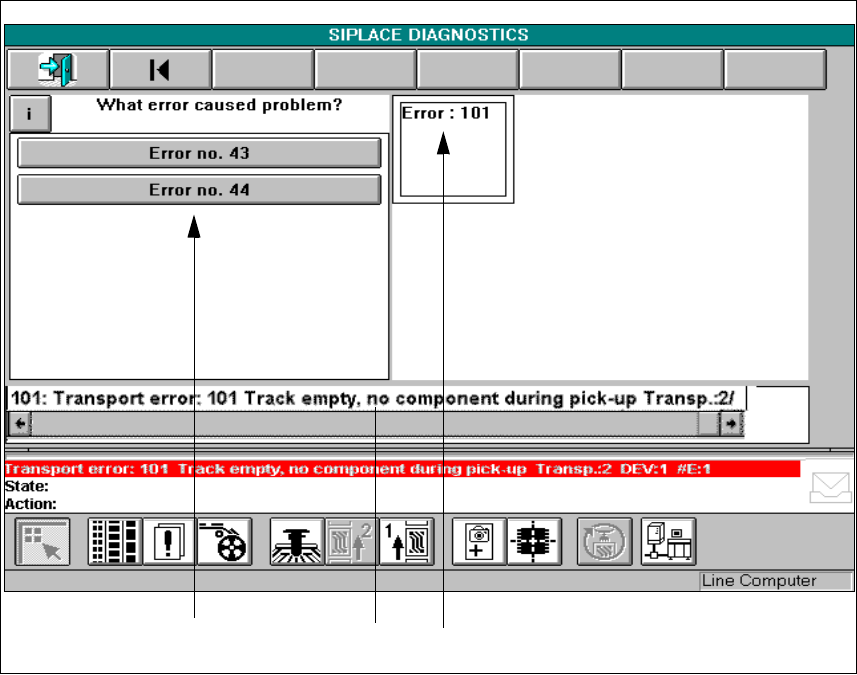
Fig. 8.4 - 7 Display window in the diagnostics menu
Key to Fig. 8.4 - 7
1 Action window 2 Error message display window
3 Diagnostic method display window
Action window
In the action window, you will be asked about the error in question and provided with a selection
of answers to choose from. If information is available on the action in question, the information
button will be displayed here. 8
Diagnostic method display window
A display window is opened here for every question which you answer for the diagnostics facility.
You can change over to this question by clicking on a display window. 8
Error message display window
The error number of the error which has occurred is displayed here. 8
User Manual SIPLACE 80S-20/F4 8 Error information and diagnostics
Software Version SR.406.xx 02/2000 Issue US 8.4 Diagnostics
399
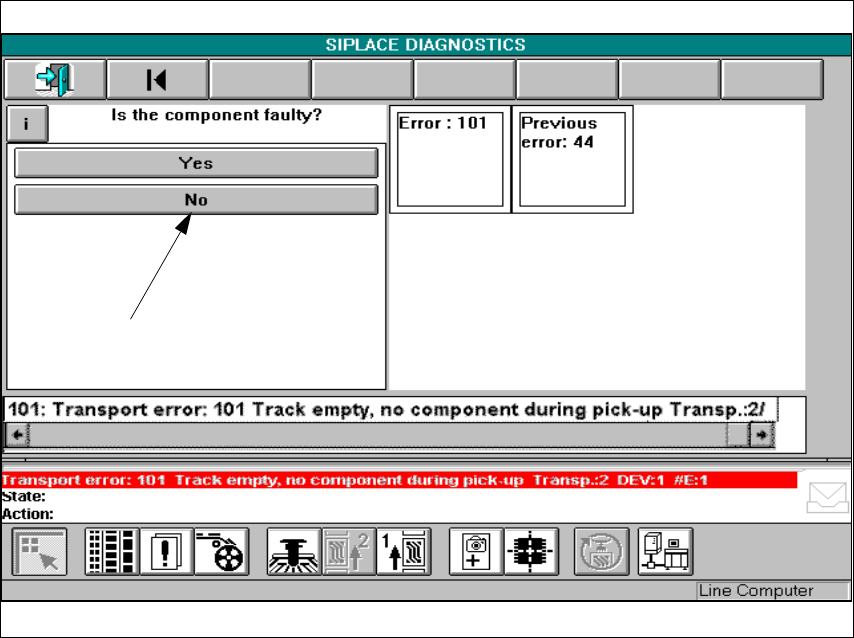
Fig. 8.4 - 8 Example of a question
Å Answer the question asked by clicking on the appropriate button.
The following screen will be displayed:
8 Error information and diagnostics User Manual SIPLACE 80S-20/F4
8.4 Diagnostics Software Version SR.406.xx 02/2000 Issue US
400
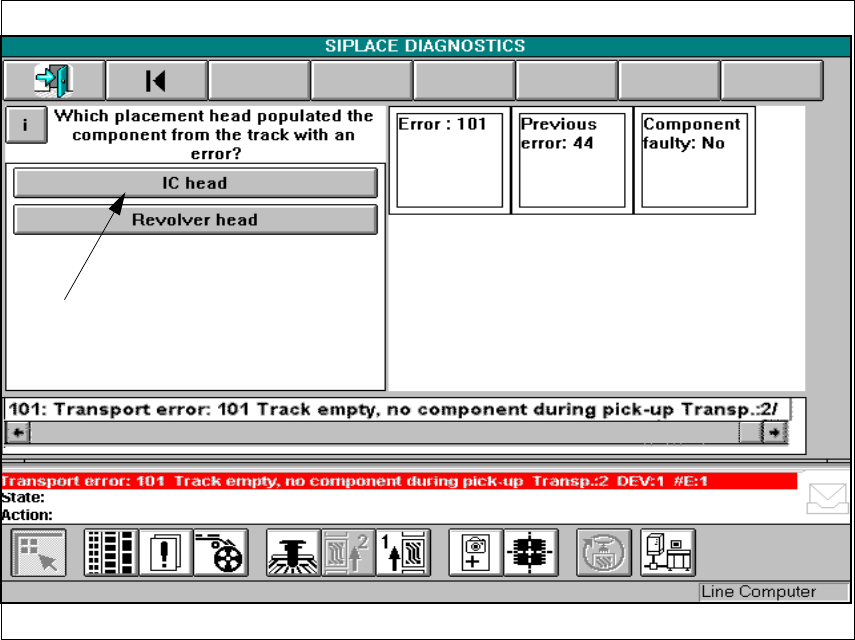
Fig. 8.4 - 9 Example of a question
Å Answer the question asked by clicking on the appropriate button.