00191913-01.pdf - 第171页
User Manual SIPLACE 80S-20/F4 5 Single functions Software Version SR.406.xx 02/2000 Issue US 5.1 General comments 169 5 Single functions 5.1 Gen eral c omm ent s Gantry fun ctions a nd trans port func tions ar e known as…
4 Placement functions User Manual SIPLACE 80S-20/F4
4.3 Feeders Software Version SR.406.xx 02/2000 Issue US
168
4.3.5.6 Feed tray
This allows you to define the level containing the waffle pack tray to be made available for place-
ment. 4
NOTE
The waffle pack changer must not be in the refill position when this function is carried out. 4
Å Click on the Feed tray button.
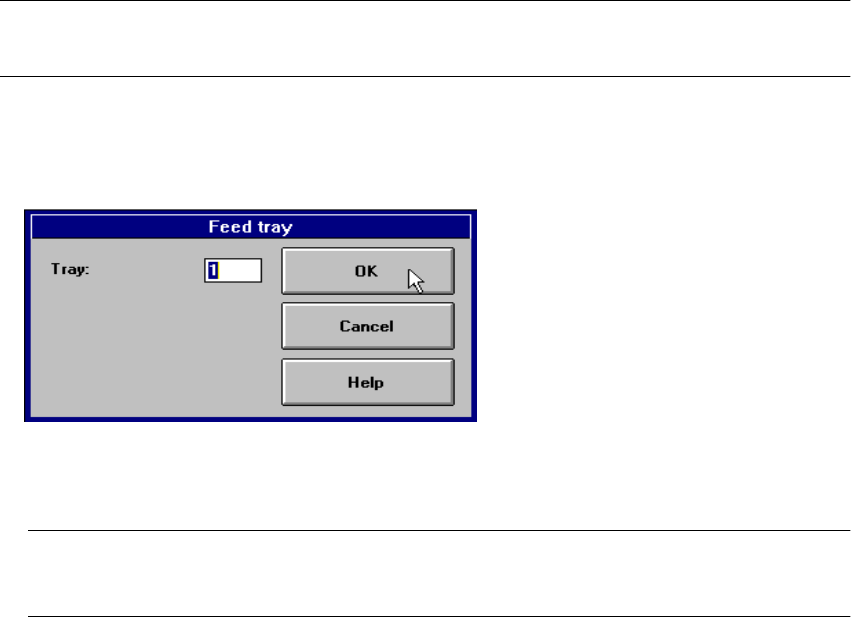
The following dialog box is displayed.
4
Å In the text box, enter the number of the required level and confirm your entry with OK. The waf-
fle pack changer moves the waffle pack tray from the selected level to the pick-up position.
NOTE
If a waffle pack tray is already in the pick-up position, it is first moved to its defined level. 4

User Manual SIPLACE 80S-20/F4 5 Single functions
Software Version SR.406.xx 02/2000 Issue US 5.1 General comments
169
5 Single functions
5.1 General comments
Gantry functions and transport functions are known as single functions. They are used to set up
and test the machines and to carry out particular actions following a machine shutdown caused
by an error.
Single functions can be used to control various function modules in a defined manner.
WARNING
Single functions may only be executed by appropriately qualified and trained personnel, since
improper handling can result in personal injury/damage to the machine.
5 Single functions User Manual SIPLACE 80S-20/F4
5.2 Single functions, gantry Software Version SR.406.xx 02/2000 Issue US
170
5.2 Single functions, gantry
NOTE
The travel functions of the x or y axis can only be carried out when the machine cover is closed.
To execute this function, press the start button.
As a rule, the gantry only travel slowly. 5
5
Å Click on the icon in the toolbar in the Main view (or choose the option SF gantry 1
from the View menu).
The user interface is switched to the "Revolver head functions" view (see Fig. 5.2 - 1).
5
5
5.2.1 "Revolver head functions" view
The revolver head functions can be used to control all functions relating to the revolver head. 5
NOTE
The revolver head functions can be executed with the machine cover open. To do this the key-
operated switch must be turned to position I. 5
5
5