00191913-01.pdf - 第163页
User Manual SIPLACE 80S-20/F4 4 Placemen t functions Software Version SR.406.xx 02/2000 Issue US 4.3 Feeders 161 4.3.2.1 Meaning of the entries in the t ables of the "Omit components" vi ew – Loc. Number of the…
4 Placement functions User Manual SIPLACE 80S-20/F4
4.3 Feeders Software Version SR.406.xx 02/2000 Issue US
160
4.3.2 "Omit components" view
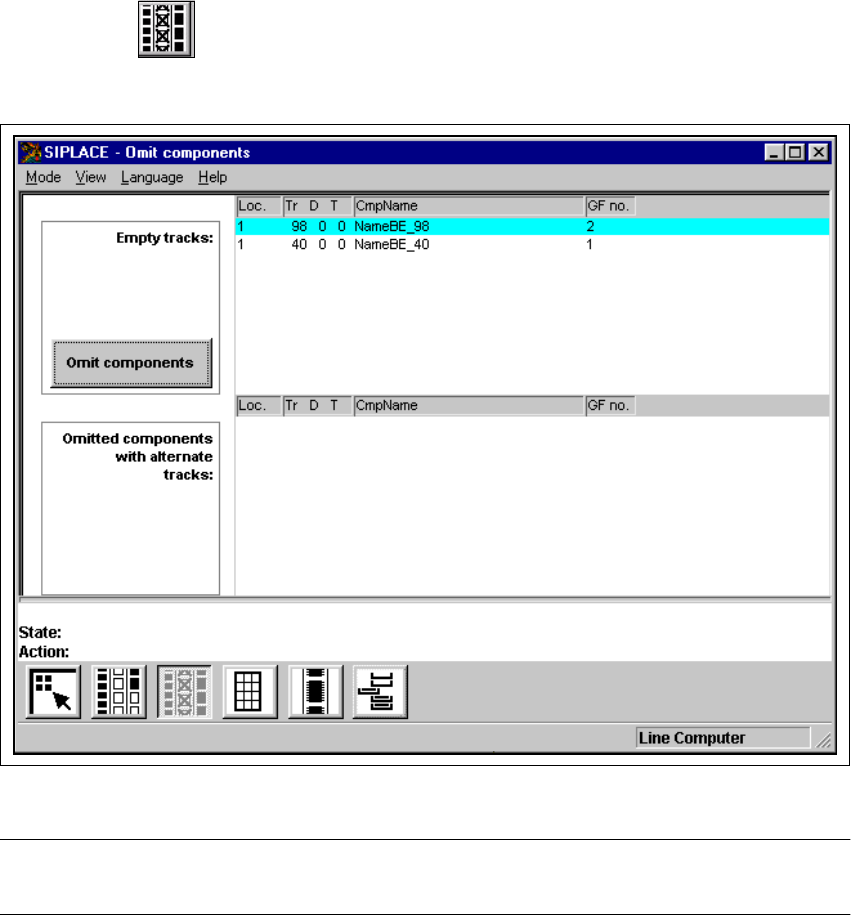
With the help of the "Omit components" function in this view, you can omit specific components
from selected tracks when inserting components in the current PCB.
This is necessary, for example, when components have not been correctly inserted in the first PCB
of a new cluster. The components placed under "Omit components" are then ignored in all tracks
containing these components when inserting components into the current PCB. The incompletely
populated PCBs are then transported in the output conveyor and must be removed by hand.
After the PCB has been removed, the "Omit components" setting is reset for the components not
inserted, and they will then be used to populate the next PCB. 4
4
Å Click on the icon.
The "Omit components" view is displayed (see Fig. 4.3 - 3).
4
Fig. 4.3 - 3 "Omit components" view
NOTE
The "Omit components" function cannot be executed in the "Operator" access level. 4
User Manual SIPLACE 80S-20/F4 4 Placement functions
Software Version SR.406.xx 02/2000 Issue US 4.3 Feeders
161
4.3.2.1 Meaning of the entries in the tables of the "Omit components" view
– Loc.
Number of the location
– Tr D T
Number of the track and of the feeder division or the number of the waffle pack tray compart-
ment and the level in the waffle pack changer
– CmpName
Name of the component
– GF no.
Number of the package form
4
4.3.2.2 Omit component
Å Select the entry for the component that is to be omitted in the "Empty tracks" table. The line
selected is highlighted in light blue in the table.
The "Omit components" button is active.
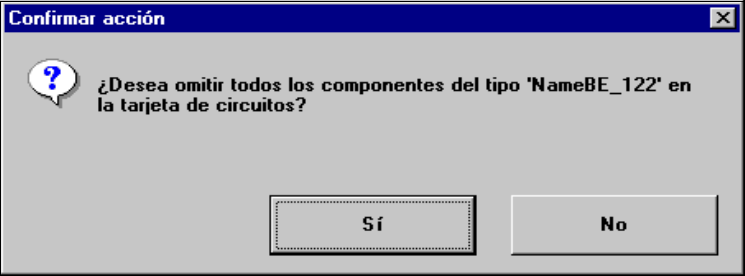
Å Click on the Omit components button. The following selection box is opened.
4
Å Confirm the query with Yes.
The entries for all tracks whose feeders or waffle pack trays contain the components that are
not to be used to populate the current PCB are displayed in the "Omitted components with al-
ternate tracks:" table.
4
4 Placement functions User Manual SIPLACE 80S-20/F4
4.3 Feeders Software Version SR.406.xx 02/2000 Issue US
162
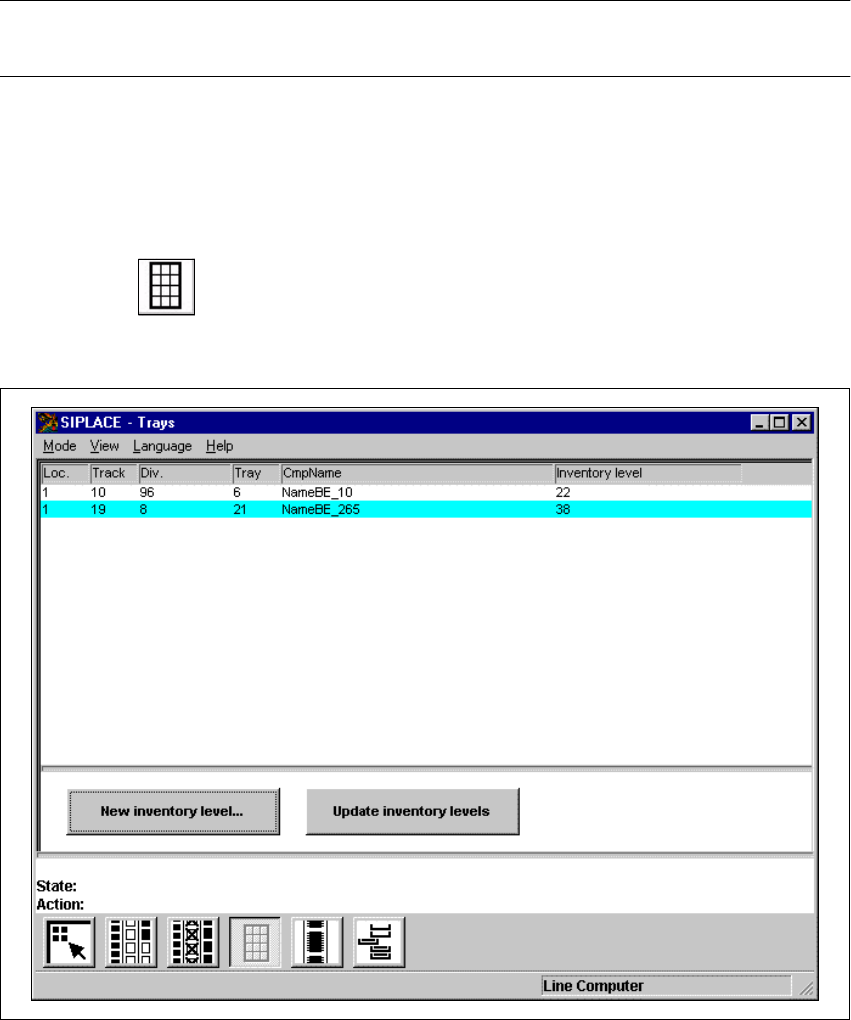
4.3.3 "Trays" view
The "Update inventory levels" function can be used to update the display of the inventory levels
for all waffle pack trays in this view as required. 4
NOTE
Display of the inventory levels is not updated automatically during placement. 4
When waffle pack trays have been refilled with components, it is possible to enter the number of
components in each waffle pack tray which has been refilled. It is not possible to enter a value
higher than the predefined maximum value. 4
4
4
Å Click on the icon.
The "Trays" view appears (see Fig. 4.3 - 4).
4
Fig. 4.3 - 4 "Trays" view