00191913-01.pdf - 第331页
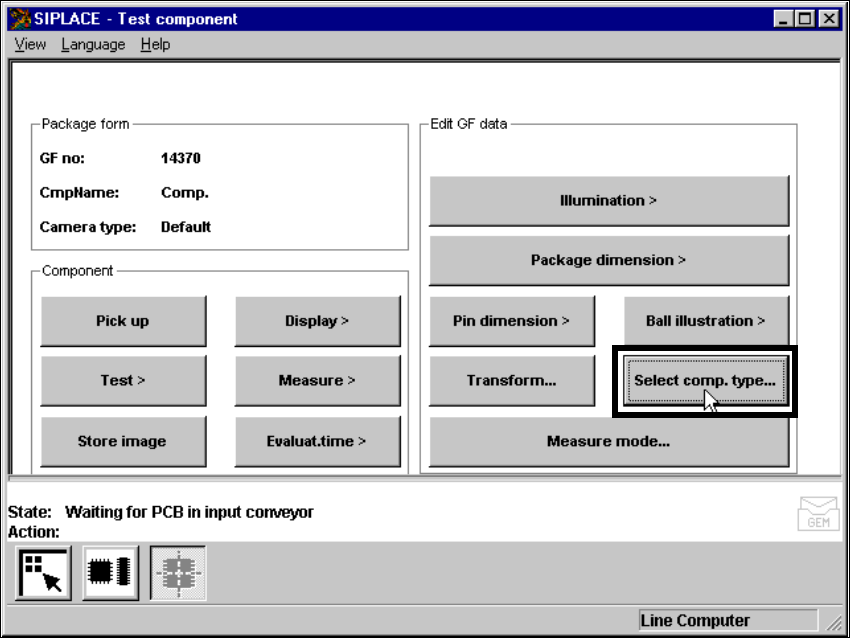
User Manual SIPLACE 80S-20/F4 6 Vision functions Software version SR.406.xx 02/2000 Issue US 6.6 Test Component 329 The followi ng butt on appear s when this opti on is se lected. 6 Abb . 6.6.44 ‘T est component’ menu, ‘…
6 Vision functions User Manual SIPLACE 80S-20/F4
6.6 Test Component Software version SR.406.xx 02/2000 Issue US
328
6.6.4.22 ‘Set component type’ option (F
4
)
On the F machine, the ‘Test component’ menu now includes the ‘Set component type’ option. 6
Abb. 6.6.43 ‘Test component’ menu, ‘Set component type’ option (on F machines only)
User Manual SIPLACE 80S-20/F4 6 Vision functions
Software version SR.406.xx 02/2000 Issue US 6.6 Test Component
329
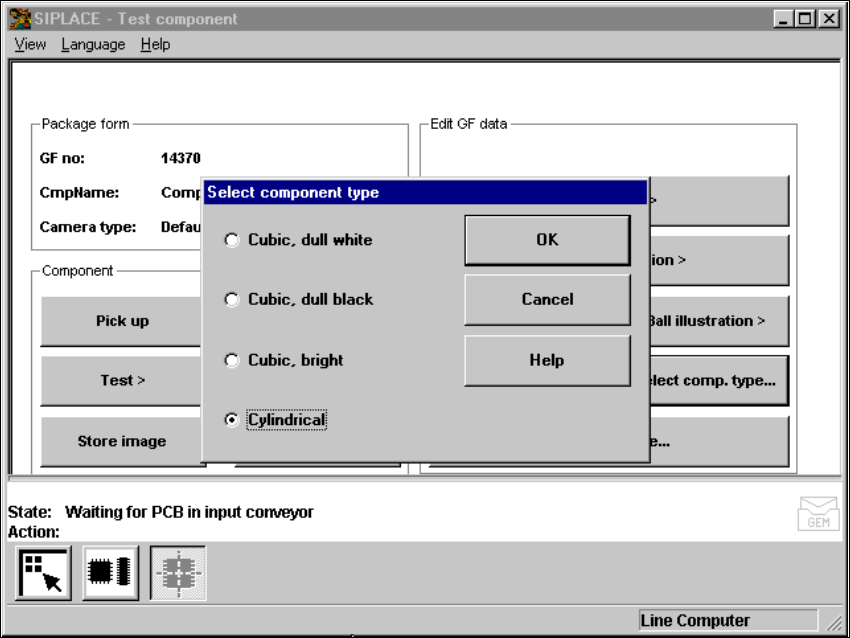
The following button appears when this option is selected. 6
Abb. 6.6.44 ‘Test component’ menu, ‘Set component type’ option
Select this option if centering errors occur with standard lighting. These 4 selection
options enable you to match the illumination perfectly to the component to be placed. All these
options provide specific combinations of the flat, average, and steep methods of illumination. 6
6
Mouse functions 6
Å Use the mouse to highlight the component type.
Å Click on ‘OK’ to confirm your input. The option box will close, and you will return to the ‘Test
component’ menu.
Å Click on ‘Cancel’ to leave the option box without making any changes.
6
6 Vision functions User Manual SIPLACE 80S-20/F4
6.7 Guidelines for Describing Package Forms Software version SR.406.xx 02/2000 Issue US
330
6.7 Guidelines for Describing Package Forms
6.7.1 Transfer of Package Form Data and the Package Form Interpreter
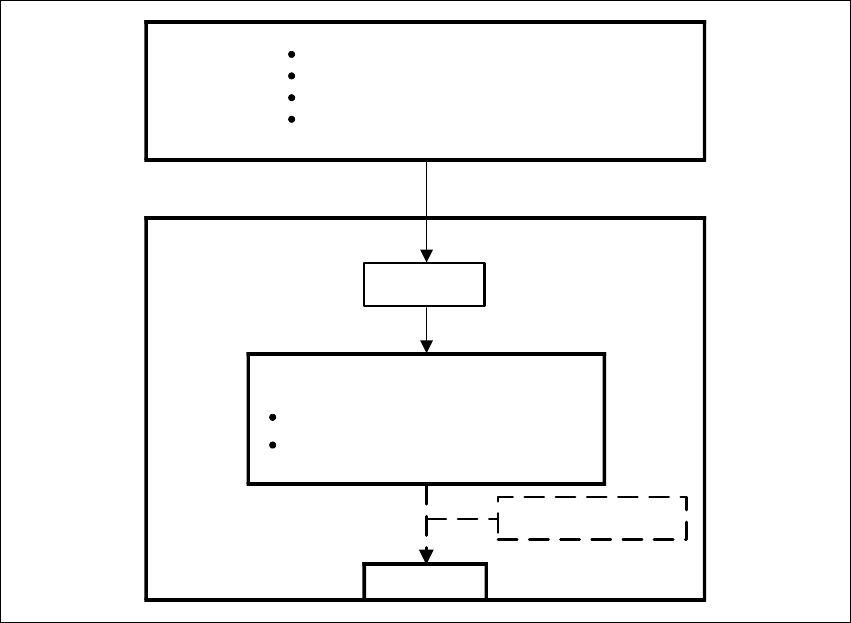
If a package form is transferred to the station without an .SST file, the package form interpreter
will make certain settings to enable the package form to be measured in accordance with the
package form description. 6
6
Fig. 6.7 - 1 Transfer of package form data without package form manipulation
In SIPLACE automatic placement machines, the package form interpreter is located in the ma-
chine controller. The communication module transfers the signals for controlling the lighting from
the MC to the cameras. 6
Tasks of the Package Form Interpreter 6
– Automatic selection of suitable measuring modes
– Automatic selection of the measuring parameters
– Differentiation between cubic/not cubic
– Automatic setting of the lighting
LC
Package form library
Describe package for & components
Assign nozzles
Select cameras
.OGF
Package form interpreter
SC
MVS
Automatic selection of meas. modes
Automatic lighting selection
Hard disk
GF manipulator