SIPLACE Vision Customer_en.pdf - 第143页
SIPLACE Vision - T eaching Fiducials Sample Fiducials for Position Recognition F iducial shapes S tudent Guide SIPLACE Vision (Customer) Edition 12/2008 EN SIPLACE Vision - T eaching Fiducials 143 6.2.2.3 Sample Fiducial…
SIPLACE Vision - Teaching Fiducials
Fiducial shapes Sample Fiducials for Position Recognition
Student Guide SIPLACE Vision (Customer)
SIPLACE Vision - Teaching Fiducials Edition 12/2008 EN
142
6.2.2.2 Position and Quality
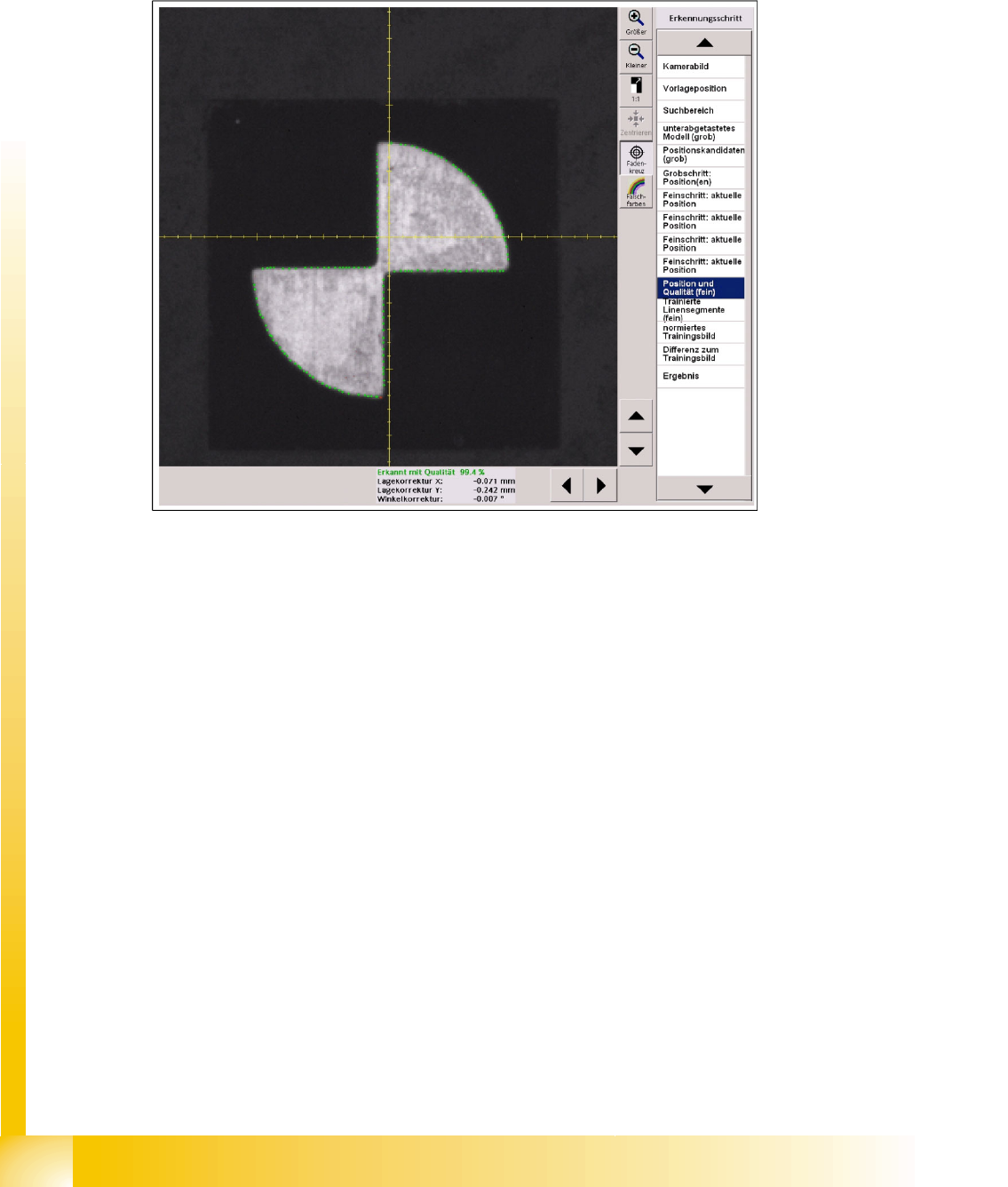
In this case, the green dots show the matches between the outer edge positions and the camera image.
The more matches are found, the higher the quality value will be.
This procedure involves teaching distinctive fiducial points and points with high contrast.
If these points are found again during measurement, they will be marked green.
If they are not found again, they will be marked red.
6-11: Fiducial pattern recognition for position and quality, based on the outer shape
SIPLACE Vision - Teaching Fiducials
Sample Fiducials for Position Recognition Fiducial shapes
Student Guide SIPLACE Vision (Customer)
Edition 12/2008 EN SIPLACE Vision - Teaching Fiducials
143
6.2.2.3 Sample Fiducial Patterns
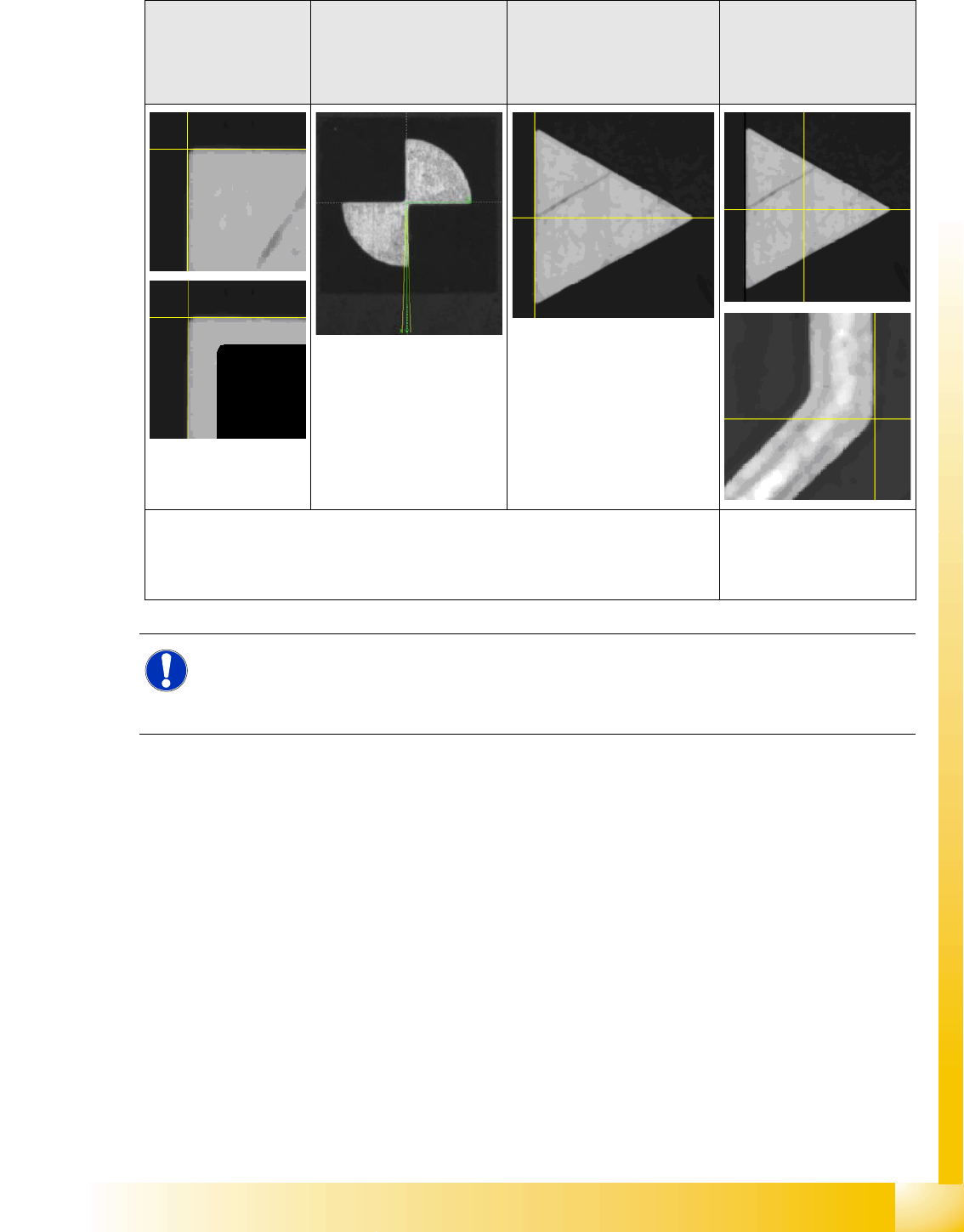
Sample fiducials can use the following shapes for position determination:
6.2.2.4 Algorithm Parameters
The quality threshold for the fine search can be set here.
You can also switch over between robust and fast search algorithms for the pattern search. You should
not change the default setting "robust".
Shapes with
rectangular angles,
identical to those in
the camera
coordinate system
Shapes which are
symmetrically arranged
around a center point
A combination of corner-
defined and center-
symmetrical shapes
Special reference point or
non-rectangular shapes
e.g.:Areas on the
board with ground,
rectangular circuit path
e.g.: Quarter circle
segments or squares which
touch one another at a
corner
The change in brightness
gradient defines the fiducial
reference point.
The fiducial reference point and the fiducial pattern can be learnt automatically. The reference point needs
to be manually defined for
the triangle, followed by
fiducial pattern learning.
NOTE:
Placement Accuracy
In all these sample fiducials, the programmer must make sure that the programmed fiducial
coordinates in the PCB program correspond to the fiducial reference point detected by SIPLACE
Vision.

SIPLACE Vision - Teaching Fiducials
Fiducials for Good/Bad Recognition of panels Synthetic Inkspots
Student Guide SIPLACE Vision (Customer)
SIPLACE Vision - Teaching Fiducials Edition 12/2008 EN
144
6.3 Fiducials for Good/Bad Recognition of panels
These fiducials can display any type of irregular shape, since you only need to evaluate the quality or
brightness for this placement classification.
There are certain "synthetic inkspots" for which the outer shape is searched and for which placement
is performed or not performed, depending on the quality value. The fiducial shapes are the same as
the synthetic fiducial shapes for position recognition.
You need to teach the brightness or the contrast between the good and bad cases for trained
inkspots.
Inkspot recognition is ALWAYS performed after PCB position recognition.
6.3.1 Synthetic Inkspots
If the synthetic inkspot fiducial is found (i.e. the quality is above the fiducial recognition threshold), the
machine will perform placement. If it is not found, the panel concerned will be omitted. The quality
determination for position recognition synthetic fiducials is identical to that for good/bad recognition
synthetic fiducials.
This method of description is suitable when a fiducial is used as an inkspot and, in the event of "not
placed", is covered or blacked out. However, it is important that the fiducial is completely blacked out
with the pen. If it still shines through, it may still be found.
NOTE:
Fiducials which classify a panel which is not for placement (bad inkspot) are NOT seen as bad
fiducials, which need to be saved for analysis purposes!