SIPLACE Vision Customer_en.pdf - 第21页
User Interface Station Interface for Teaching Component Shapes Operating Level "Operator" S tudent Guide SIPLACE Vision (Customer) Edition 12/2008 EN User Interface 21 4.2.2 St ation Interface for T eaching Com…
User Interface
Operating Level "Operator" SIPLACE Pro Component Shape Editor
Student Guide SIPLACE Vision (Customer)
User Interface Edition 12/2008 EN
20
4.2 Operating Level "Operator"
The operator level
Operator
permits only limited access to the illumination and algorithm data.
4.2.1 SIPLACE Pro Component Shape Editor
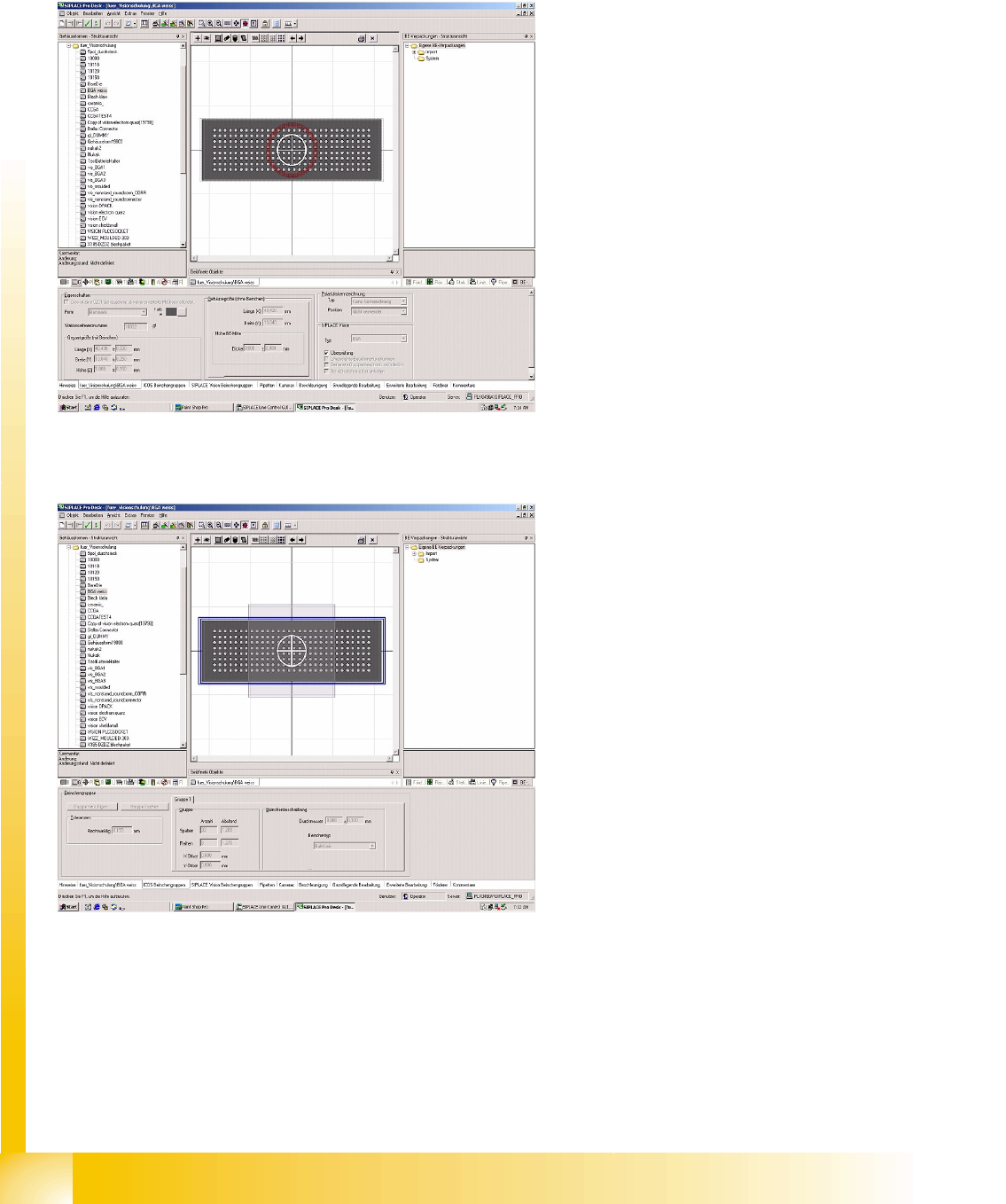
4-1: No authorization for geometric programming of component body shape
data in SIPLACE Pro
The operator level Operator has the following
effect in SIPLACE Pro:
The person programming is only given write
access to the following recognition parameters:
Detect Flipped Component
Inspection for selection
All other geometric data remains write-protected
and will appear grayed out.
4-2: No authorization for geometric programming of Vision data in SIPLACE
Pro
Users with this operating level can only export lists
of programming options from the other menus,
such as
Groups & Lead Description/Nozzles/
Cameras
.
User Interface
Station Interface for Teaching Component Shapes Operating Level "Operator"
Student Guide SIPLACE Vision (Customer)
Edition 12/2008 EN User Interface
21
4.2.2 Station Interface for Teaching Component Shapes
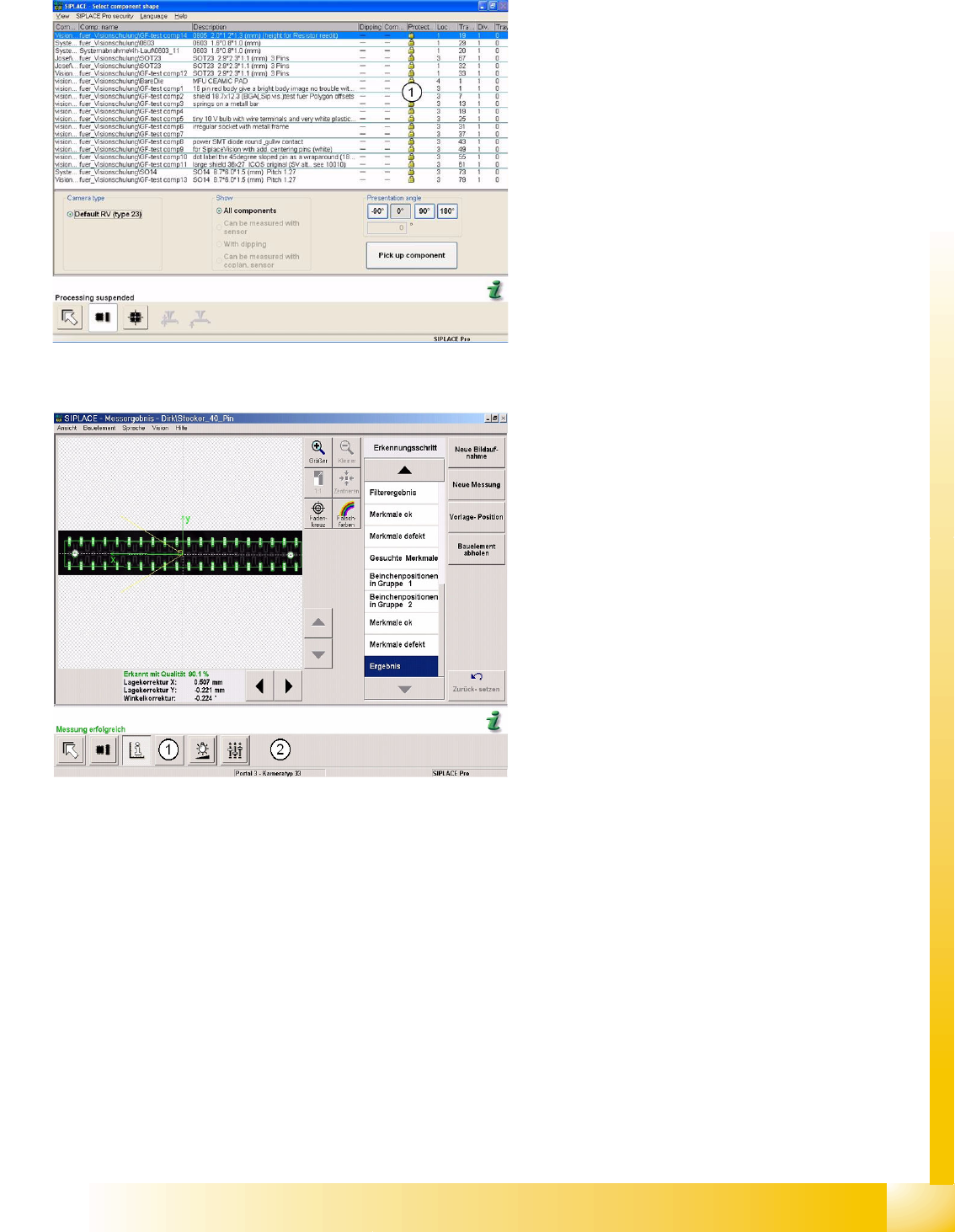
4-3: No authorization for geometric programming in station SW
Legend
1. Access to geometry teaching is blocked in the
access privileges management for all
component shapes. This can be seen by the
padlock icon shown.
The diagram shows the operating level
Operator
for CS testing and limited CS teaching.
4-4: Centering steps for optical recognition of a SOxx
The operating level
Operator
in the station SW
gives the teaching/testing person protected
(limited) access to the CS data.
However, access to the illumination algorithm
parameters and measurement results is provided.
1. Access to the geometric data remains
protected.
2. The menu item
Teach position
is only
displayed when a pickup error occurs.
This sub-menu is not included in the normal
CS teaching menu.
This entry initiates temporary teaching of the
pickup position and pickup angle, provided a
new job has not been defined.
User Interface
Operating Level " Supervisor" SIPLACE Pro Component Shape Editor
Student Guide SIPLACE Vision (Customer)
User Interface Edition 12/2008 EN
22
4.3 Operating Level " Supervisor"
If an operator level, which allows full access to CS programming data for personnel, is set for SIPLACE
Pro (Supervisor; Service), the persons concerned will have full access to all the CS programming menus
in SIPLACE Pro and at the station.
A geometry change which is programmed with SIPLACE Vision also affects machines with the ICOS
Vision system.
4.3.1 SIPLACE Pro Component Shape Editor
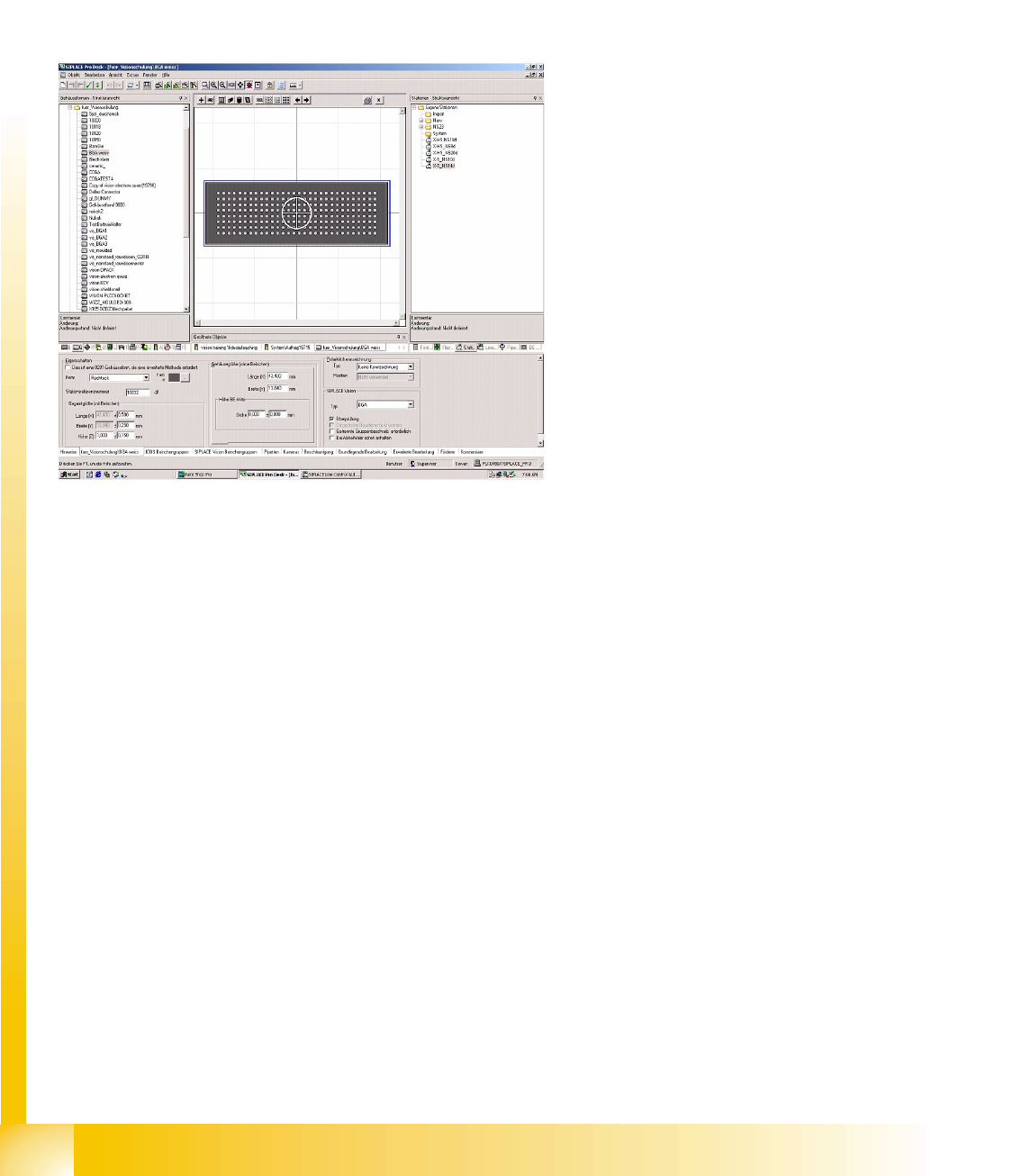
4-5: Complete programming privileges for a component shape in SIPLACE
Pro
The adjacent diagram shows full access to the CS
programming data on Service or Supervisor level
in SIPLACE Pro.