SIPLACE Vision Customer_en.pdf - 第152页
SIPLACE Vision - Teaching Fiducials Feeder Position Recognition Fiducials Component Pocket Fiducials S tudent Guide SIPLACE V ision (Customer) SIPLACE Vision - T eaching Fiducials Edition 12/2008 EN 152 6.5 Feeder Positi…
SIPLACE Vision - Teaching Fiducials
Machine Functions Station SW Menu Functions Combined with 'Fiducials'
Student Guide SIPLACE Vision (Customer)
Edition 12/2008 EN SIPLACE Vision - Teaching Fiducials
151
6.4 Station SW Menu Functions Combined with 'Fiducials'
The station software offers a fiducial position correction function for incorrectly positioned PCBs. This
allows you to correct the position of the PCB position recognition fiducials and to then continue
placement.
6.4.1 Machine Functions
Gantries 2 and 4 or the left-hand gantry in the machine determine the PC position in the machine for the
placement process.
Error messages relating to the fiducial position are only issued for these gantries.
To rule out temperature influence for high-precision applications, gantries 1 and 3 or the right-hand
gantry in the machine measure the PCB position deviation, compared to the partner gantry for the 1st
PCB or the position fiducials for the next PCB, after a minimum of 300 seconds.
6.4.2 Fiducial Position Teaching
The position needs to be trained in 3 separate steps for each PCB position fiducial. After the error
message
Fiducial not found,
you can switch over to the fiducial teach menu for the teaching process.
The fiducial positions are only learnt for the placement process in the respective placement area of the
machine. When the PCB is transported out of the placement conveyor, the position offset of the fiducial
is set back to 0.
If this position offset was caused by a programming error, you will need to perform correction in SIPLACE
Pro.
In this menu you can also open other SIPLACE Vision fiducial teaching functions and then save their
respective results after editing.
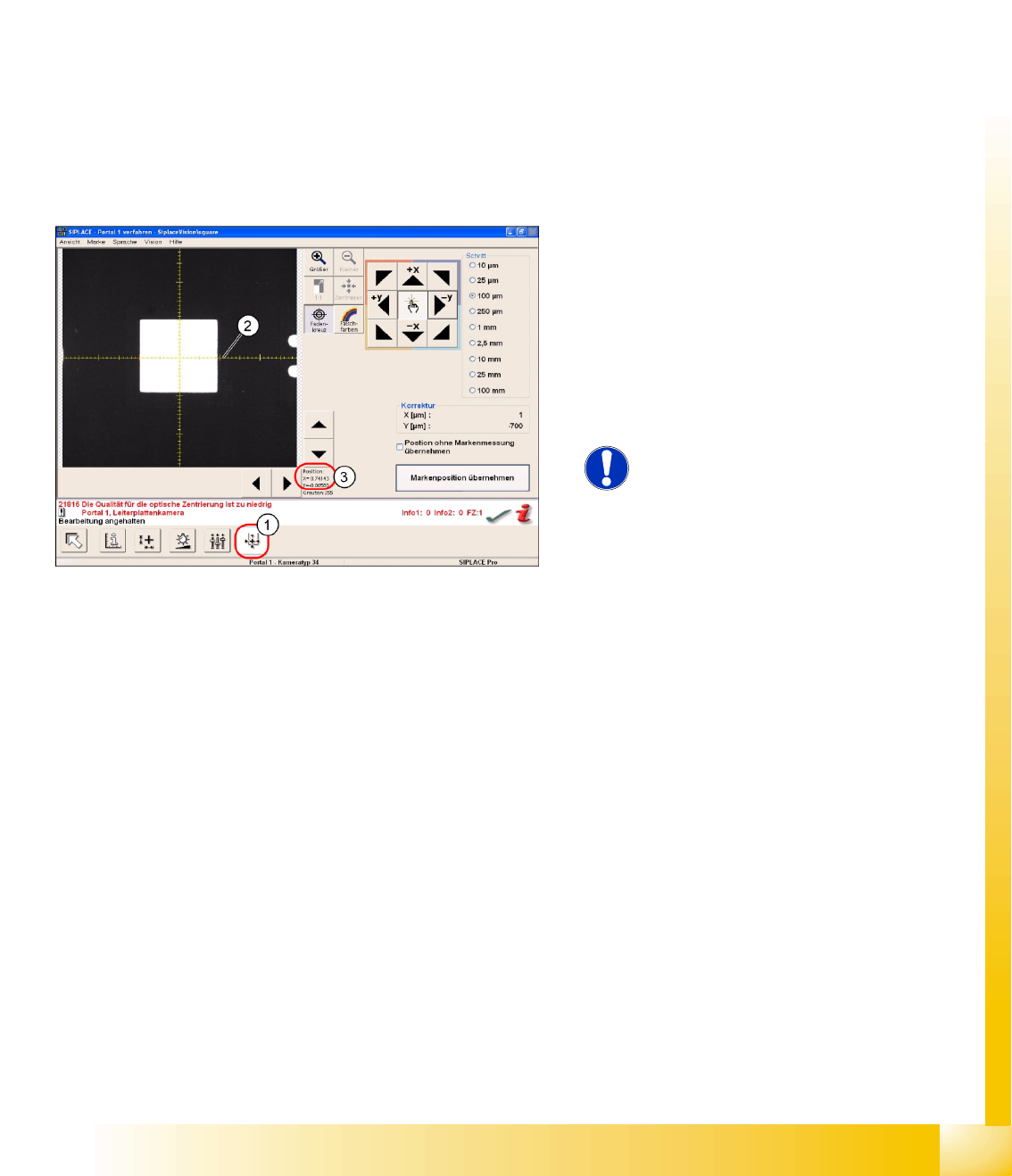
6-18: Teaching the fiducial position
The PCB fiducial position is shown in the
SIPLACE Vision fiducial teach menu as a position
teach menu (1).
The X axis (2) of the camera position shows
0.7 mm (3), this being the original gantry position
before correction (7 marker lines on the coordinate
cross) and therefore points to the fiducial center
through movement of the gantry.
NOTE:
Due to the camera installation, X
cam1
-
corresponds to the - Y
P1
coordinate.
SIPLACE Vision - Teaching Fiducials
Feeder Position Recognition Fiducials Component Pocket Fiducials
Student Guide SIPLACE Vision (Customer)
SIPLACE Vision - Teaching Fiducials Edition 12/2008 EN
152
6.5 Feeder Position Recognition Fiducials
There is a special type of fiducial available for feeder position recognition.
In this section we will not cover the feeder position recognition function in the machine but merely touch
on the basic functions which SIPLACE Vision makes available for this.
The optical recognition is performed by enabling the Vision interface in the "setup staff" operator level,
during the startup sequence.
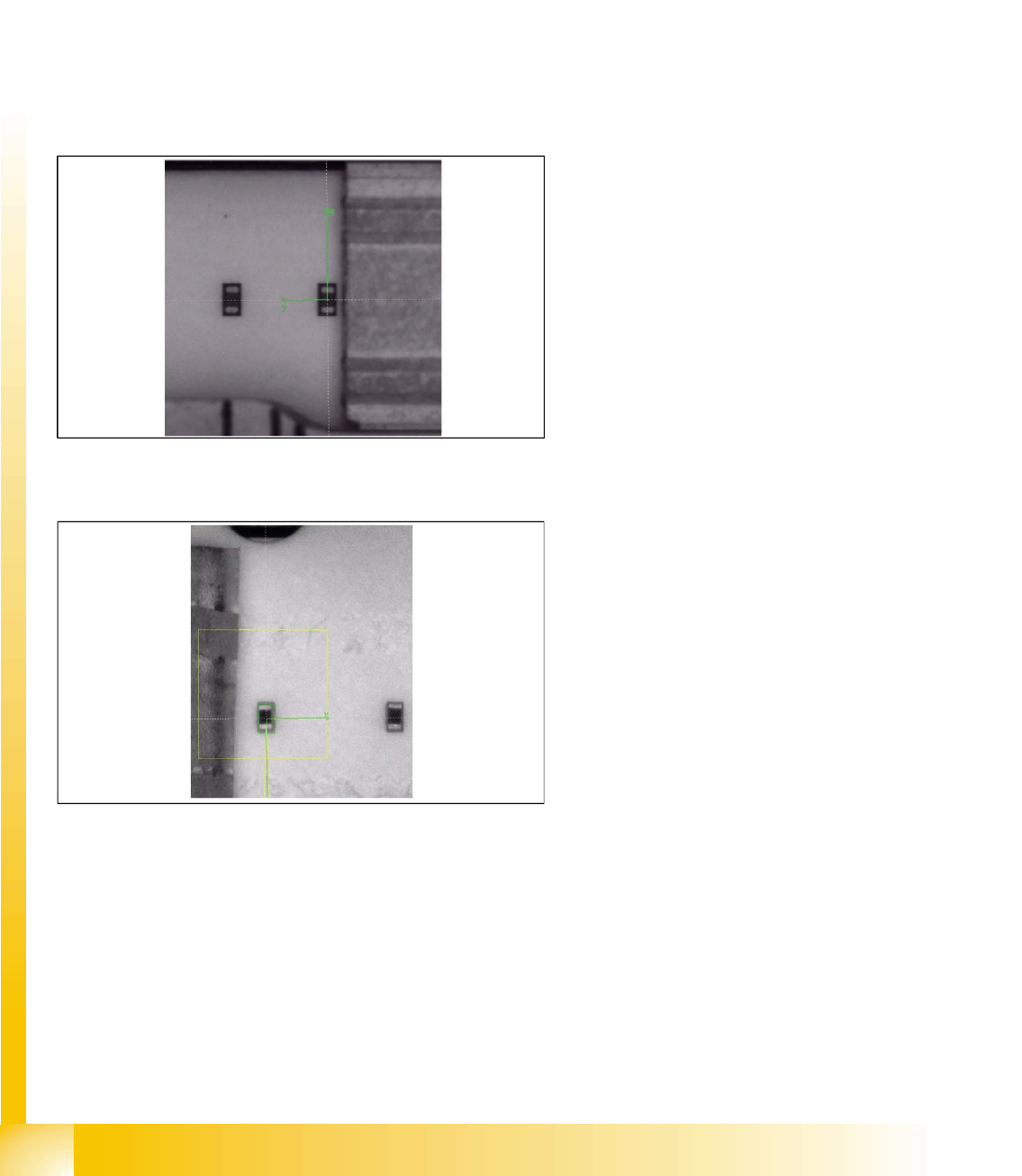
This fiducial, specified as a component pocket in SIPLACE Pro, can be programmed to a maximum size
of 2x2 mm.
6.5.1 Component Pocket Fiducials
X feeders
S feeders
Only those fiducials which support the pickup
position with component in the 8 mm tape pocket
are made available for X feeders. The fiducial is
automatically generated from the CS body data, if
the component length is 1.0 mm (0402) or less. If
the component is larger, feeder position
recognition can not be forced even by teaching a
pickup position fiducial.
There are 2 methods of feeder position recognition
for S feeders (for 8 mm feeders only):
Pickup position fiducials (tape pockets)
When components with a length of 0.6 mm or
shorter are in the 0201(01005) 3x8 mm S
feeder.

SIPLACE Vision - Teaching Fiducials
Component Pocket Fiducials Feeder Position Recognition Fiducials
Student Guide SIPLACE Vision (Customer)
Edition 12/2008 EN SIPLACE Vision - Teaching Fiducials
153
Teaching pickup position fiducials (in extreme exceptions only)
Teaching - prerequisites and menus:
X Creates a fiducial in SIPLACE Pro and defines this as a component pocket.
X Assign the fiducial to the feeder track of the required component (observe component sizes as
explained).
X The
Line Engineer level
is active.
X The machine (placement run) has been stopped.
X Open the
Set up
menu (the feeder position recognition fiducials are NOT part of the placement
information!).
X The menu buttons:
Component pocket list
and
Test component
are only active when the machine
has been stopped.
X Select the incomplete or required fiducial.
X The gantry will position over the standard pickup position.
X Illuminate (type and/or intensity) and teach (X/Y geometry) the pickup position fiducial for the black
blister tape accordingly.
X Test the pickup position fiducial with and without components in the tape.
Feeder fiducial recognition
When components with a width of 08 mm or
wider are in the 0201(01005) 3x8mm S feeder
or when components which are narrower than
0.8 mm are in the 3x8 mm or 2x8 mm
standard S feeder.
The pickup position fiducial is automatically
generated from the CS body data.
The feeder fiducial from the pickup position is
derived from the construction offset. This is a
1.0 mm black machine circle fiducial.
ATTENTION:
This teaching is ONLY REQUIRED if the component sizes match the values specified above
and if these components need to be picked up from the black blister tape! (As of 2008, only one
such case is known.)