SIPLACE Vision Customer_en.pdf - 第93页
Component Shapes Shields Specific Component Shapes S tudent Guide SIPLACE Vision (Customer) Edition 12/2008 EN Component Shapes 93 5.3.1 1.2 Special Features fo r Shields Shields are sheet metal with curved edges in a …
Component Shapes
Specific Component Shapes Shields
Student Guide SIPLACE Vision (Customer)
Component Shapes Edition 12/2008 EN
92
Corner description
Joint datasets with ICOS data NOT possible due to new recognition methods
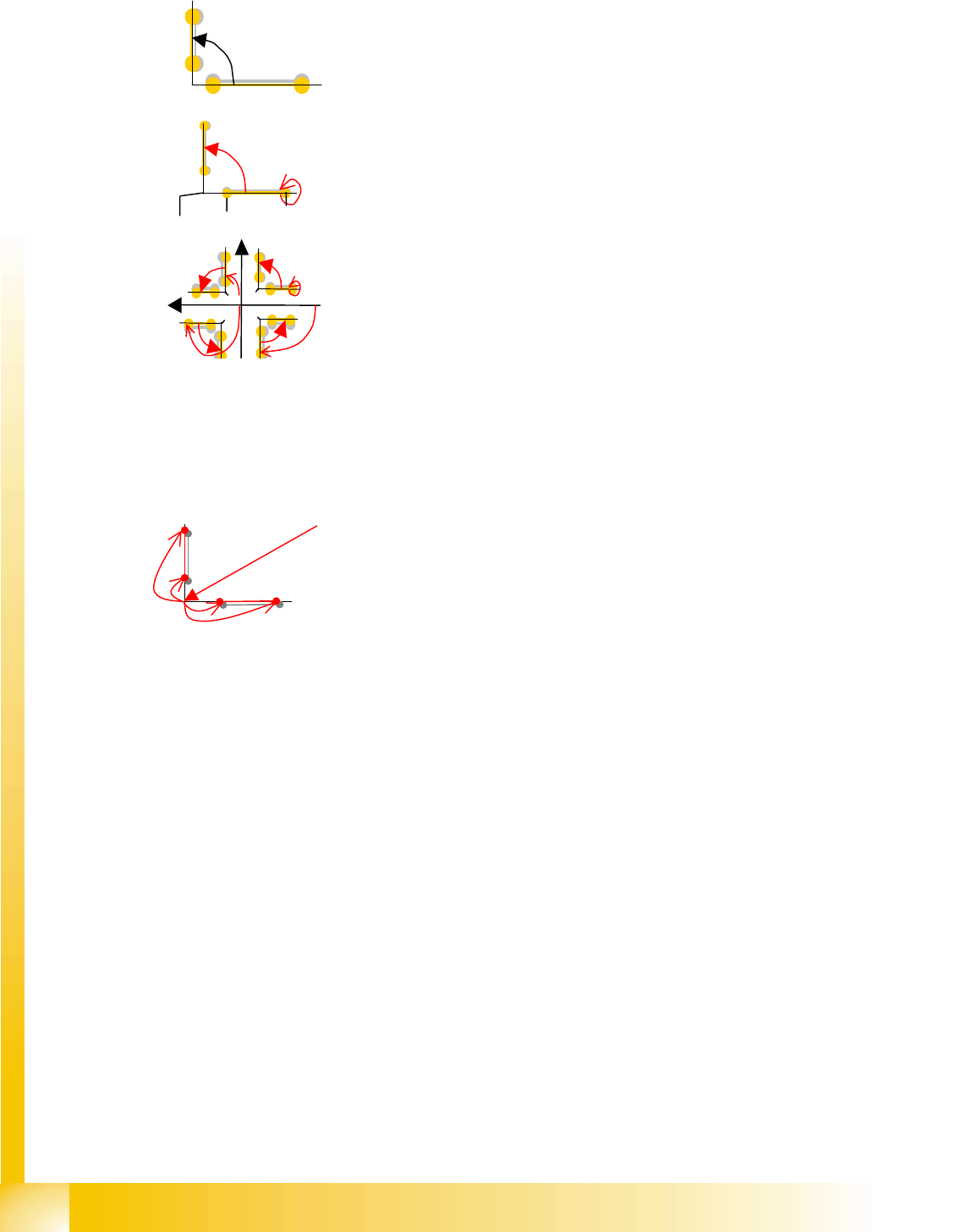
There are inner and outer corners:
The 1st programming type SV defines each starting and
end point with X/Y coordinates.
Due to the possible radiuses or recesses in the corners, the
recognition lines are not placed right into the corners of the
Shield!
This coordinate data is also stored in SIPLACE Pro.
The 2nd programming mode radius can also be taught
online. In this case, the corner coordinates; the opening
angle of the 1st recognition line to the X body axis; the
distance of the recognition vector to the corner (radius 1/2)
and its length are programmed. The radius dataset is then
converted.
The coordinate or radius dataset is most effectively
calculated by using the mouse to mark the corners. Ensure
an accurate fit, as the coordinate values will later determine
the placement accuracy! The body dimensions must be
correct and match those in the teaching template.
The illumination/evaluation ensures that these corners can
be recognized.
Corner programming in SIPLACE Pro can be performed
with eight X/Y coordinates for the respective corner
recognition starting and end points.
The procedure for 90° corners is somewhat simpler in
SIPLACE Pro: In tis case, the center point -> corner
coordinates are programmed and the eight corner
characteristic coordinates are then programmed based on
this corner (four of these coordinates are always 0).
In the case of corners which do not have 90°, the simplest
method at the moment is to program in SIPLACE Vision, at
the station and using point, line or radius programming in
teach mode.
Punkt 1.1
nicht prog. (90°)
Punkt 1.2
Punkt 2.1 Punkt 2.2
Öffnungswinkel
90°
Eckenw.=0°
Radius1 Länge1
Eckpunkt X/Y
A
ussenecken
+Y
-90° Eckenwin.=0°
+X 180° 90°
Component Shapes
Shields Specific Component Shapes
Student Guide SIPLACE Vision (Customer)
Edition 12/2008 EN Component Shapes
93
5.3.11.2 Special Features for Shields
Shields are sheet metal with curved edges in a wide range of body shapes, some with openings/
holes drilled through; inner and outer corners and various opening angles.
The evaluation times increase with the programmed angle tolerances.
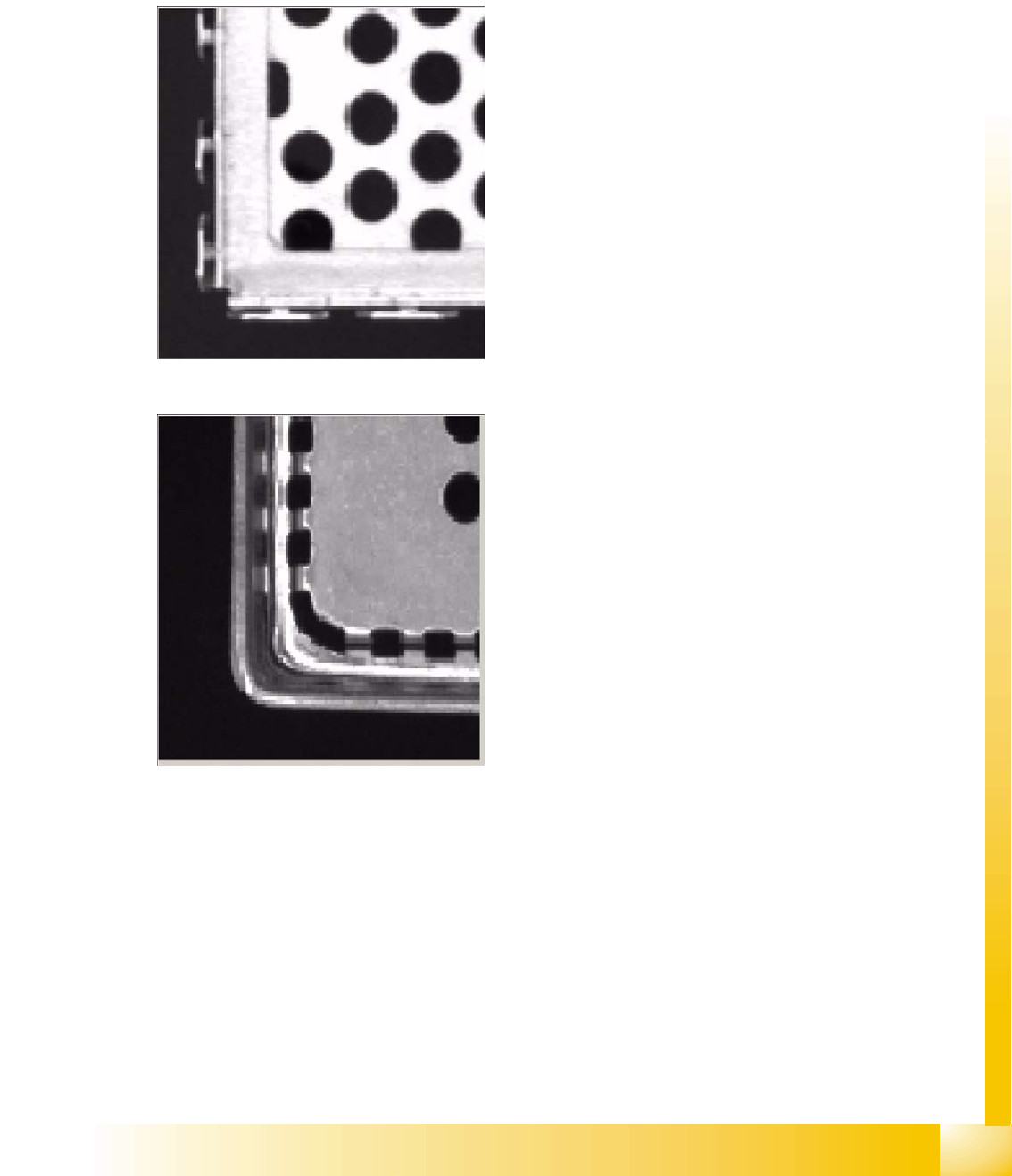
Various corner filters: four corner filter types are possible, depending on the different shield edges
used.
Filter type 248 e.g. for edge springs;
Default setting: Several position candidates
are permitted for each edge, although each
candidate must be above the gradient
threshold. Each edge is also subjected to an
additional scan. This singles out poor quality
edges, primarily candidates caused by
springs.
Filter type 249, for good edge quality;
Outer edge: Always takes the outermost
position (as seen when looking from outside
the component) above the gradient threshold
(in the case of double edges, caused by
indentations in the Shield and steep
illumination). The system only considers
edges which are within the yellow search
frame.
Component Shapes
Specific Component Shapes Shields
Student Guide SIPLACE Vision (Customer)
Component Shapes Edition 12/2008 EN
94
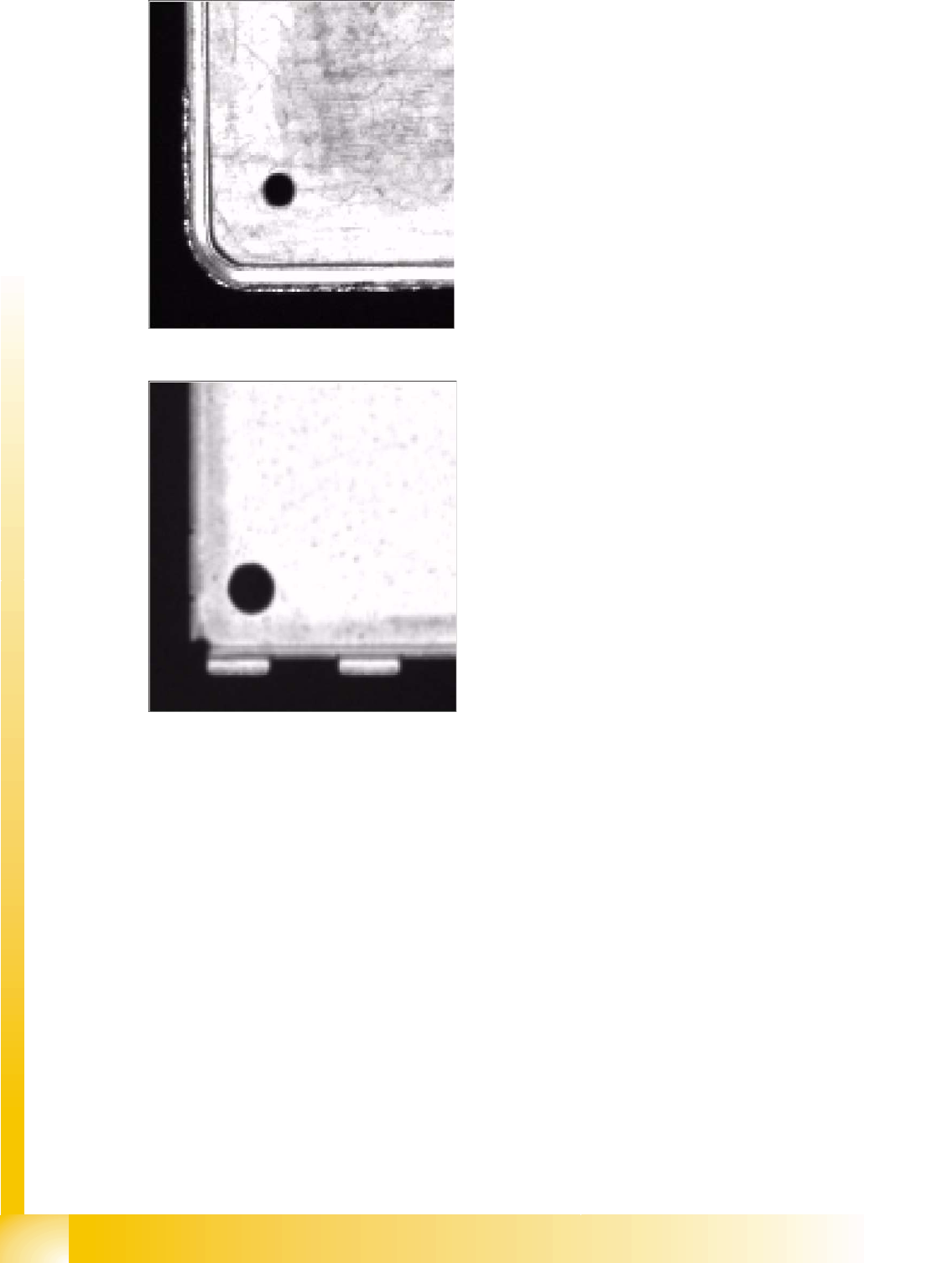
Filter type 250, for poor edge quality;
As in the case of the default setting, several
candidates are possible. However, in this
case, an additional scan is not performed
(suitable for Shields with poor edge quality.
The edge in the diagram shown has both bright
and dark points).
Filter type 251, for double edges caused by
springs or recesses;
Binary diagram: automatically determines a
suitable gray value threshold for binarization of
the image. A binarized image only has two
gray values: 0 and 255. Edge recognition in the
binary image is performed with an additional
scan (for Shields with springs and double
edges caused by shield indentations and
steep illumination. The bottom part of the
shield in the diagram has protruding elements,
which the measuring result is not supposed to
determine, and a double edge). If this filter type
is needed for a corner, we advise you to set it
for all corners. This means that the position is
determined in the same manner for all corners,
increasing measurement accuracy.