SIPLACE Vision Customer_en.pdf - 第18页
Introduction Camera Overview Individual Camera Types - Details S tudent Guide SIPLACE V ision (Customer) Introduction Edition 12/2008 EN 18
Introduction
Individual Camera Types - Details Camera Overview
Student Guide SIPLACE Vision (Customer)
Edition 12/2008 EN Introduction
17
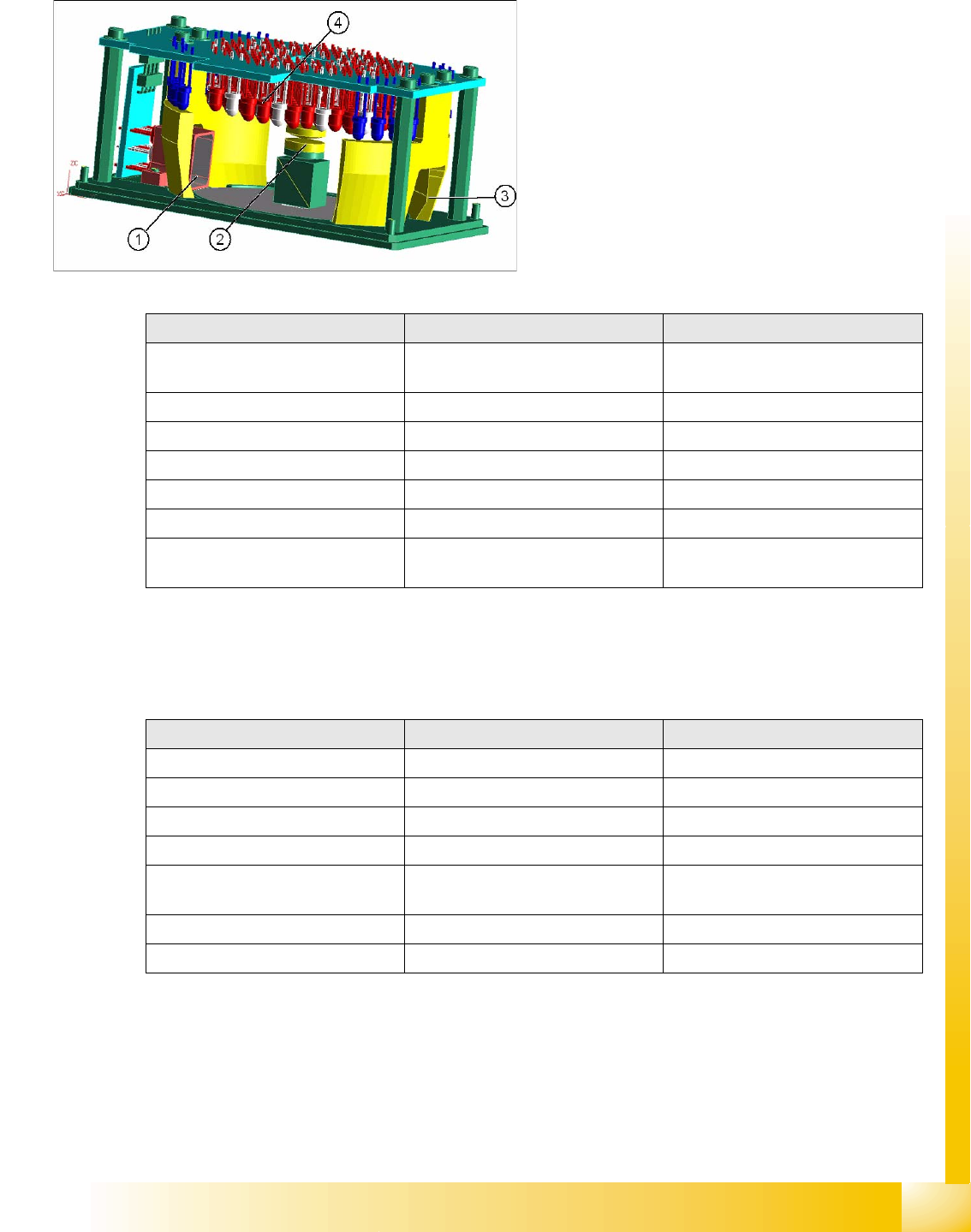
3.4.1.6 PCB Camera SST 24
Optional PCB camera with multicolor illumination (often incorrectly known as multicolor camera)
3.4.1.7 Coplanarity Sensors
Coplanarity sensors are available for ensuring that the placement quality remains at the highest possible
standard.
Legend
1. 0° direct illumination direction
2. Lens system
3. Optical fiber for blue
4. Diffuse white / IR illumination
5. Camera sensor here outside the image
Parameters PCB camera 24 PCB camera 34
Multicolor illumination for digital PCB
camera
YES No
SST 24 34
Resolution [µm] 12 12
Field of vision [mm²] 5.7 x 5.7 5.7 x 5.7
Min. fiducial size [mm²] ~ 0.3 x 0.3 ~ 0.3 x 0.3
Max. fiducial size [mm²] 3 x 3 3 x 3
Illumination colors] 5 White /IR diffuse white /IR steep /
blue
2 red/ blue
Parameters ILD 2200 IVP 3D coplan
Own computer No (station computer) Yes
SST 17 37
BGA recognition No Yes
Flux inspection No Yes, specially for BGA
Min. pitch [µm] Gullwing 0.4 µm Gullwing 500 / Lead width 300
BGA 800 / Ball ø 400
max. component size [mm] 50 x 50
Option for machines Fx / HF / HF3 / D1 / X2 / X3 X2 / X3

Introduction
Camera Overview Individual Camera Types - Details
Student Guide SIPLACE Vision (Customer)
Introduction Edition 12/2008 EN
18
User Interface
User Management and Programming Privileges for SIPLACE Pro
Student Guide SIPLACE Vision (Customer)
Edition 12/2008 EN User Interface
19
4 User Interface
4.1 User Management and Programming Privileges for SIPLACE
Pro
The settings in the user management in SIPLACE Pro are sent directly to the station software. However,
this requires that the safety mode has been enabled in SIPLACE Pro.
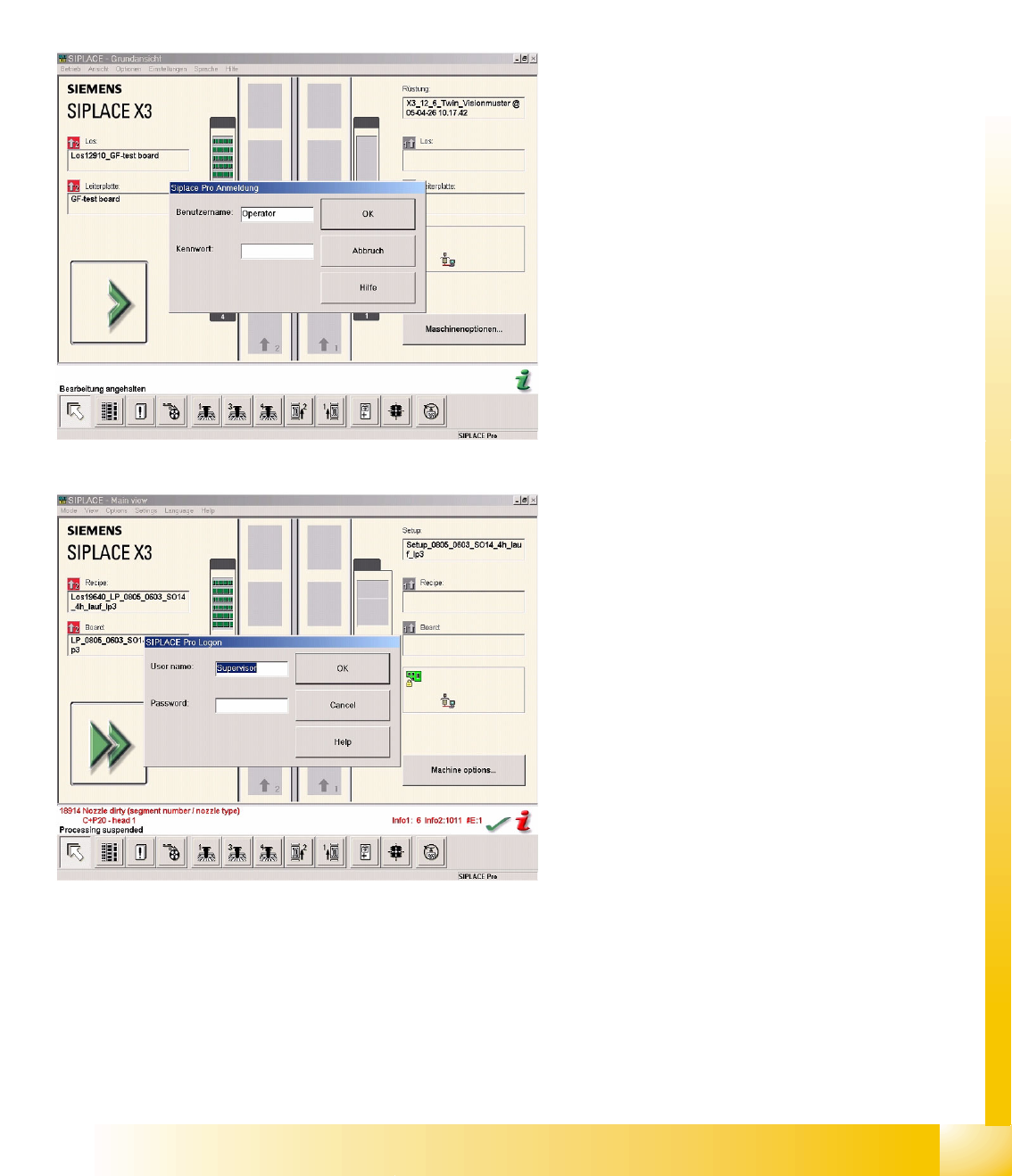
When the safety mode is enabled, the login
window at the station is identical to the login
windows shown when you start SIPLACE Pro 3.0
Desk and the Line Control GUI on the SIPLACE
Pro computer.
The adjacent diagram shows the login window
with Operator (operating level Operator).
The operating level Supervisor (operating level
Programmer) allows the user advanced privileges.