SIPLACE Vision Customer_en.pdf - 第158页
SIPLACE Pro 3.0 Programming Interface for Componen t Shapes Converting the Component Shape with LC Imp ort from a UNI X/LINUX Lin e Computer Converting the Component Shape Type S tudent Guide SIPLACE V ision (Customer) S…
SIPLACE Pro 3.0 Programming Interface for Component Shapes
General Information about Automatic Conversion of Component Shapes Converting the Component Shape with LC Import from a UNIX/LINUX
Student Guide SIPLACE Vision (Customer)
Edition 12/2008 EN SIPLACE Pro 3.0 Programming Interface for Component Shapes
157
7.2 Converting the Component Shape with LC Import from a
UNIX/LINUX Line Computer
Machines from previous series such as F-Series or S20/S23/S25/S27HM/HS50/HS60 lines could be
controlled by a UNIX or LINUX line computer. New machines require an LC import of the GS database
from the line computer.
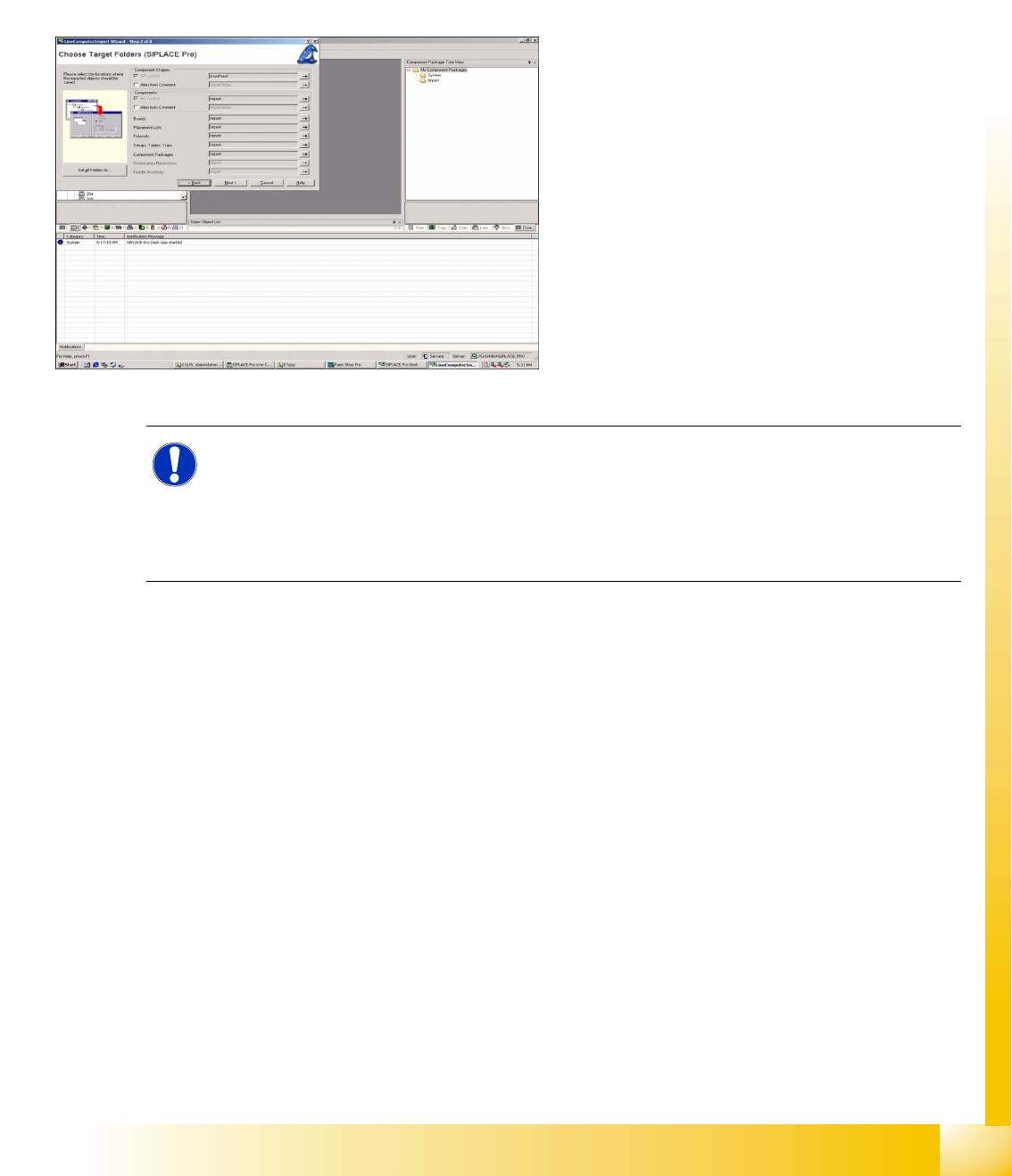
Select the menu LCU Import Wizard under Tools.
Use the browser to select the required master data
inventory from the network (from which the line
computer data (e.g. component shapes) are to be
imported). Specify the target directory in the
window shown. The selection window will display
the contents of the CS import directory and
individual component shapes can be selected.
The same import procedure can be used for
components and boards.
The messages generated during LC import can be
stored as an XML file, for subsequent processing
or documentation. Just right-click with the mouse
in the message field and then specify the path and
file name.
NOTE: Differences between SIPLACE Pro and LC CS programming!
The alignment of the lead group with 0° was Horizontal to the right in the line computer.
In SIPLACE Pro it has been redefined as Upward .
The line computer programs the ball radius, while SIPLACE Pro programs the ball diameter.
The CS comments field (50 characters) also has a conversion trick entry, in which manual
settings or other special details can be recorded.
SIPLACE Pro 3.0 Programming Interface for Component Shapes
Converting the Component Shape with LC Import from a UNIX/LINUX Line Computer Converting the Component Shape Type
Student Guide SIPLACE Vision (Customer)
SIPLACE Pro 3.0 Programming Interface for Component Shapes Edition 12/2008 EN
158
7.2.1 Converting the Component Shape Type
SIPLACE Vision (or SV) requires you to define a body shape, component type and lead type.
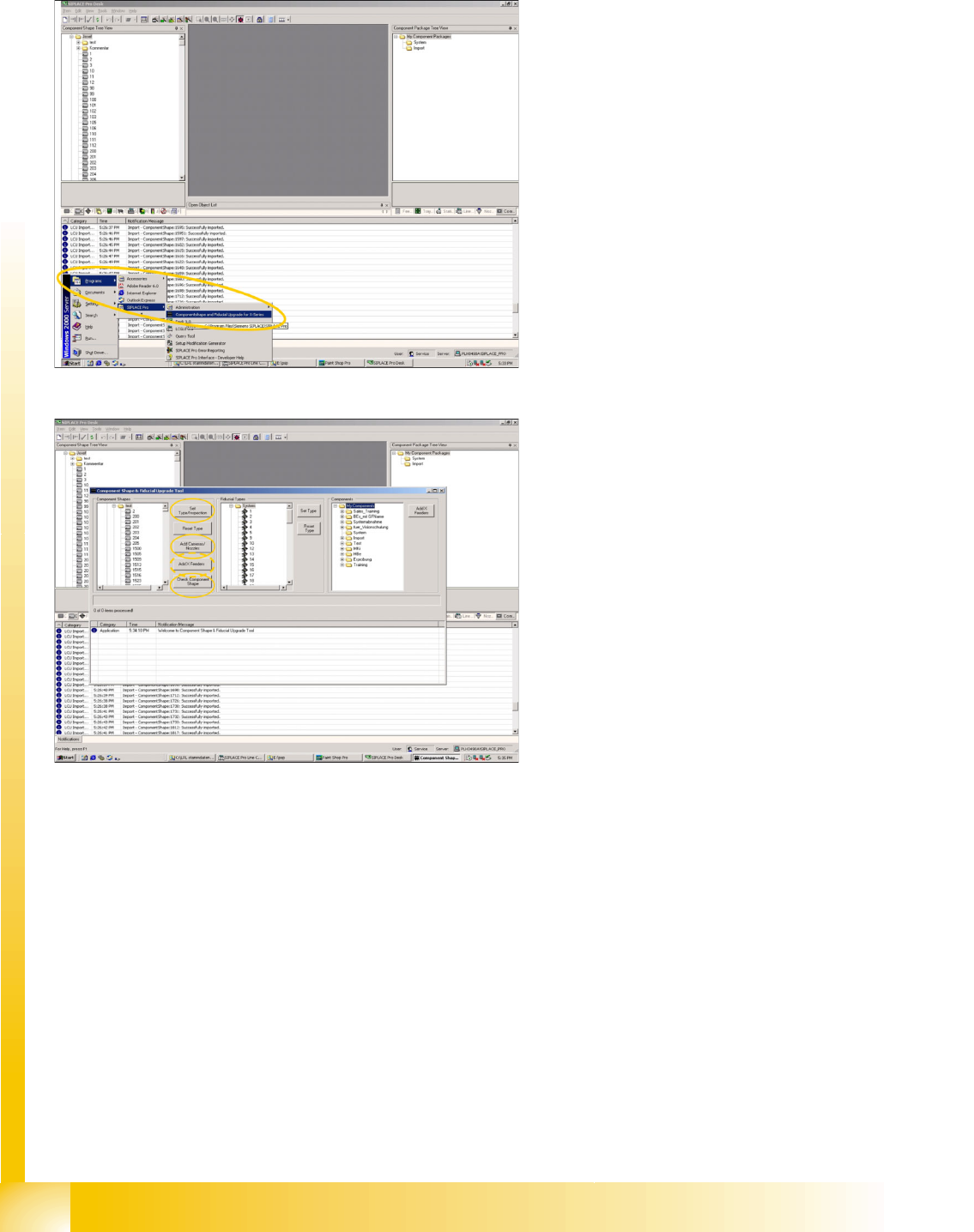
Program Start
Programming desk
The first conversion refers to the component
type and the CS inspection mode.
This is followed by Check Component Shape,
which involves checking the lead type and the
allocation of the component type.
The new - digital - camera types can be added
in the Add Cameras/Nozzles menu.
If the new X machines are to be used with X
feeder tables (required for C&P20 heads),
enable the Add X Feeders menu.
After each of these steps (LC import/conversion
type/Inspection) check the report lists for any
errors or warnings. Changes to the individual
component shapes in the CS database should be
documented in a suitable report or printout.
SIPLACE Pro 3.0 Programming Interface for Component Shapes
Adopting the Standard Component Shape from the SIPLACE Pro Installation in the Customer's Component Shape Database Converting the
Student Guide SIPLACE Vision (Customer)
Edition 12/2008 EN SIPLACE Pro 3.0 Programming Interface for Component Shapes
159
7.2.2 Adopting the Standard Component Shape from the SIPLACE Pro Installation in
the Customer's Component Shape Database
The installation of SIPLACE Pro software also installs a revised version of the Standard Siemens CS
Database. These component shapes can then be imported into the customer's CS database.
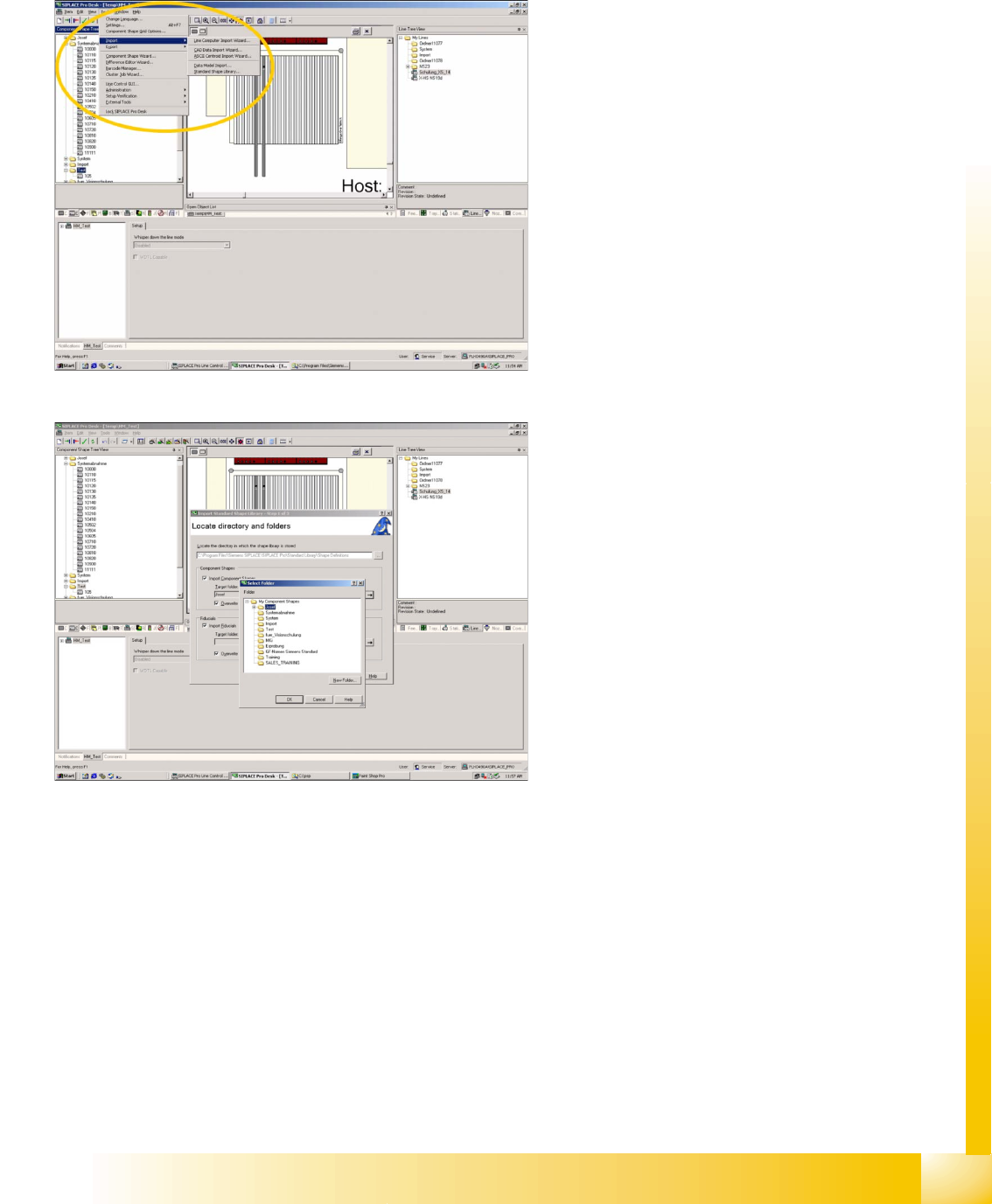
Program Start
Pull down menu
->Tools
-> Import
-> Standard Shape Library
This opens the first window of three steps, for
adoption of new standard CS descriptions.
Selecting the standard CS source directory
and target directory
Set source directory in the
… Browser menu
->at C:\Program files\Siemens Siplace\Siplace
Pro\Standard Library\ Shape Definitions
.
Set target directory in the
… Browser menu
-> at component shape subdirectory .