SIPLACE Vision Customer_en.pdf - 第171页
SIPLACE Pro 3.0 Programming Interface for C omponent Shapes Advanced Handling of Component Shapes Handling Component Programming S tudent Guide SIPLACE Vision (Customer) Edition 12/2008 EN SIPLACE Pro 3.0 Programming Int…
SIPLACE Pro 3.0 Programming Interface for Component Shapes
Handling Component Programming Reduced Acceleration Values
Student Guide SIPLACE Vision (Customer)
SIPLACE Pro 3.0 Programming Interface for Component Shapes Edition 12/2008 EN
170
7.4.3 Reduced Acceleration Values
To avoid difficulties placing exotic components, you can reduce the acceleration values for all axes in
the placement machine.
To still keep the placement performance high, the programmed acceleration values are axis-specific and
nozzle-specific.
Because the machines have to perform many different conditions of acceleration please look into the list
of acceleration values in the SIPLACE Pro Online Help.
7.4.4 Basic Handling of Component Shapes
Z axis in g S-20 RV 12 5.30
S-23/CS RV 12 6.40
F4/F5/F5HM/CF RV 12 6.40
RV 6 5.30
P&P 1.30
HS50 RV 12 12.25
HS60 RV 12 15.29
D series RV 12 18.04
RV 6 9.41
P&P 4.90
X series
or
HF/HF3
RV 12 18.04
RV 6 9.41
P&P 4.90
C&P20 21.00
S25HM RV 12 12.25
RV 6 12.25
S27HM RV 12 12.25
RV 6 12.25
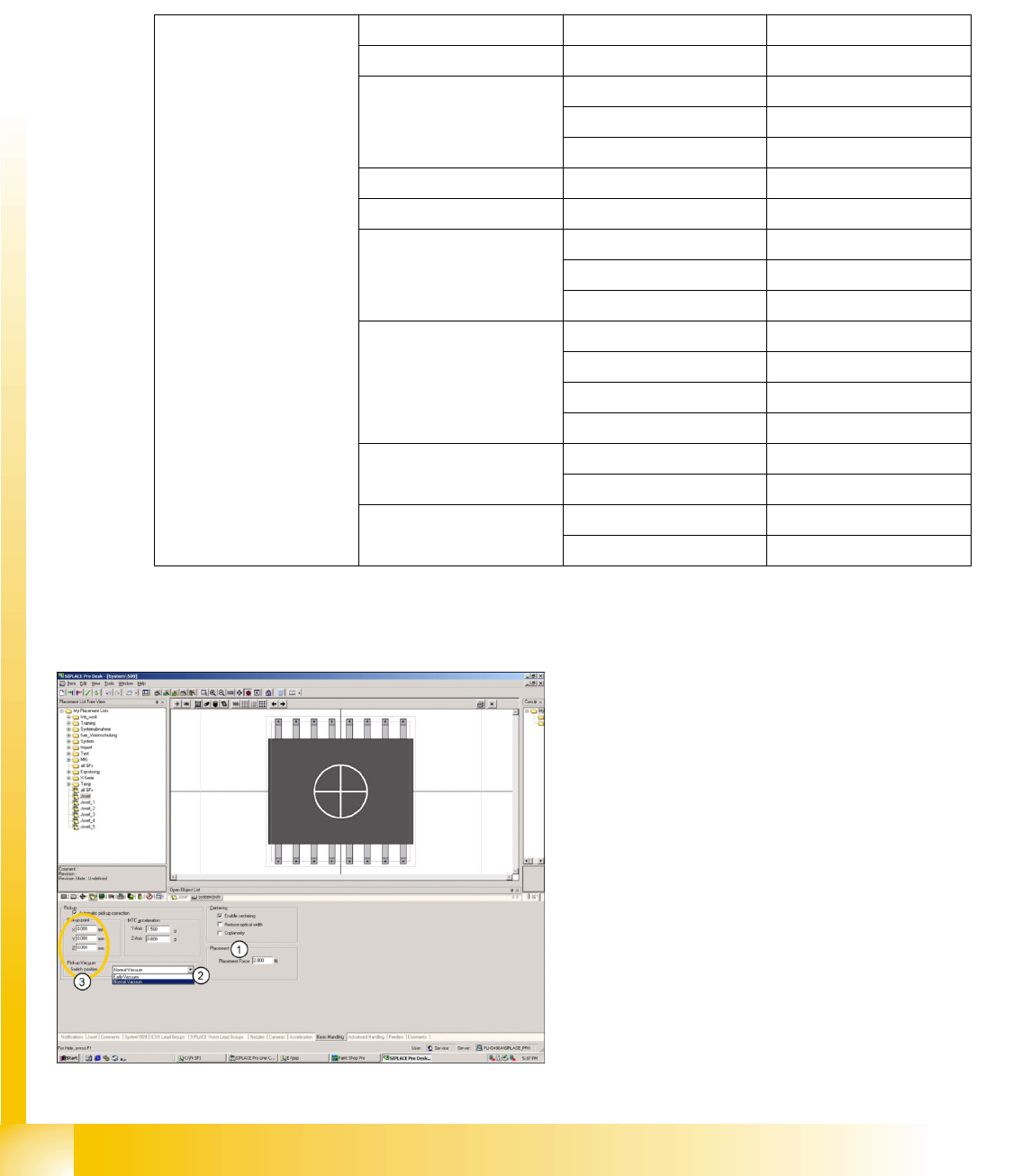
1. Enter the placement force. The placement
mode can be specified in the Advanced
Handling window and also enabled/disabled
there.
2. Early Vacuum is the only special mode which
can be enabled here.
3. A non-central pickup point for the component
shape can be programmed here. This does
not affect the component center, which is
referred to for component centering in the
Vision system. The pickup position correction
value for the feeder refers to this new
component pickup point and is added to it.
Please note that this function is only supported
in older machines with SC/MC 503.xx or
higher.
SIPLACE Pro 3.0 Programming Interface for Component Shapes
Advanced Handling of Component Shapes Handling Component Programming
Student Guide SIPLACE Vision (Customer)
Edition 12/2008 EN SIPLACE Pro 3.0 Programming Interface for Component Shapes
171
7.4.5 Advanced Handling of Component Shapes
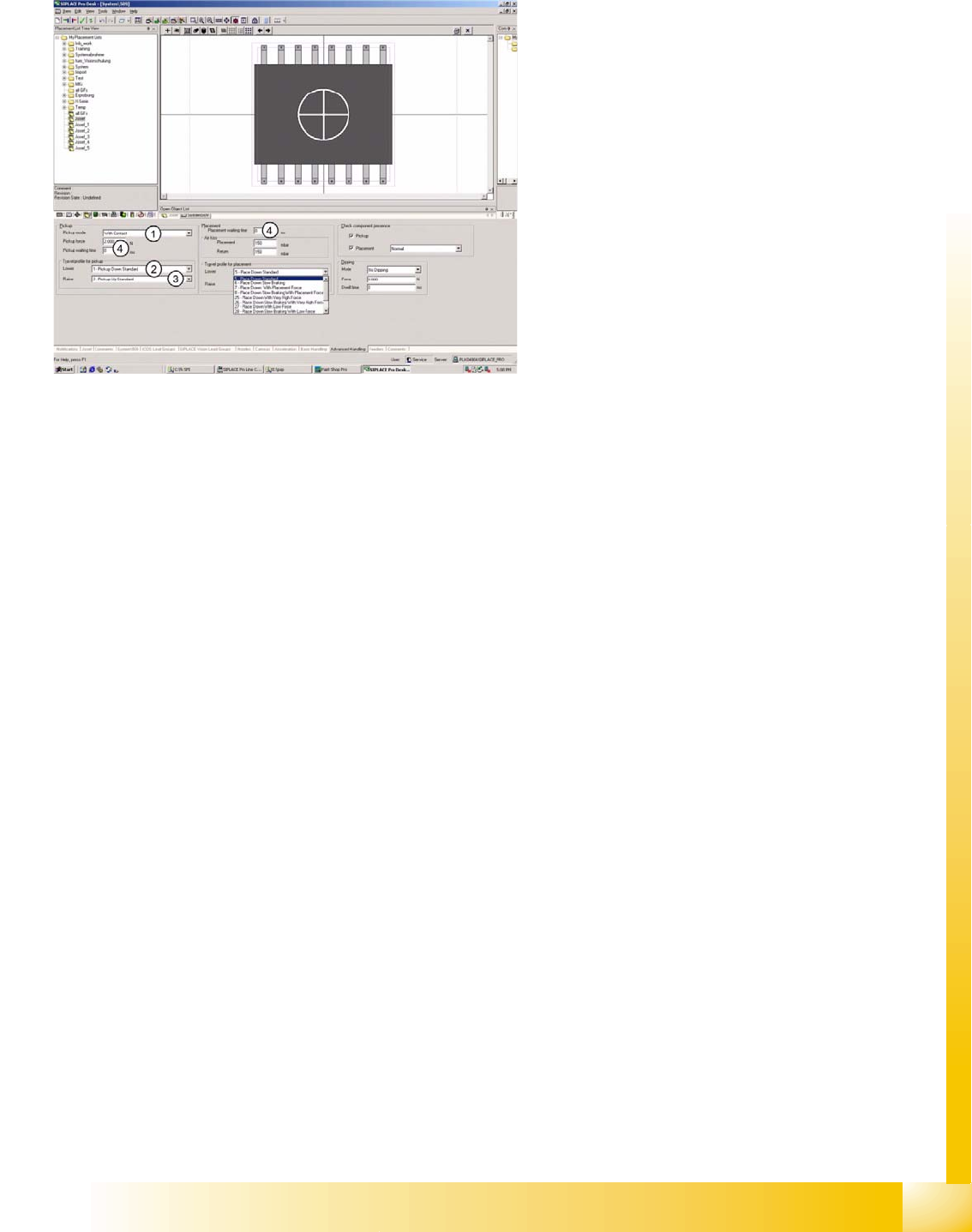
The options listed below should be seen as
mutually exclusive alternatives for each point.
1. Pickup mode:
– With contact - nozzle makes contact with
component on pickup.
– Without contact - nozzle does not make
contact with component on pickup; nozzle
hovers several 1/100 mm above the
component surface.
2. Velocity profile :
– (1) Pickup, down, standard, with full speed
and relative position mode.
– (17) Pickup, down, without contact, with
full speed and absolute positioning mode.
– (21) Pickup, down, with low force - not
used.
– (22) Pickup, down, with very low force
(only with special nozzle) - not used.
3. Velocity profile :
– (2) Pickup, up, standard, with full speed
and no delay.
– (3) Pickup, up, with slow start to ensure
increased holding force at the nozzle.
– (4) Pickup, up, with creep start - not
recommended (waste of time).
4. Waiting times:
– During pickup, for specially constructed
customer feeders.
– During placement, for special component
handling at time of placement.
SIPLACE Pro 3.0 Programming Interface for Component Shapes
Handling Component Programming Advanced Handling of Component Shapes
Student Guide SIPLACE Vision (Customer)
SIPLACE Pro 3.0 Programming Interface for Component Shapes Edition 12/2008 EN
172
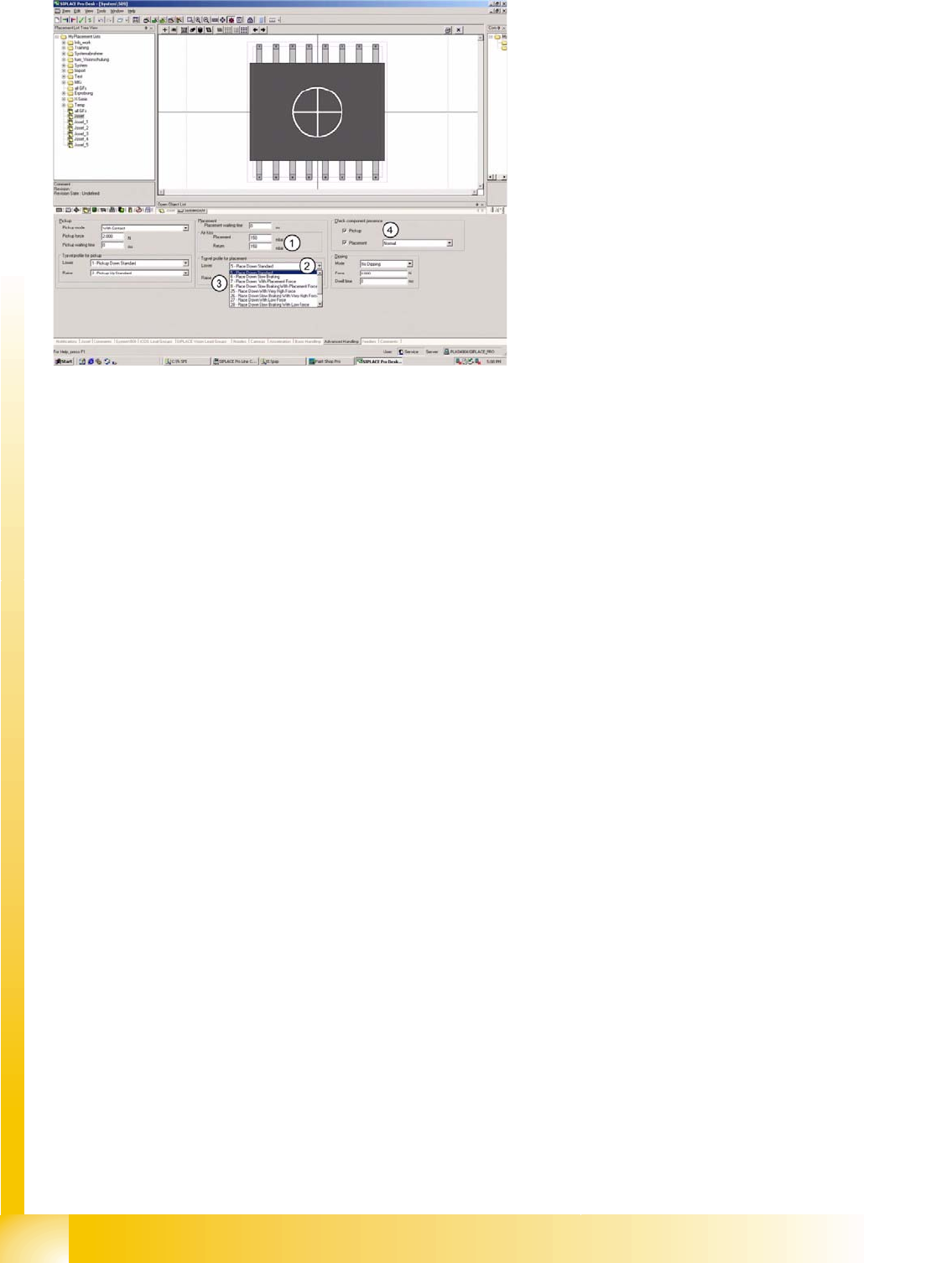
1. Air kiss programming:
– During placement with C&P20 or TWIN head. The value is regulated at the vacuum generator.
– During return to FM or reject conveyor with C&P20 or TWIN.
– For C&P6/12 heads: this value is used to control the air kiss time.
2. Velocity profile :
– (5) Place down, standard, with full speed and placement force of 2N in light barrier mode.
– (6) Place down, with slow braking, during last 1 mm of placement height.
– (7) Place down, with (increased) placement force (3 to 5 N) for C&P heads;…3 to 15 N for TWIN
head.
– (8) Place down, with slow braking and (increased) placement force (see above).
– (25) Place down, with very high placement force (future option).
– (26) Place down, with slow braking and very high placement force (see above).
– (27) Place down, with low placement force (1 N) at TWIN head.
– (28) Place down, with slow braking and low placement force (1 N) at TWIN head.
– (29) Place down, with very low placement force (no longer used).
– (30) Place down, with slow braking and very low placement force (not used).
– (31) Place down gently for TWIN (0201 profile).
3. Velocity profile :
– (9) - Place, up, standard, with full speed and no delay.
– (10)- Place, up, with slow start, to ensure that vacuum has been correctly released.
4. Component check:
– Normal - component check with vacuum (in case of C&P20 always with CO-Sensor).
– Advanced component presence check with component sensor & vacuum check combined
(C&P12)
– Component height.
– Component height - without vacuum.