SIPLACE Vision Customer_en.pdf - 第58页
Component Shapes Specific Component Shapes Optical Rec ogn ition and Evaluation of Unleaded COs S tudent Guide SIPLACE V ision (Customer) Component Shapes Edition 12/2008 EN 58 Due to the very simple progr amming method,…
Component Shapes
Moulded (Injection Moulded) Components (for Tantal Capacitors) Specific Component Shapes
Student Guide SIPLACE Vision (Customer)
Edition 12/2008 EN Component Shapes
57
Special features
Component shape recognition in SIPLACE Vision is fully independent of the body color. In contrast,
ICOS systems may need to store multiple CSs of the same body size because the body color is
different.
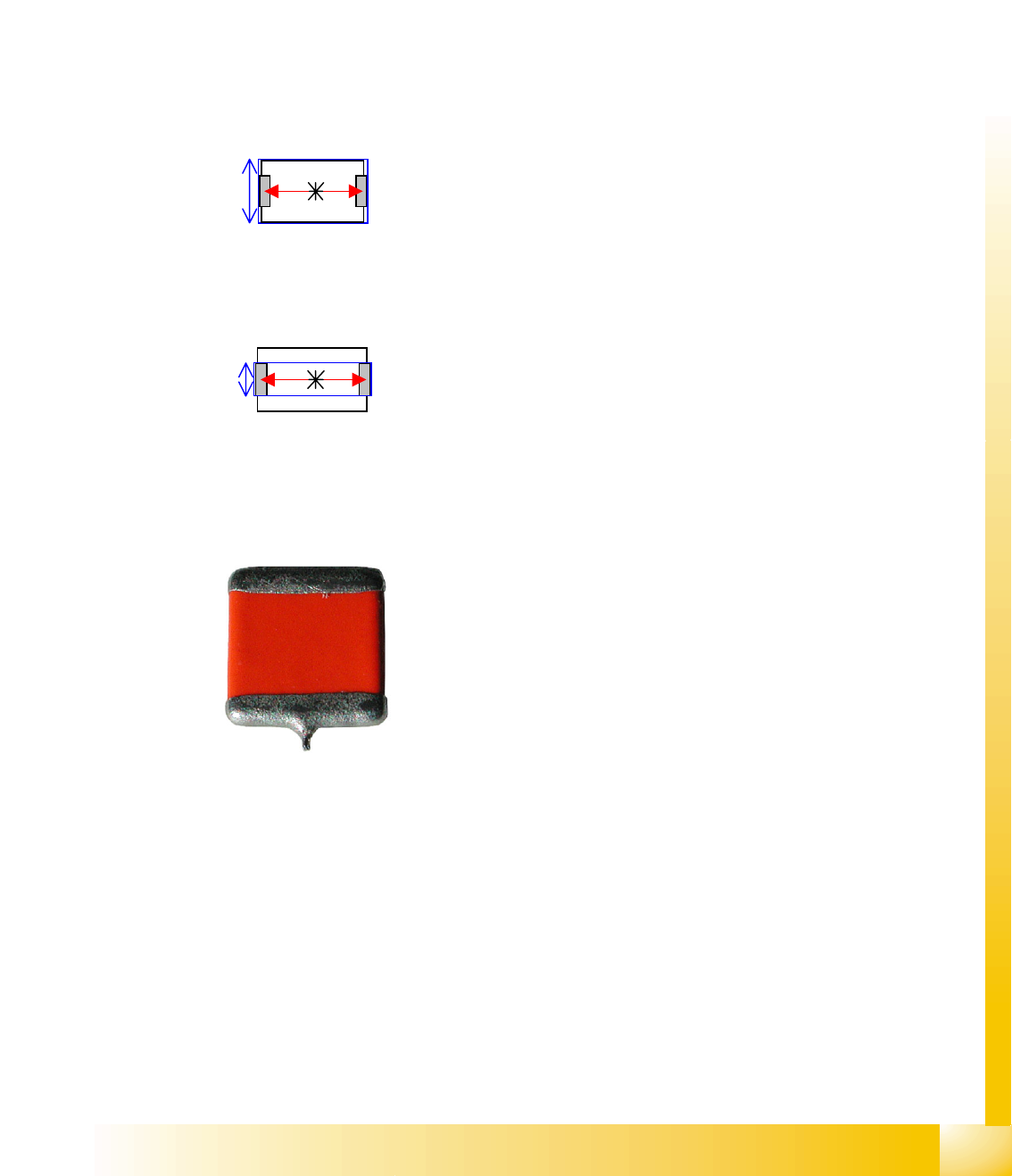
In the measurement algorithm of the molded components, you can alternatively measure the body
dimensions
LxB (1) or width, determined by the lead LxBp (2), in order to recognize the different colored body of
the component with one component shape.
The inspection mode can be deactivated but should remain active.
Attention: if the component height is the same as the lead width, components which are taken up in
an upright position will not be recognized and will then be rejected.
Older Tantal shapes have another special feature:
Observe the following in this case:
When light-colored body material is used, the injection edges all round the component (halfway up
the component) will be shown. In this case, allow for increased width and length tolerances.
If the component height is identical with the lead width, Pick-up component in sideways rotation will
not be recognized (currently not supported).
The function 'Stop at Pickup Error' should be enabled, so that the operator can remove components
which were not picked up from the tape, to avoid sparks being created if these are cut.
Electrolytic capacitors (ECVs) are automatically classified as Moulded, since the body description
Vertical cylinder, round is not available.
Joint datasets with ICOS data possible!
Dimension check 1
LxW L=body length, W=body width
Alternative 2
LxWW L=body length, WW=body width
Previous Tantal components had a soldered nib on one lead.
These components are no longer in regular use. However, if
they should occur, they will be defined as CHIP components.
Component Shapes
Specific Component Shapes Optical Recognition and Evaluation of Unleaded COs
Student Guide SIPLACE Vision (Customer)
Component Shapes Edition 12/2008 EN
58
Due to the very simple programming method, involving body size with attached wraparound leads, NO
component shape wizard is offered for molded component shapes.
SW extension: FaceDown recognition can be programmed and used from SC 702.01 SW (SIPLACE
Vision 4.1).
Lead length inspection can be programmed and used for molded component shapes from SC 702. (See:
New Siplace Vision Functions 702).
5.3.6 Optical Recognition and Evaluation of Unleaded COs
Based on the example of a molded CO (Tantal capacitor)…
A leaded CO is processed with the following measurement steps:
1. Position recognition through determination of the following measurement values:
1. Coarse position - quick determination of component position.
2. Coarse angle - quick determination of angle.
3. Fine angle - exact measurement of angle.
4. Fine position - exact measurement of component position.
2. Component inspection via dimension check.
If the specified tolerances are exceeded, the component concerned will not be placed.
5.3.6.1 Position Determination for Unleaded COs
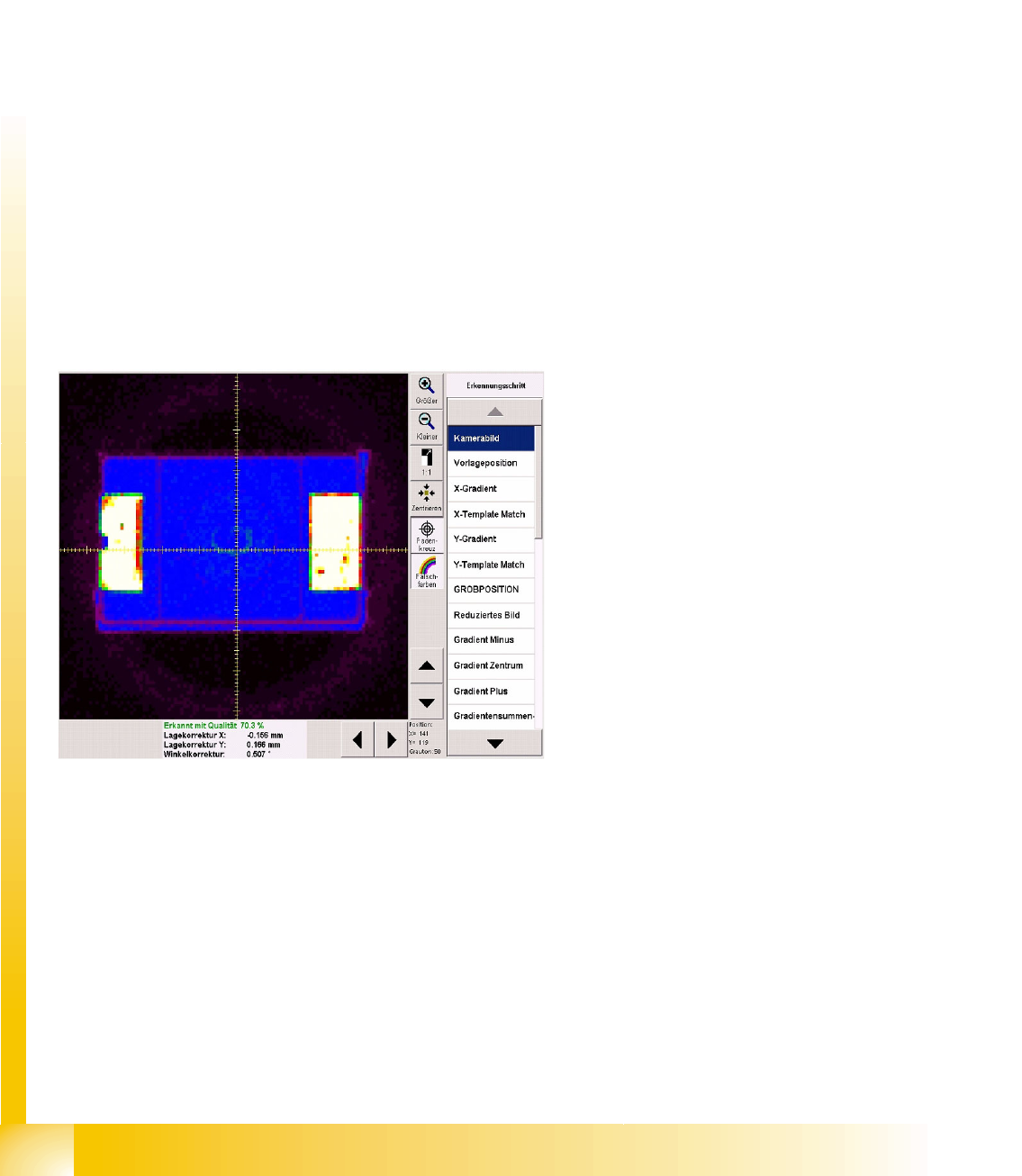
Diagram unprocessed camera image
The brightness and contrast can be assessed
more easily by switching over to pseudo-color
display:
In this example, White shows the CO
connection points for the Wraparound leads.
Blue shows the dark CO plastic body; the
darker edges are displayed in purple.
Purple/black shows the nozzle/segment
background.
The pickup accuracy can also be recognized on
the camera image and in the measurement
results:
The pickup accuracy is higher the more
accurately the CO center matches the camera
center or the lower the position correction factor is
(X, Y).
Various measurement steps are performed,
depending on the CO type. The individual steps
are explained in the following example.
Component Shapes
Optical Recognition and Evaluation of Unleaded COs Specific Component Shapes
Student Guide SIPLACE Vision (Customer)
Edition 12/2008 EN Component Shapes
59
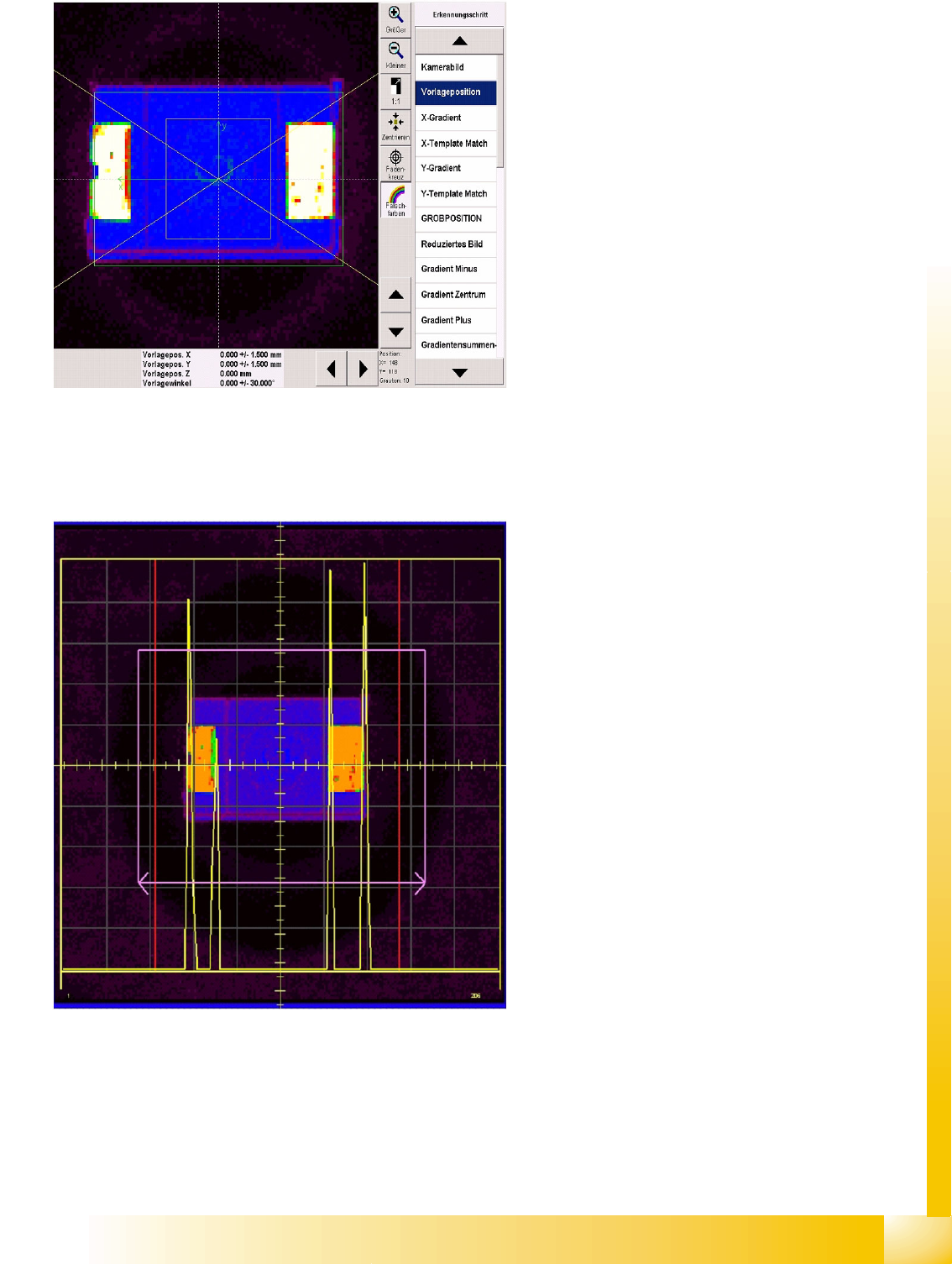
Diagram presentation
positionPresentation Position
The green arrows show the CS coordinate
system (positive direction in each case).
The yellow square shows the tolerance field
in which the CO center must be positioned.
This can be programmed at Pick-up tolerance.
The green rectangle maps the programmed
overall CO size.
A slanted yellow cross (V pointing to the left)
shows the permitted CO angle tolerance for
the optical centering function.
The CO positions have not yet been
determined, which is why the presentation
position values are 0.000. The position
tolerance (+/- 1.500) shows the SIPLACE Pro
setting. This describes the tolerance which the
CO may have, without error messages being
issued or rejection occurring.
Results diagram X gradient recognition
stepX Gradient
The yellow square shows the Region of Interest
(ROI) derived from the CS size/tolerance and the
pickup tolerance.
The purple rectangle shows the maximum CO
size.
The purple arrows point in the direction of
measurement: parallel to the camera's X
coordinate axis.
Yellow gradient signal curve:
The large outer signal peaks, to the left and
right, show where the lead and body begin,
The smaller signal peaks show the brightness
of the lead ends against a background of the
dark component body.
The red horizontal lines shows the limits which
the gradients must be within. Inside these limits,
the gradient signal is compared with the
programmed size template.