MAN00000772_SI-G200BB_SVCPDFA.pdf - 第25页
Work Procedure WKGB-10102-01 G200BB Head Maintenan ce SHEET 11 / 11 11 Secure the m ask plate with 4-CP2.5X5. Attach the mask plate after att aching all the bottom bearings to the Indexes. 12 Att ach the O-ring holder wi…
Work Procedure
WKGB-10102-01
G200BB Head Maintenance
SHEET
10/11
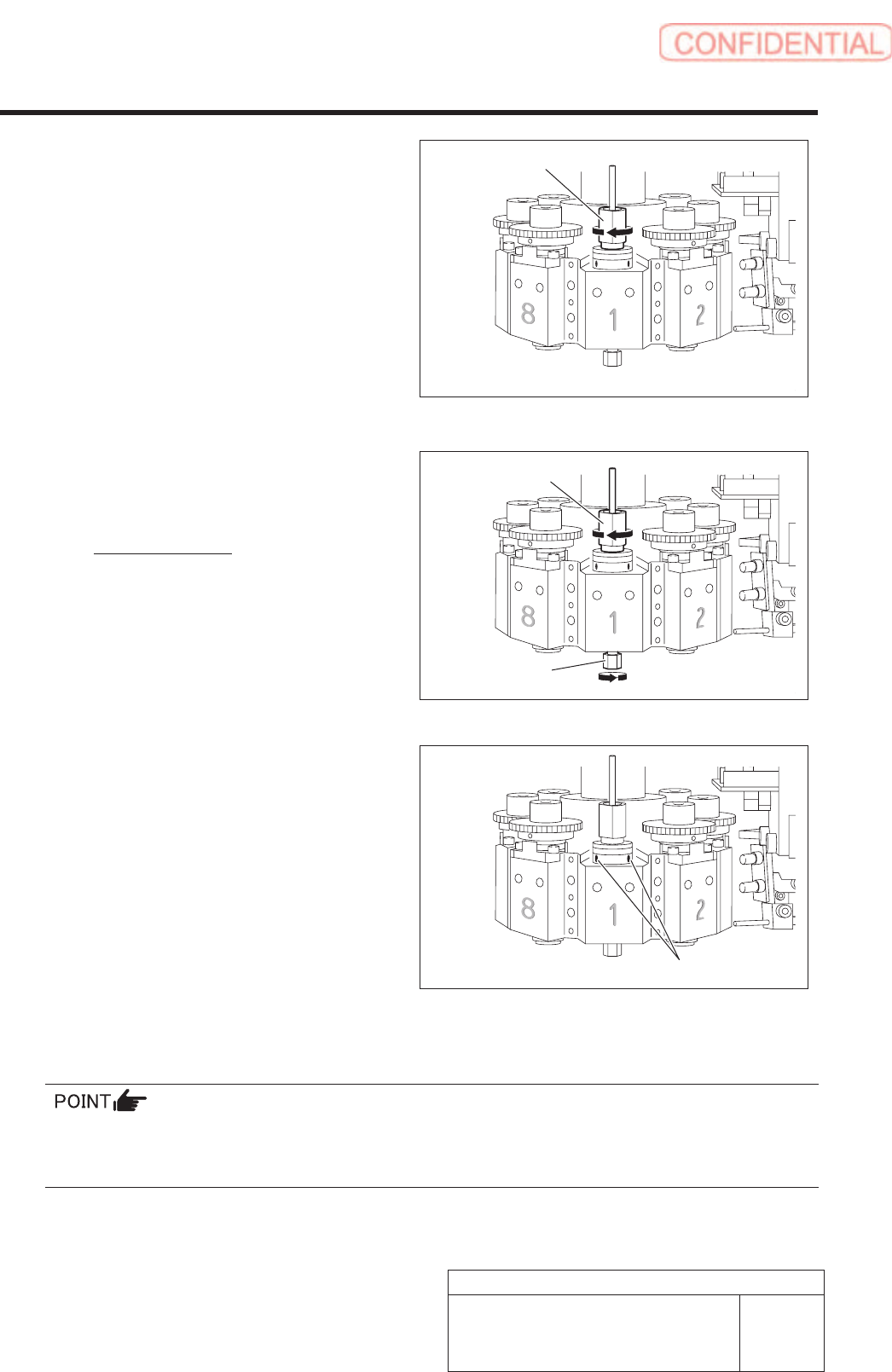
5. Apply the spline nut assembling jig (2)
to the spline nut from the top, and
then lightly tighten the spline nut
until the nut does not turn further.
6. Give preload with using the spline nut
assembling jig (1) and (2).
Preload: 6[cN・m]
7. Tighen two screws (H2.5 x 2.5) of outer
collar with 10[cNm] under preload
according to the mark on the spline nut.
8. Remove the spline nut assembling jig (2), and then remove the spline nut assembling jig
(1).
Insert the inner shaft and make sure the shaft moves up/down and rotates smoothly.
If you feel anomalies in up/down movement of the inner shaft, misalign the phases of the spline nut and
the outer collar purposely to find the orientation where the inner shaft moves up/down smoothly.
Spline nut assembling jig (2)
Spline nut
assembling jig (2)
Spline nut
assembling jig (1)
Set screw
Work Procedure
WKGB-10102-01
G200BB Head Maintenance
SHEET
11/11
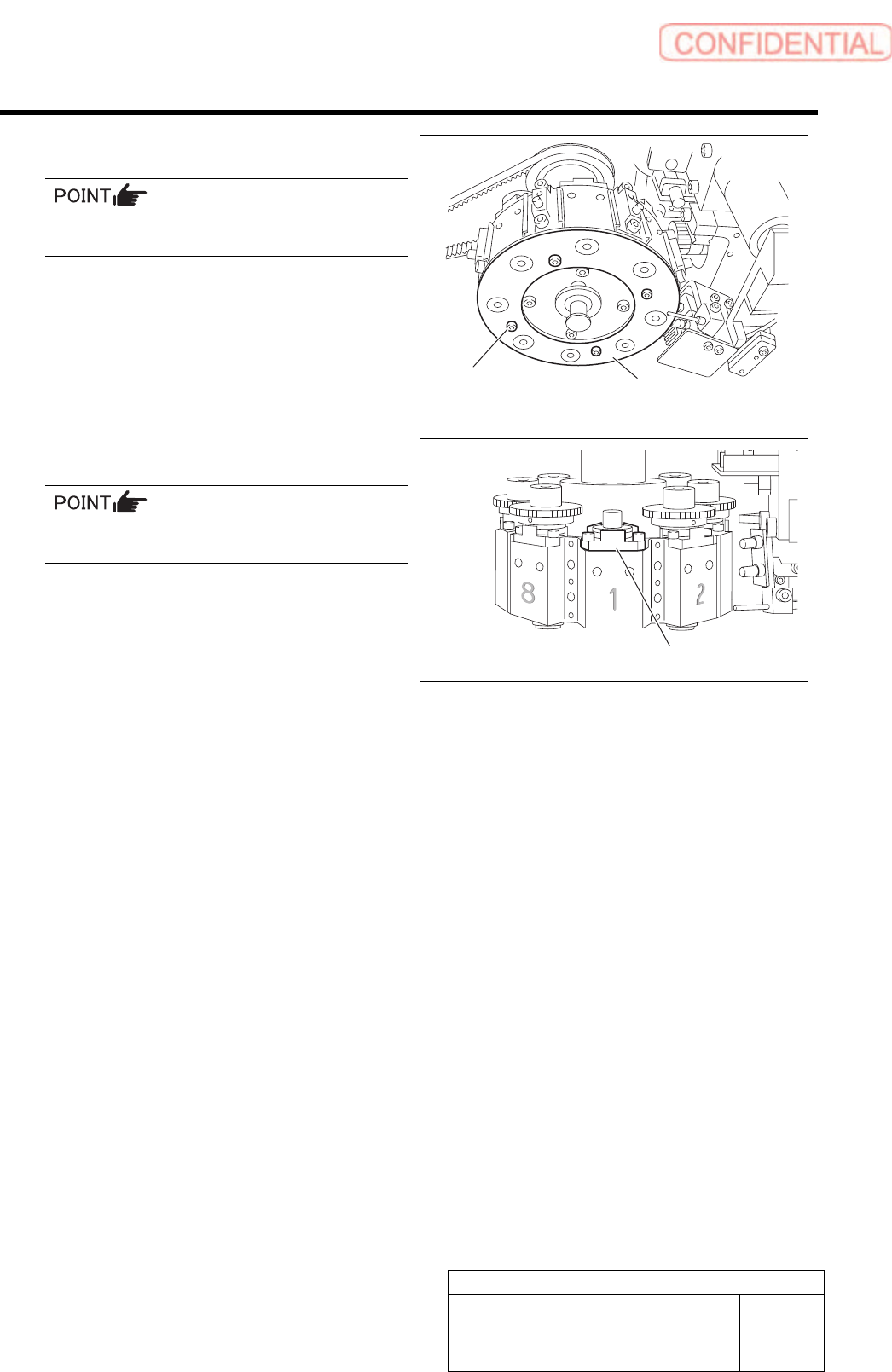
11 Secure the mask plate with 4-CP2.5X5.
Attach the mask plate after attaching all the
bottom bearings to the Indexes.
12 Attach the O-ring holder with 3-CP2.5x8.
Make sure to attach the O-ring holder in the
correct orientation.
13 Attach the small gear and adjust the phase.
For small gear attachment and phase adjustment procedure, refer to “Phase Adjustment for Nozzle [HLGB-10414-01]”.
O-ring holder
Mask plate
4-CP2.5x5
Setting UPS when exchanging hard disk
Setting UPS when exchanging hard disk
UPS re-setting is required when hard disk is replaced.
[Close HI]
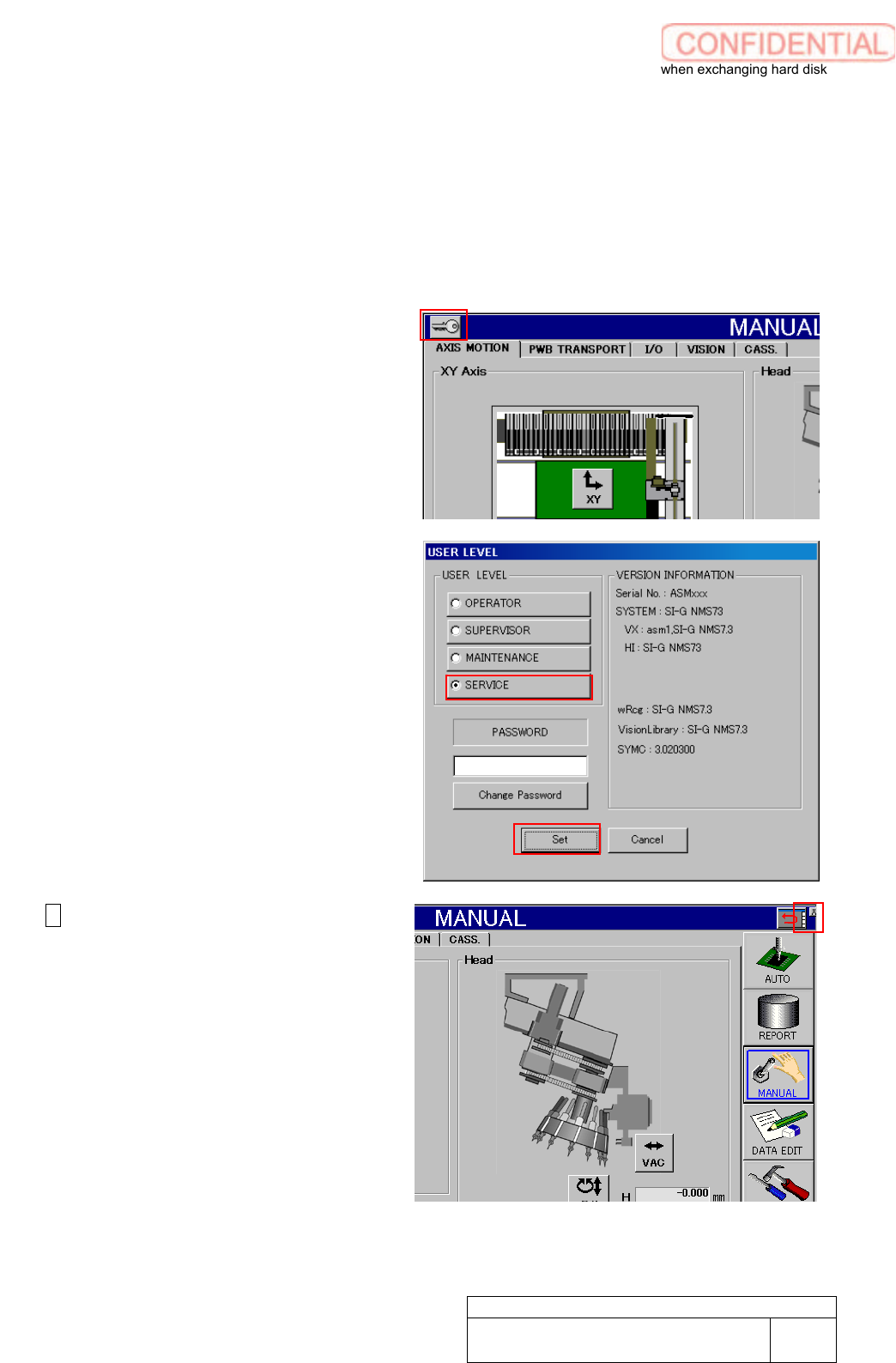
1. Change user level to SERVICE.
Click Key mark on the left side
shoulder to show USER LEVEL
setting screen.
2. Click SERVICE radio button to fill
pass word field.
Enter pass word to click Set button.
3. X appears on the right shoulder of
the screen.
Click the X mark to close HI screen.
WKGB-10103-02
Setting UPS when exchanging
hard disk
1/14