MAN00000772_SI-G200BB_SVCPDFA.pdf - 第630页
5. Optional TFGB-10101-0 1 SI-G200 (B Head) Overview SHEET 15/20 5. Optional 5-1 T ray Changer (Optional) The tray c hanger can s upply pa rts with a t hickness of up to 13 m m. The o peration of part pickup , recognitio…
4. Basic Operations of the Multifunctional Mounter
TFGB-10101-01
SI-G200 (B Head) Overview
SHEET
14/20
4-6 Nozzle Changer
The multifunctional mounter has employed the 24-nozzle gradual replacement method in which nozzles
are replaced automatically during automatic production.
Because nozzles are controlled inside the mounter, nozzles attached to the head cannot be used until nozzle
ID recognition is conducted. Nozzles used for production need to be mounted correctly on the nozzle
changer when the machine model is switched. When nozzles are attached to the head manually, nozzles
attached in the wrong direction cannot be housed in the nozzle changer, which may damage the nozzles
and the head.
- Nozzle replacement during automatic production
The multifunctional head takes out necessary nozzles from the nozzle changer according to the situation
and performs operations for production.
While one head is replacing nozzles, the other is in a standby state. Therefore, as the number of times
nozzles are replaced is larger, takt time will be longer.
It is recommended that production data be created so that the number of times nozzles are replaced is as
small as possible. DAS arranges data so that the number of times nozzles are replaced is as small as
possible.
- Time it takes for one nozzle to be replaced (reference)
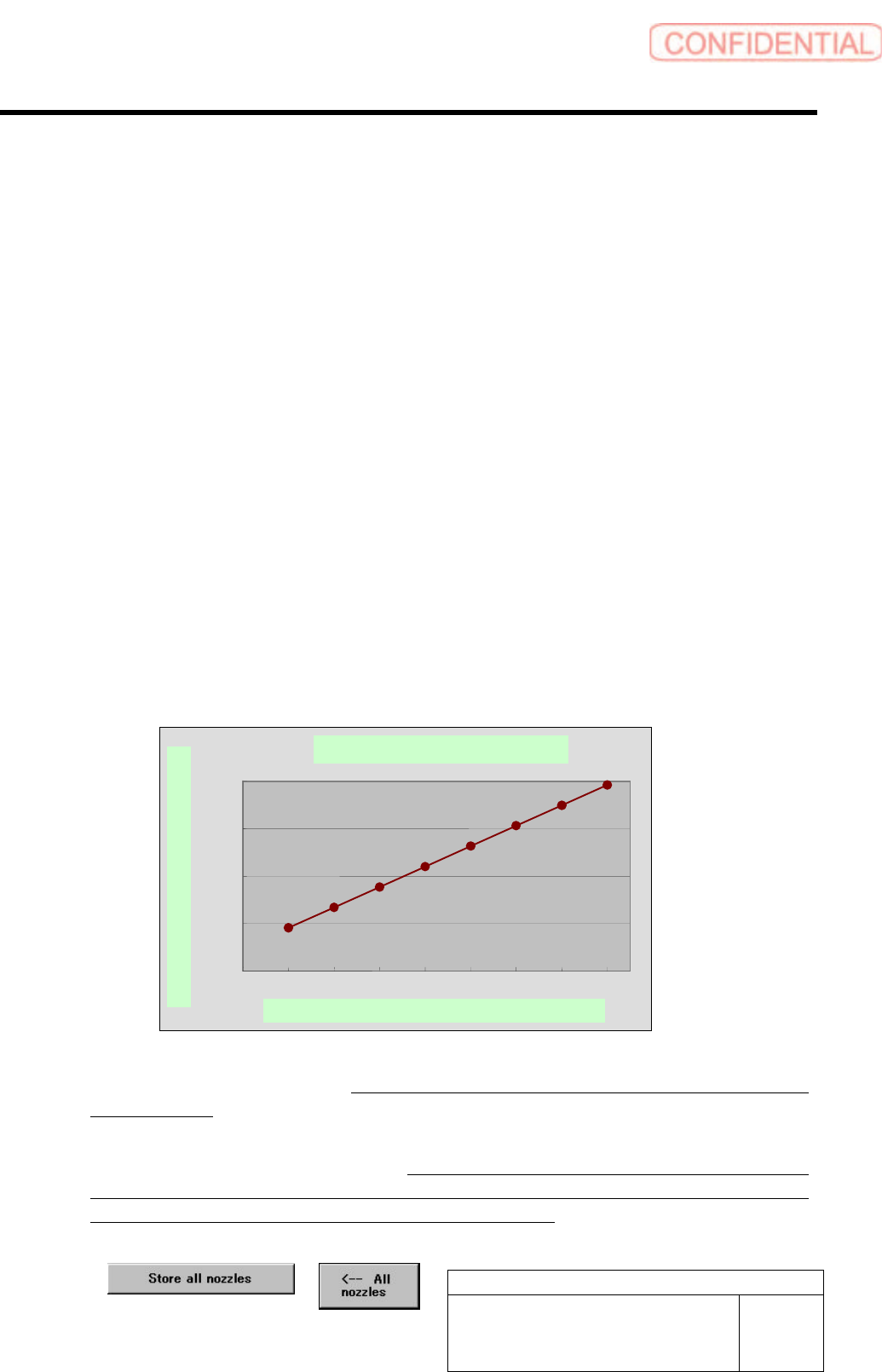
Standard nozzle replacement time is shown in the graph below. It takes about 4.5 seconds for the first
nozzle to be replaced, and, after that, it takes about 2.1 seconds for one nozzle to be replaced.
Time It Takes for One Nozzle to Be Replaced
<Points to Note>
- When setting up the nozzle changer, never fail to check the result of the setup by using the individual
teaching function.
- After nozzles have been housed, when it is judged by the pickup check camera that the inner shaft has
not returned completely, the alarm is raised. When the XY-axis operation is performed with this state
maintained, the inner shaft may contact the nozzle changer and be damaged. Therefore, visually check to
what extent the inner shaft has returned, and then return it manually.
- Before installing the software, be sure to house all nozzles by using the buttons below.
Standard nozzle replacement time
0
500
1000
1500
2000
012345678
Number of nozzles to be replaced N (N housed, N mounted)
Time it takes for nozzles to be replaced (msec)
5. Optional
TFGB-10101-01
SI-G200 (B Head) Overview
SHEET
15/20
5. Optional
5-1 Tray Changer (Optional)
The tray changer can supply parts with a thickness of up to 13 mm. The operation of part pickup,
recognition, and mounting in this order is the same as the production operation of SI-F209 that uses a tray
unit.
Tray pallets housed in the VU and VL axes are pulled out to the supply position by the S axis pull-in pin.
While pallets are supplied, the V-axis shutter opens.
The V axis performs a follow-up operation so that the upper and lower trays do not interfere with each
other. When the machine is set up, the distance between the upper and lower trays is set.
[Specifications of the Tray Operation When Parts Are Picked Up]
- When parts are picked up, the pickup position of the Y axis of the head is fixed, and the pull-out position
of the S axis changes according to the number of remaining parts. However, there are pickup offsets of
parts (Y axis), the Y axis of the head moves according to the amount of offsets.
- After the tray changer has picked up parts supplied from a tray, it houses its tray pallets immediately so
that it can pick up parts from another tray successively.
[Part Replacement during Automatic Operation]
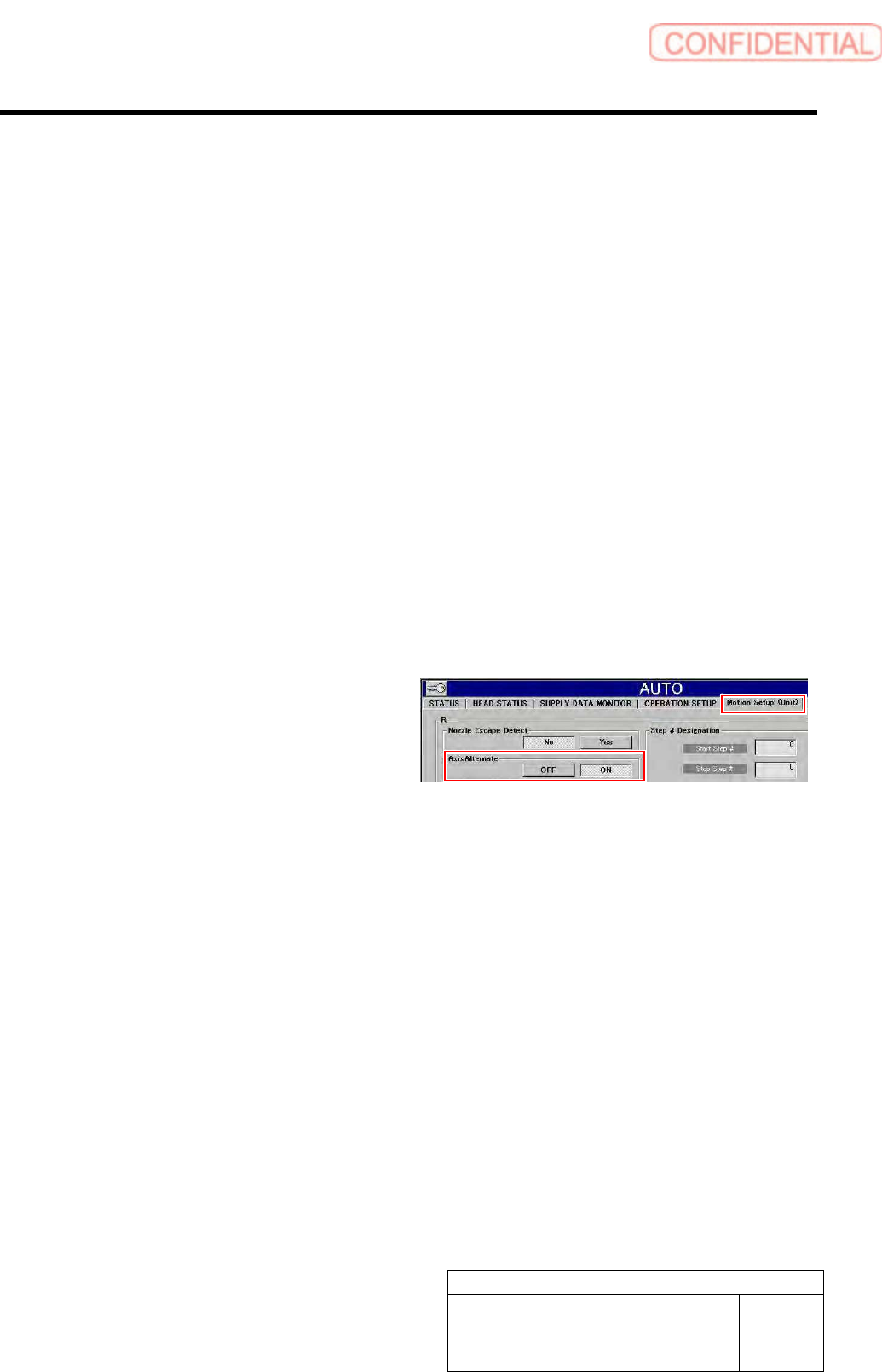
- When “Alternate Tray Axis” is set to “ON”
in “Motion Setup (Unit)” displayed after
“Automatic Production” has been selected,
parts can be replaced during automatic
production. When shortage of parts has
occurred on the upper or lower tray unit,
parts are replaced on one tray unit while
automatic production continues on the other.
<Points to Note>
Only can set either one of “Axis alternate / ON” and “Parts out mode / continue”.
5. Optional
TFGB-10101-01
SI-G200 (B Head) Overview
SHEET
16/20
[Setting for the Number of Remaining Parts When a Machine Is Switched to Another]
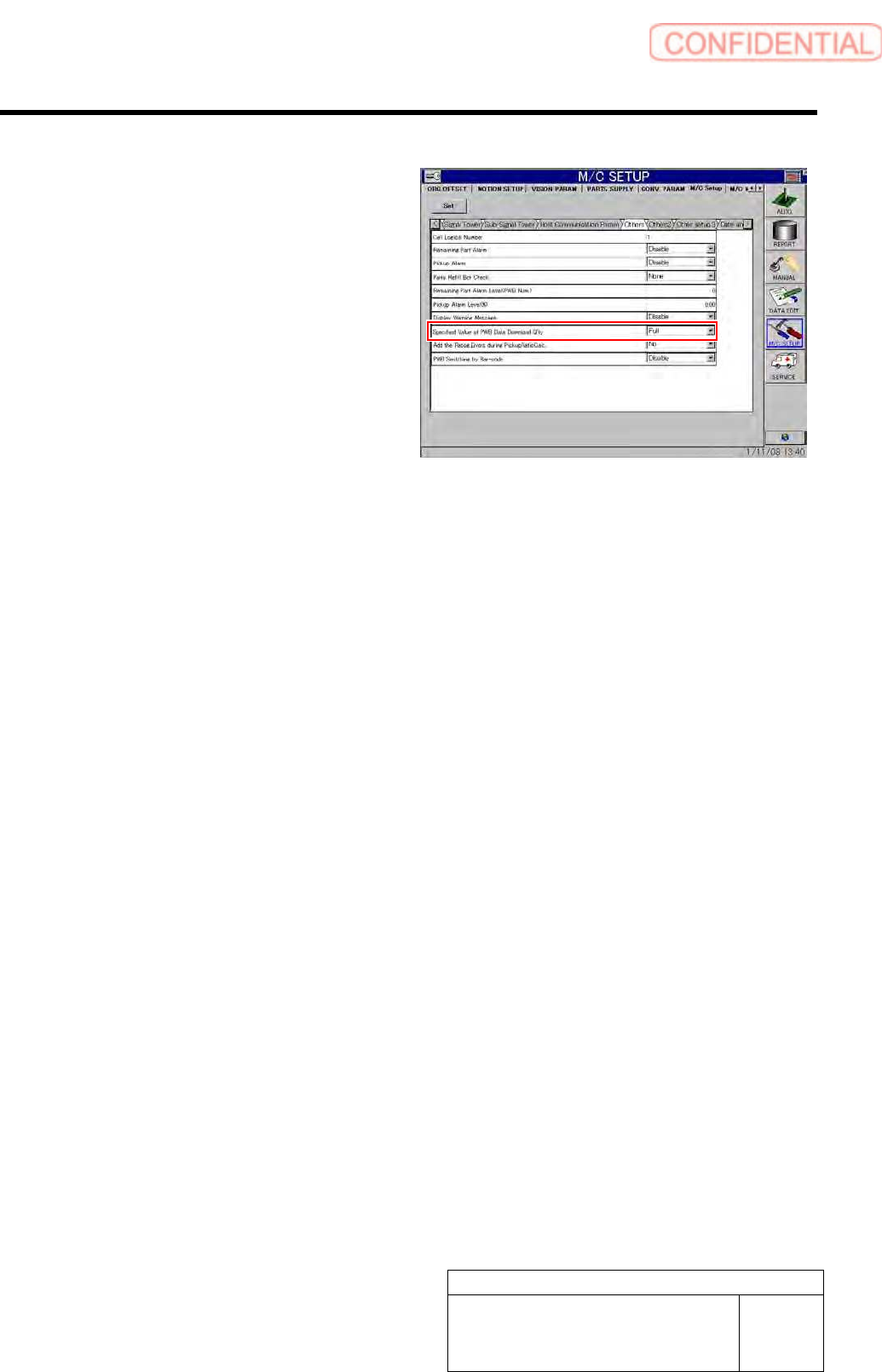
- Follow the setting for “Specified Value for
Remaining Parts When Machine Model
Data Is Downloaded” in “Other Settings”
displayed after “Machine Setup” and
“Equipment Setup” have been selected in
this order.
However, when the supply section
information (pitch X and Y, origin X and Y,
and quantity X and Y) of the supply section
of the switched machine is the same as that
of the original machine, it is judged that
there was no change in the supply section,
and the number of remaining parts is kept as
it is by the switched machine.