4OM-1345-009_w.pdf - 第126页
2-1 AKHEMT -ID 0605-002 1. T roubleshooting 1. T roubleshooting The troubleshooting is composed as follows. T roubleshooting after " W ARNING " Window T roubleshooting after "INFO" Window T roubleshoo…

2-B
AKH0EMT-ID
0602-001
2-1
AKHEMT-ID
0605-002
1. Troubleshooting
1. Troubleshooting
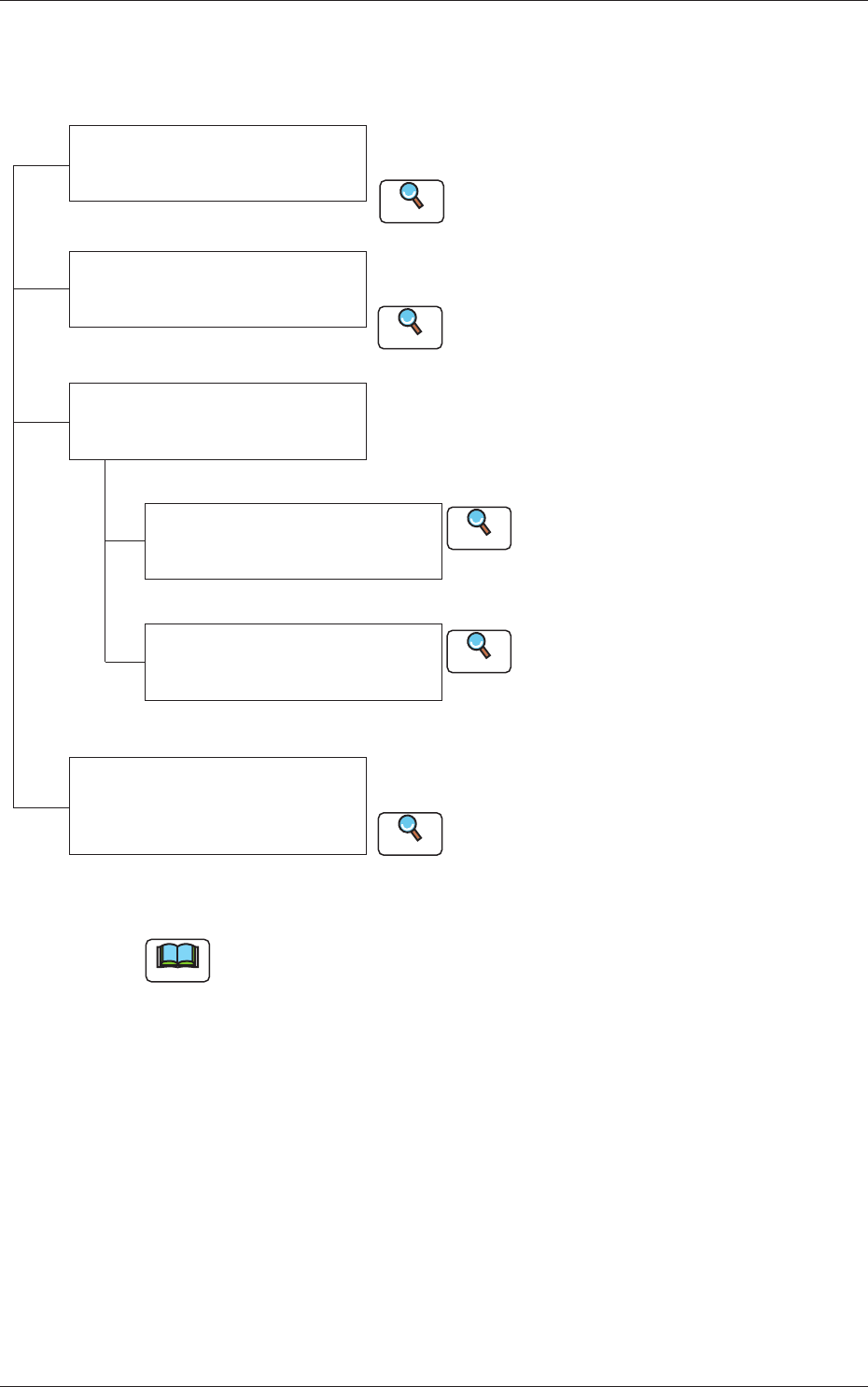
The troubleshooting is composed as follows.
Troubleshooting after
"
WARNING" Window
Troubleshooting after "INFO"
Window
Troubleshooting after
"ERROR" Window
Troubleshooting from Error ID
Troubleshooting from
Recognition Error ID (8 digits)
This session describes the remedial procedures at a
"
WARNING" window.
Refer to "2.1 "WARNING" (Startup Guidance)
Window" for details.
This session describes the remedial procedures at an
"INFO" window.
Various types of troubleshooting must be performed
according to the difference of error IDs and recognition
error IDs.
Refer to "Chapter 3 Troubleshooting from
Error IDs" (Vol. 4) for details.
Refer to "Chapter 4 Troubleshooting from
Recognition Error IDs" (Vol. 4) for details.
Reference
Reference
Reference
Refer to "3.1 "Machine Information" Window"
for details.
Reference
Troubleshooting on
Component Picks and
Placement
This session describes the cause and remedy of
general errors in component picks and placement.
Refer to "Chapter 5 Troubleshooting on Component
Picks and Placement" for details.
Reference
Fig. 4B1
Note
Refer to
"
Chapter 4 Remedy of Simple Trouble
"
in
"
Volume 1: Guide
"
for
the detailed information on how to reset the machine to clear a simple error
(an error that can be cleared by the operator).
2-2
AKHEMT-ID
2. Startup Guidance
2.1 "WARNING" (Startup Guidance) Window
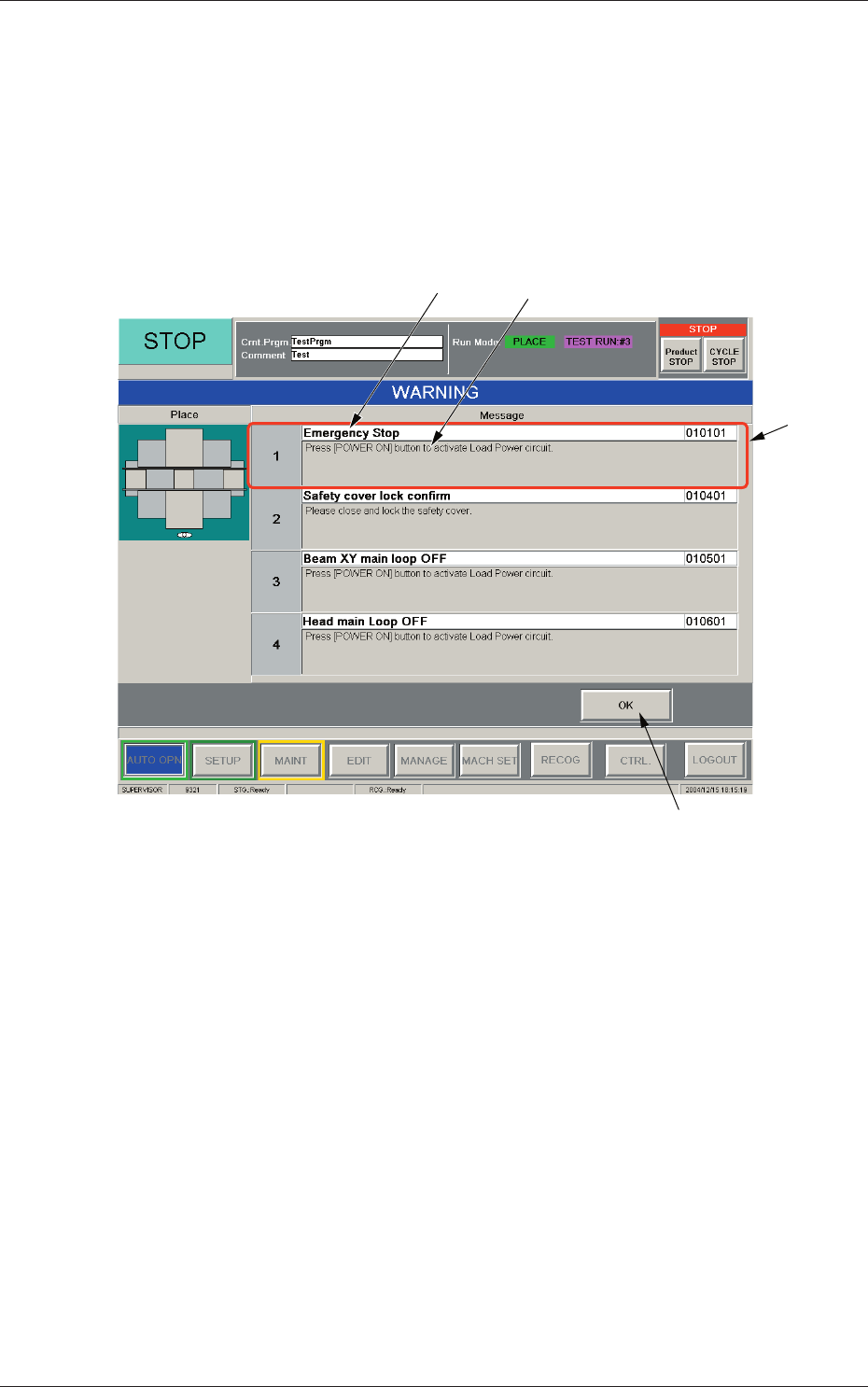
When the machine is not reset to its normal condition after an operator makes
an error operation or an error occurs in the operation system, a window like
the following opens.
[2] [3]
[1]
[4]
Fig. 4B2 Example of "WARNING" Window
[1] "Startup Guidance" Field
Displayed is the startup guidance.
[2] Display Field A
Displayed is the cause of an error that the machine has encountered.
[3] Display Field B
Displayed are the details of countermeasures.
[4] [OK] Button
When pressed, this button resumes the previous window (the window
before the "WARNING" one).
0602-001
2. Startup Guidance