4H4CEOM2.pdf
Page 6-1 Chapter 6 FILE OPERA TION File operation This section describes such operations related to the file as loading the data created in PT or saving the machine parameter . Each function to be used in the file operat…
Page 6-1
Chapter 6
FILE OPERATION
File operation
This section describes such operations related to the file as loading the data created
in PT or saving the machine parameter.
Each function to be used in the file operation is divided to main operation and
sub operation.
• Main operation
Loading data
• Sub operation
Loading and saving the machine parameter.
Data can be saved (backup) in the floppy disk as well as PT.
• Selecting Floppy disk at the device selection starts the file operation of the floppy
disk.
NOTICE
The modified data in the machine are automatically saved (feed back) in PT. There-
fore, saving data is not described in the file operation of PT.
444C-E-OMA06-A01-01
Page 6-2
444C-E-OMA06-A01-02
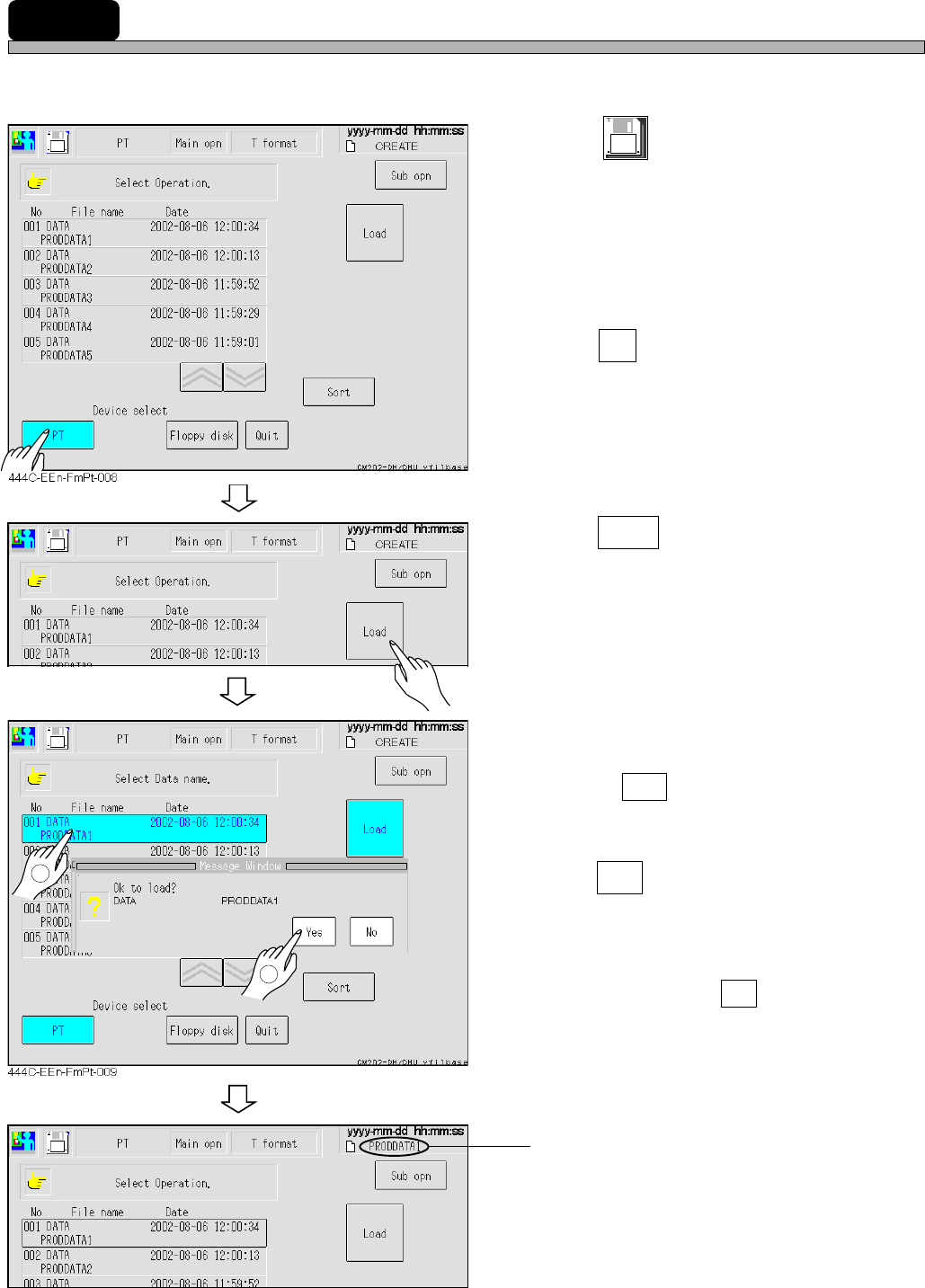
6-1 Loading Data
The data created in PT is loaded.
1. Press
File
managment
at the main menu.
• The file operation screen appears.
2. Press PT .
• The device is changed to PT.
• The data registered to the list in PT is dis-
played.
3. Press Load .
4. Select the data name to be loaded.
• The selected data name is highlighted.
• Pressing Sort rearranges the date in descent
order.
5. Press Yes .
• The message “Loading data name ... ” appears
and the machine parameters are loaded.
∗ To quit loading, press No .
The loaded data name is displayed.
1
444C-EEn-FmPt-008
444C-EEn-FmPt-010
2
Page 6-3
FILE OPERATION
6
444C-E-OMA06-A01-02
6-2 Loading and Saving the Machine Parameter
This section describes loading and saving the machine parameters.
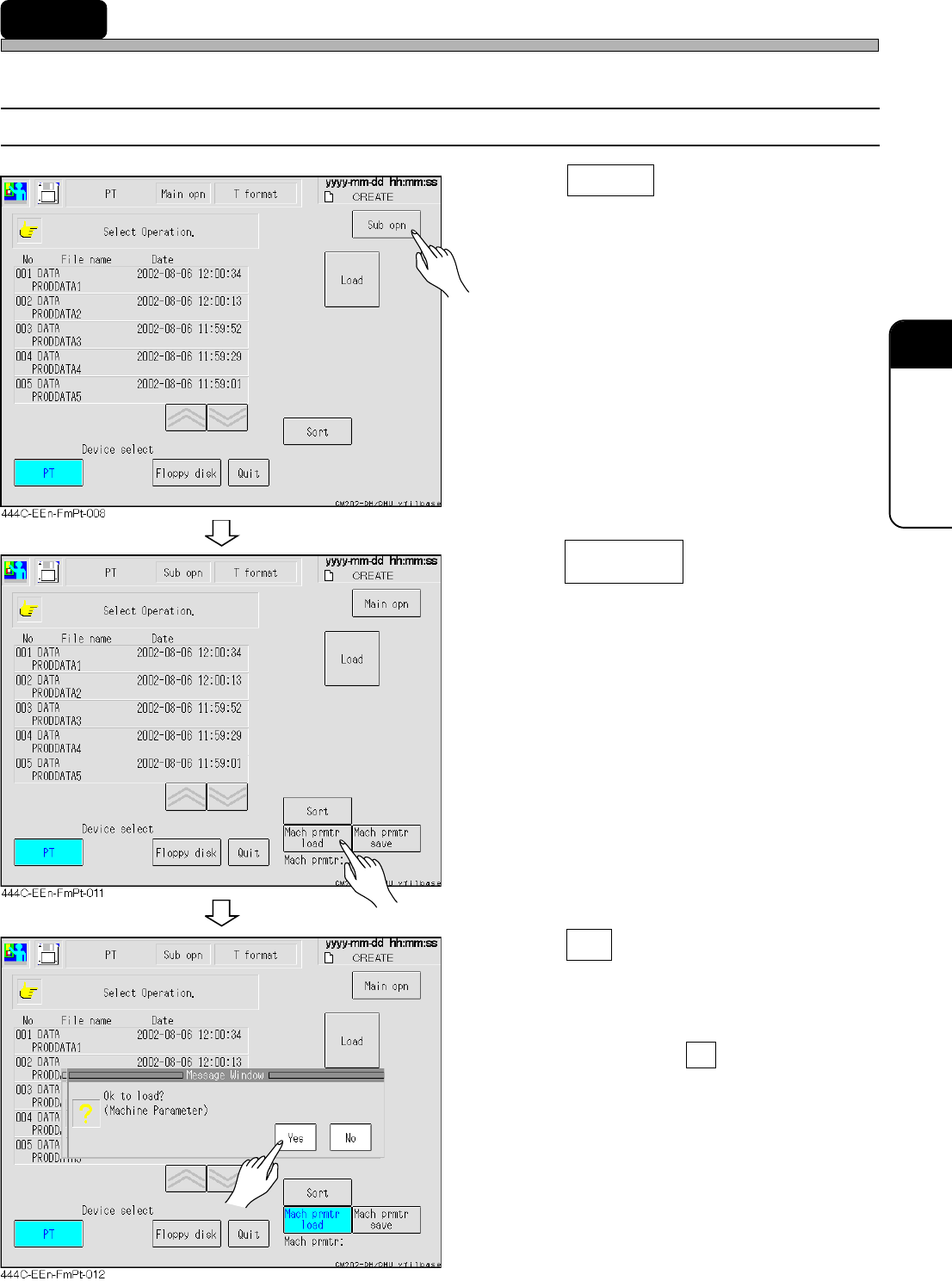
6-2-1 Loading the Machine Parameter
1. Press Sub opn .
• The menu screen for sub operation appears.
2. Press .
3. Press Yes .
• The message “Loading data name...” appears
and the machine parameters are loaded.
∗ To quit loading, press No .
Mach prmtr
load
443C-EEn-FmFd-001