4H4CEOM2.pdf - 第45页
Page 8-17 TEACHING 8 4H4C-E-OMA08-A01-01 Mount Point Recognition T eaching 9. Move the cursor to the mount point recognition mark number for teaching and press MR select . 10. After teaching, Press . 11 . Press UNLOCK + …
Page 8-16
4H4C-E-OMA08-A01-02
To the next page
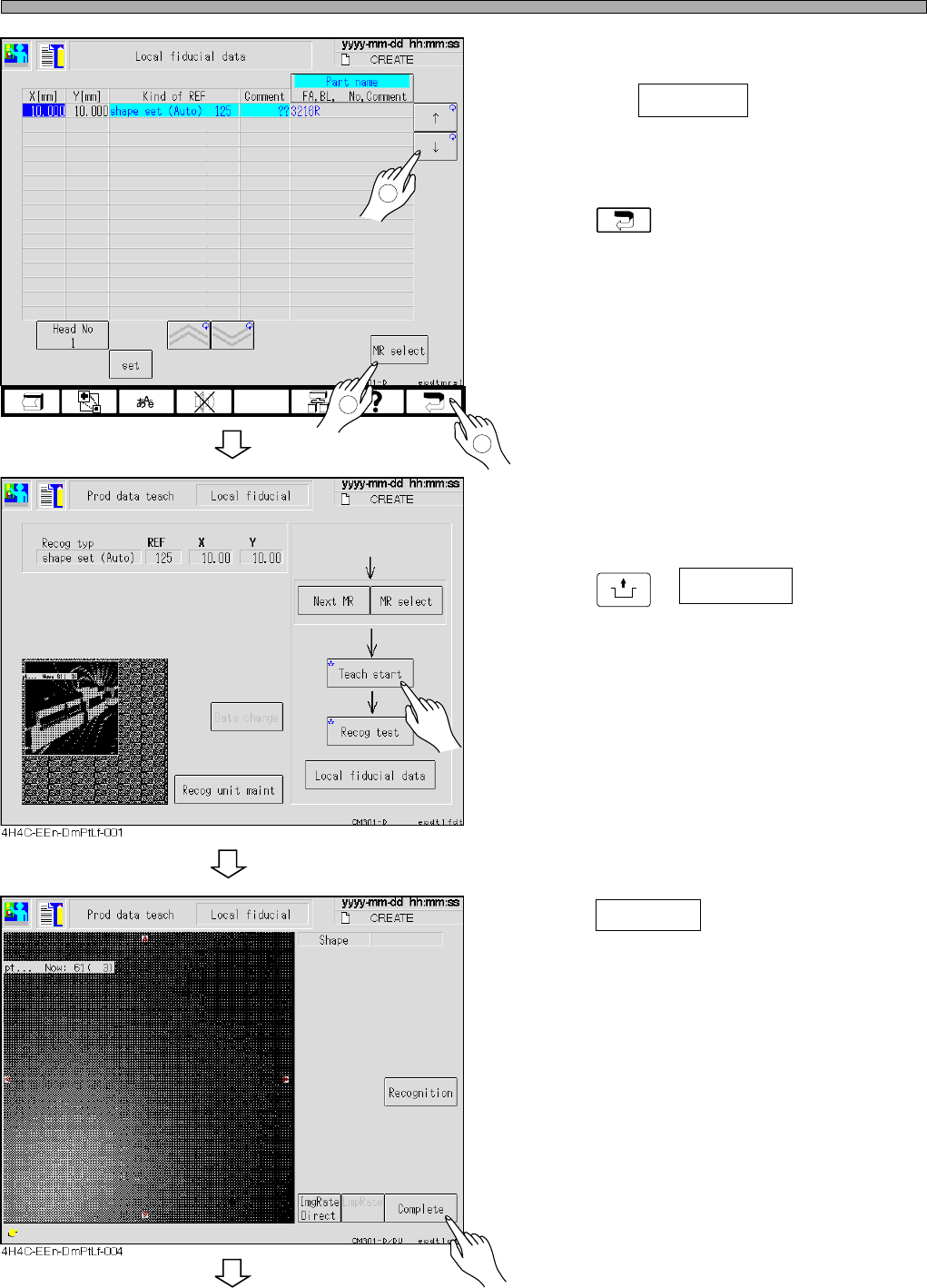
Mount Point Recognition Teaching
4. Move the cursor to the mount point
recognition mark number for teaching
and press MR select .
5. Press .
6. Set the board to the front conveyor.
7. Press
UNLOCK
+ Teach start .
• The board is carried in and loaded.
8. Press Complete .
• Data is saved.
1
2
3
4H4C-EEn-DmPtLf-002
Page 8-17
TEACHING
8
4H4C-E-OMA08-A01-01
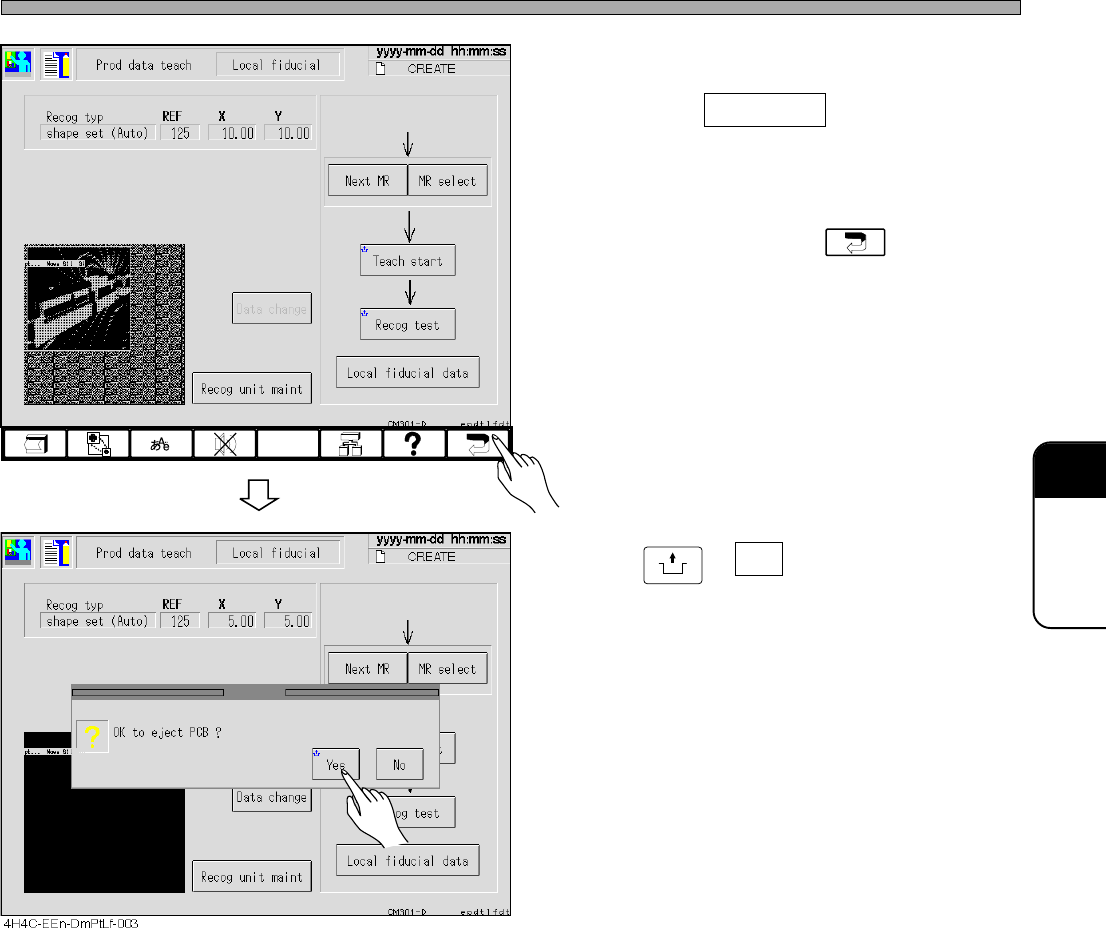
Mount Point Recognition Teaching
9. Move the cursor to the mount point
recognition mark number for teaching
and press MR select .
10. After teaching, Press .
11.Press
UNLOCK
+ Yes .
• The board is carried out, and teaching is over.
4H4C-EEn-DmPtLf-001
Page 8-18
8-5 Chip Recognition Teaching
8-5-1 Chip Recognition
This machine picks up chips by nozzles, and the pickup position and the angle of the chip is not
steady. The recognition is necessary to correct the deviated pickup position and the angle of the
chips.
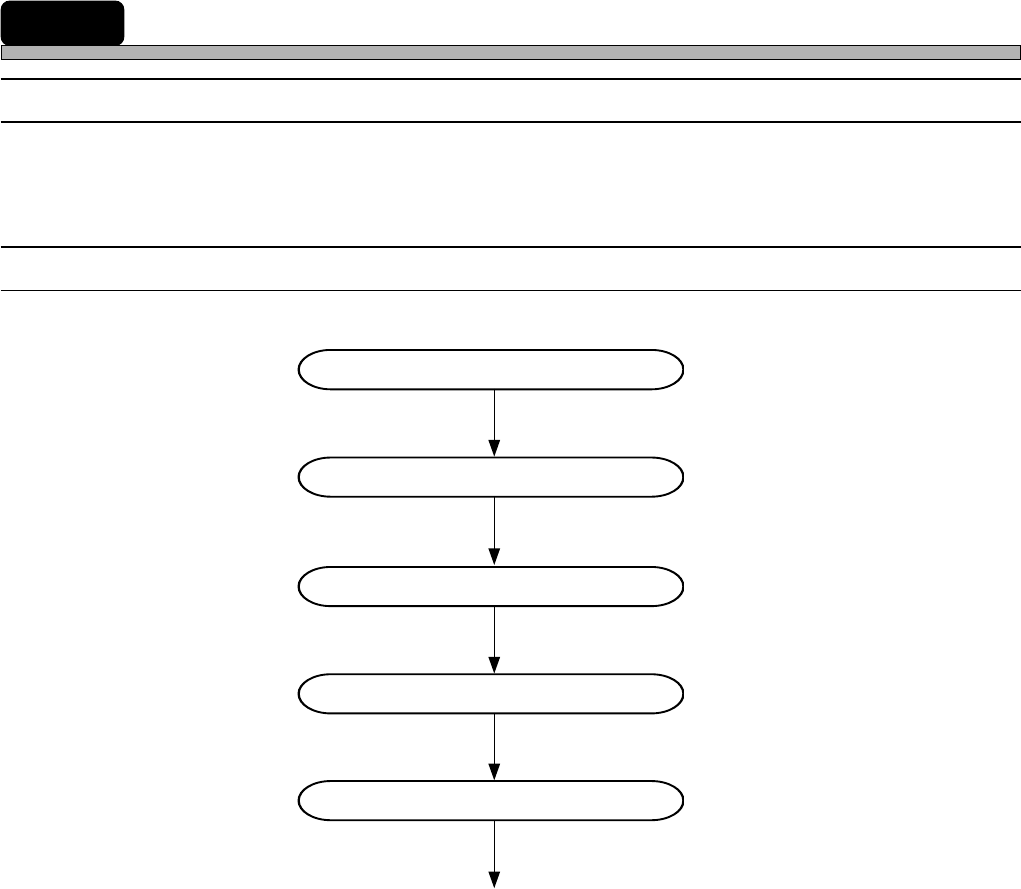
8-5-2 Flowchart of Chip Recognition Teaching
Starting to teach
Picking up chips
Correcting the pickup position
Recognition
Evaluating the recognition
End of teaching
4H4C-E-OMA08-A01-00