4H4CEOM2.pdf - 第5页
Page 6-5 FILE OPERA TION 6 6-3 File Operation of the Floppy Disk Data are saved and loaded to the floppy disk as a backup. 1 . Press Floppy disk . • Change the device to the floppy disk. • When data are in the floppy dis…
Page 6-4
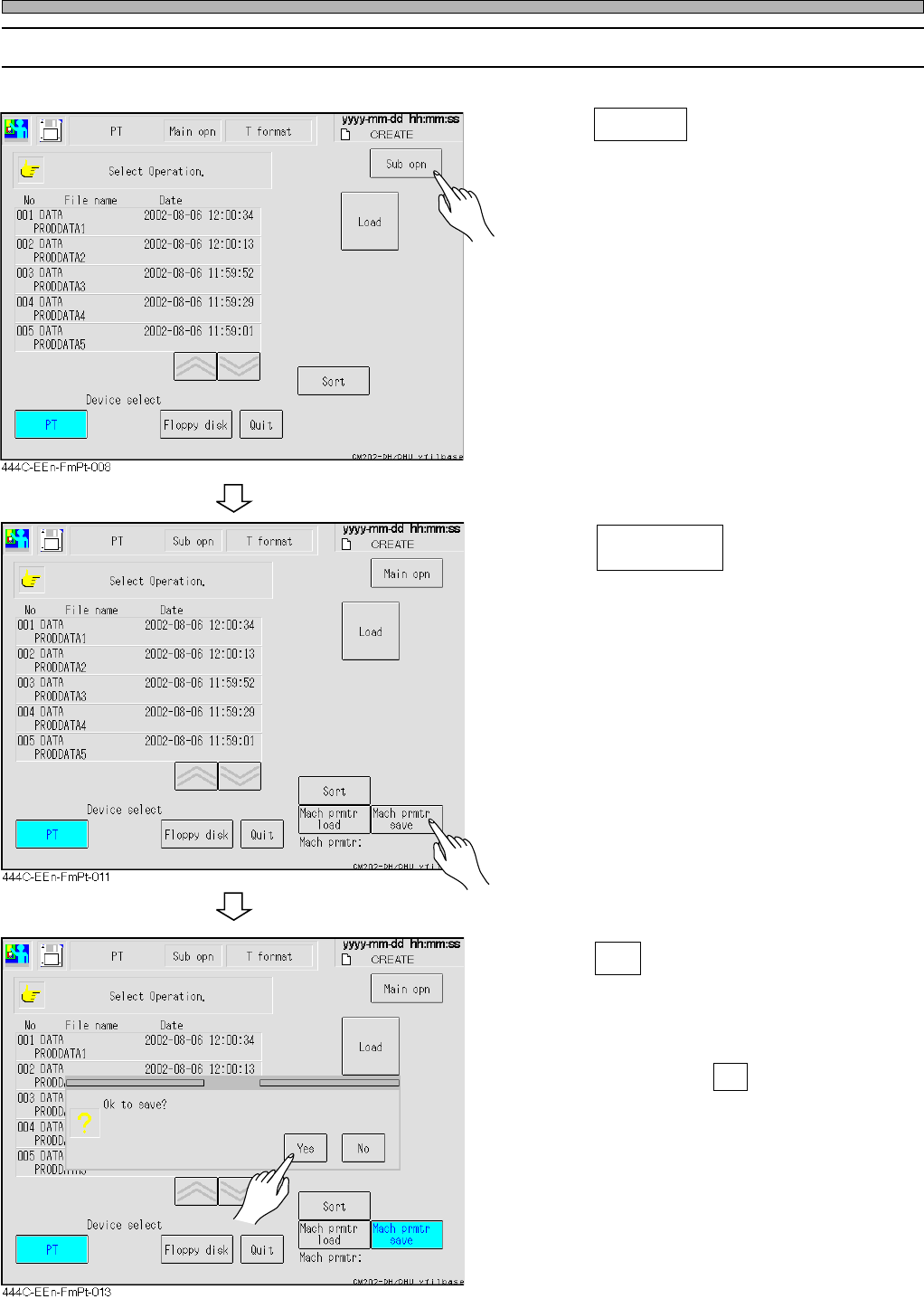
Loading and Saving the Machine Parameter
6-2-2 Saving the Machine Parameter
1. Press Sub opn .
• The sub operation menu screen appears.
2. Press .
3. Press Yes .
• The message “Saving” appears and the
machine parameter is saved.
∗ To quit saving, press No .
Mach prmtr
save
444C-E-OMA06-A01-02
Page 6-5
FILE OPERATION
6
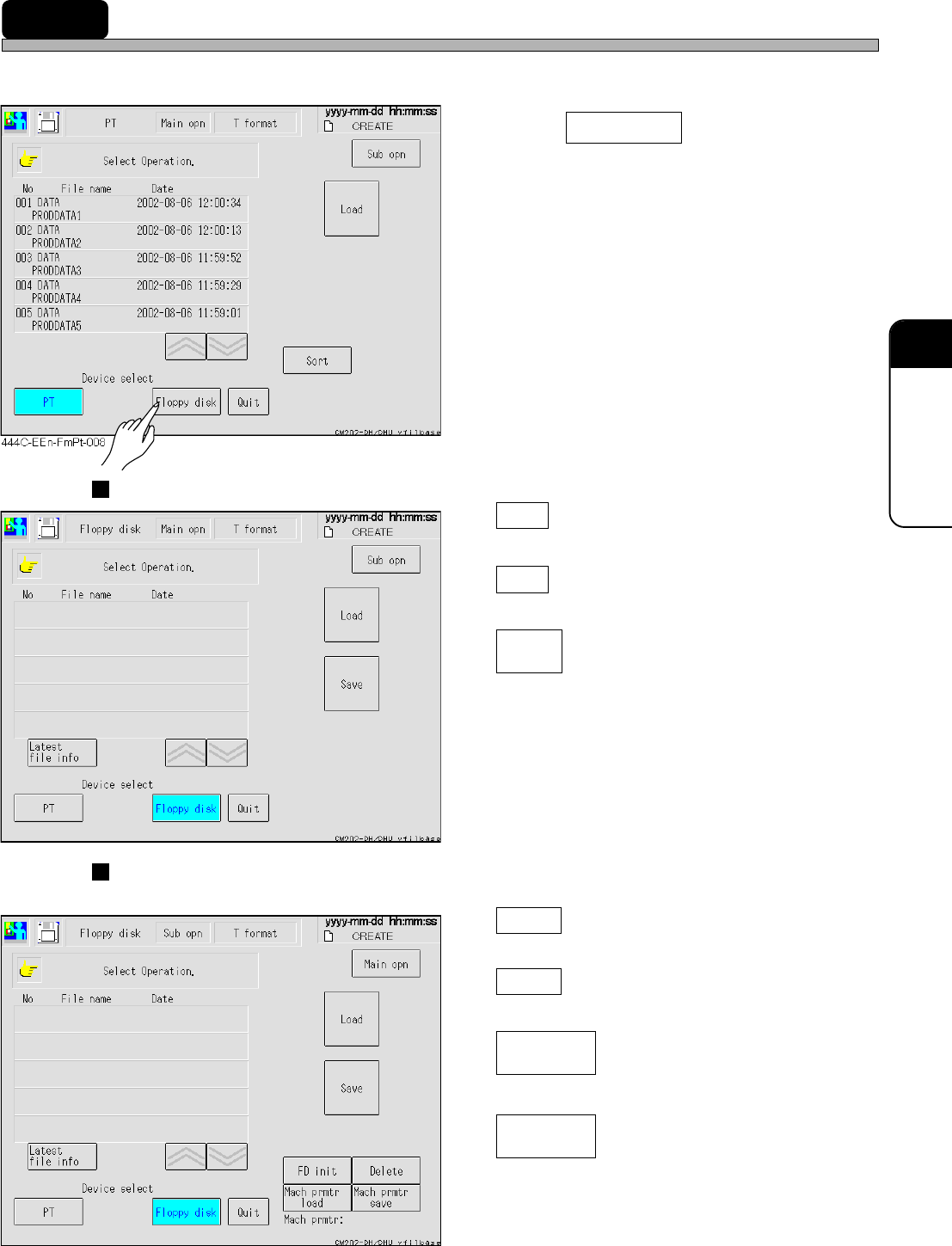
6-3 File Operation of the Floppy Disk
Data are saved and loaded to the floppy disk as a backup.
1. Press Floppy disk .
• Change the device to the floppy disk.
• When data are in the floppy disk, they are
displayed.
Main operation
Load
Loads the production data.
Save
Saves the production data.
Latest
file info
Displays the directory information of the floppy
disk again.
Sub operation
The following operation is available as well as the same one as the main operation.
FD init
Initiates the floppy disk.
Delete
Deletes the data of the floppy disk.
Mach prmtr
load
Loads the machine parameter.
Mach prmtr
save
Saves the machine parameter.
444C-E-OMA06-A01-03
444C-EEn-FmFd-003
444C-EEn-FmFd-004

Page 6-6
= MEMO =
444C-E-OMA06-A01-01