4H4CEOM2.pdf - 第16页
Page 7-10 7-5 Chip Data / T ray Data Chip data The chip data is checked and modified. 1. Press . 2. After selecting the feeder table, move the cursor to “Chip name” of the chip data to be changed with ↑ ↓ → ← , and press…
Page 7-9
DATA MODIFICATION
7
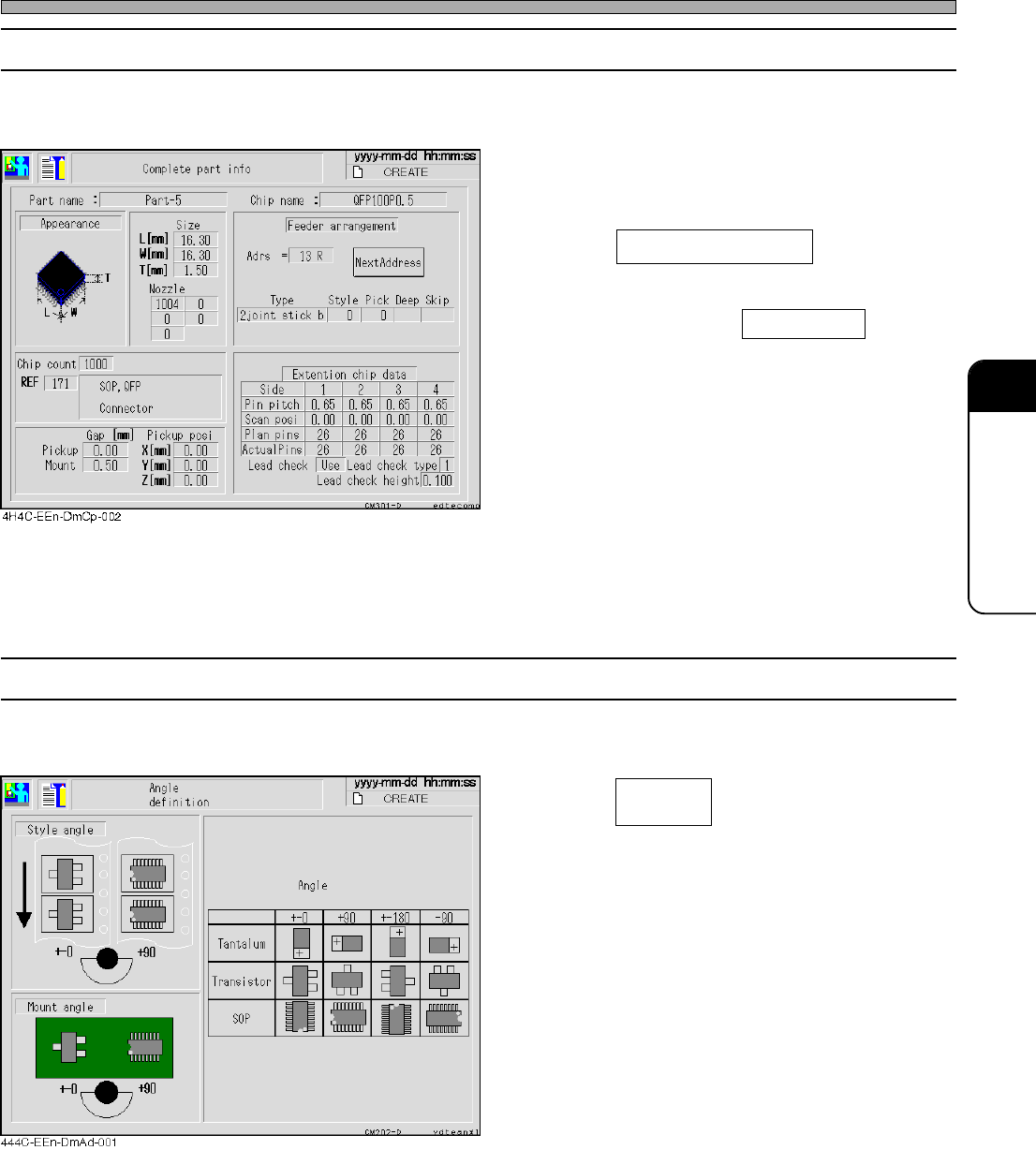
7-4-2 Complete Part Information
General parts information including the chip data and extended chip data (only applicable chips) is
indicated.
1. After selecting the chip name of the
feeder layout and stock data screen,
press Complete part info .
• When the same parts more than 4 are set in
the stock data, press Next Address to display
the next address by 3 parts.
7-4-3 Angle Definition
The angle definition in picking up and mounting the main chips is described.
1. Press of the feeder layout
and stock data screen.
• The style angle and the mount angle have a
common angle definition.
4H4C-E-OMA07-A01-02
Angle
definition
Feeder Layout / Stock Data
Page 7-10
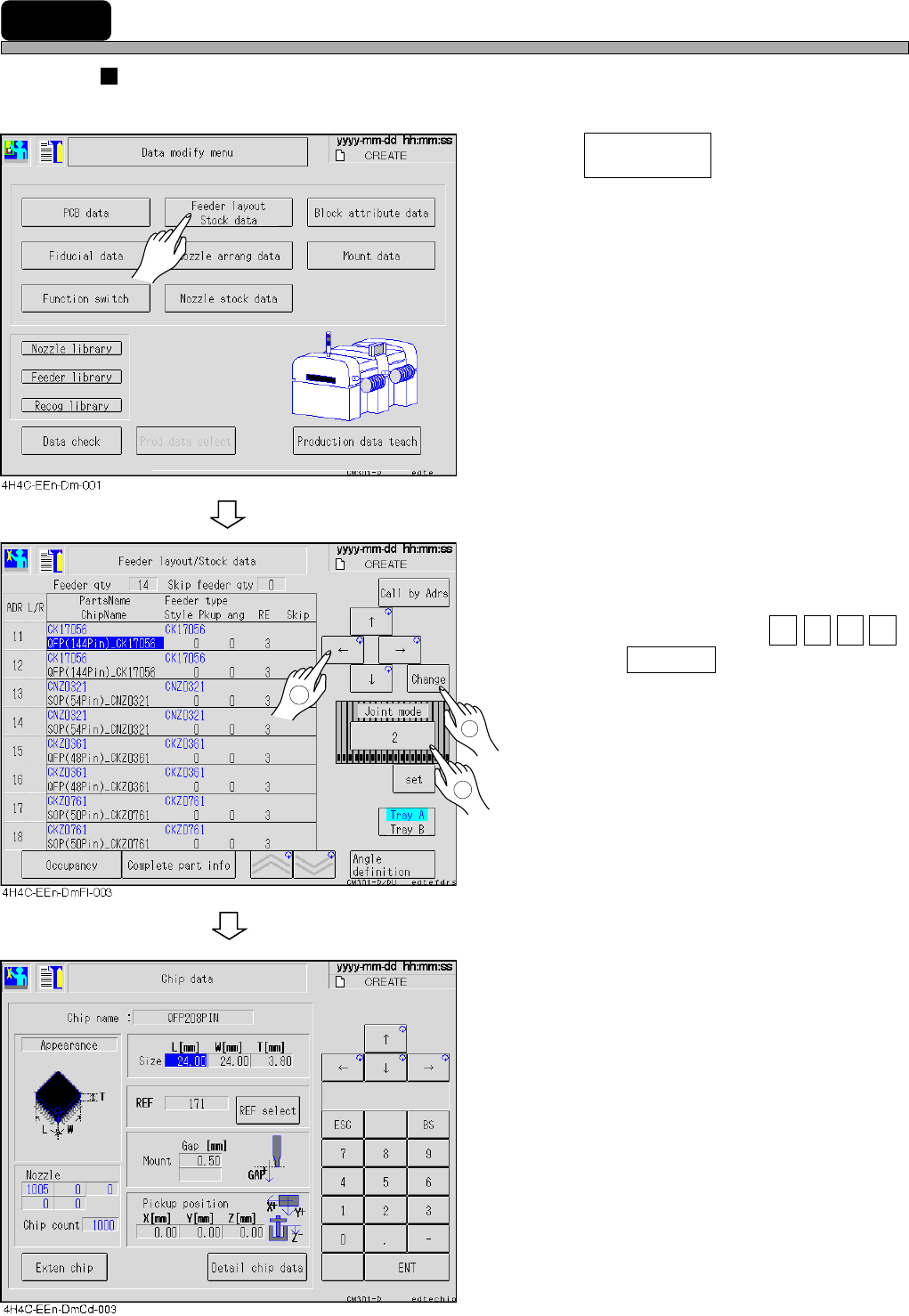
7-5 Chip Data / Tray Data
Chip data
The chip data is checked and modified.
1. Press .
2. After selecting the feeder table, move
the cursor to “Chip name” of the chip
data to be changed with ↑ ↓ → ← ,
and press Change .
• Nozzle : Nozzle name
• Chip count : Chips per reel
• REF : Chip recognition reference
number
4H4C-E-OMA07-A01-05
Feeder layout
Stock data
1
2
3
Page 7-11
DATA MODIFICATION
7
Chip Data / Tray Data
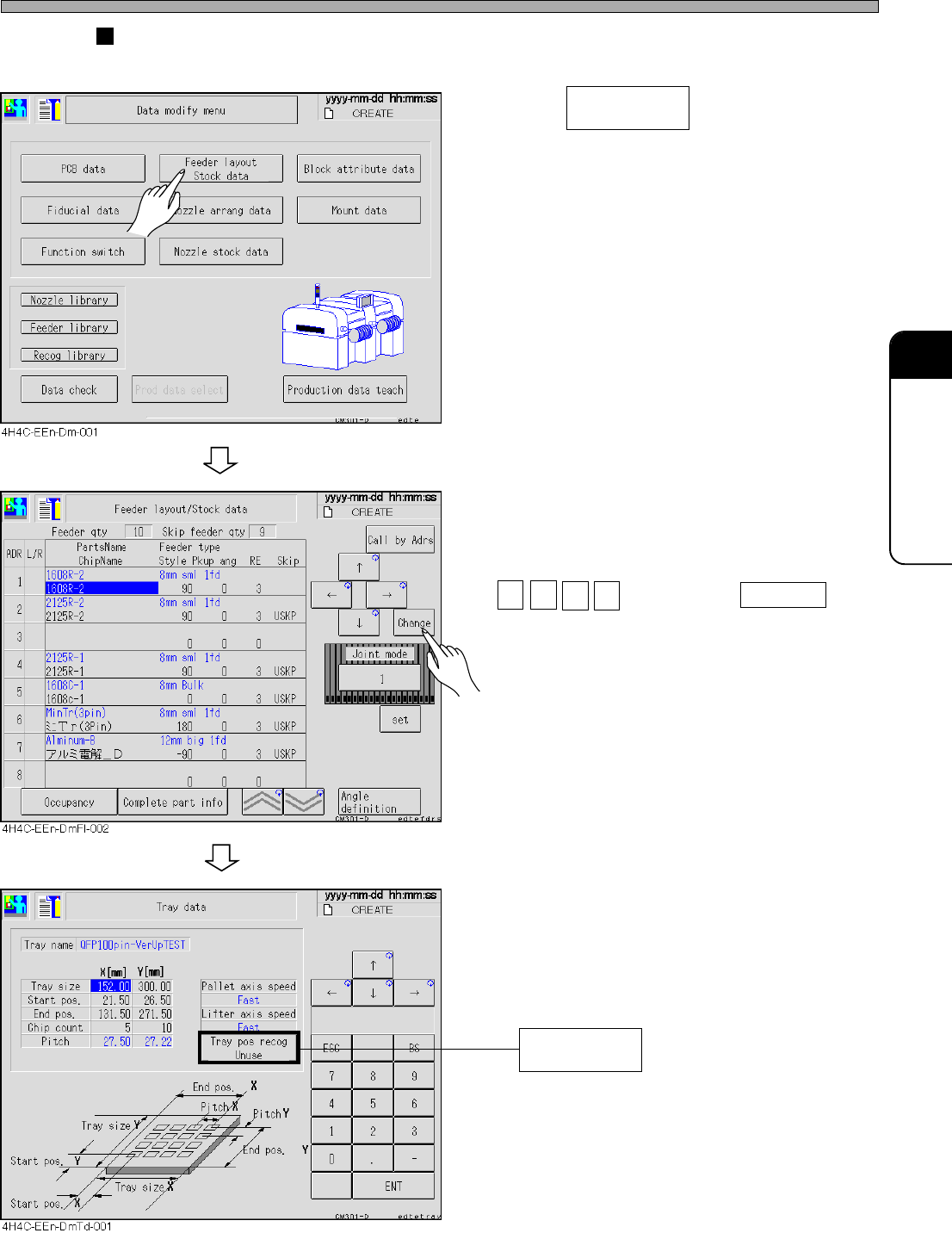
Tray data
The tray data is checked and modified.
1. Press .
2. After selecting the tray feeder table,
move the cursor to “Feeder type” of
the chip data to be changed with
↑ ↓ → ← , and press Change .
To supply such as flip chips using a special
pallet, choose Use. Then, before pick-up, the
two corners on a tray will be recognized and
the XY pick-up position can be compensated.
4H4C-E-OMA07-A01-06
Feeder layout
Stock data
Tray pos recog
(Use/Unuse)