4H4CEOM2.pdf - 第3页
Page 6-3 FILE OPERA TION 6 444C-E-OMA06-A01-02 6-2 Loading and Saving the Machine Parameter This section describes loading and saving the machine parameters. 6-2-1 Loading the Machine Parameter 1 . Press Sub opn . • The …
Page 6-2
444C-E-OMA06-A01-02
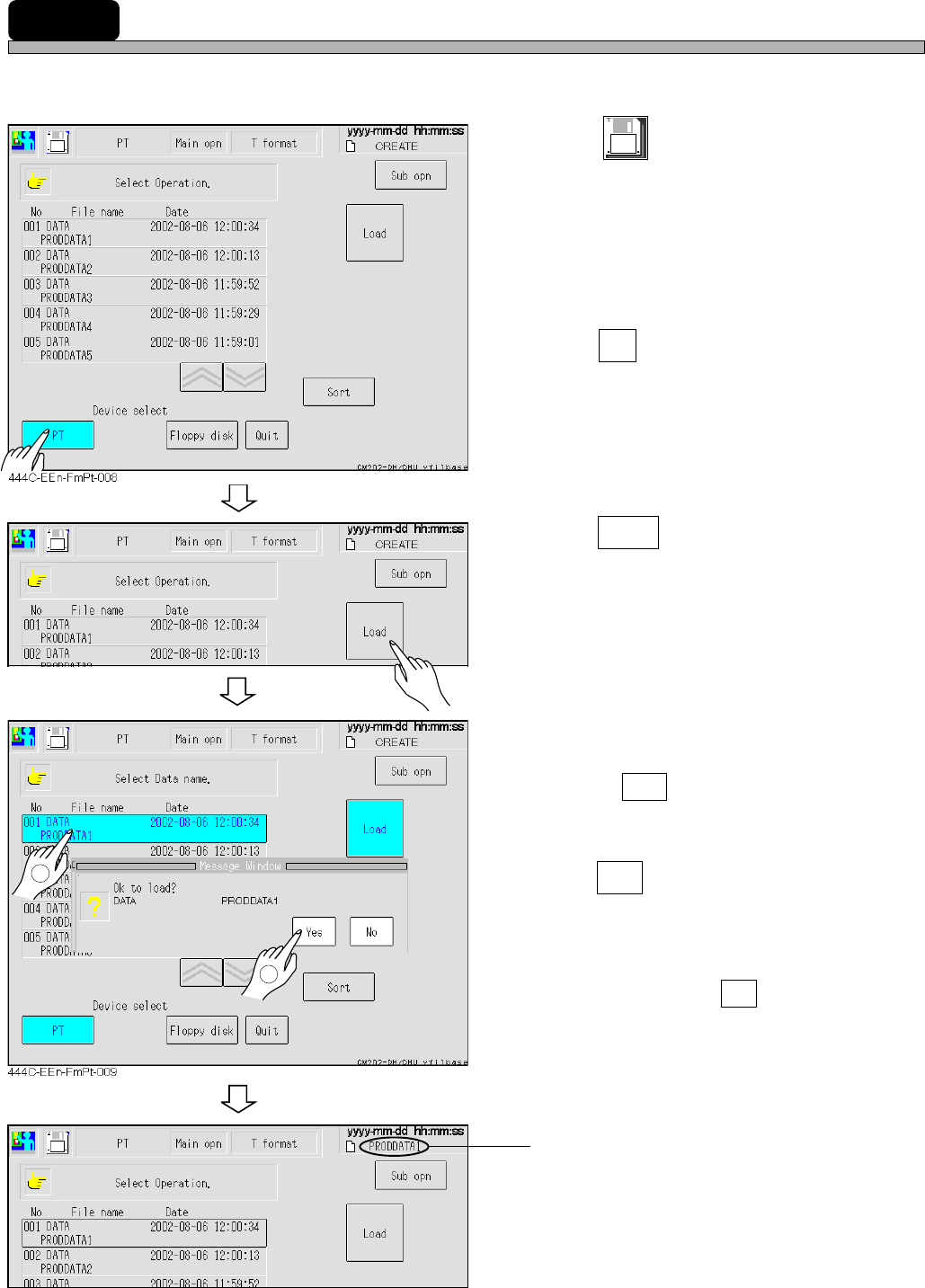
6-1 Loading Data
The data created in PT is loaded.
1. Press
File
managment
at the main menu.
• The file operation screen appears.
2. Press PT .
• The device is changed to PT.
• The data registered to the list in PT is dis-
played.
3. Press Load .
4. Select the data name to be loaded.
• The selected data name is highlighted.
• Pressing Sort rearranges the date in descent
order.
5. Press Yes .
• The message “Loading data name ... ” appears
and the machine parameters are loaded.
∗ To quit loading, press No .
The loaded data name is displayed.
1
444C-EEn-FmPt-008
444C-EEn-FmPt-010
2
Page 6-3
FILE OPERATION
6
444C-E-OMA06-A01-02
6-2 Loading and Saving the Machine Parameter
This section describes loading and saving the machine parameters.
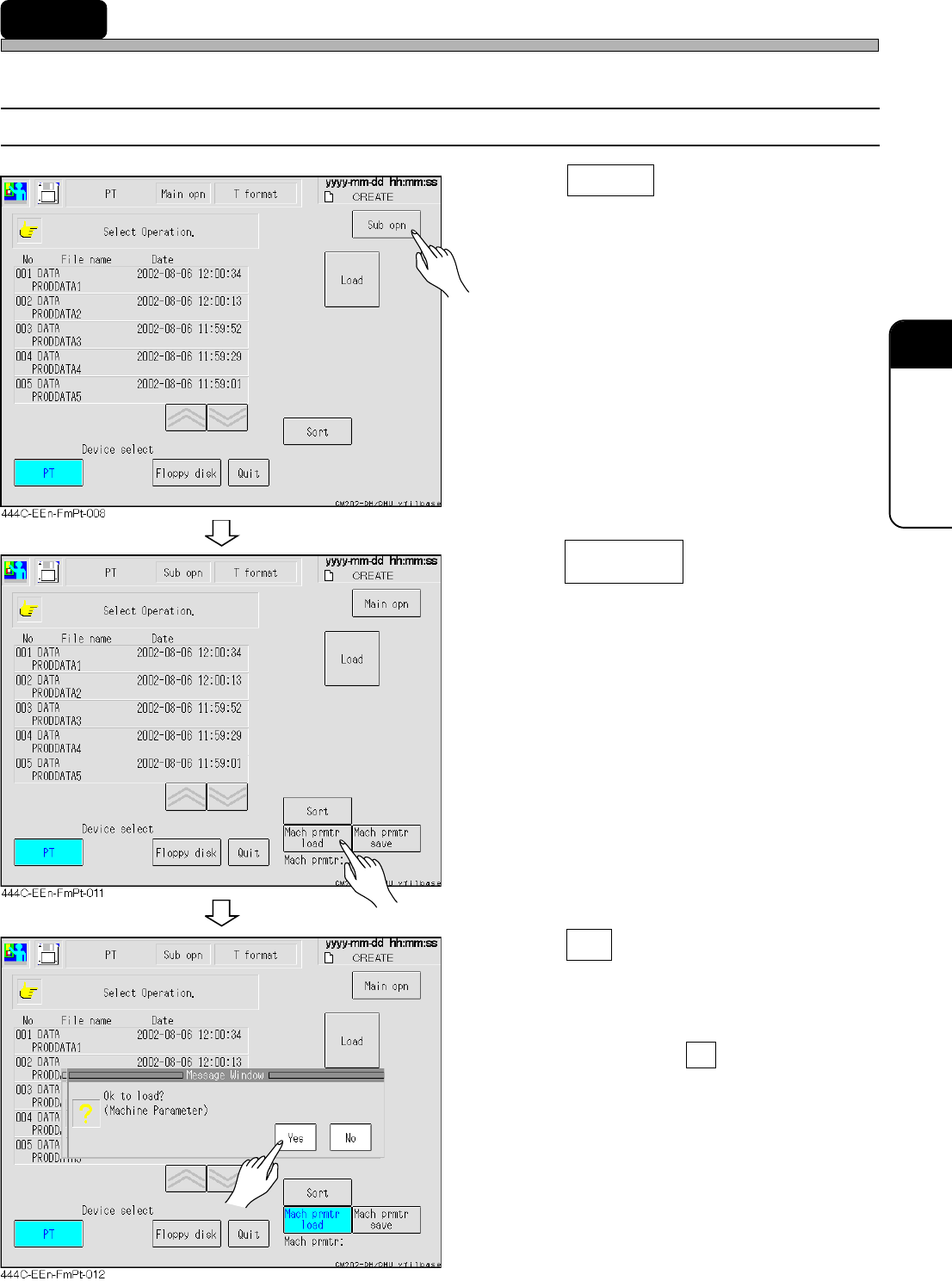
6-2-1 Loading the Machine Parameter
1. Press Sub opn .
• The menu screen for sub operation appears.
2. Press .
3. Press Yes .
• The message “Loading data name...” appears
and the machine parameters are loaded.
∗ To quit loading, press No .
Mach prmtr
load
443C-EEn-FmFd-001
Page 6-4
Loading and Saving the Machine Parameter
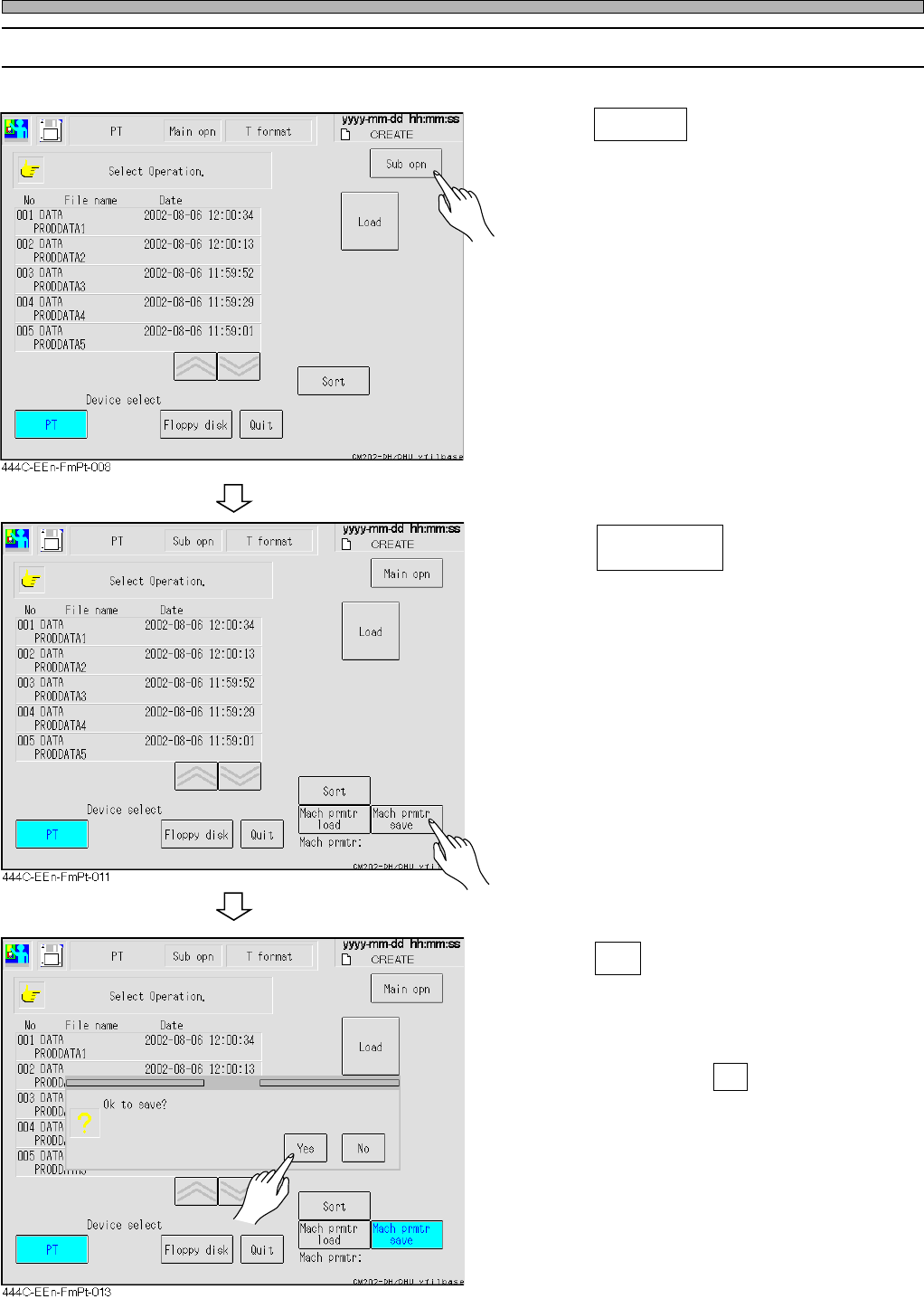
6-2-2 Saving the Machine Parameter
1. Press Sub opn .
• The sub operation menu screen appears.
2. Press .
3. Press Yes .
• The message “Saving” appears and the
machine parameter is saved.
∗ To quit saving, press No .
Mach prmtr
save
444C-E-OMA06-A01-02