4H4CEOM2.pdf - 第36页
Page 8-8 Board Recognition T eaching 13. Press UNLOCK + Ye s . • The board is discharged and teaching ends. 4H4C-E-OMA08-A01-02
Page 8-7
TEACHING
8
Board Recognition Teaching
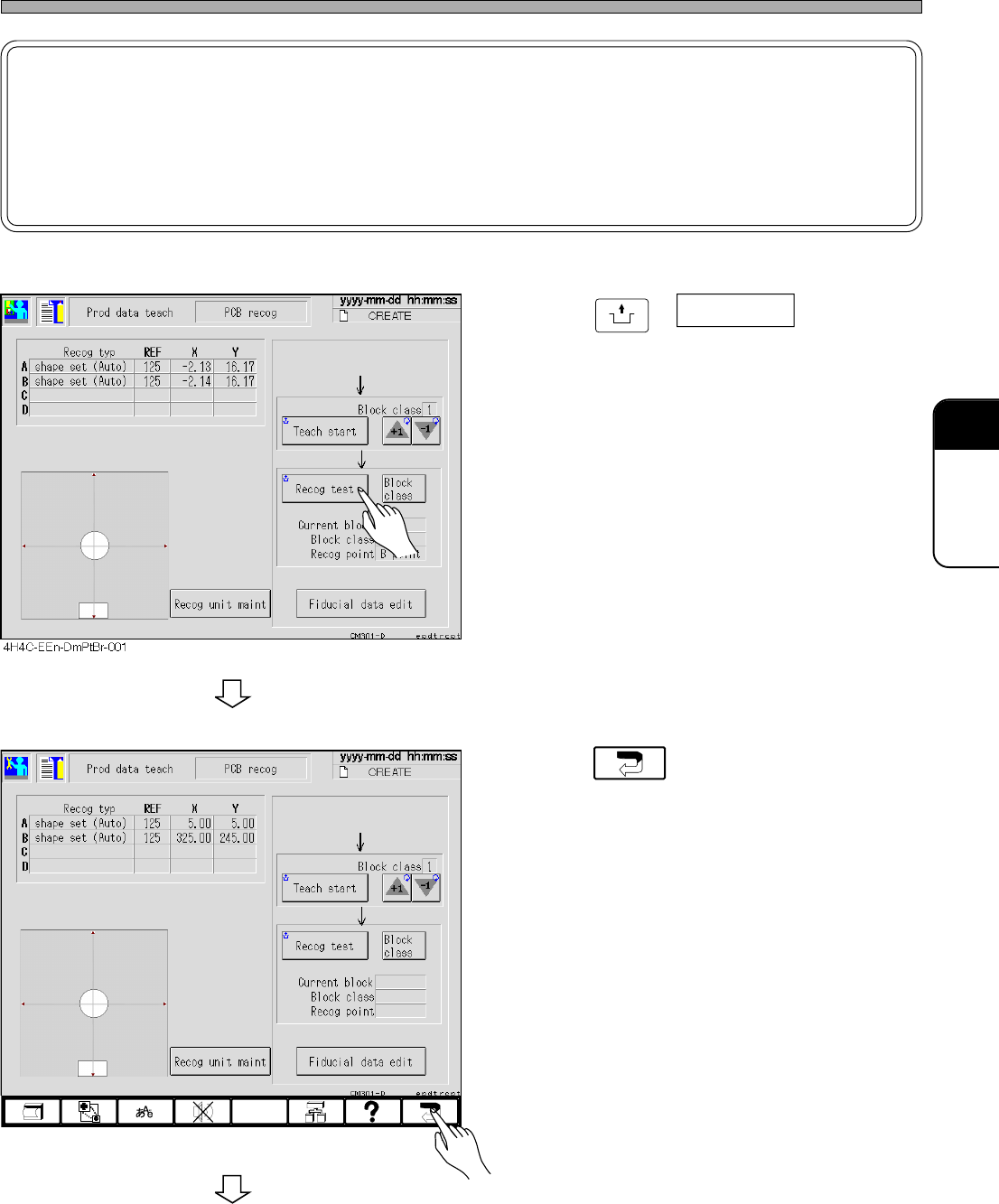
11. Press
UNLOCK
+ Recog test .
• Ensure that the recognition is performed
properly.
12. Press .
To the next page
4H4C-EEn-DmPtBr-002
4H4C-E-OMA08-A01-02
NOTICE
The displayed value of X and Y is the reference data.
Even if the board recognition data is modified by using this value, the mount
accuracy worsens as the correlation between the board recognition data and the
mount coordinate data is not guaranteed.
Page 8-8
Board Recognition Teaching
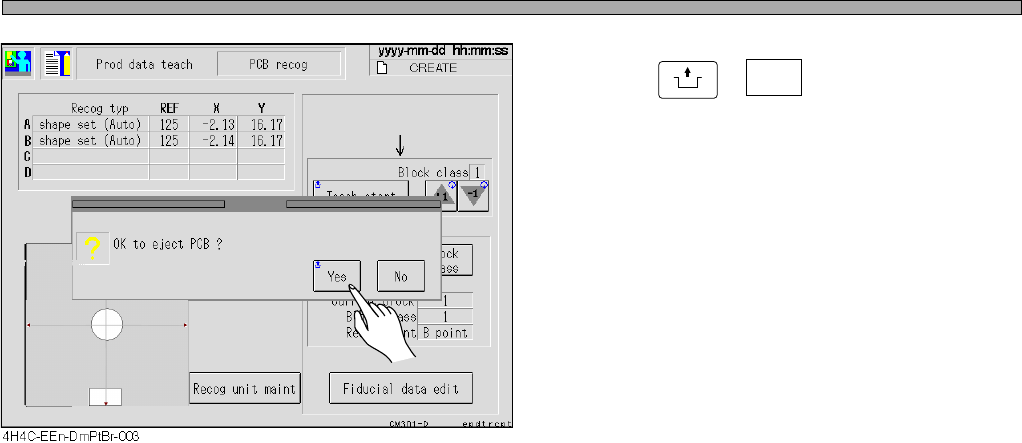
13. Press
UNLOCK
+ Yes .
• The board is discharged and teaching ends.
4H4C-E-OMA08-A01-02
Page 8-9
TEACHING
8
8-3 Bad Mark Recognition Teaching
8-3-1 Bad Mark Recognition
This machine has the function not to mount only the bad block for a false point on the board. A bad
block mark indicates that. The bad board mark also indicates the bad block mark on a board. Only
the board with the bad board mark is detected as the board with the bad block mark.
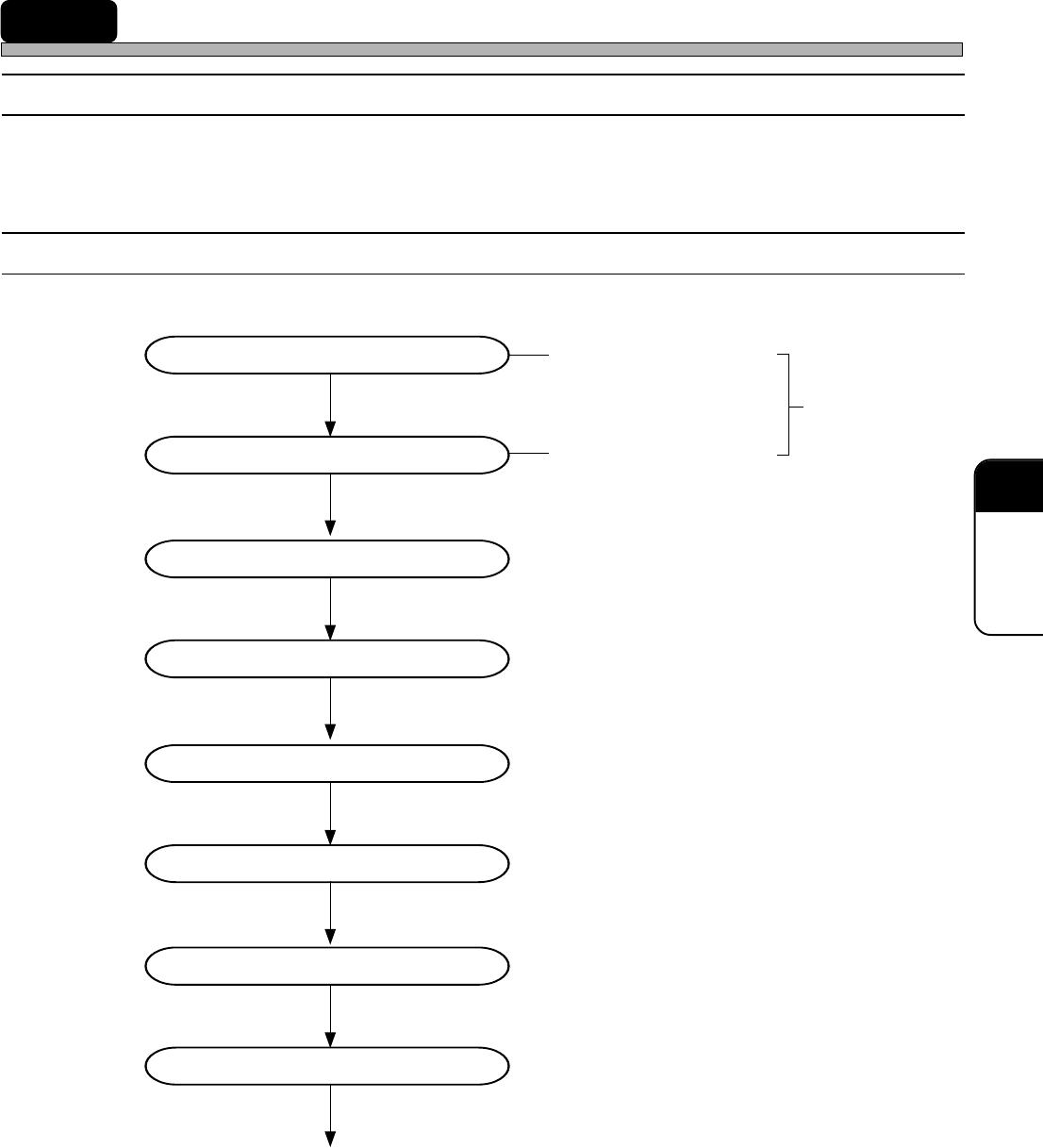
8-3-2 Flowchart of Bad Mark Recognition Teaching
Entering the board data
Entering the block attribute data
Starting to teach
Selecting a bad mark
Setting the lamp value
Recognition
Saving data
Recognition test
End of teaching
Entering a bad board mark
position(coordinates)
created on PT
Bad block mark position
4H4C-E-OMA08-A01-01