4H4CEOM2.pdf - 第90页
Page 9-20 4H4C-E-OMA09-A01-05 4H4C-EEn-PrCs-004 • Press Cycle stop when you terminate the conditional mounting. • Pressing returns to the main menu. • This is displayed when the conditional mount ing is selected. Checkin…
Page 9-19
CHANGING THE
PRODUCTION BOARDS
9
Checking the Mount State through the Conditional Mount
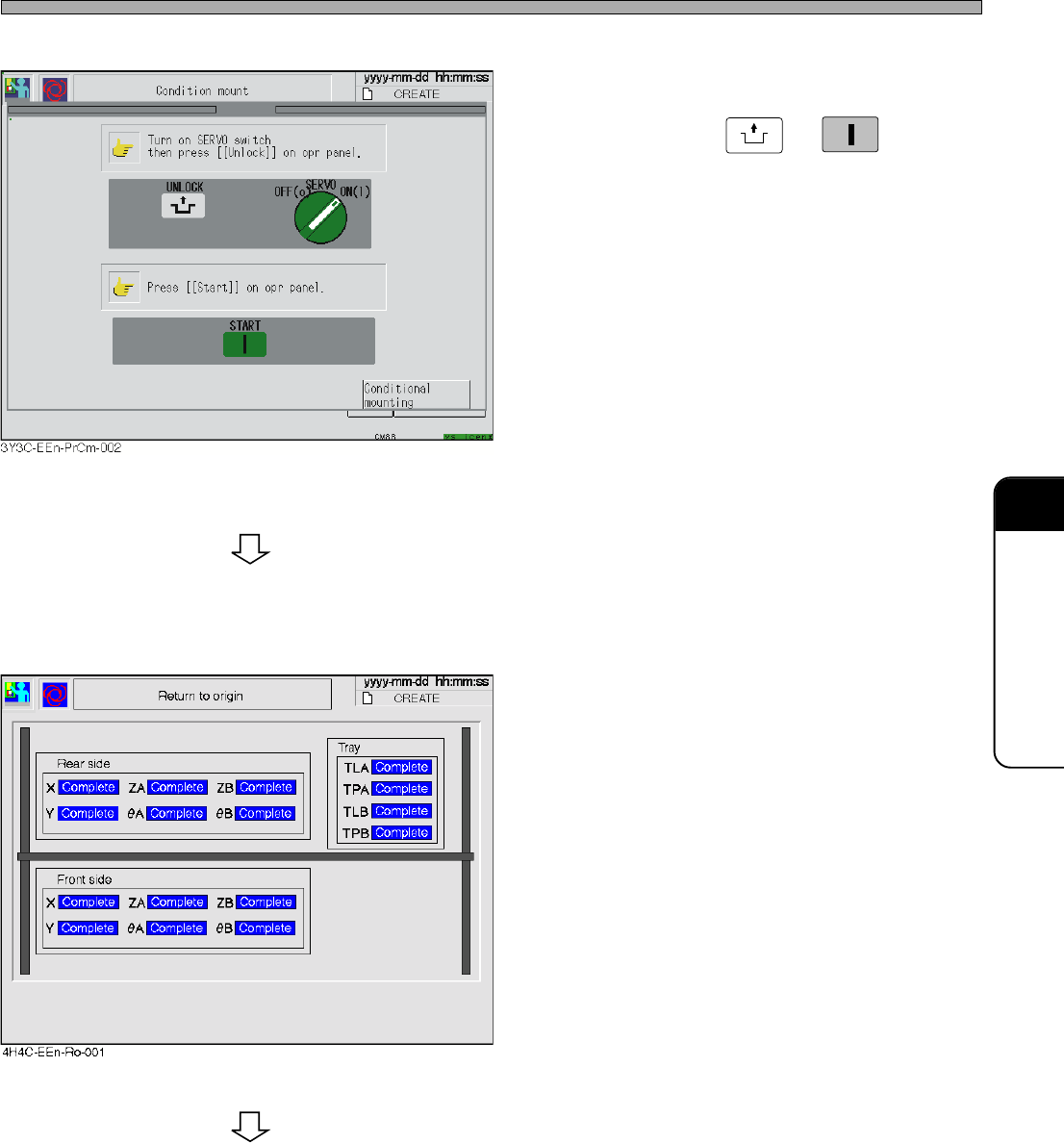
5. Ensure that the servo switch is turned
ON, and press
UNLOCK
→
START
.
• All axes return to their origin.
• The axis returned to its origin is displayed with
“Complete.”
4H4C-E-OMA09-A01-03
To the next page
Page 9-20
4H4C-E-OMA09-A01-05
4H4C-EEn-PrCs-004
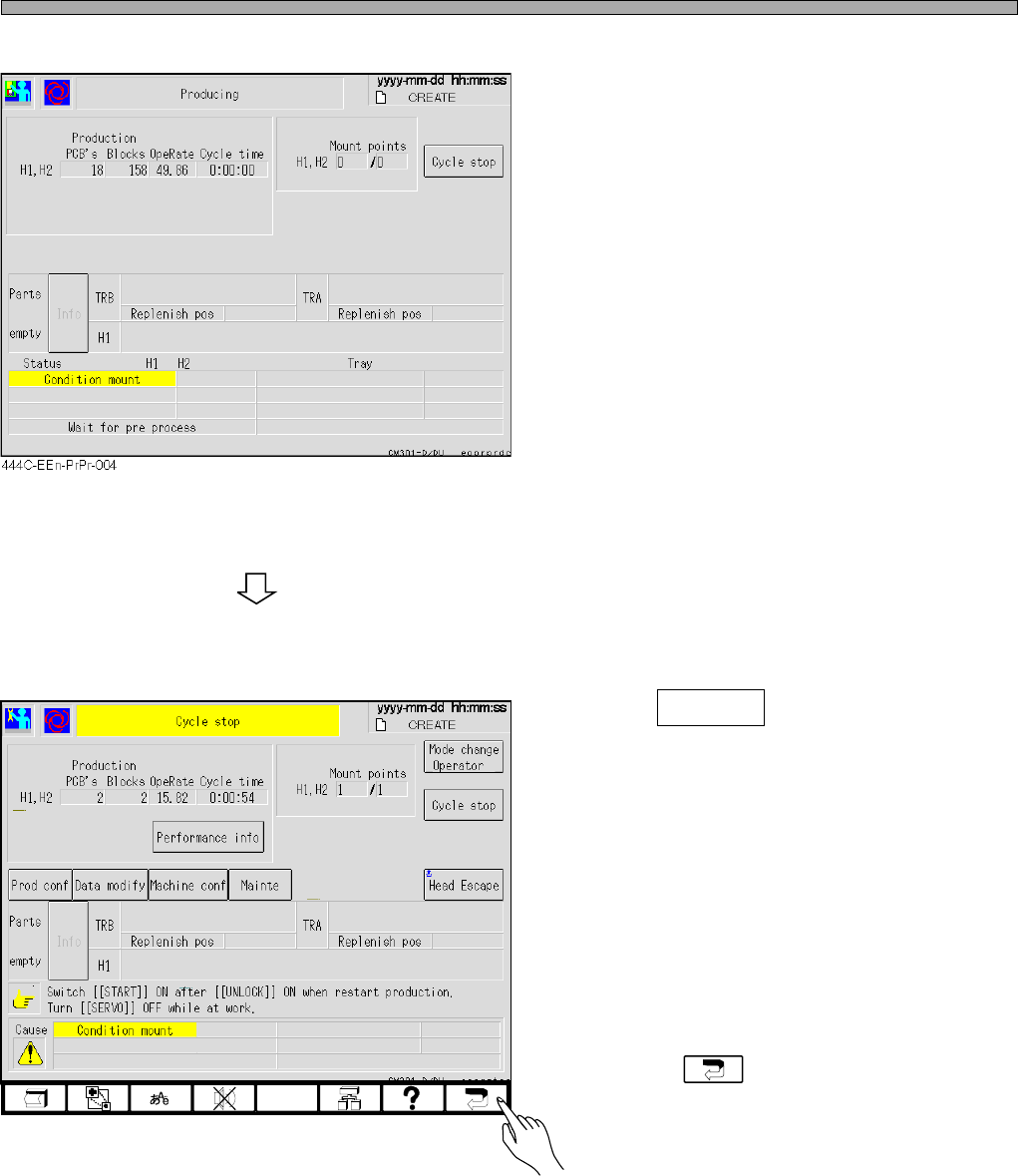
• Press Cycle stop when you terminate the
conditional mounting.
• Pressing returns to the main menu.
• This is displayed when the conditional mount
ing is selected.
Checking the Mount State through the Conditional Mount

Page 10-1
Option
This chapter describes the option that can be used on the CM301.
4H4C-E-OMA10-A01-00
Chapter 10
OPTION