4H4CEOM2.pdf - 第75页
Page 9-5 CHANGING THE PRODUCTION BOARDS 9 Adjusting the T ransfer Rail Width 2. Press Cnvr adjustment . • The conveyor width adjustment screen ap- pears. 3. Press UNLOCK → START . 4. Press UNLOCK + Run . •“ Conveyor widt…
Page 9-4
9-2 Adjusting the Transfer Rail Width
NOTICE
When the board gets small (the width of the transfer rail gets narrow), take out the
board support block before carrying out the rail width adjustment ( 9-3 Setting
the Support Pin). If it is left, the sensor which prevents the support pins and the
conveyor from contacting works and the automatic width adjustment stops, as
“Supporter and conveyor error.”
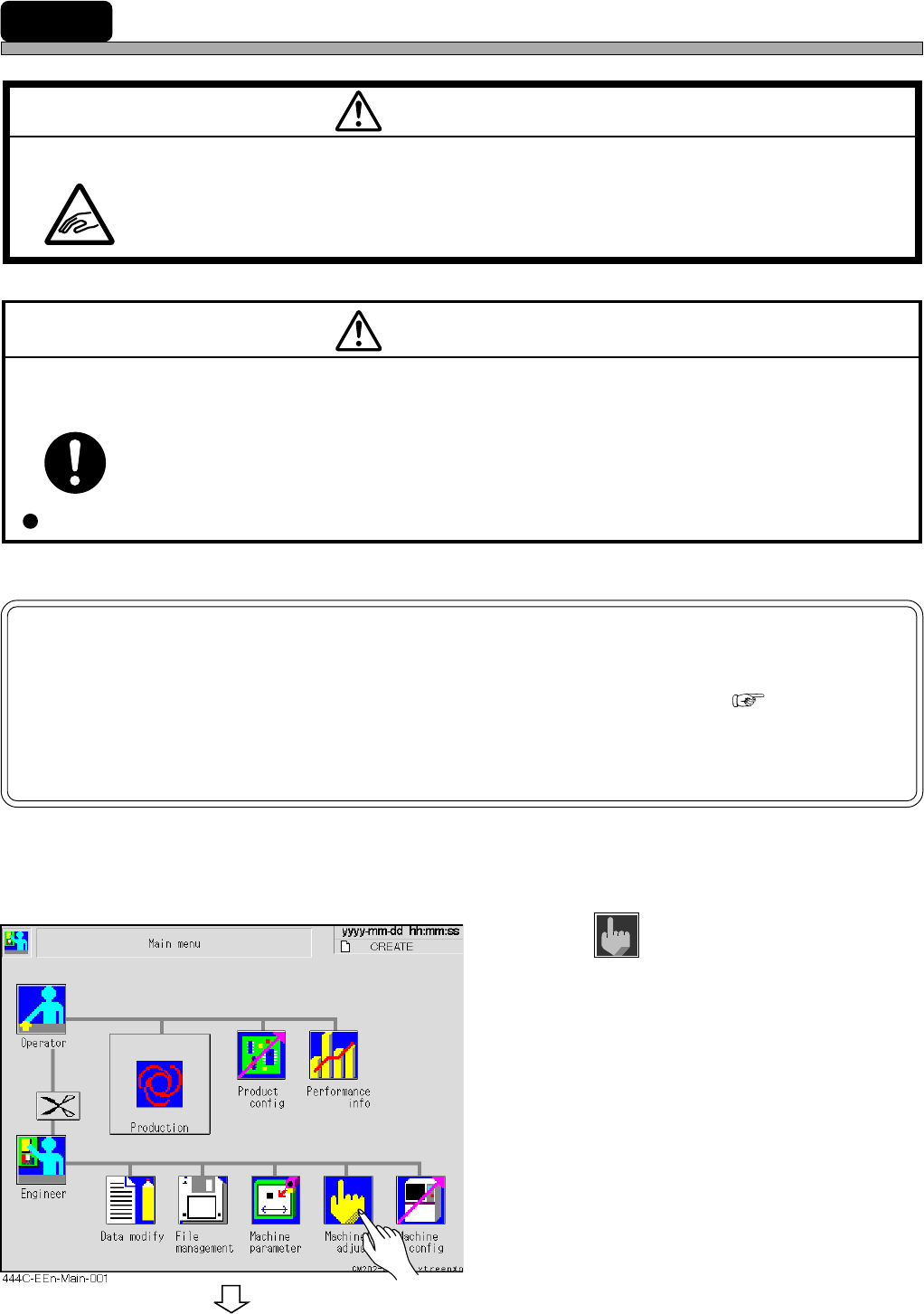
According to data of the board size and thickness, the rail width of the transfer conveyors and the
board holder is automatically adjusted.
1. Press
Machine
adjust
.
To the next page
M36E
If there are any boards or other objects on the conveyor, turn OFF the servo switch and remove them.
BEFORE PERFORMING AUTOMATIC WIDTH ADJUSTMENT, BE SURE TO
VERIFY NO BOARDS OR OTHER OBJECTS ARE ON THE CONVEYOR.
Boards or other objects may drop from the conveyor, causing damage to the boards or
the machine.
CAUTION
M09E
TAKE CARE NOT TO PINCH YOUR HANDS OR FINGERS.
You will have serious injury if your hands or fingers are caught in the conveyors during
manual (or automatic) width adjustment.
WARNING
4H4C-E-OMA09-A01-01
Page 9-5
CHANGING THE
PRODUCTION BOARDS
9
Adjusting the Transfer Rail Width
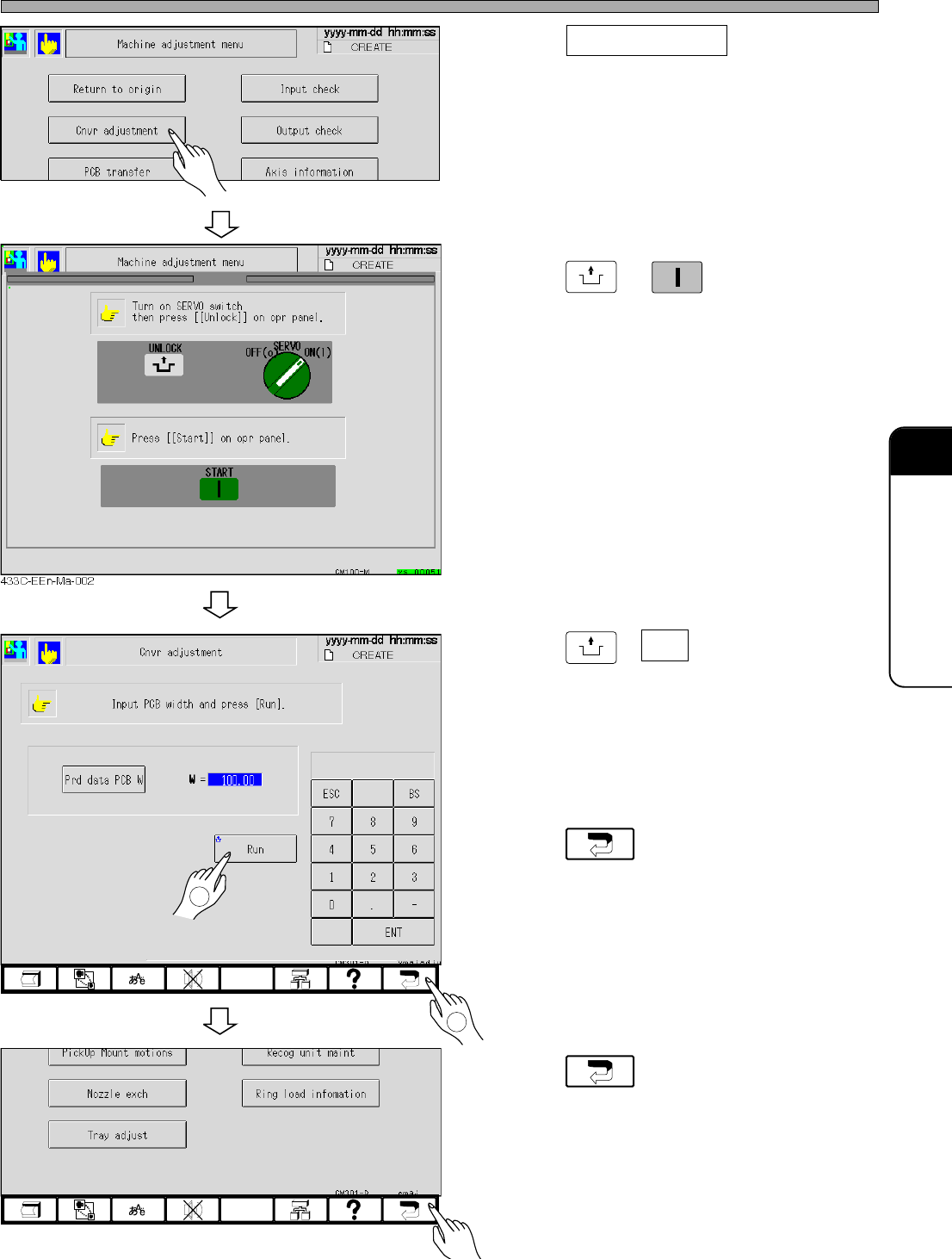
2. Press Cnvr adjustment .
• The conveyor width adjustment screen ap-
pears.
3. Press
UNLOCK
→
START
.
4. Press
UNLOCK
+ Run .
•“Conveyor width adjust preparing ...”
↓
The message “Conveyor width adjusting ...”
appears and the transfer rail is automatically
adjusted.
5. Press .
• The machine adjustment menu reappears.
6. Press .
• The main menu reappears.
4H4C-EEn-MaCa-001
4H4C-EEn-Ma-001
4H4C-EEn-Ma-001
1
2
4H4C-E-OMA09-A01-01
Page 9-6
9-3 Setting the Support Pin
NOTICE
Before starting this operation, remove all feeders for the feeder table on the front side
(AF). The board support block with them installed cannot be exchanged.
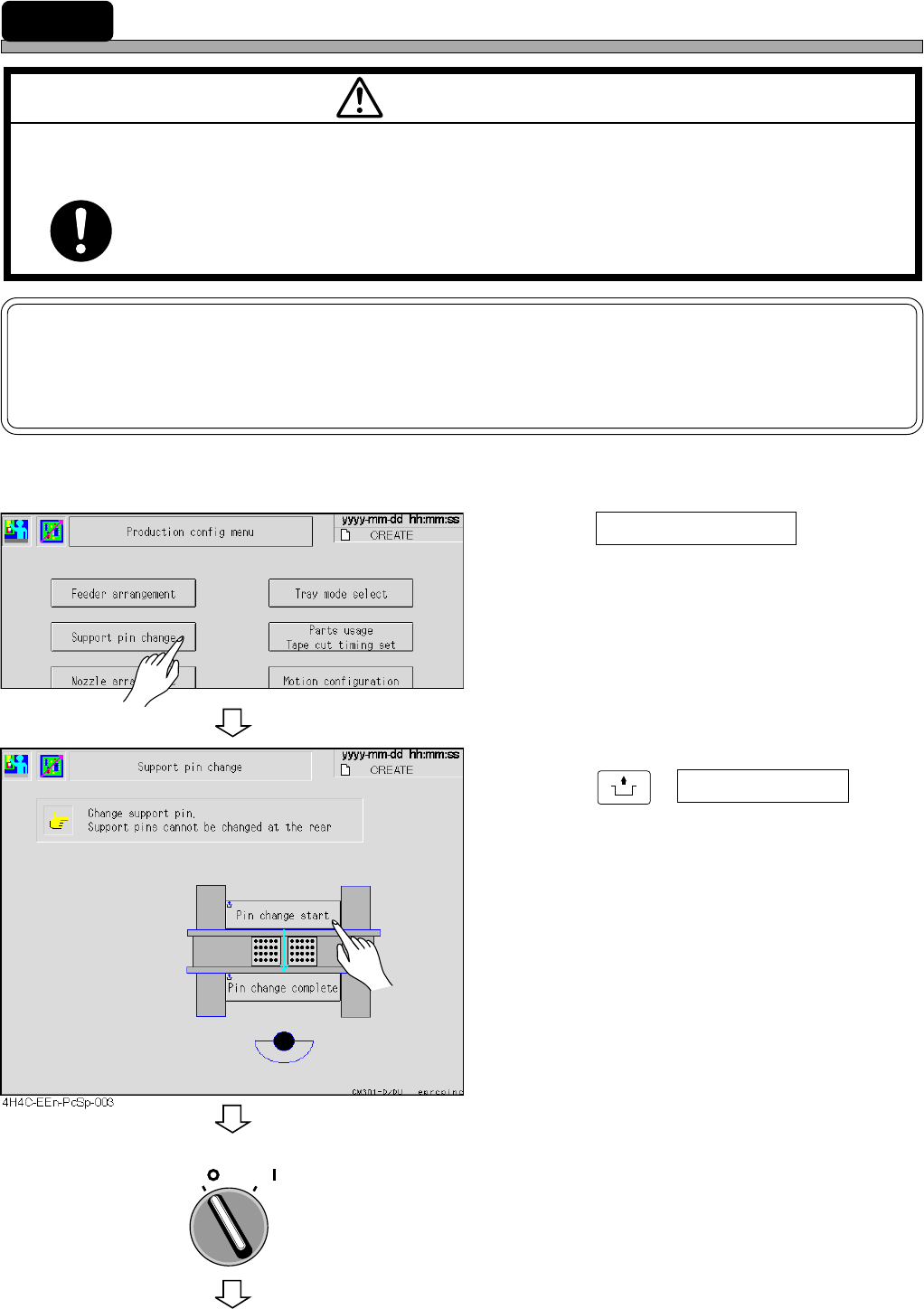
When the board size and thickness are changed or when the parts are mounted on the back side
of the board, adjust the support pin.
1. Press Support pin change at the pro-
duction configuration menu.
• The support pin exchange screen appears.
2. Press
UNLOCK
+ Pin change start .
• The board support block moves up to be
drawn.
3. Turn off the servo switch.
M97E
TURN OFF THE POWER AND THE SERVO SWITCH BEFORE WORKING INSIDE
ACTIVE PART OF THE MACHINE FOR MACHINE SET-UP.
You will have serious injury if the machine is actuated.
WARNING
OFF ( )
ON ( )
SERVO
4H4C-EEn-Pc-002
To the next page
4H4C-E-OMA09-A01-03