4H4CEOM2.pdf - 第64页
Page 8-36 Pickup Position Learning T eaching 3 . Select the satage and press fdr select . 4 . Select data for teaching. 5 . Press UNLOCK + Next pick posi . • The head camera moves to the pickup position. 1 2 T o the next…
Page 8-35
TEACHING
8
To the next page
4H4C-015E
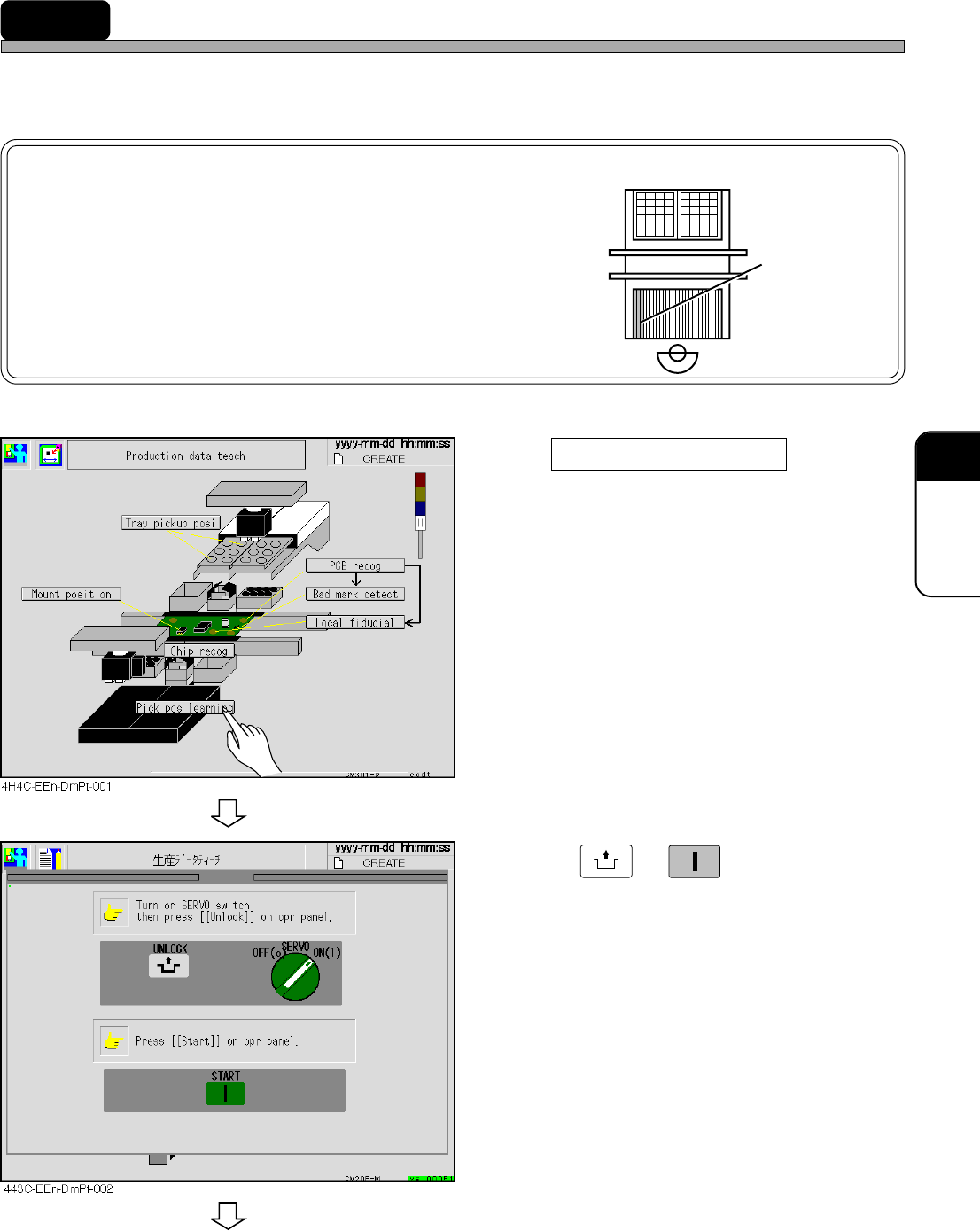
8-7 Pickup Position Learning Teaching
Teaching for the original data of the pickup position learning in the production is carried out.
NOTICE
Teaching for three addresses on the left side of
each feeder table is unavailable, because it is
unrecognizable. unavailable
For teaching, set the feeder to other address.
1.Press pickup position learning .
2. Press
UNLOCK
→
START
.
4H4C-E-OMA08-A03-03
Page 8-36
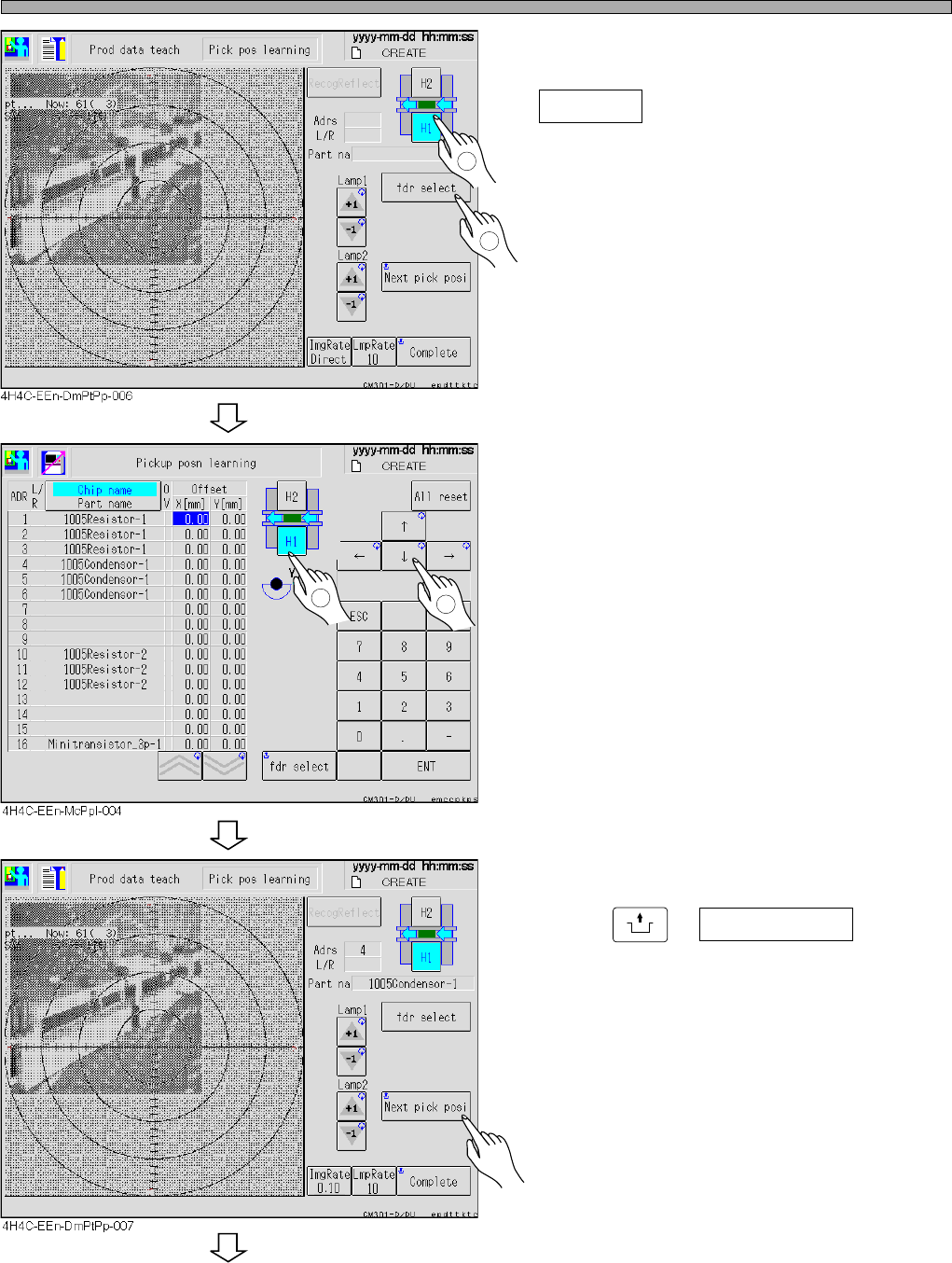
Pickup Position Learning Teaching
3. Select the satage and press
fdr select .
4. Select data for teaching.
5. Press
UNLOCK
+ Next pick posi .
• The head camera moves to the pickup position.
1
2
To the next page
1
2
4H4C-E-OMA08-A03-03
Page 8-37
TEACHING
8
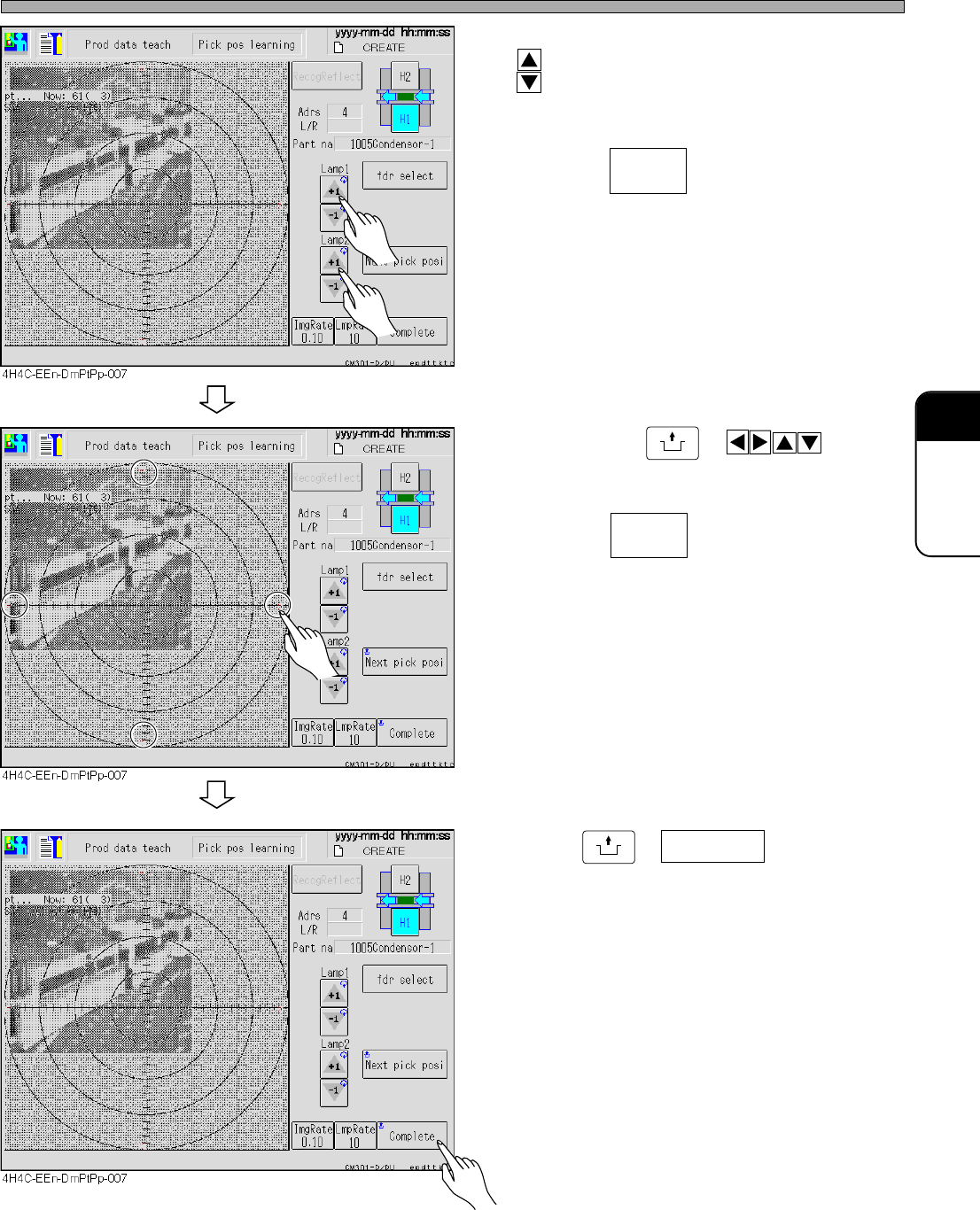
Pickup Position Learning Teaching
6. Adjust the brightness of the lamp with
.
• Adjust the brightness so that the chips can be
seen.
• Pressing changes the key rate of
lamp value adjustment .
7. By pressing
UNLOCK
+ , move
the image and put the pickup position
and the center of the camera together.
• Pressing changes the distance of
the head camera (image).
8. Press
UNLOCK
+ Complete .
4H4C-E-OMA08-A03-03
ImgRate
0.10
LmpRate
10