4H4CEOM2.pdf - 第42页
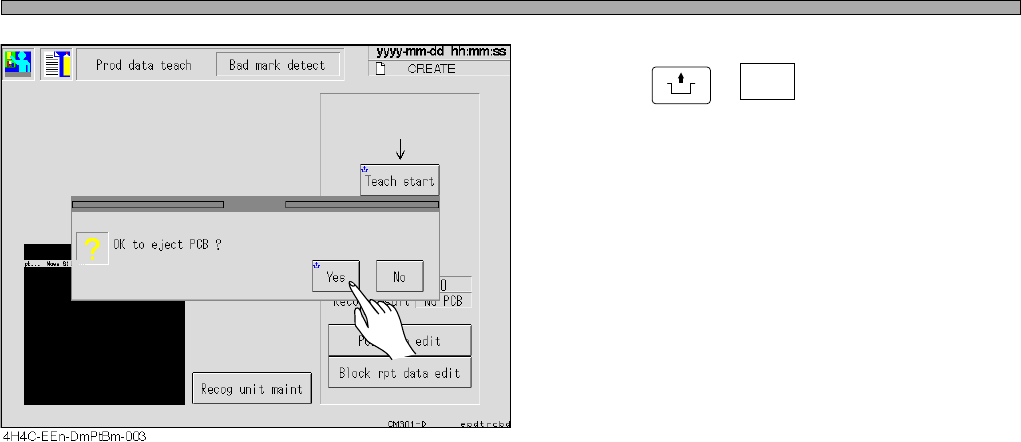
Page 8-14 Bad Mark Recognition T eaching 17. Press UNLOCK + Ye s . • The board is discharged, and teaching is over . 4H4C-E-OMA08-A01-01
Page 8-13
TEACHING
8
Bad Mark Recognition Teaching
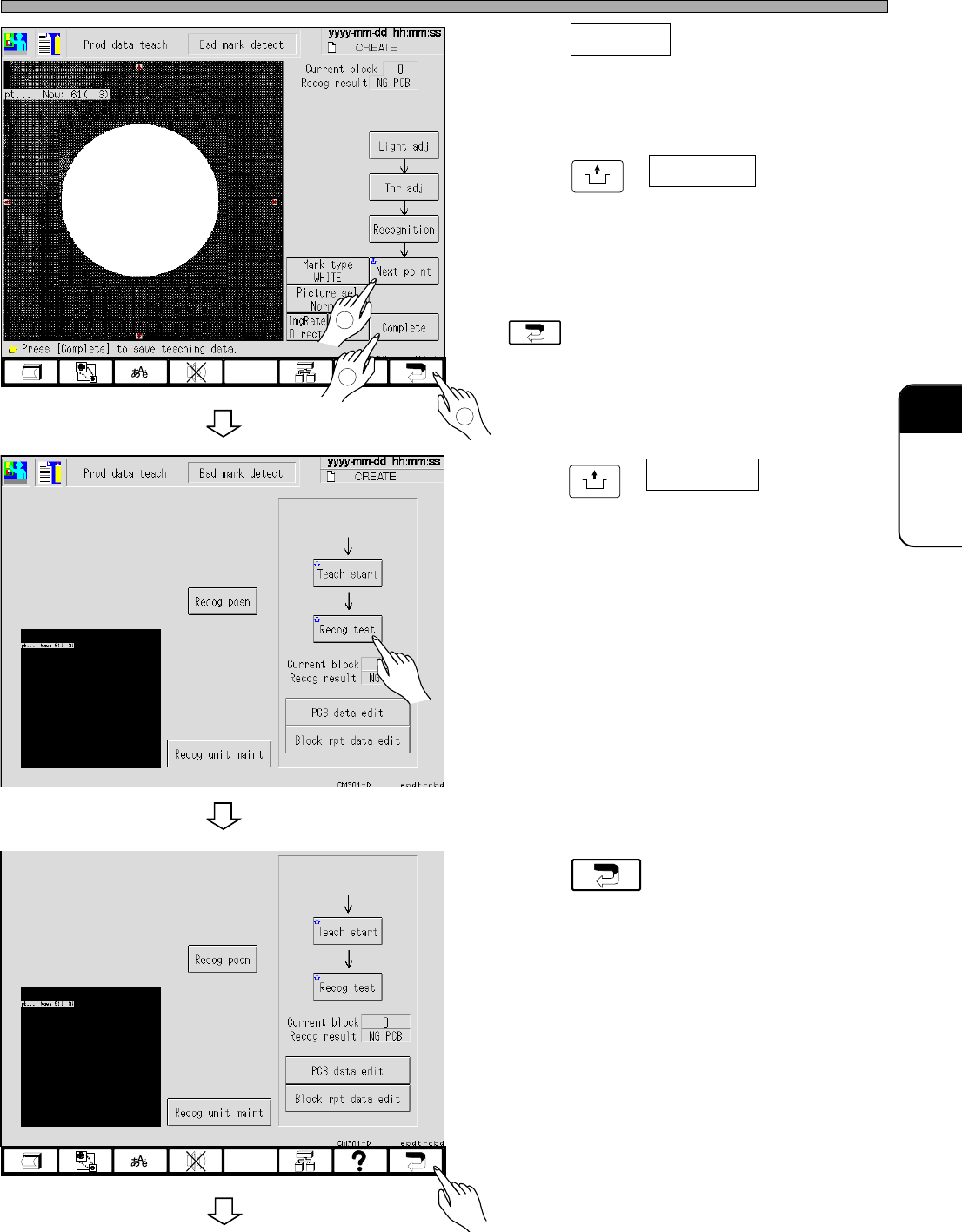
12. Press Complete .
• Data are automatically saved.
13. Press
UNLOCK
+ Next point .
• The next bad block mark appears.
14. Repeat the steps 10 to 12, and press
after teaching.
15. Press
UNLOCK
+ Recog test .
• Ensure that the recognition is carried out
properly.
16. Press .
3
4H4C-EEn-DmPtBm-005
4H4C-EEn-DmPtBm-002
1
2
To the next page
4H4C-E-OMA08-A01-02
4H4C-EEn-DmPtBm-002
Page 8-14
Bad Mark Recognition Teaching
17. Press
UNLOCK
+ Yes .
• The board is discharged, and teaching is over.
4H4C-E-OMA08-A01-01
Page 8-15
TEACHING
8
8-4 Mount Point Recognition Teaching
8-4-1 Teaching Procedure
Before the mount point recognition teaching, check that the function switch, “Mount point
recognition” for the created data is set to ON.
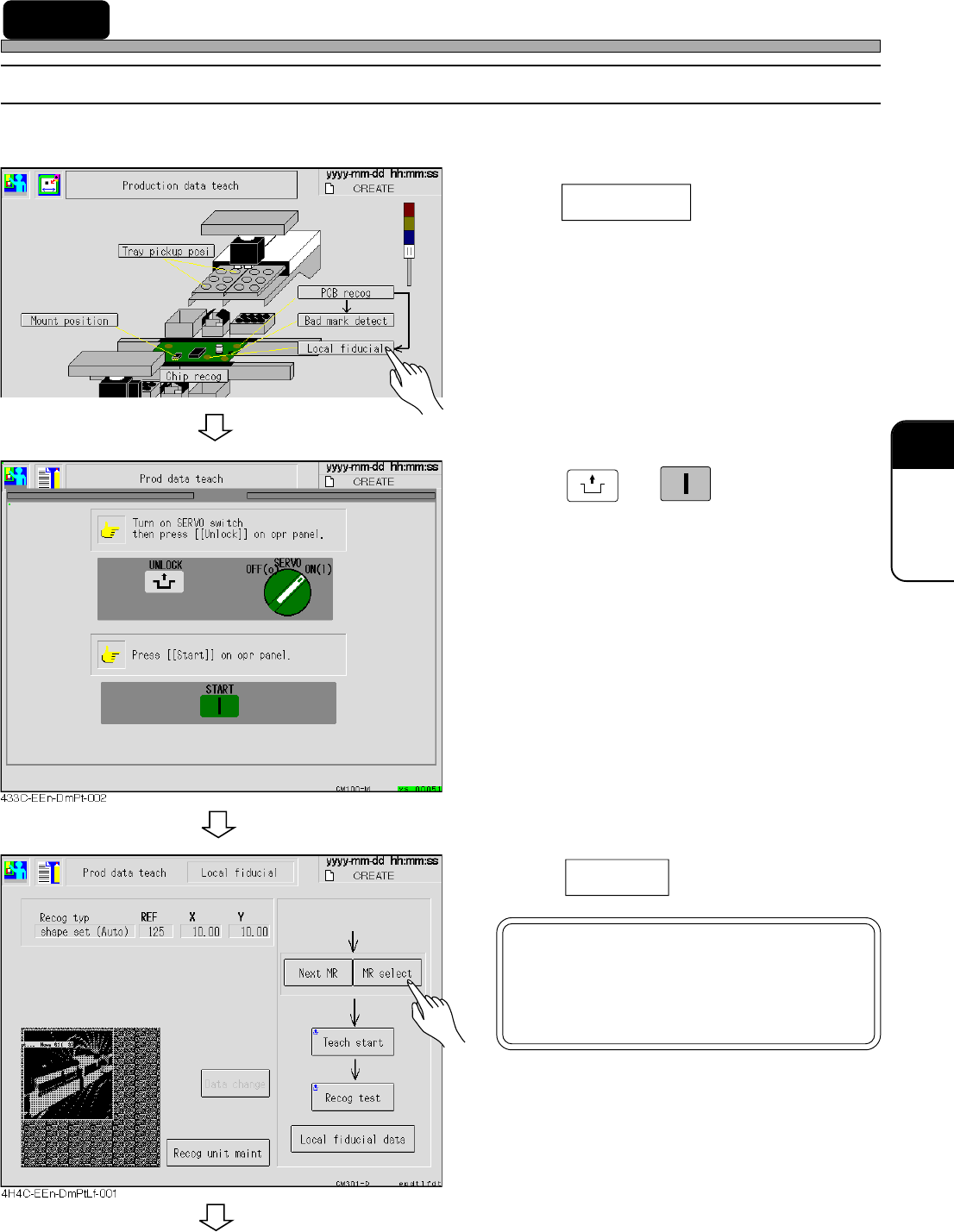
1. Press Local fidusial .
• The mount point recognition screen appears.
2. Press
UNLOCK
→ .
3. Press
MR select
.
4H4C-E-OMA08-A01-02
8-
8
4H4C-JEn-DmPt-001
START
NOTICE
MR: Mount point recognition data No.
Refer to PT (Programming Manual)
for the details.
To the next page