4H4CEOM2.pdf - 第27页
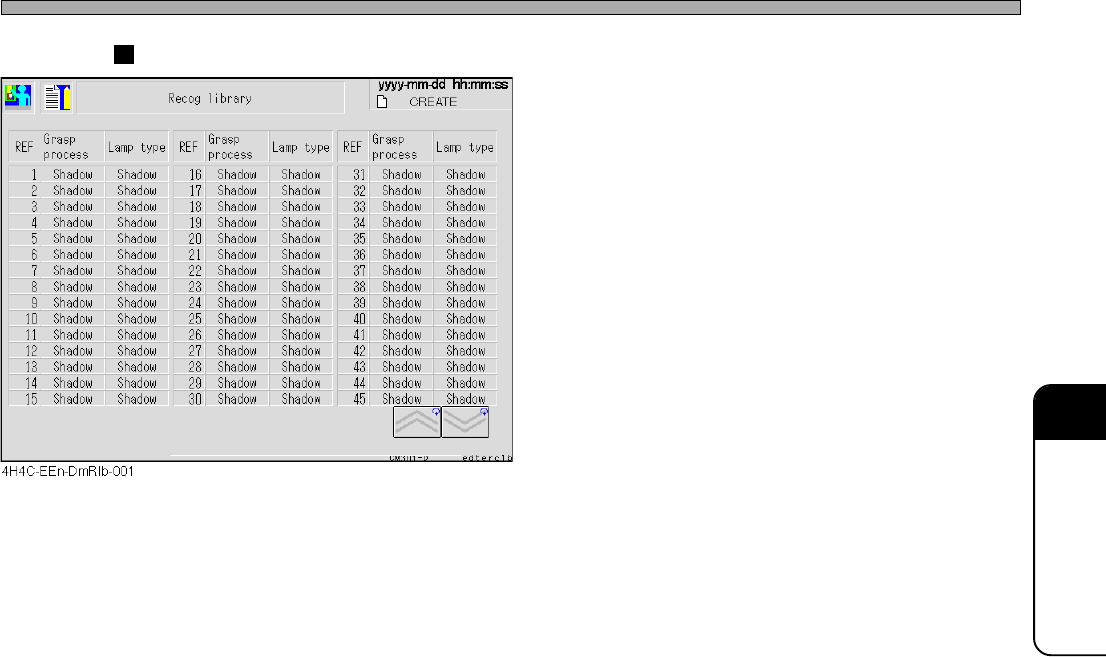
Page 7-21 DA T A MODIFICA TION 7 Recognition Library • The library data of the recognition is dis- played. The recognition method for each reference a the lamp type can be seen. Library Display 4H4C-E-OMA07-A01-03
Page 7-20
4H4C-E-OMA07-A01-02
7-11 Library Display
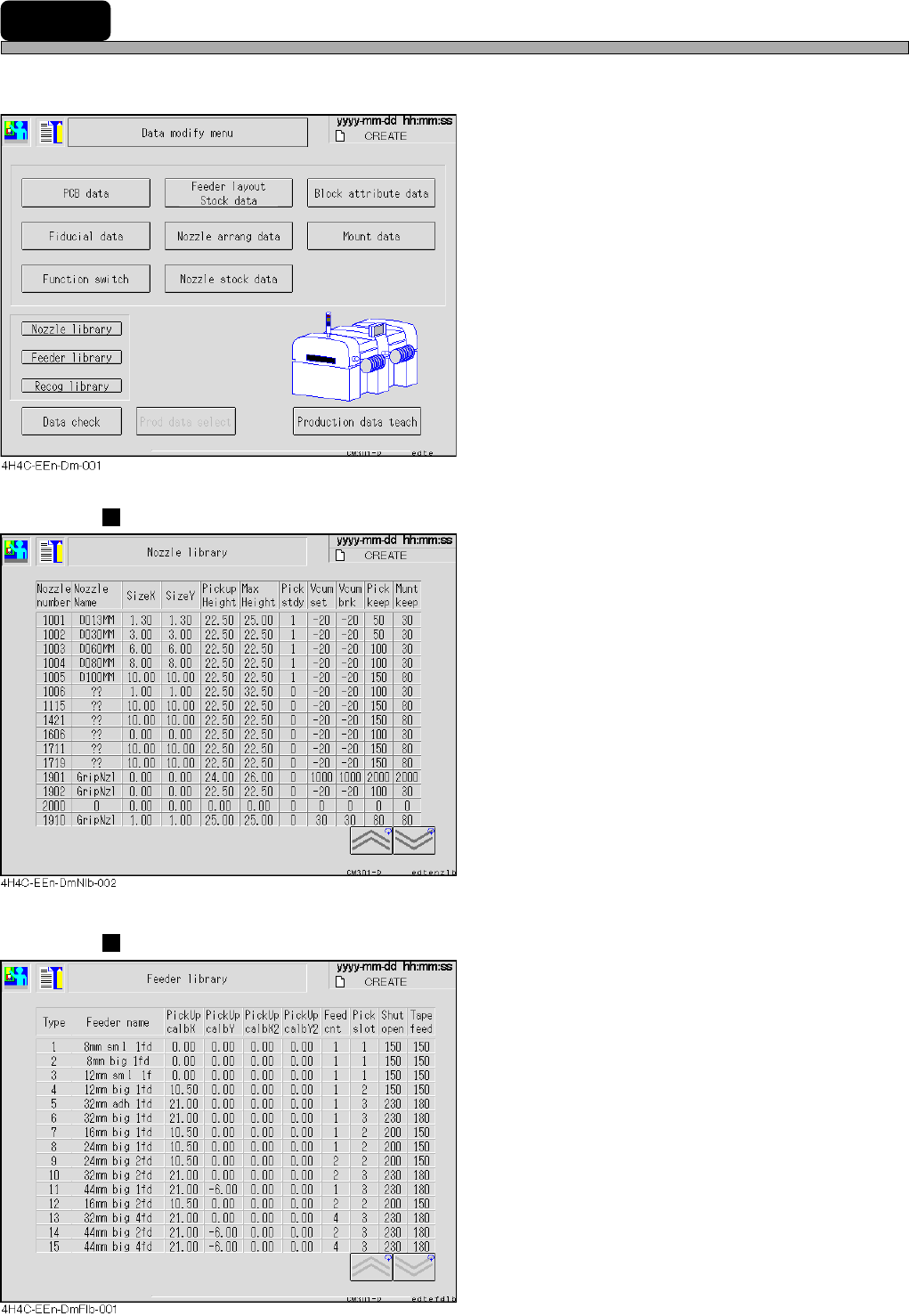
Each library of the nozzle, tape feeder, recognition are displayed.
1. Select the library to display.
Nozzle Library
• The library data of the nozzle is displayed.
Detailed data of each nozzle can be seen.
Feeder Library
• The library data of the tape feeder is displayed.
Detailed data of each tape feeder can be seen.
Page 7-21
DATA MODIFICATION
7
Recognition Library
• The library data of the recognition is dis-
played.
The recognition method for each reference a
the lamp type can be seen.
Library Display
4H4C-E-OMA07-A01-03
Page 7-22
7-12 Data Check
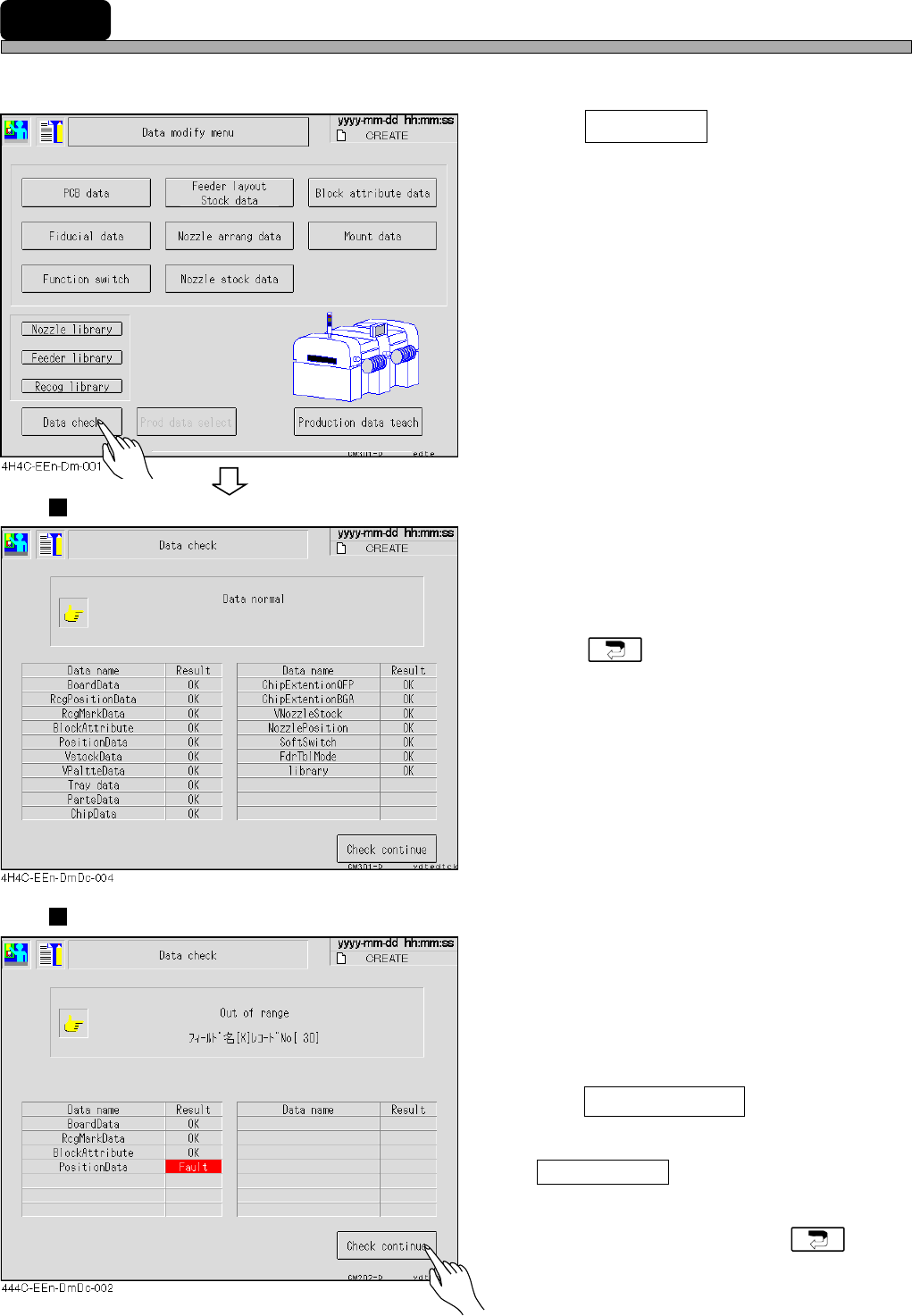
The production data is checked.
1. Press Data check .
• The data check screen appears.
Proper Data
• Some data are not checked by the function
switches. (It is set on PT.)
• If data are correct, “OK” appears.
• Press to return to the data modification
menu.
Improper Data
• If data are improper, “Fault” appears and the
detailed information is displayed on the upper
part of the screen.
2. After checking data with an error,
press Check continue .
∗ If some false data are found, press
Check continue after checking one of them.
The next false data information appears.
• After checking false data, press to
return to the data modification menu.
4H4C-E-OMA07-A01-03