4H4CEOM2.pdf - 第26页
Page 7-20 4H4C-E-OMA07-A01-02 7-1 1 Library Display Each library of the nozzle, tape feeder , recognition are displayed. 1 . Select the library to display . Nozzle Library • The library data of the nozzle is displayed. D…
Page 7-19
DATA MODIFICATION
7
4H4C-E-OMA07-A01-04
7-10 Function Switch
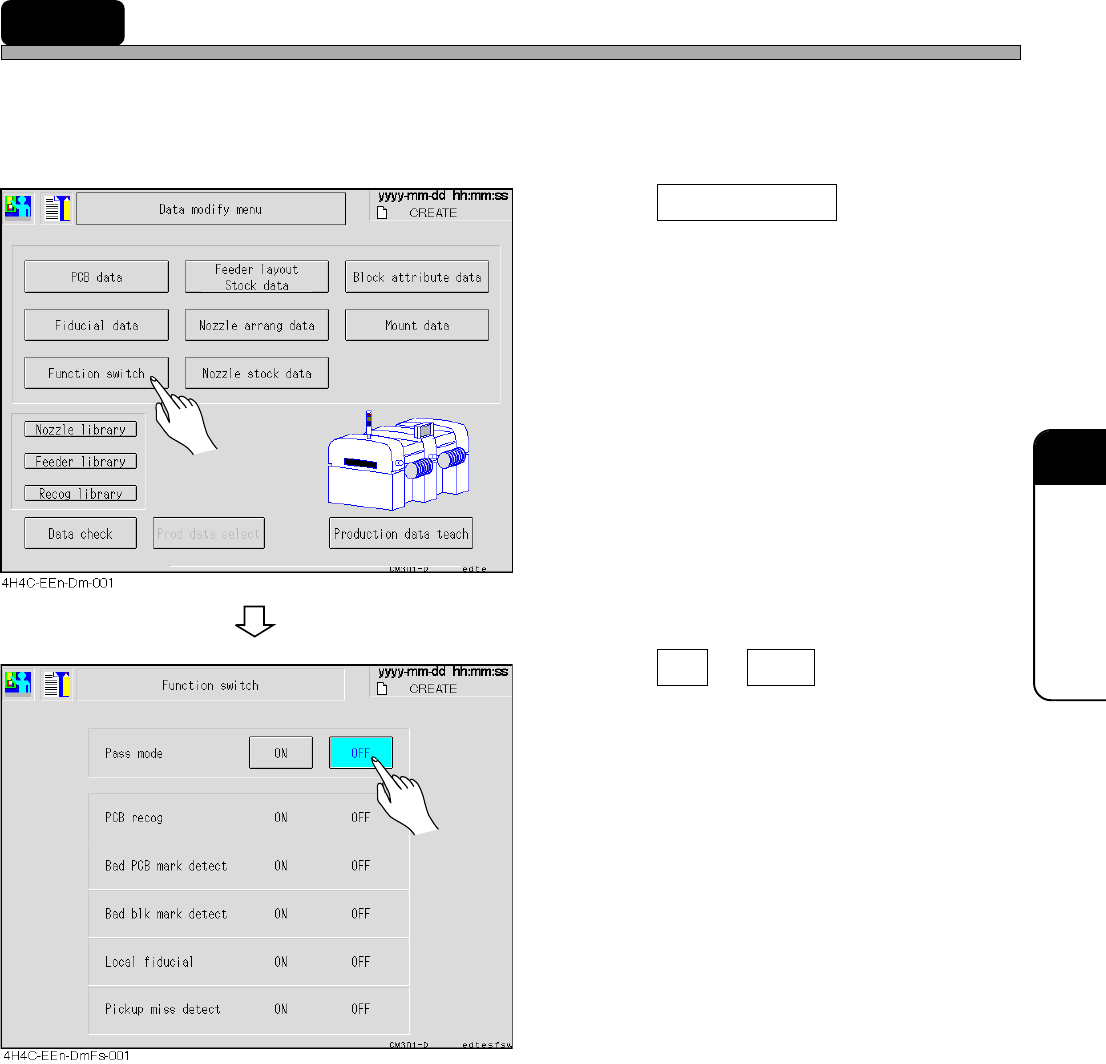
Setting of the function switch to set the operating condition is checked.
∗ Only the pass mode can be changed to ON and OFF on this screen.
As for other condition, change it on PT.
1. Press Function switch .
• The function switch screen appears.
• As for the function switches, refer to the
Programming Manual of PT.
2. Press ON or OFF of the pass
mode.
• The set switch is displayed in blue.
Page 7-20
4H4C-E-OMA07-A01-02
7-11 Library Display
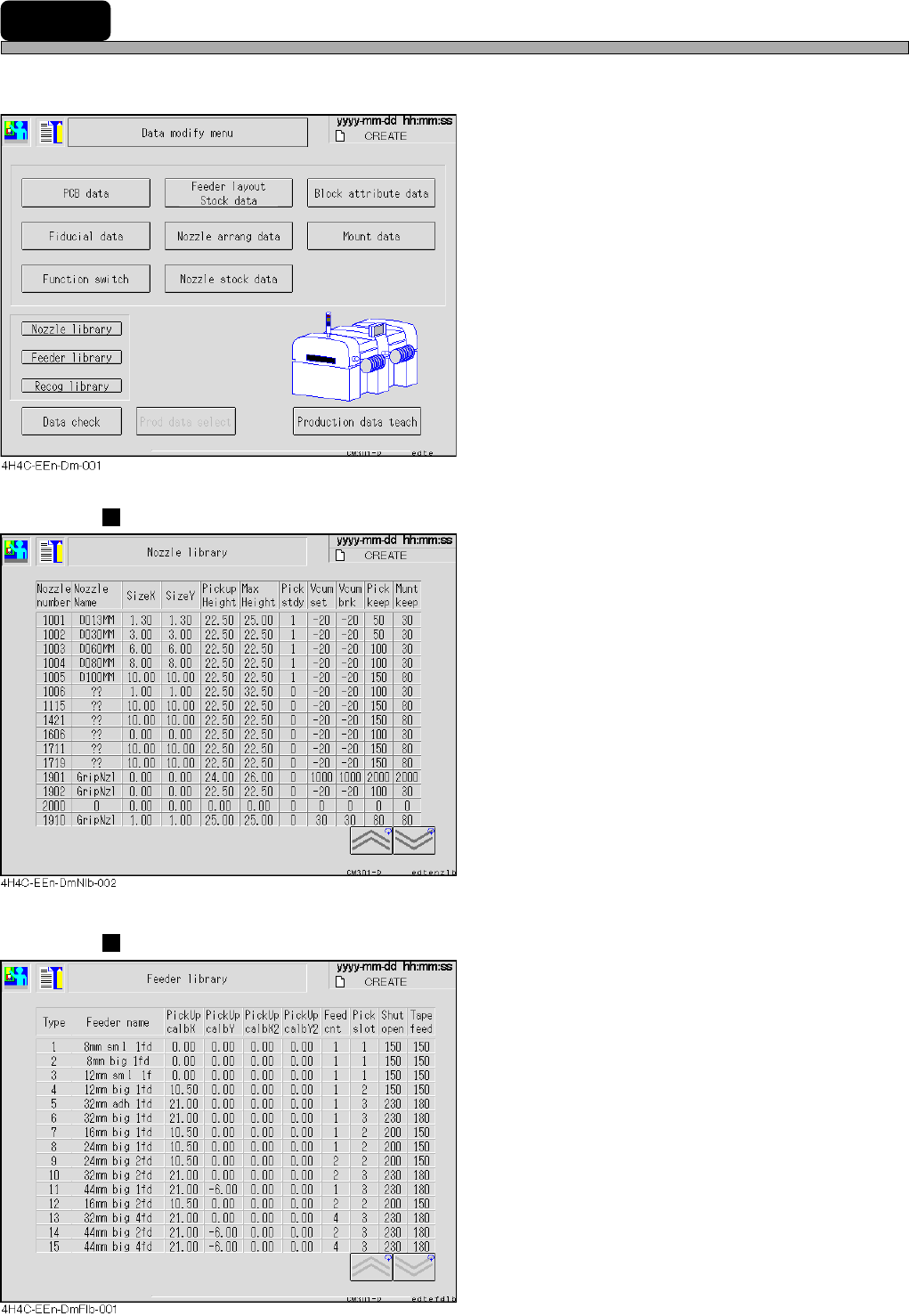
Each library of the nozzle, tape feeder, recognition are displayed.
1. Select the library to display.
Nozzle Library
• The library data of the nozzle is displayed.
Detailed data of each nozzle can be seen.
Feeder Library
• The library data of the tape feeder is displayed.
Detailed data of each tape feeder can be seen.
Page 7-21
DATA MODIFICATION
7
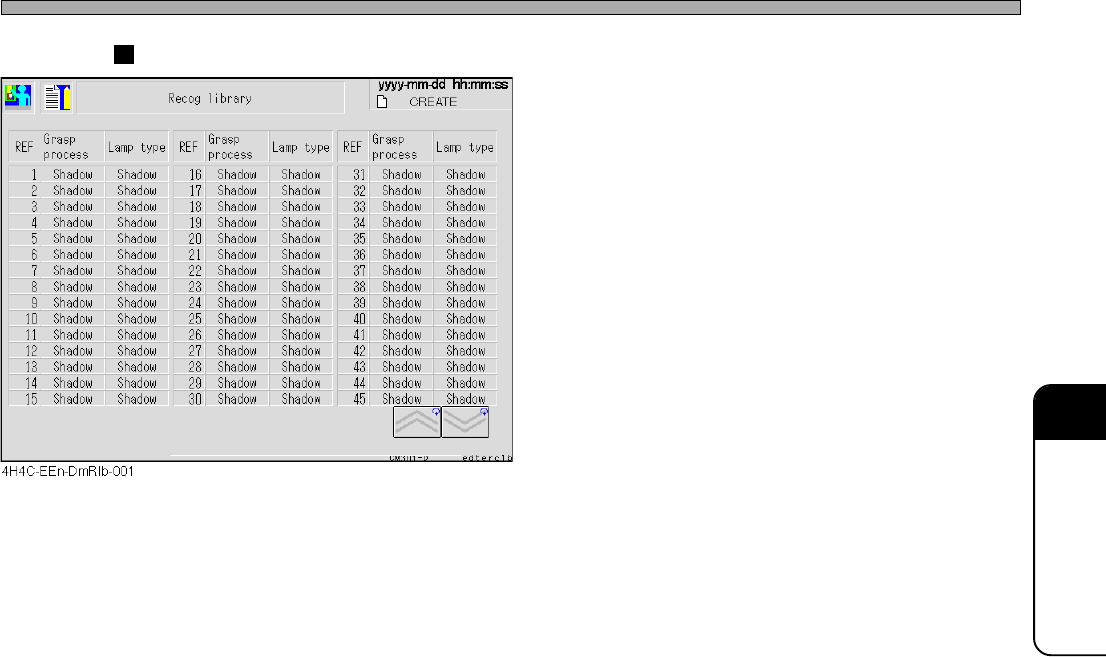
Recognition Library
• The library data of the recognition is dis-
played.
The recognition method for each reference a
the lamp type can be seen.
Library Display
4H4C-E-OMA07-A01-03