4H4CEOM2.pdf - 第93页
Page 10-3 OPTION 10 T ransport Speed V ariable Adjustment NOTICE Normally , the deceleration speed is fit to the marked position, so the speed does not need adjusting. When wishing to reduce the speed more from the adjus…
Page 10-2
10-1 Transport Speed Variable Adjustment
10-1-1 Transport Speed Variable Adjustment
To prevent the chips placed on the board from deviating from the mount position due to the impact
at when the board is transported and stopped at the stop position or from falling down, adjust the
transport speed and the deceleration speed of the board transport conveyor.
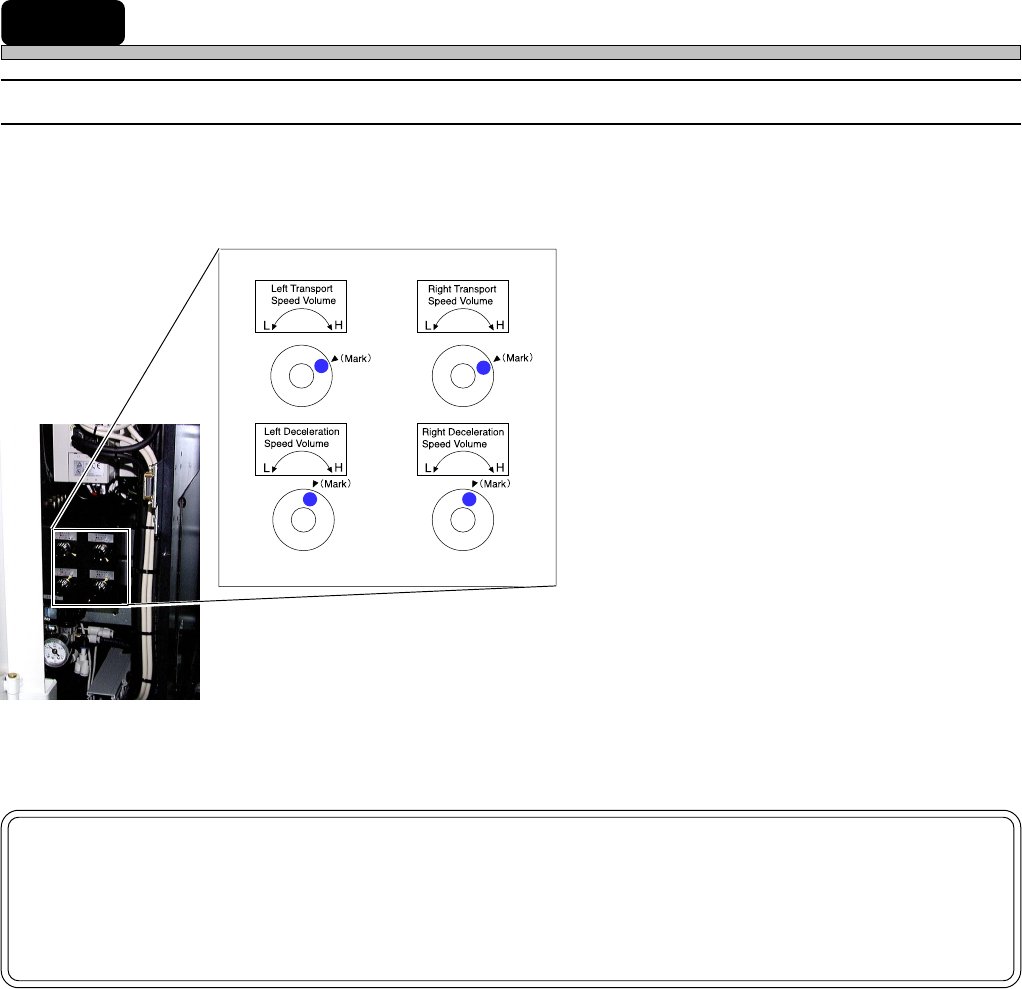
1. Left Transport Speed Volume:
Maximum speed adjustment of left conveyor
motor speed (Adjustable within the range of
about 230 to 430 mm/s)
2. Right Transport Speed Volume:
Maximum speed adjustment of right conveyor
motor speed (Adjustable within the range of
about 230 to 430 mm/s)
3. Left Deceleration Speed Volume:
Deceleration adjustment of the conveyor motor
speed at when a board hits the left stopper
4. Right Deceleration Speed Volume:
Deceleration adjustment of the conveyor motor
speed at when a board hits the right stopper
NOTICE
When the transport speed variable controller is installed, change “Moving Param-
eter Set”: “Board transport forced time” of the machine parameters to 1500 ms or
over.
4H4C-E-OMA10-A01-01
1
2
4
3
Page 10-3
OPTION
10
Transport Speed Variable Adjustment
NOTICE
Normally, the deceleration speed is fit to the marked position, so the speed does
not need adjusting.
When wishing to reduce the speed more from the adjusted deceleration speed,
adjust the transport speed after the deceleration speed is adjusted.
10-1-2 Deceleration Speed Adjustment Procedure
∗ This part describes the left transport conveyor speed adjustment procedure as an example. As
for the right conveyor speed adjustment, refer to the this procedure.
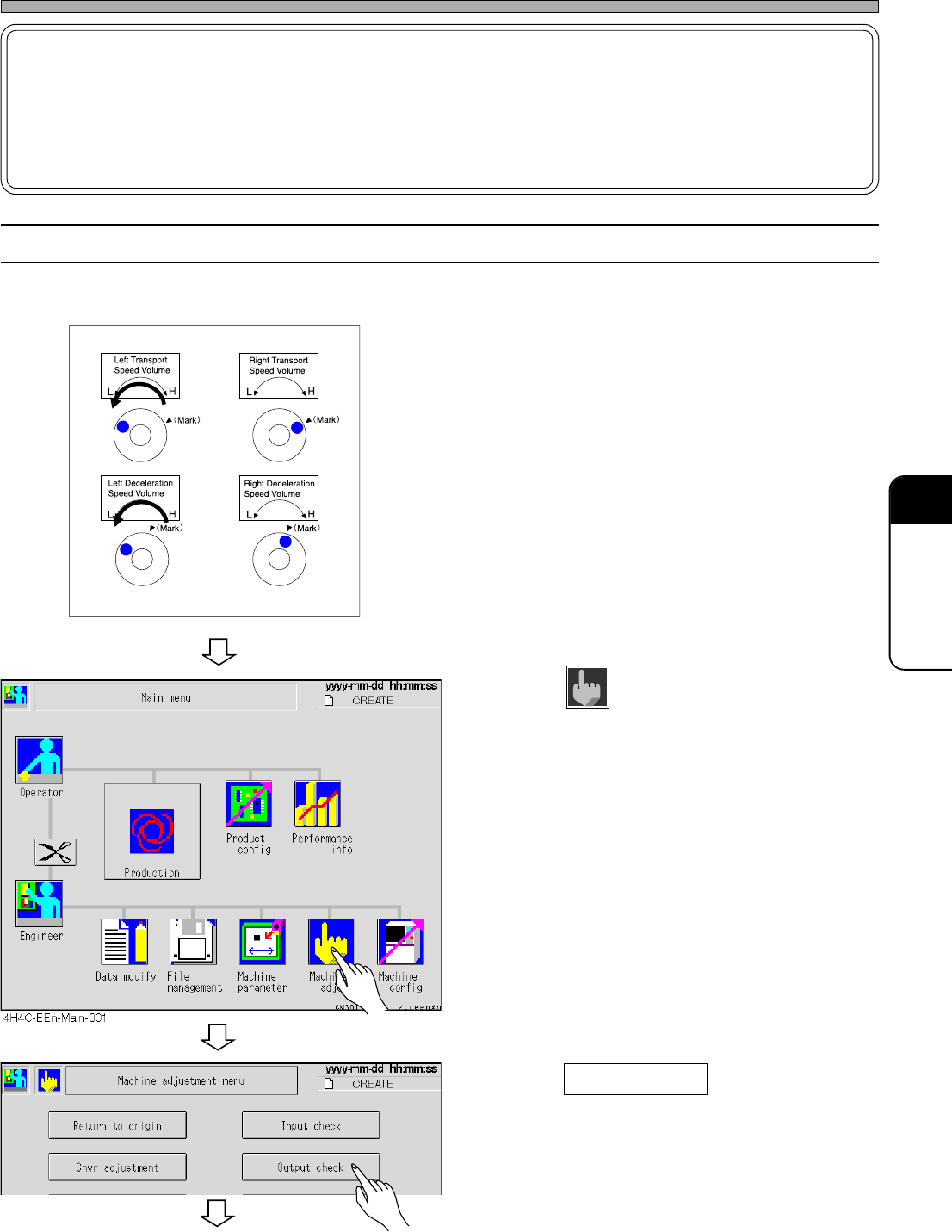
1. For both the transport and the decel-
eration speed, turn the volume to “L”.
2. Press
Machine
adjust
.
• The machine adjustment menu is displayed.
3. Press Output check .
• The output check list is displayed.
4H4C-EEn-Ma-001
4H4C-E-OMA10-A01-01
To the next page
Page 10-4
Transport Speed Variable Adjustment
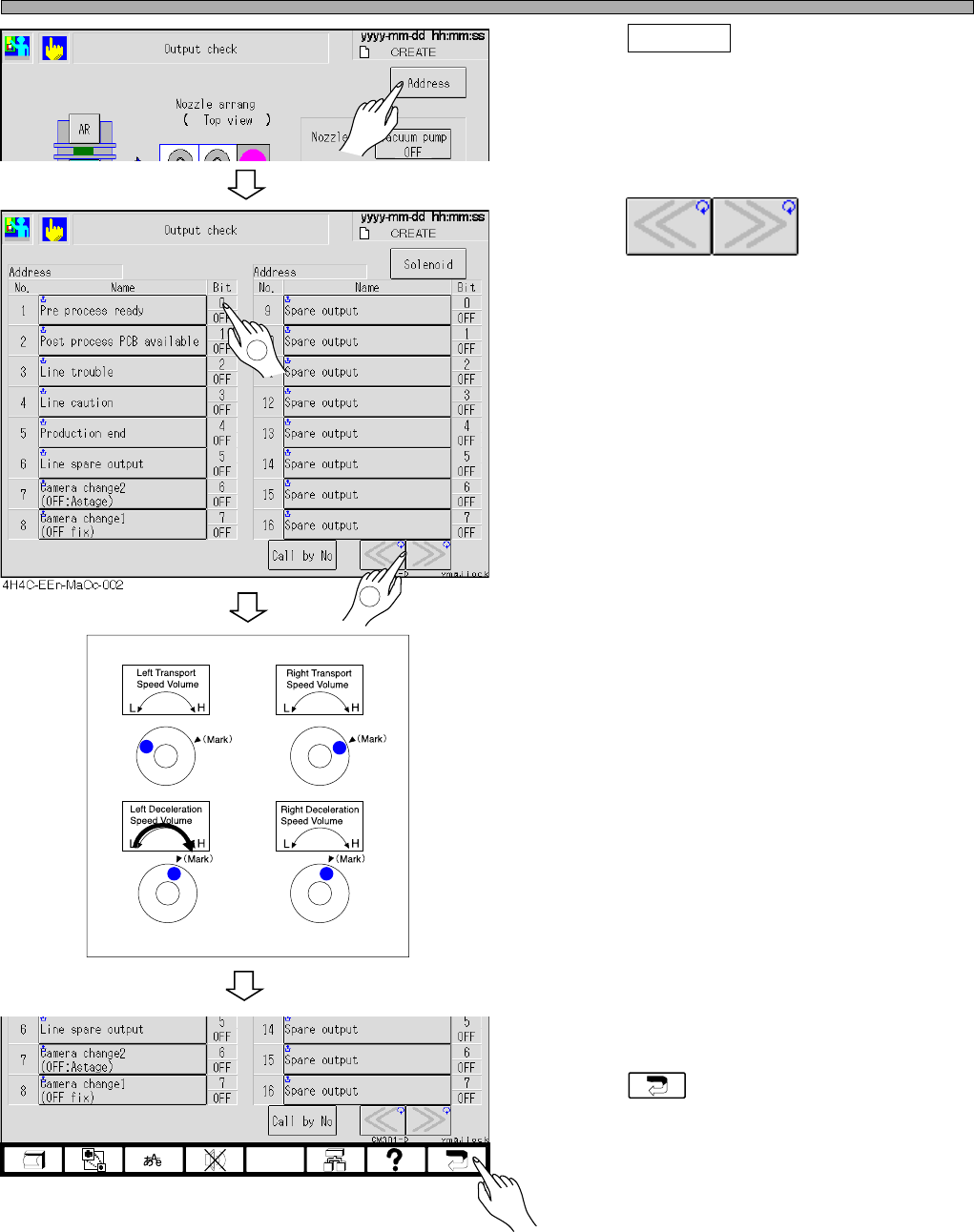
4. Press Address .
• The address list screen is displayed.
5. Press .
• Adjust the address to “00F4”.
6. Turn ON the conveyor start-up.
• The transport conveyor had been stopped.
7. Turn the deceleration speed volume
to “H”.
• The transport speed accelerates whenever
turned.
∗ When reached the moderate speed, stop
turning the volume.
8. Return to the main menu.
• Press until the main menu is displayed.
4H4C-EEn-MaOc-002
4H4C-E-OMA10-A01-04
4H4C-EEn-MaOc-007
1
2