4H4CEOM2.pdf - 第56页
Page 8-28 4H4C-E-OMA08-A02-02 Chip Recognition T eaching 23. Press UNLOCK + Recognition . • The recognition result appears on the recogni- tion screen. ∗ When the recognition result (ANS=) is under the recognition rate (…
Page 8-27
TEACHING
8
4H4C-E-OMA08-A02-02
Chip Recognition Teaching
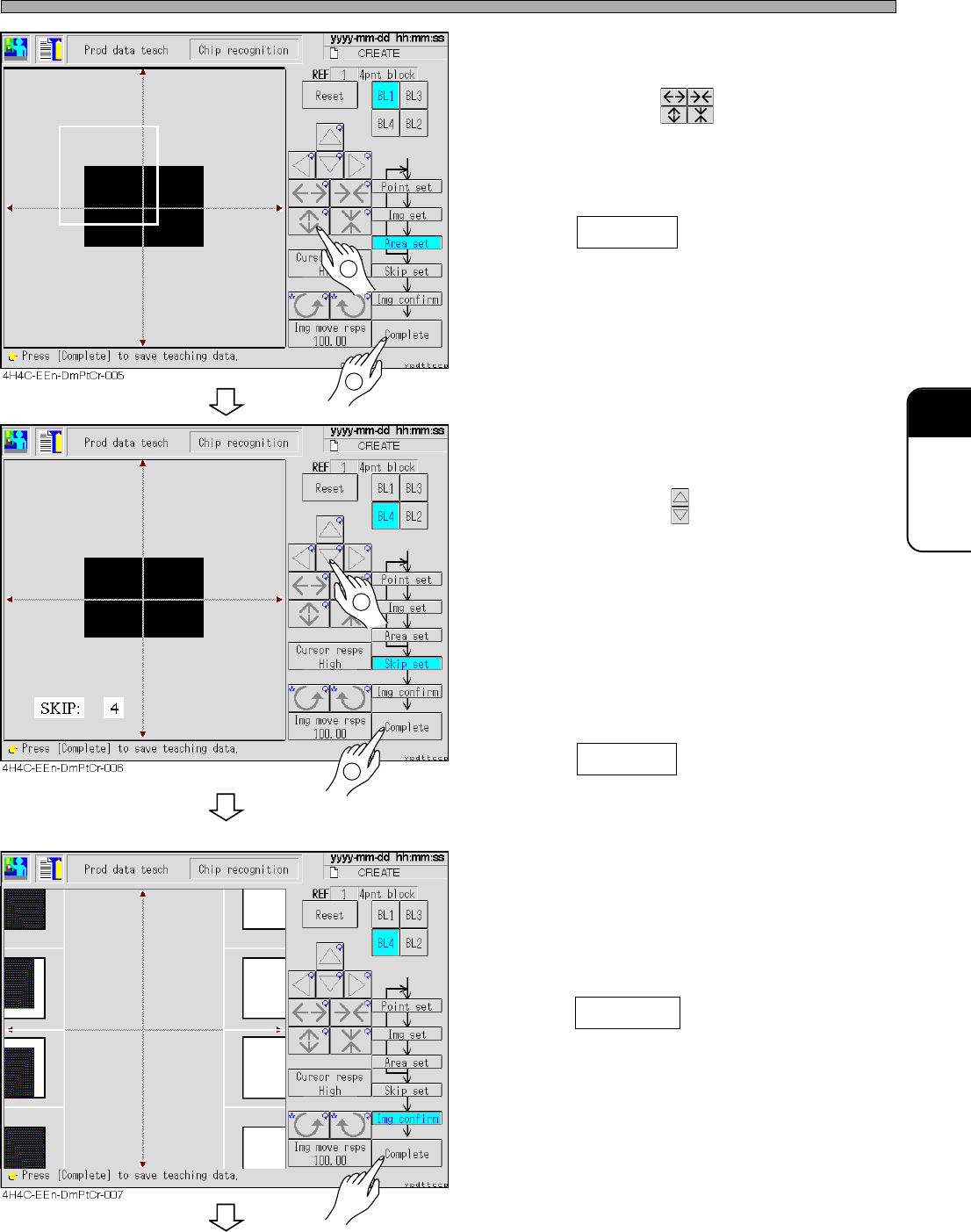
16. Set the area to be recognized by BL 1.
• Set the size with .
Set so that the recognition point (set at step
12) is in the area.
17. Press Complete .
• Data are automatically saved.
18. Repeat steps 12 to 17, and set to BL4.
19. Set the skip value.
• Set the value with .
Search the image to be recognized in detail at
1 and roughly at 10 (usually : 4)
The recognition image detection is finally
recognized at SKIP 1.
In recognition, the image is searched at the set
skip value at first, and the position is detected
at SKIP value 1 finally.
20. Press Complete .
• The teaching image for each block appears.
21. Check the taught image.
• Left : Position to be recognized (point setting)
Right : Image area to be recognized (image
setting)
22. Press Complete .
• Teaching for each block is over.
To the next page
1
2
1
2
Page 8-28
4H4C-E-OMA08-A02-02
Chip Recognition Teaching
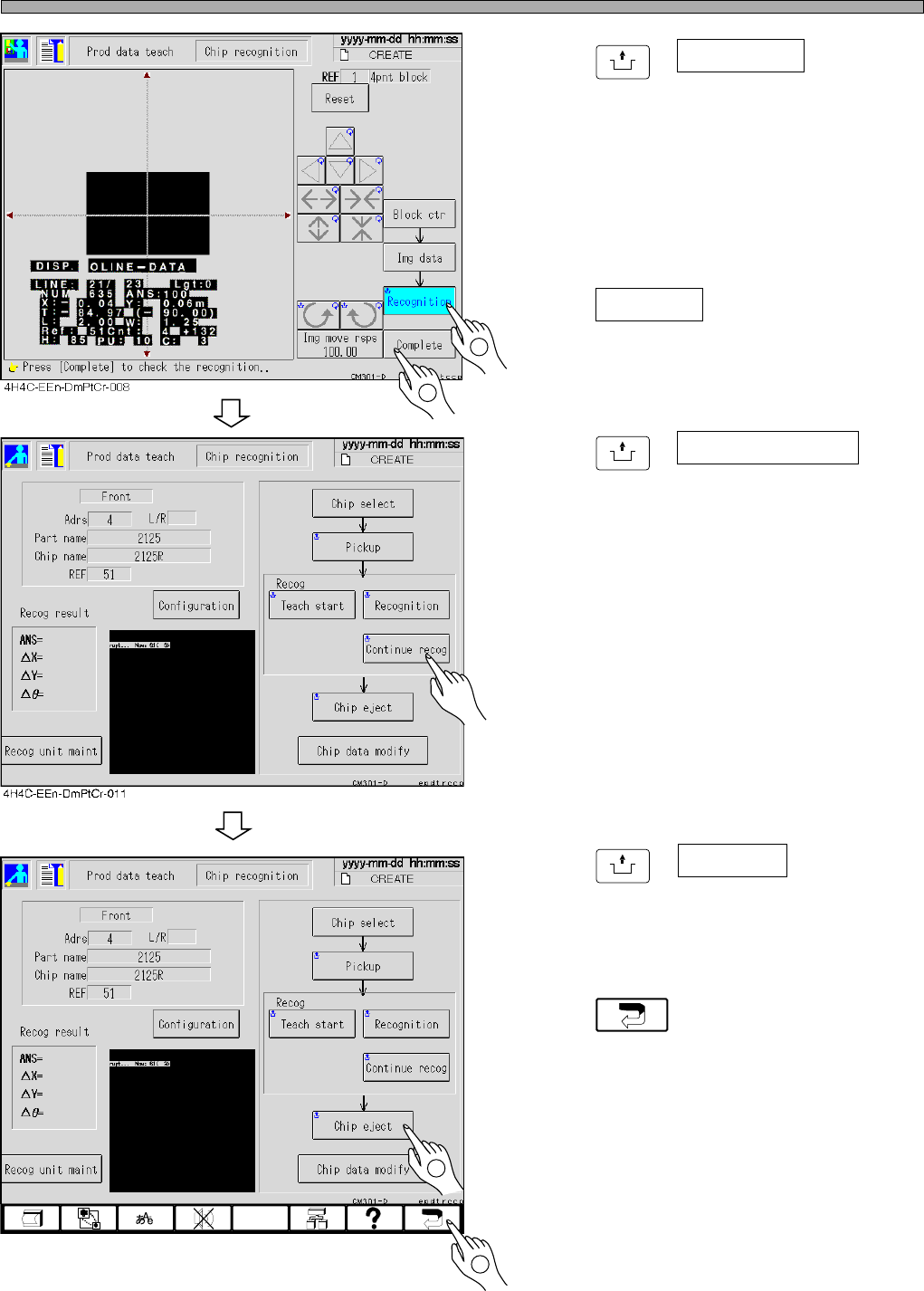
23. Press
UNLOCK
+ Recognition .
• The recognition result appears on the recogni-
tion screen.
∗ When the recognition result (ANS=) is under
the recognition rate (the judgment value ratio of
the machine parameter), carry out steps 7 to
24 and retry the recognition by changing
recognition points and so on.
24. Press Complete .
• Teaching is over.
25. Press
UNLOCK
+ Continuous recog for
checking.
• The recognition is continued 10 times, and the
result appears. After checking the result, press
“ESC” and close the displayed result.
(It is just for checking and unnecessary to
operate.)
∗ When the recognition result (ANS=) is under
the recognition ratio (the judgment value ratio
of the machine parameter), operate steps 7 to
24 and retry the recognition by changing the
recognition points and so on.
26. Press
UNLOCK
+ Chip eject .
• The chip used for recognition is ejected.
27. Press .
• 4-point block match recognition teaching is
over.
• At this time, the taught data are uploaded to
the PT.
4H4C-EEn-DmPtCr-011
2
2
1
1
Page 8-29
TEACHING
8
4H4C-E-OMA08-A02-01
Chip Recognition Teaching
Lamp Value Offset
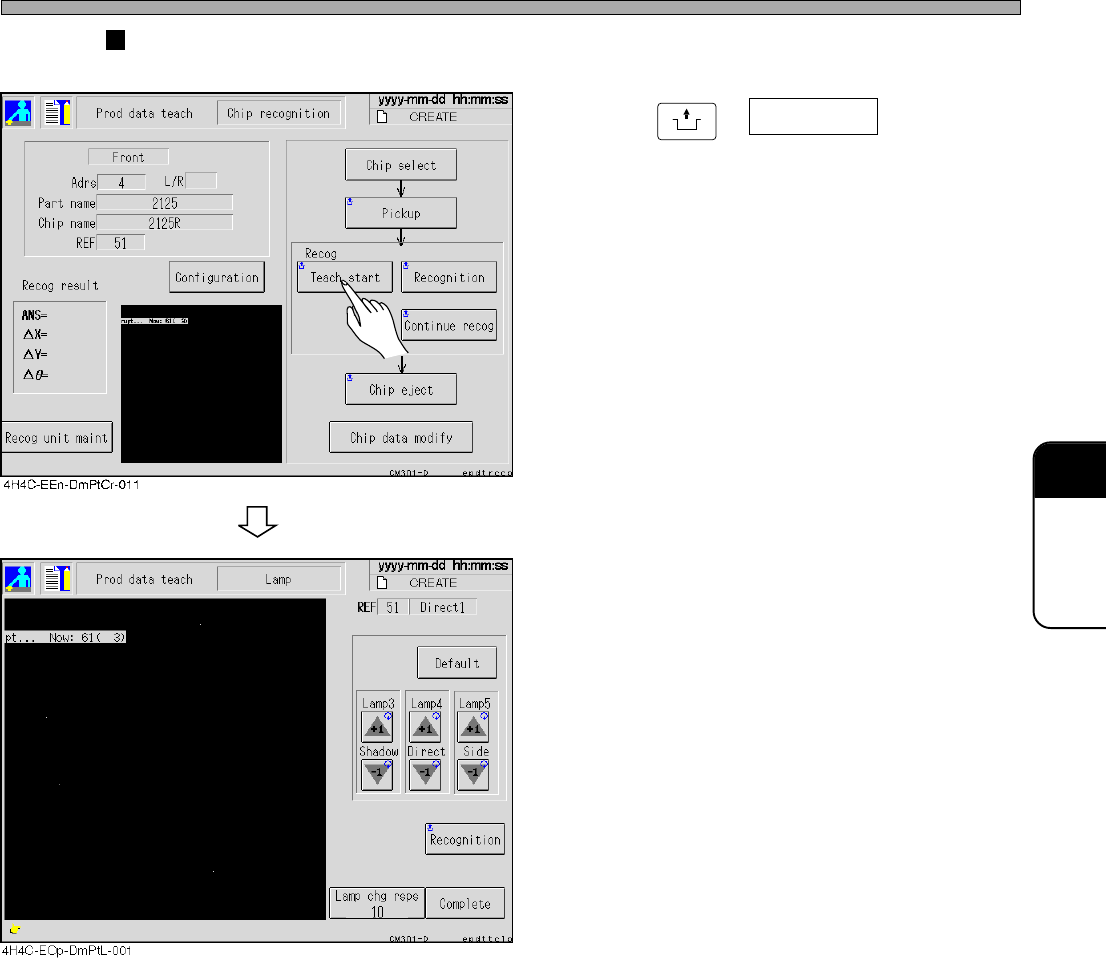
28. Press
UNLOCK
+ Teach start .
29. Perform the block match recognition
steps 1. to 6.
• Adjust lamp 3 (transmission), lamp 4 (reflec-
tion) and lamp 5 (BGA side lighting) by using +
and - buttons.
• After changing, actually perform recognition to
check.
• When the result is good, save it by pressing
Complete.
∗ If Complete is not pressed after adjusting lamp
values by using + and - buttons, the result will
not be reflected on the data.
∗ Depending on the lamp mode in the reference,
changeable lamp value will be decided.
Transmission --- Lamp 3 only
Reflection 1 ----- Lamp 4 only
Reflection 2 ----- Lamp 4 and 5
BGA--------------- Lamp 3, 4 and 5