4H4CEOM2.pdf - 第12页
Page 7-6 Board Recognition Data 4H4C-E-OMA07-A01-02 7-3-2 Evolution Data For the block recognition, the recognition position coordinates of the board recognition data and all recognition coordinates extended from each bl…
Page 7-5
DATA MODIFICATION
7
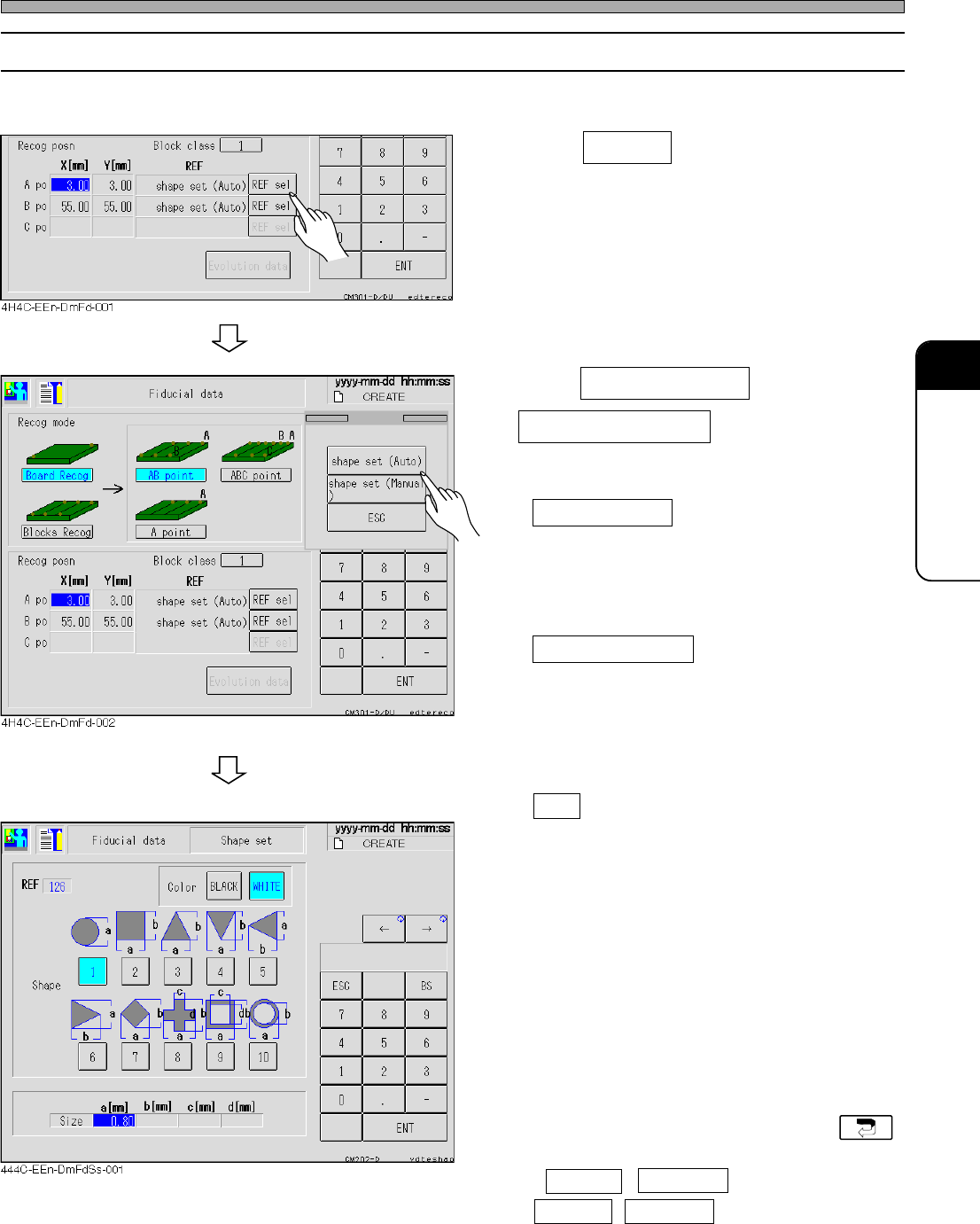
7-3-1 Selecting REF
Basically, only the shape set can be selected for the board recognition.
1. Press REF sel .
2. Press shape set (Auto) or
shape set (Manual) if you need to
change REF type.
• shape set (Auto)
Basically, this mode is selected for the board
recognition.
The lamp value of the camera is automatically
set.
• shape set (Manual)
When the shape set (auto) cannot be recog-
nized, select this mode.
The operator sets the lamp value of the
camera by hand.
∗ To quit the exchange of the REF type, press
ESC .
3. Enter data of the board recognition
mark if necessary.
• Color
Set black or white for judging the shape for
recognition.
• Shape
Select the corresponding shape.
• Size
Enter the size of the selected shape, referring
to the figure.
• If changing data is unnecessary, press .
∗ If AB point , ABC point for board or
AB point , ABC point for block are selected,
set other points in the same procedures.
Board Recognition Data
4H4C-E-OMA07-A01-02
Page 7-6
Board Recognition Data
4H4C-E-OMA07-A01-02
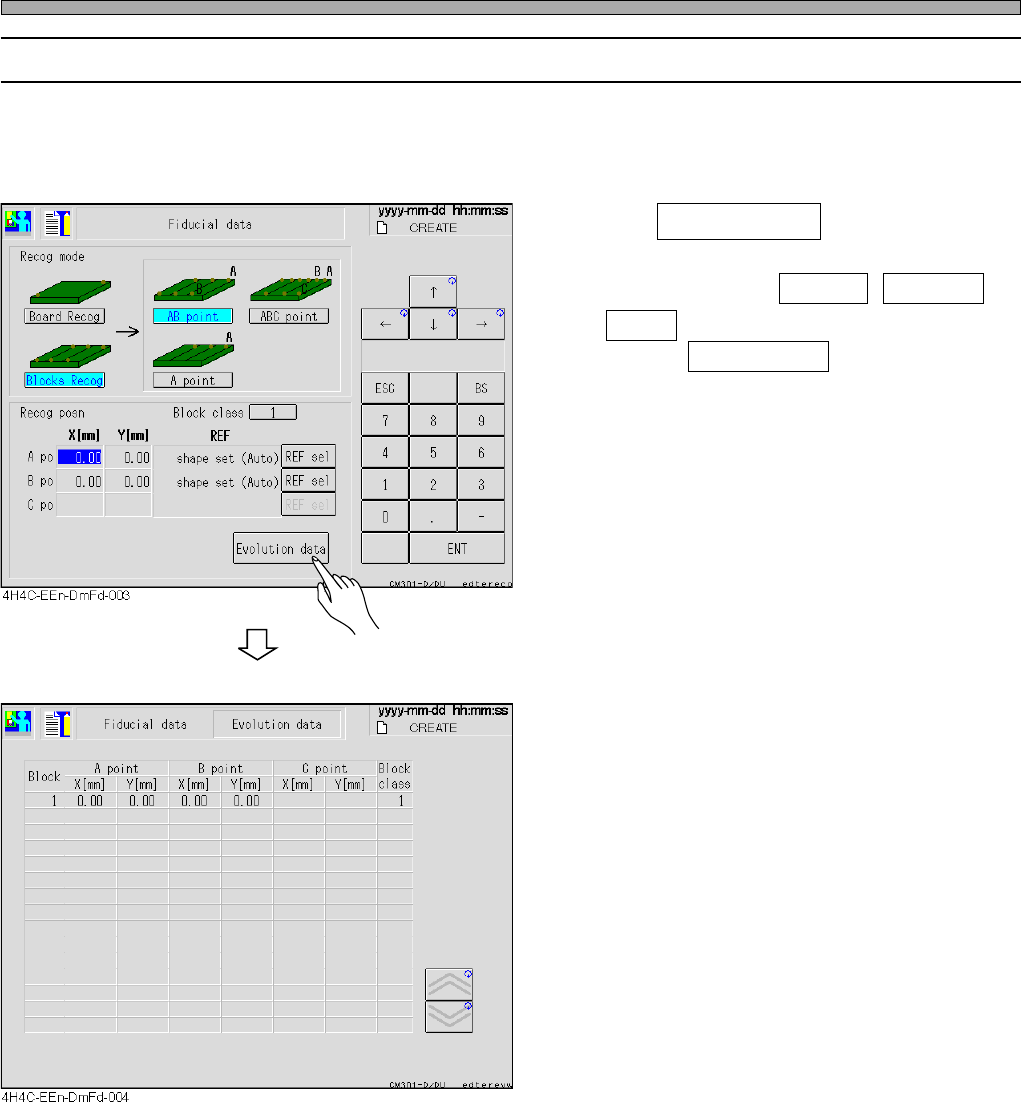
7-3-2 Evolution Data
For the block recognition, the recognition position coordinates of the board recognition data and all
recognition coordinates extended from each block origin coordinate of the block attribute data can
be checked.
1. Press Evolution data .
∗ Only when either of AB point , ABC point ,
A point for block of the recognition mode are
selected, Evolution Data can be displayed.
Page 7-7
DATA MODIFICATION
7
4H4C-E-OMA07-A01-04
7-4 Feeder Layout / Stock Data
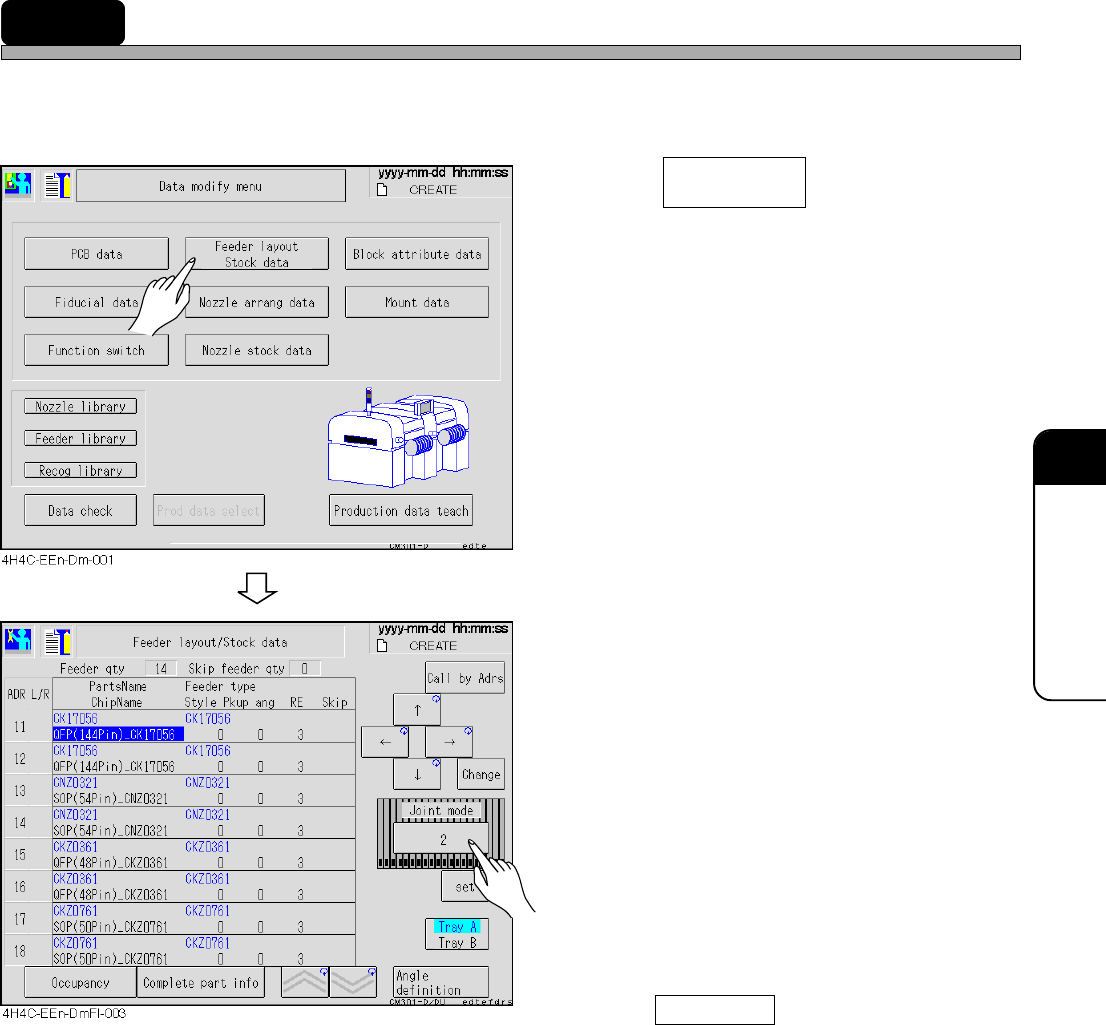
The feeder layout and the stock data are indicated together, and the feeder state arranged on the
feeder table is checked. The chip data to be used is also checked and corrected.
1. Press .
• The feeder layout and stock data screen
appears.
2. Select the feeder table to be checked.
3. Correct data, if necessary.
• Only style, pickup angle and skip setting can
be corrected.
• Press Call by Adrs and enter the address
number to move the cursor to the set feeder
address.
• Style.................................0 → 90→ 180 → -90 → 0 degrees are changed in turn by
every pressing.
• Pickup angle ....................It changes per 45 degrees by every pressing.
• Skip..................................No display and USKP are changed in turn by every pressing.
∗ When the feeder layout screen is displayed from the automatic
operation stop screen, the skip cannot be changed.
Feeder layout
Stock data