4H4CEOM2.pdf - 第33页
Page 8-5 TEACHING 8 Board Recognition T eaching 4. Press PCB recog . • The board recognition screen appears. 5. Press UNLOCK → START . 6. Set the board to the front conveyor . 7. Press UNLOCK + T each start . • The board…
Page 8-4
Board Recognition Teaching
8-2-3 Teaching Procedures
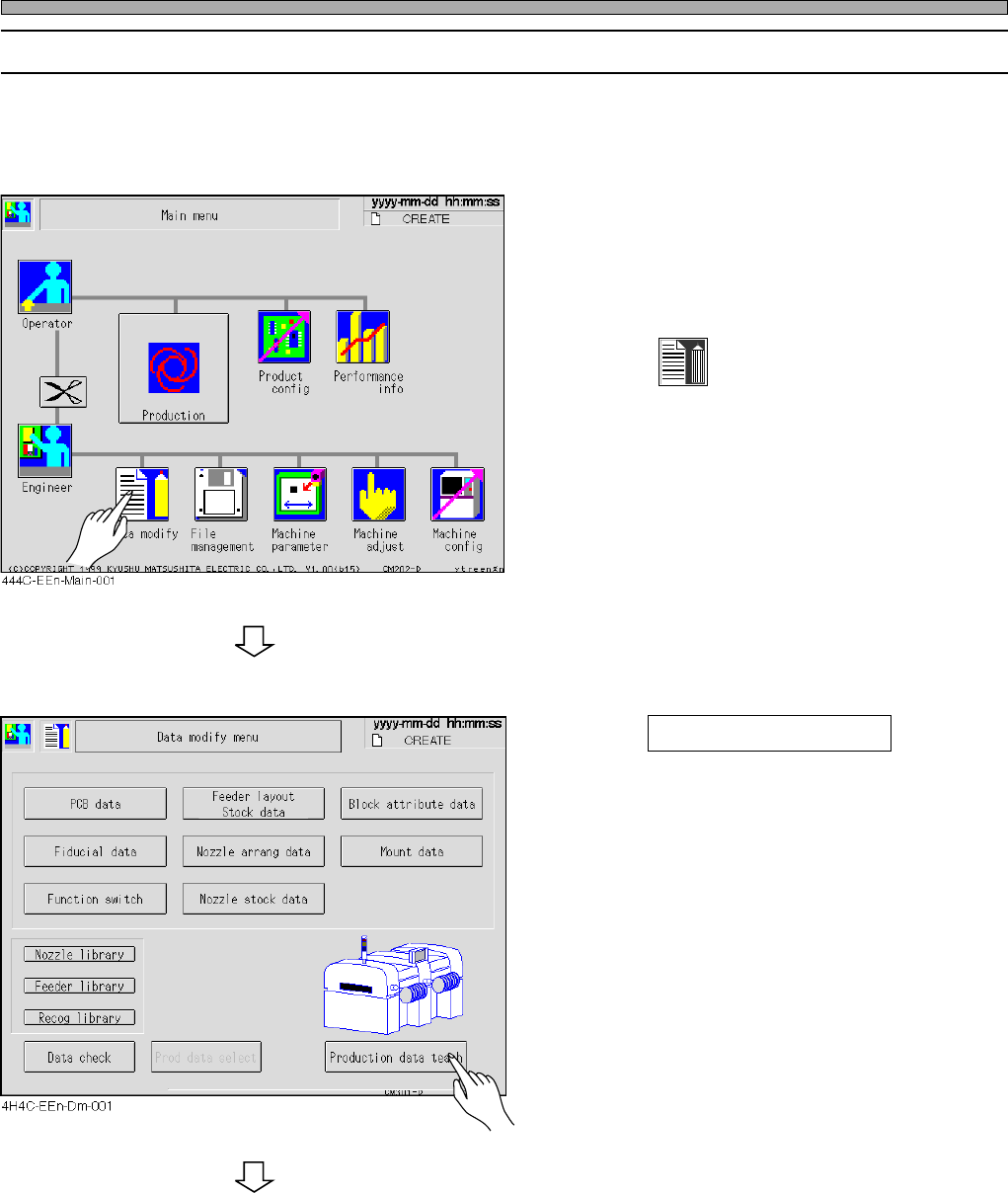
Before the board recognition teaching, ensure that the function switch “PCB Recognition” of the
created data is set ON on PT.
1. Display the main menu screen and
transmit the board data to change the
production board from PT.
2. Press
Data modify
.
• The data modification menu screen appears.
3. Press Production data teach .
• The production data teaching screen appears.
To the next page
4H4C-E-OMA08-A01-03
Page 8-5
TEACHING
8
Board Recognition Teaching
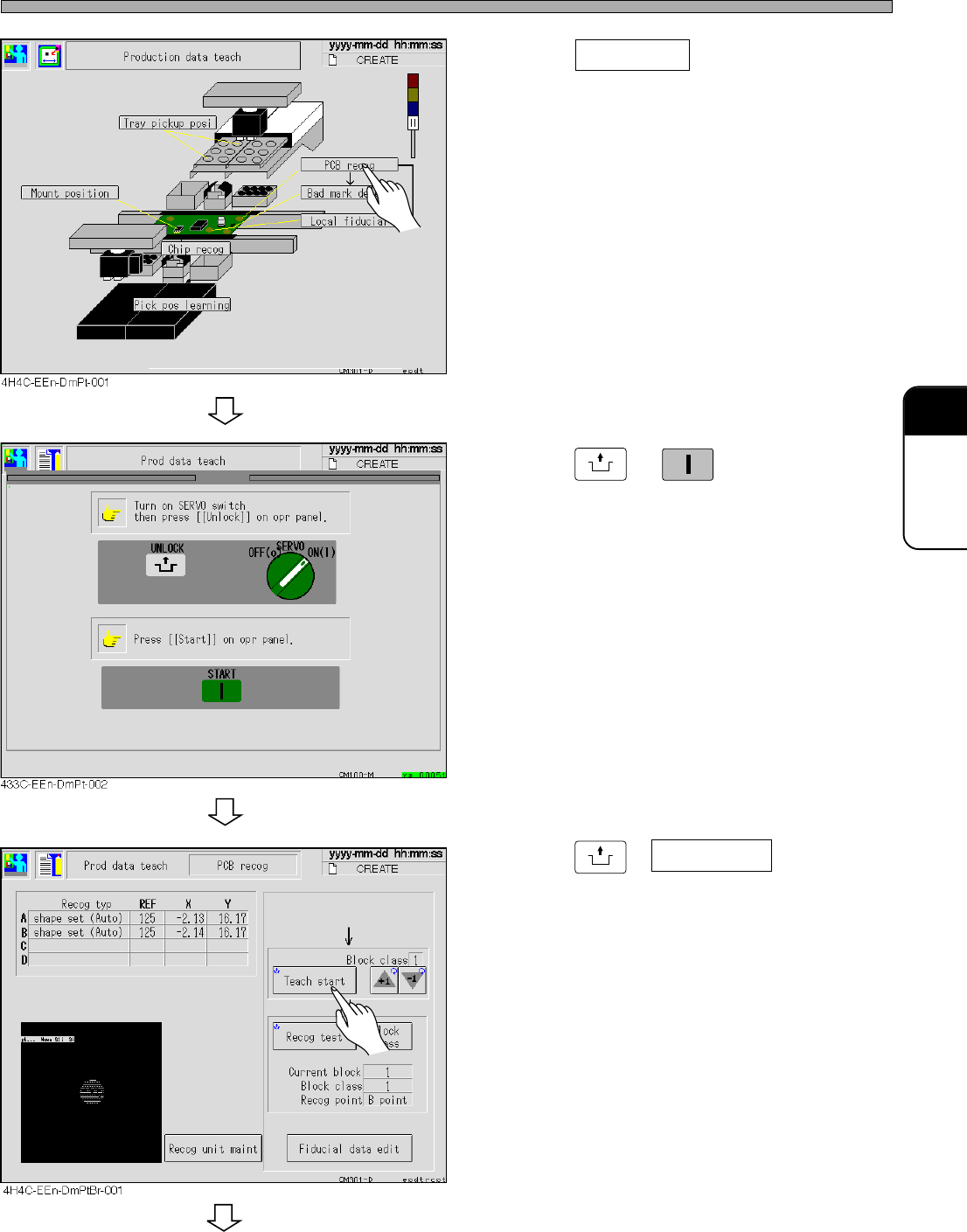
4. Press PCB recog .
• The board recognition screen appears.
5. Press
UNLOCK
→
START
.
6. Set the board to the front conveyor.
7. Press
UNLOCK
+ Teach start .
• The board is transported.
• The recognition is automatically operated.
To the next page
4H4C-E-OMA08-A01-02
Page 8-6
Board Recognition Teaching
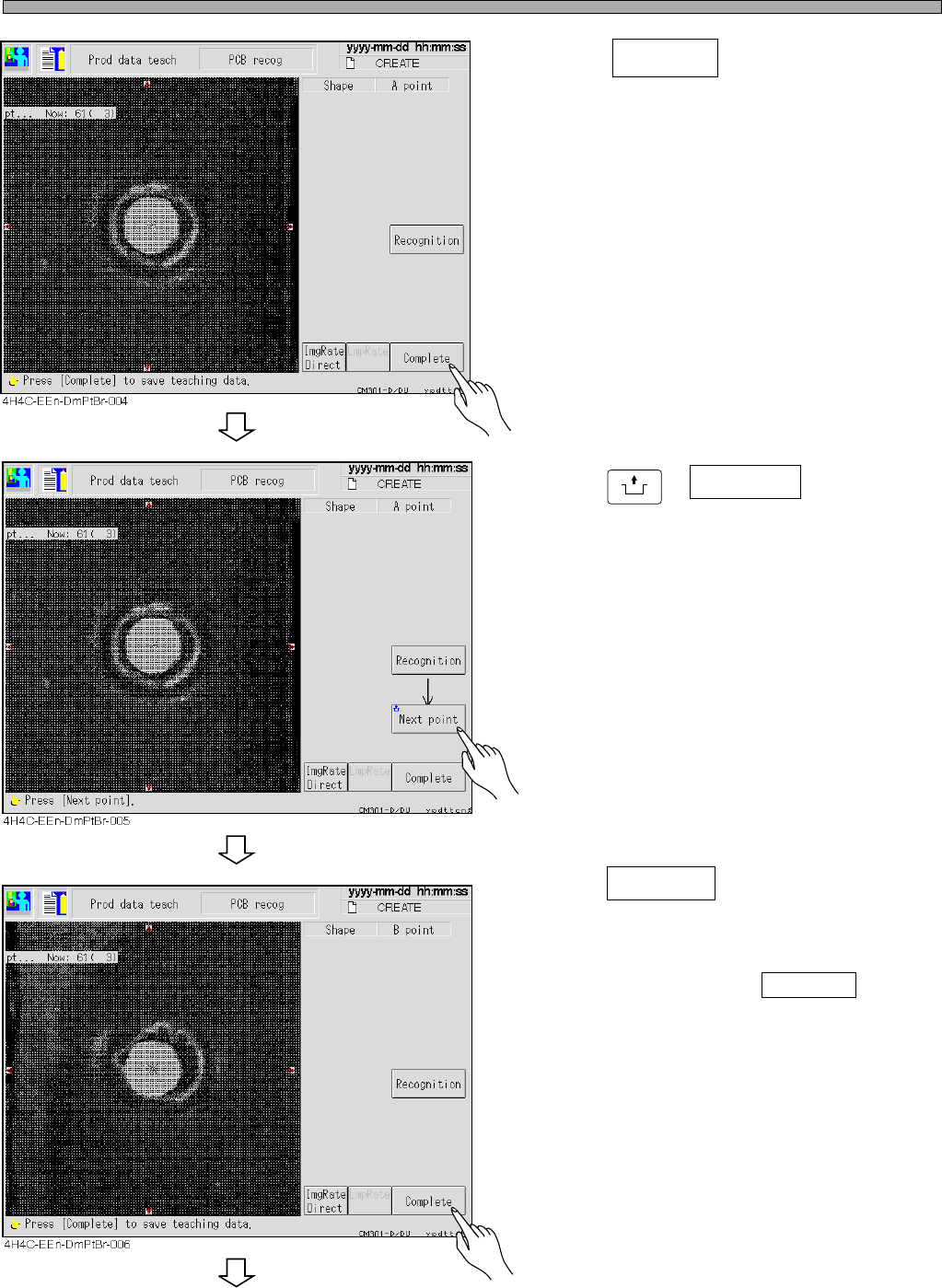
8. Press Complete .
9. Press
UNLOCK
+ Next point .
• The screen moves to the next board recogni-
tion mark and the recognition automatically
starts.
10. Press Complete .
• Data are automatically saved.
• When you have selected ABC point at the
board recognition, repeat steps 10 and 11 and
carry out teaching for C point.
To the next page
4H4C-E-OMA08-A01-03