4H4CEOM2.pdf - 第6页
Page 6-6 = MEMO = 444C-E-OMA06-A01-0 1
Page 6-5
FILE OPERATION
6
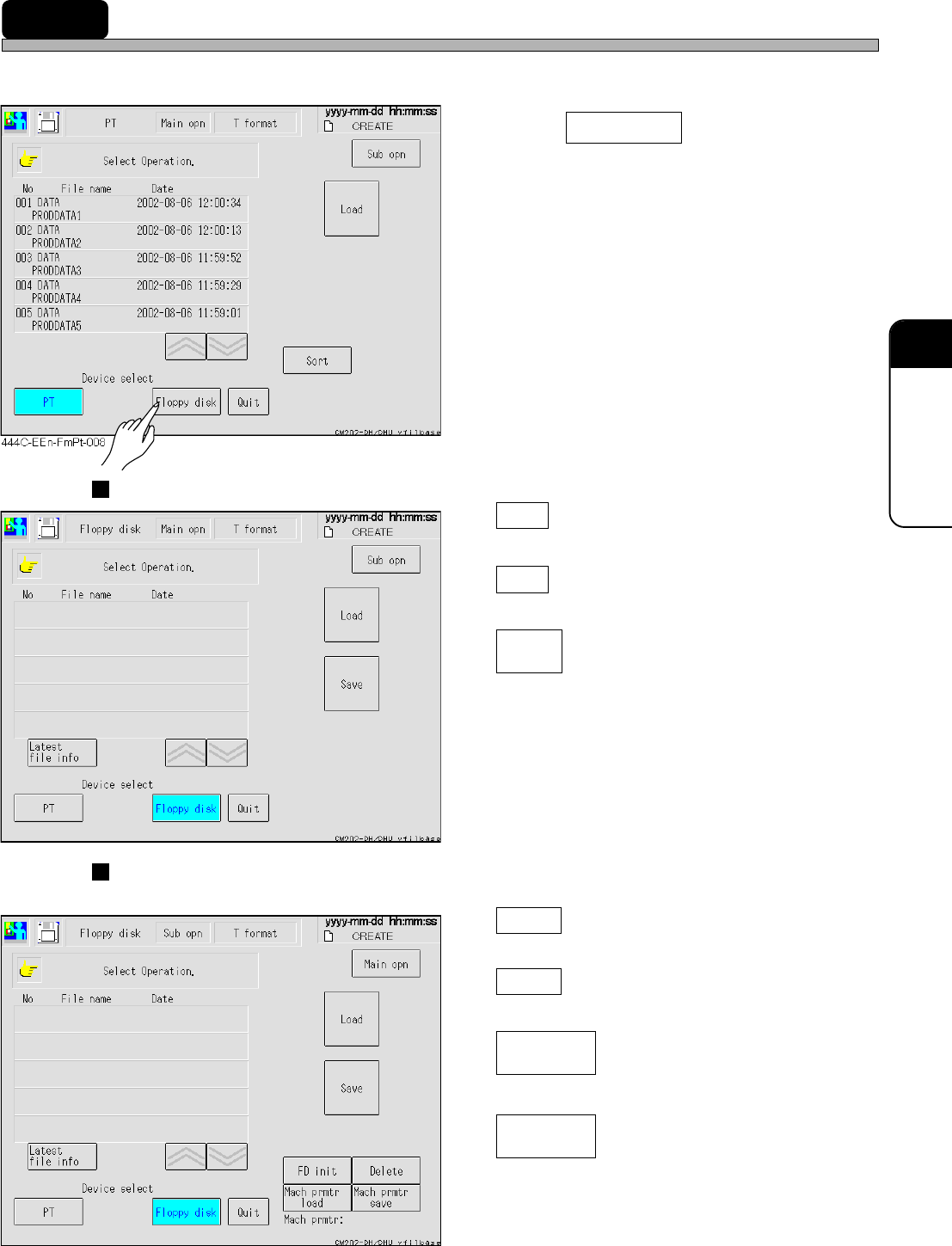
6-3 File Operation of the Floppy Disk
Data are saved and loaded to the floppy disk as a backup.
1. Press Floppy disk .
• Change the device to the floppy disk.
• When data are in the floppy disk, they are
displayed.
Main operation
Load
Loads the production data.
Save
Saves the production data.
Latest
file info
Displays the directory information of the floppy
disk again.
Sub operation
The following operation is available as well as the same one as the main operation.
FD init
Initiates the floppy disk.
Delete
Deletes the data of the floppy disk.
Mach prmtr
load
Loads the machine parameter.
Mach prmtr
save
Saves the machine parameter.
444C-E-OMA06-A01-03
444C-EEn-FmFd-003
444C-EEn-FmFd-004

Page 6-6
= MEMO =
444C-E-OMA06-A01-01
Page 7-1
4H4C-E-OMA07-A01-03
Chapter 7
DATA MODIFICATION
Data Modification
Basically, this machine can modify data which requires the modification after teaching
and the coordinate data, and they are displayed in black.
Data only for checking is displayed in blue, and data must be modified on PT.
Modifiable data whose indicator is the switch enables the cursor to move to that data
by pressing the one for those data lightly.
∗
The meaning of each data is described in Programming Manual of PT in details.
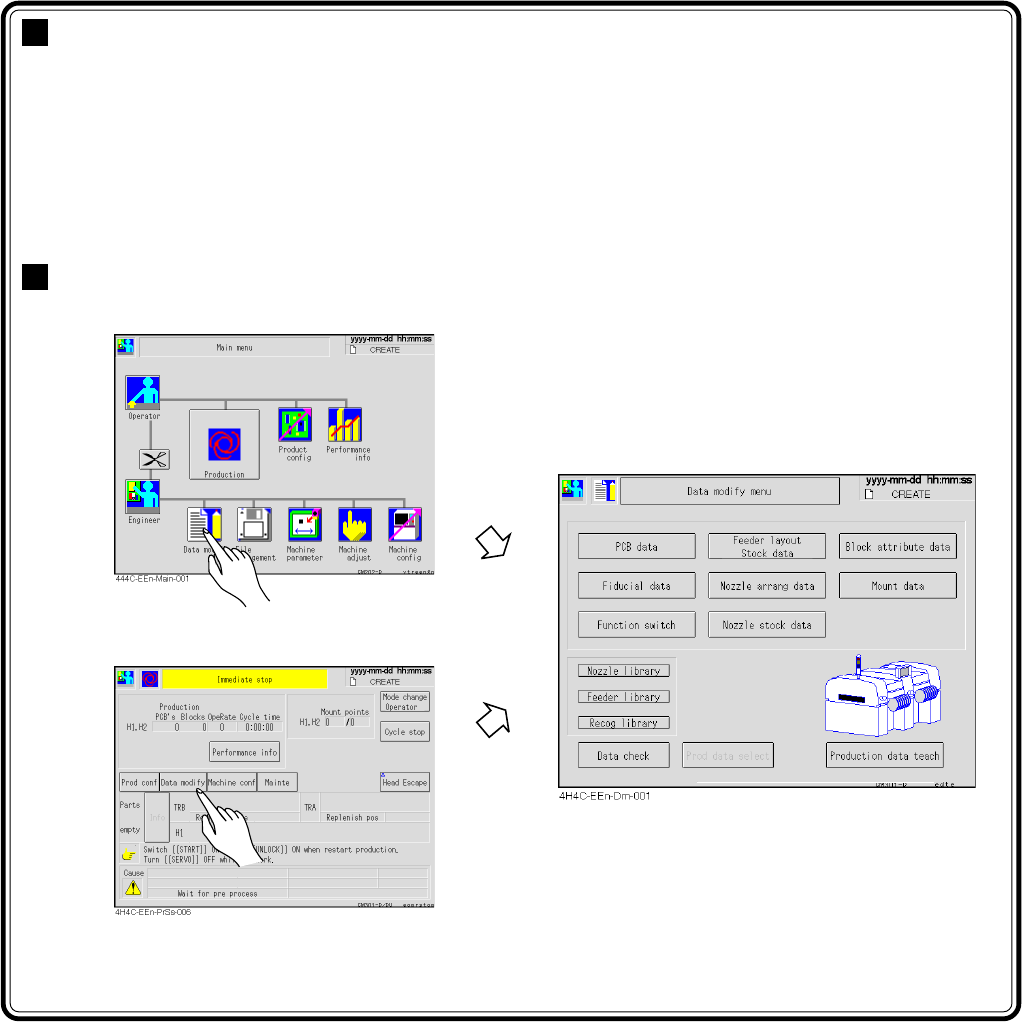
Entering Data Modification
∗ You can enter from the screen during
the production stop.