4H4CEOM2.pdf - 第52页
Page 8-24 Chip Recognition T eaching 4. Select the chip to be recognized. ∗ After selecting the feeder table press the chip name for teaching. 5. Press UNLOCK + Pickup . • The chip is picked up and moved to the chip reco…
Page 8-23
TEACHING
8
4H4C-E-OMA08-A02-02
Chip Recognition Teaching
8-5-4 Teaching Procedures (Block Match Recognition)
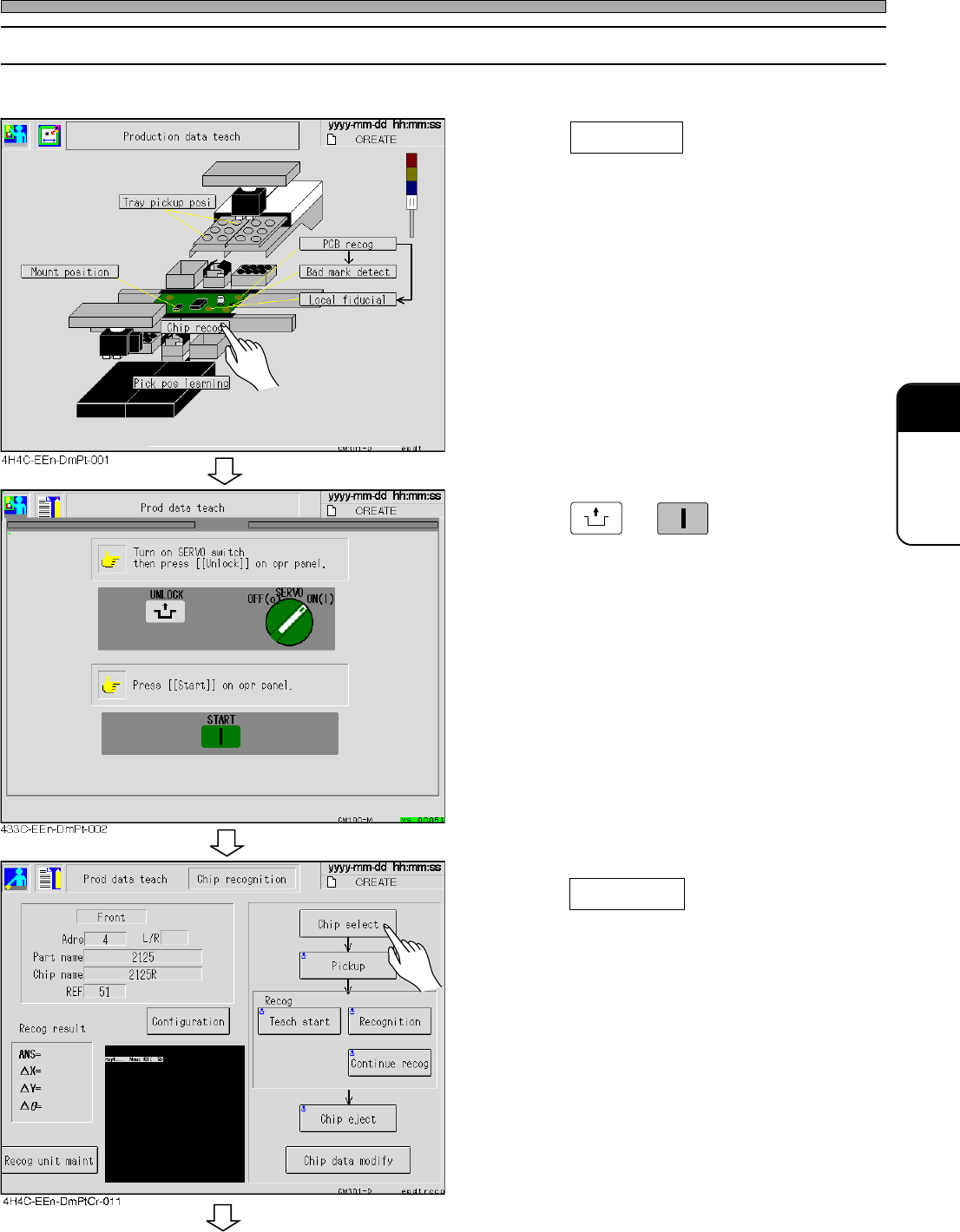
Before carrying out the block match recognition, carry out teaching in the following procedure.
1. Press Chip recog .
• The chip recognition screen appears.
2. Press
UNLOCK
→
START
.
3. Press Chip select .
• The chip selection screen appears.
To the next page
Page 8-24
Chip Recognition Teaching
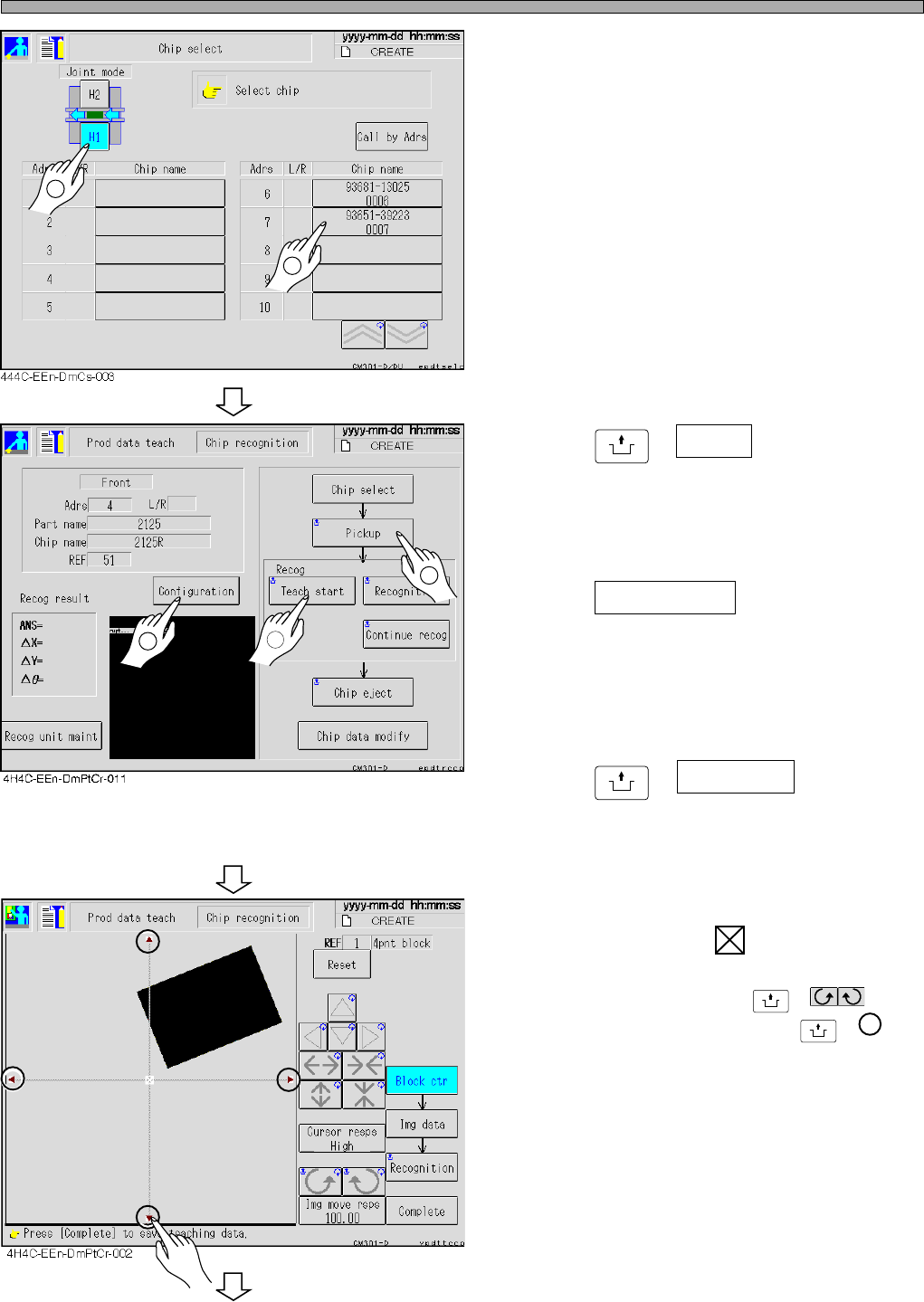
4. Select the chip to be recognized.
∗ After selecting the feeder table press the chip
name for teaching.
5. Press
UNLOCK
+ Pickup .
• The chip is picked up and moved to the chip
recognition position.
• Set the teaching type after selecting a chip.
6. Press Configuration .
• When “Recognition” is displayed above the
teaching start switch, block match teaching is
performed. When “Lamp” is displayed there,
lamp value offset teaching is performed.
7. Press
UNLOCK
+ Teach start .
• The recognition screen is enlarged, and
teaching starts.
8. Overlap the pickup position of the
chip to the center of the block.
• The angle is corrected by
UNLOCK
+ , and
the image of the chip moves by
UNLOCK
+ .
∗ If the center of the parts does not match the
pickup position, set so that the pickup position
comes to the block center.
To the next page
1
2
4H4C-E-OMA08-A02-03
2
1
3
Page 8-25
TEACHING
8
4H4C-E-OMA08-A02-02
Chip Recognition Teaching
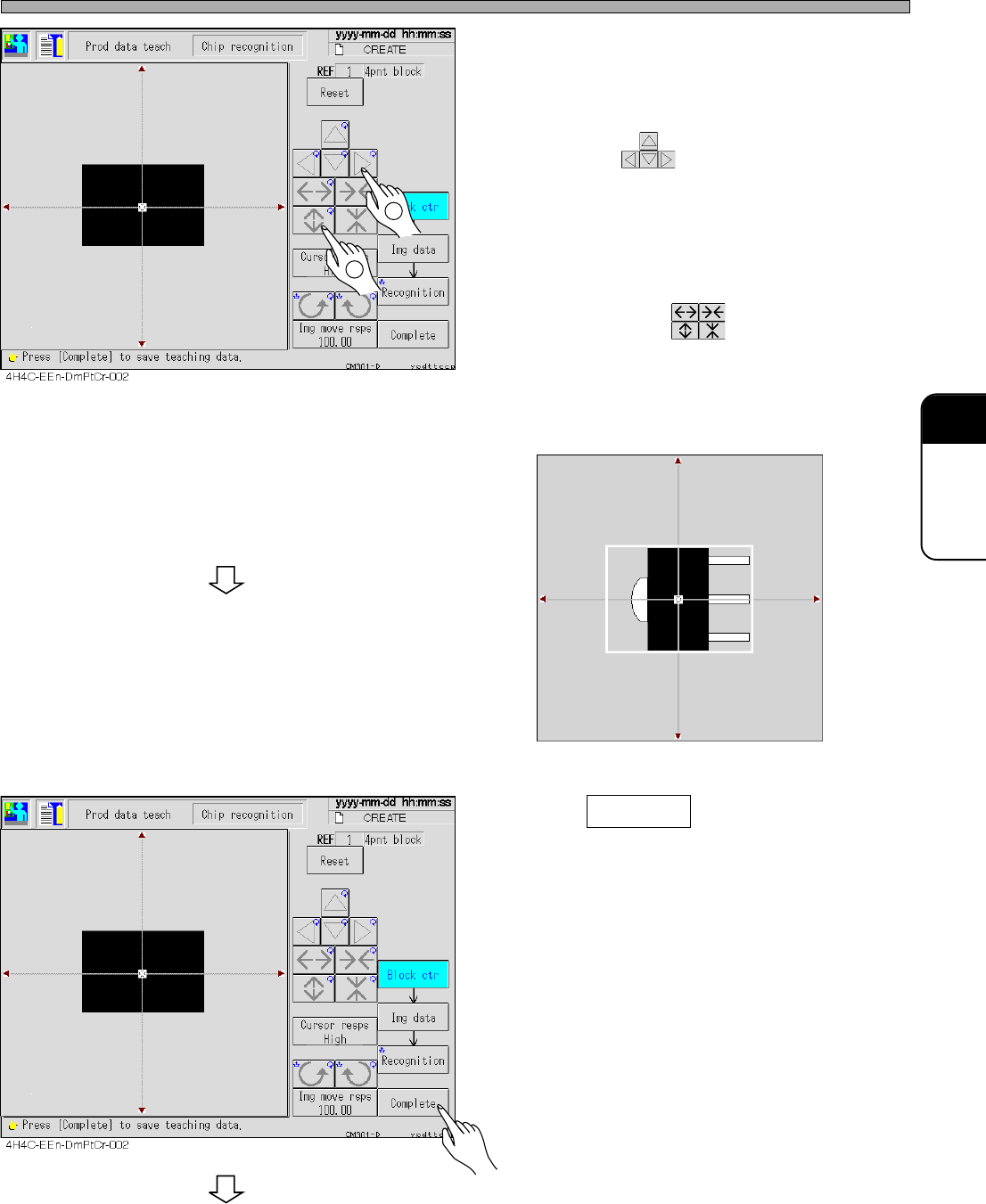
9. Correct the angle of the chip which is
picked up, and move the chip to the
center of the recognition screen.
• Move with .
10. Put the outline of the chip in the
frame of the block.
• Set the size with .
∗ For the chip with a pin, set so that the outline
including the center (pickup) position and the
pins is within the frame. (e.g. See the figure
below)
11. Press Complete .
• Teaching for each block starts.
To the next page
1
2
3Y3C-014P