4H4CEOM2.pdf - 第86页
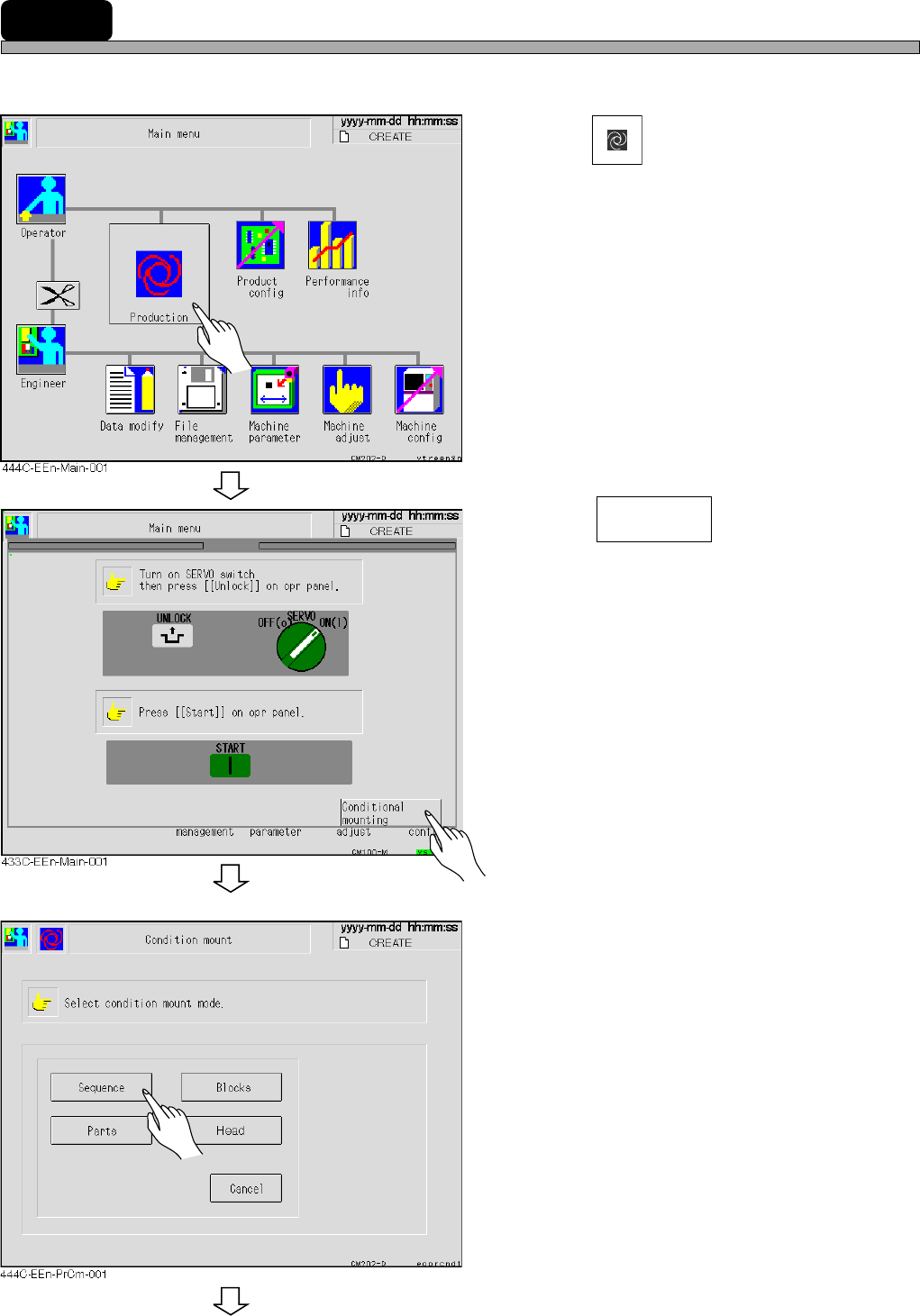
Page 9-16 9-7 Checking the Mount State through the Conditional Mount The mounting is checked by the conditional mounting before starting the production as following procedure. 1 . Press Production . 2 . Press . 3 . Selec…
Page 9-15
CHANGING THE
PRODUCTION BOARDS
9
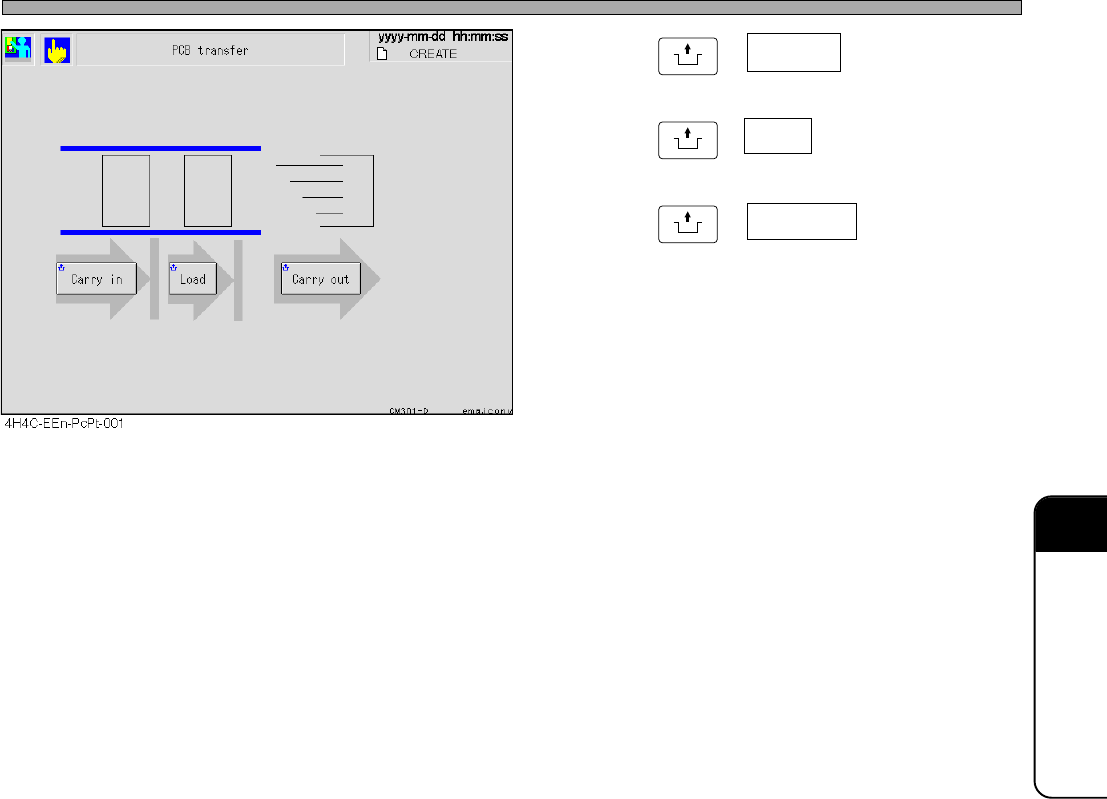
Board Transfer Test
4. Press
UNLOCK
+ Carry in .
5. Press
UNLOCK
+ Load .
6. Press
UNLOCK
+ Carry out .
• The board at the transfer end position blinks as
Carry in → Load → Carry out during transport-
ing, and after transporting, the board at the
transfer start position goes out and is displayed
at the end position.
∗ Repeating the same operation makes a board
transfer error.
Press the emergency stop button and remove
the board.
4H4C-E-OMA09-A01-01
Page 9-16
9-7
Checking the Mount State through the Conditional Mount
The mounting is checked by the conditional mounting before starting the production as following
procedure.
1. Press
Production
.
2. Press .
3. Select the condition.
To the next page
Conditional
mounting
4H4C-E-OMA09-A01-01
Page 9-17
CHANGING THE
PRODUCTION BOARDS
9
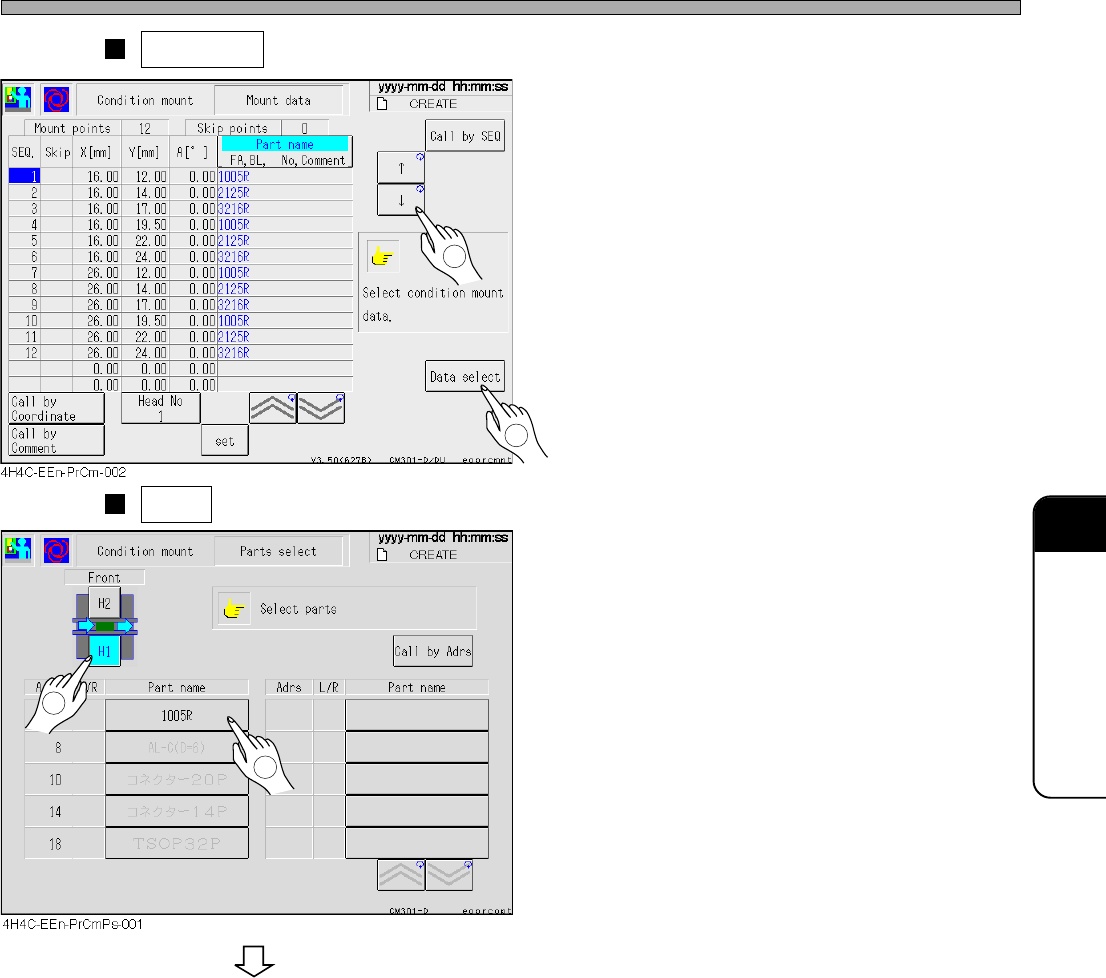
Sequence is pressed at step 3.
• Select data for the conditionial mount from the
mount data. (Some pieces of them can be
selected.)
Parts is pressed at step 3.
• Set the parts to be mounted.
Checking the Mount State through the Conditional Mount
2
To the next page
4H4C-E-OMA09-A01-02
1
2
1