4H4CEOM2.pdf - 第97页
Page 10-7 OPTION 10 T ransport Speed V ariable Adjustment 12. Press Machine parameter . • The machine parameters menu is displayed. 13. Press Moving Parameter . • The “ Moving Parameter Set ” screen is dis- played. 14. S…
Page 10-6
Transport Speed Variable Adjustment
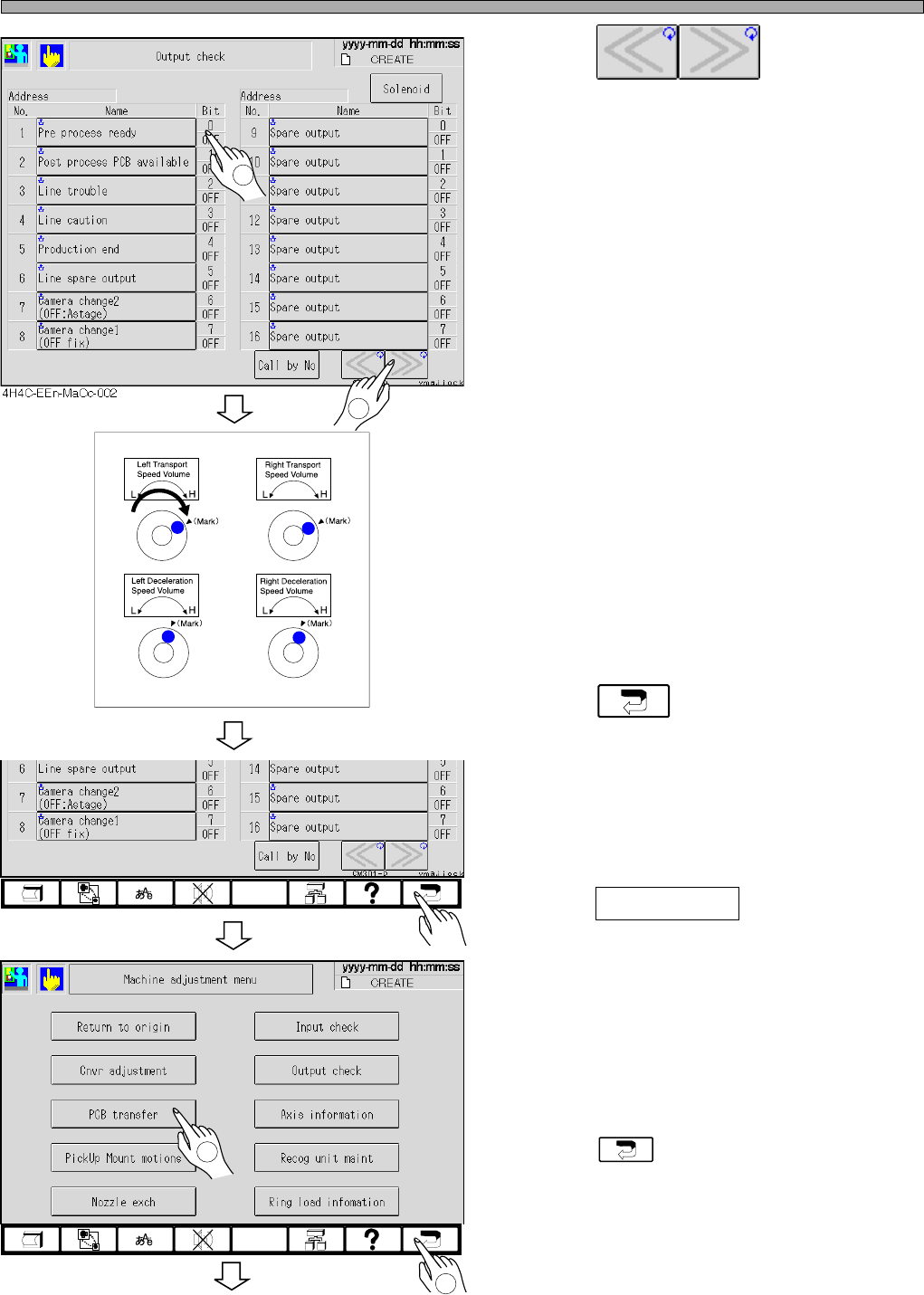
6. Press .
∗ Adjust the address to “00F4”.
7. Turn ON the conveyor start-up.
• The transport conveyor starts rotating at low
speed.
8. Turn the transport speed volume to
“H”.
• The transport speed accelerates whenever
turned.
∗ When reached the moderate speed, stop
turning the volume.
9. Press .
• The machine adjustment menu is displayed.
10. Press PCB transfer .
∗ Check if a board flows correctly, by performing
the board transport in the test mode.
11. After the board transport test, return
to the main menu.
∗ Press until the main menu is displayed.
To the next page
4H4C-E-OMA10-A01-02
1
2
4H4C-EEn-MaOc-002
4H4C-EEn-Ma-001
2
1
Page 10-7
OPTION
10
Transport Speed Variable Adjustment
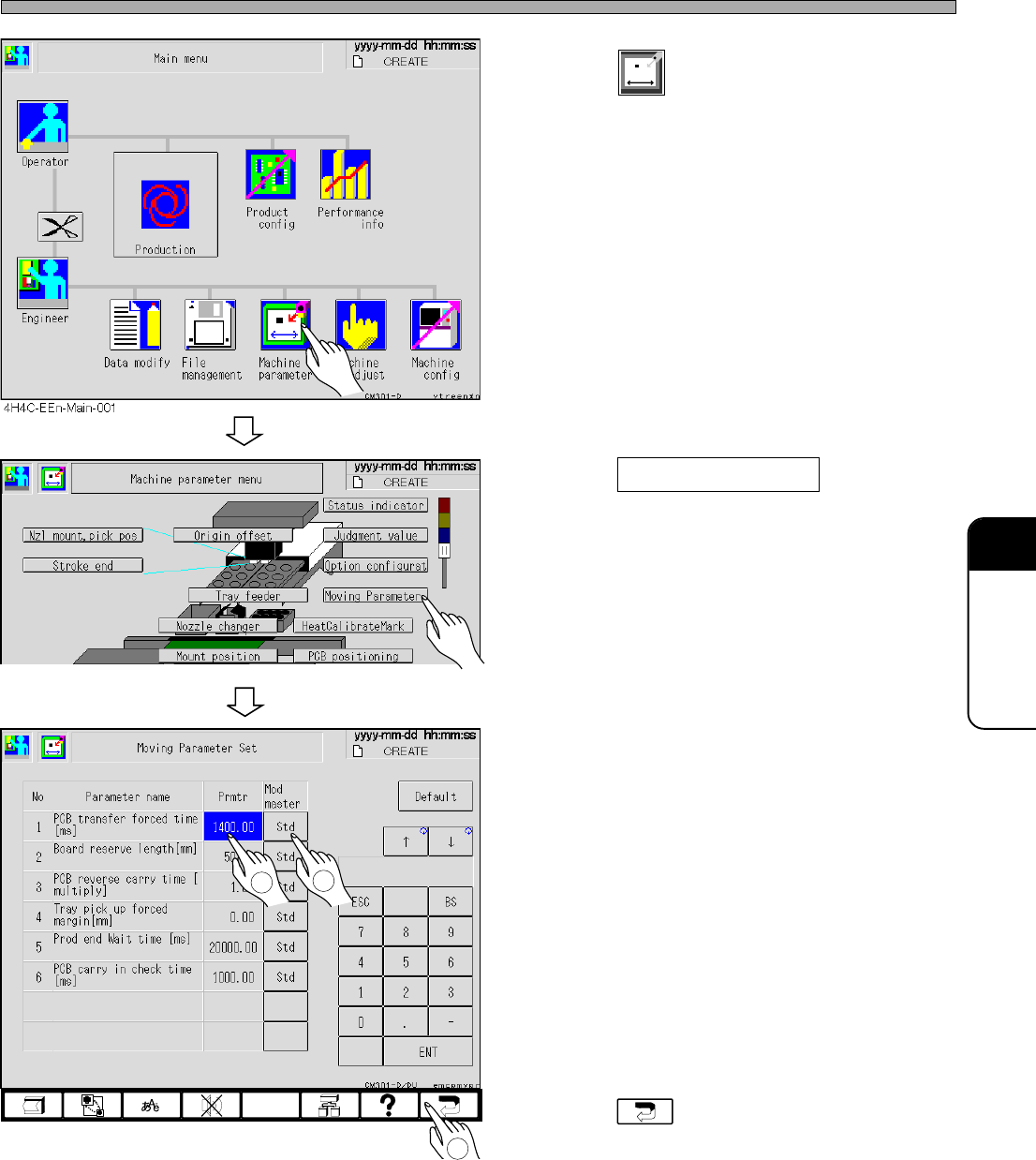
12. Press
Machine
parameter
.
• The machine parameters menu is displayed.
13. Press Moving Parameter .
• The “Moving Parameter Set” screen is dis-
played.
14. Set the board transport forced-in
time.
∗ Set the parameter value for 1500 ms or over.
15. Change the master change to “Spcl”.
• Whenever pressed, “Std” and “Spcl” toggles.
So select “Spcl”.
16. Return to the main menu.
∗ Press until the main menu is displayed.
∗ After the transport test, if the parameters need
setting again, repeat steps 11 to 15.
4H4C-E-OMA10-A01-04
4H4C-EEn-Mp-002
4H4C-EEn-MaMps-005
2
1
3

Page 10-8
= MEMO =
4H4C-E-OMA10-A01-02