4H4CEOM2.pdf - 第28页
Page 7-22 7-12 Data Check The production data is checked. 1. Press Data check . • The data check screen appears. Proper Data • Some data are not checked by the function switches. (It is set on PT .) • If data are correct…
Page 7-21
DATA MODIFICATION
7
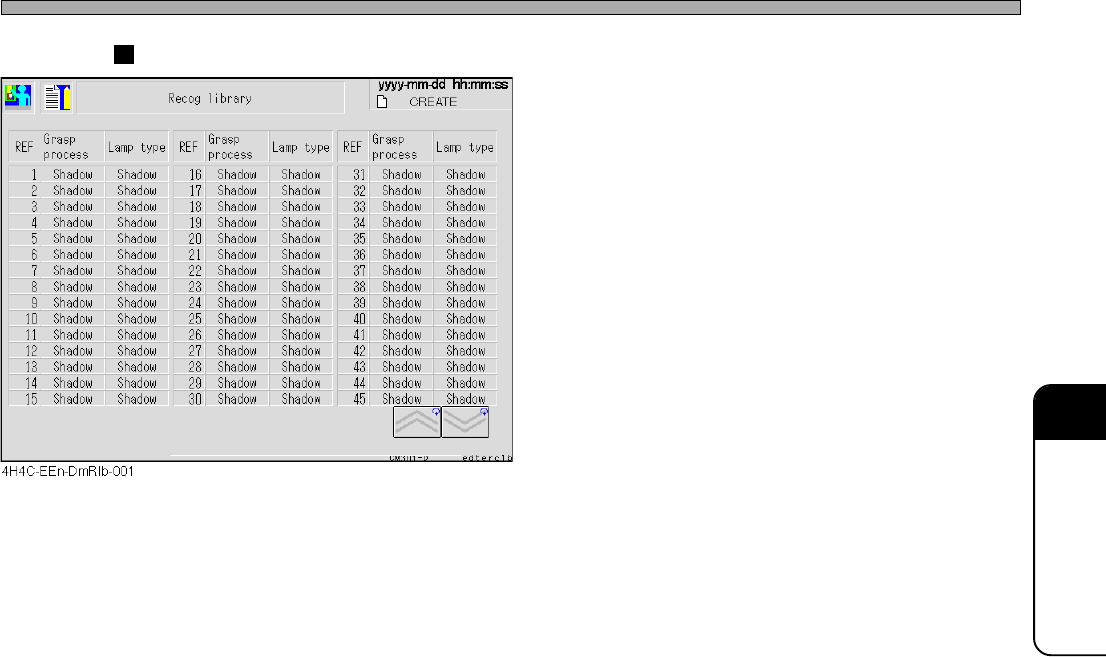
Recognition Library
• The library data of the recognition is dis-
played.
The recognition method for each reference a
the lamp type can be seen.
Library Display
4H4C-E-OMA07-A01-03
Page 7-22
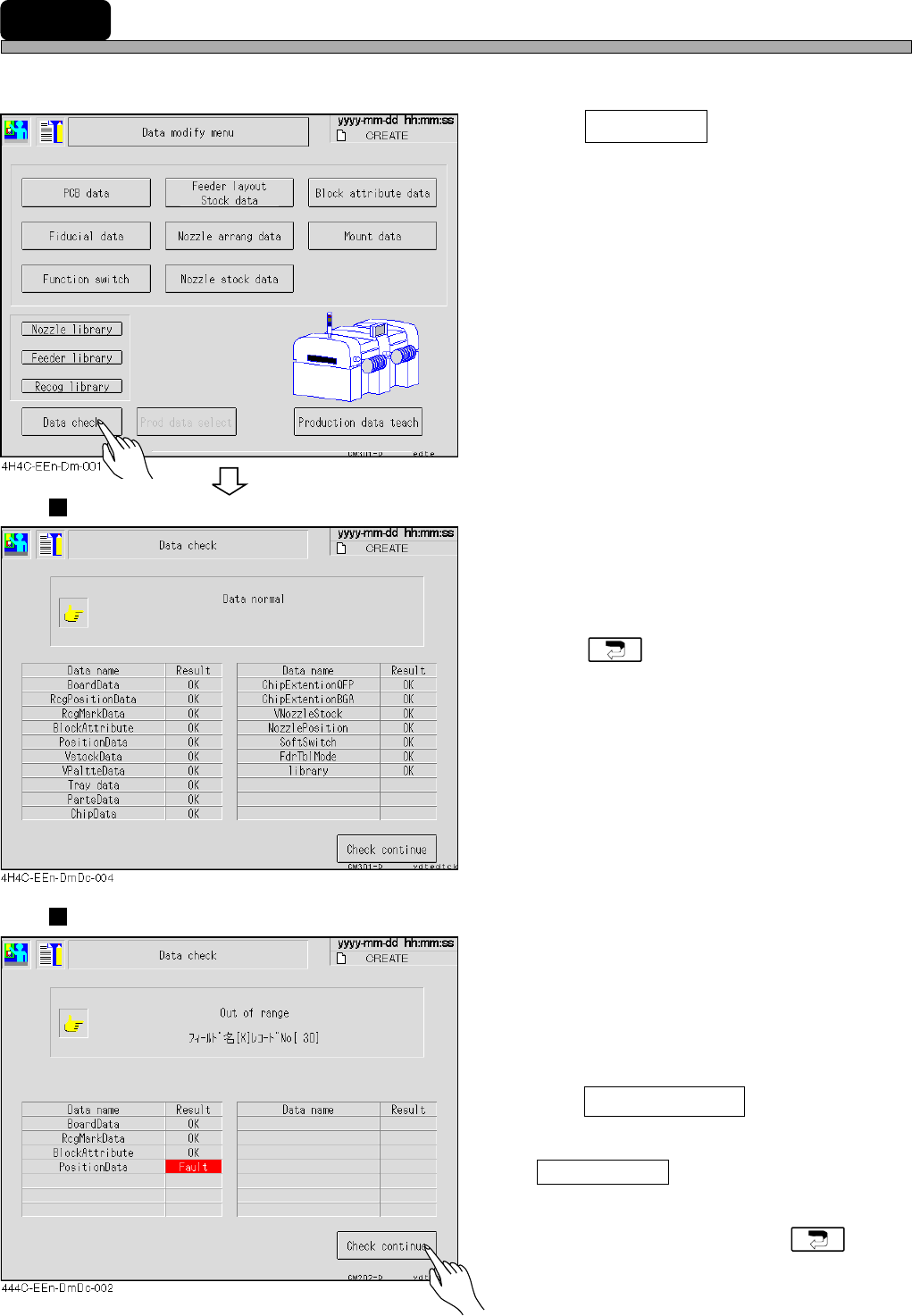
7-12 Data Check
The production data is checked.
1. Press Data check .
• The data check screen appears.
Proper Data
• Some data are not checked by the function
switches. (It is set on PT.)
• If data are correct, “OK” appears.
• Press to return to the data modification
menu.
Improper Data
• If data are improper, “Fault” appears and the
detailed information is displayed on the upper
part of the screen.
2. After checking data with an error,
press Check continue .
∗ If some false data are found, press
Check continue after checking one of them.
The next false data information appears.
• After checking false data, press to
return to the data modification menu.
4H4C-E-OMA07-A01-03
Page 8-1
Data modify
Prod data teach
Chapter 8
TEACHING
Teaching
This machine corrects the mount data by the recognition device (PRU), based on
the data (machine data) created on PT.
Teaching consists of 4 types of PCB recognition, bad mark recognition, chip recog-
nition, and mount position recognition teachings.
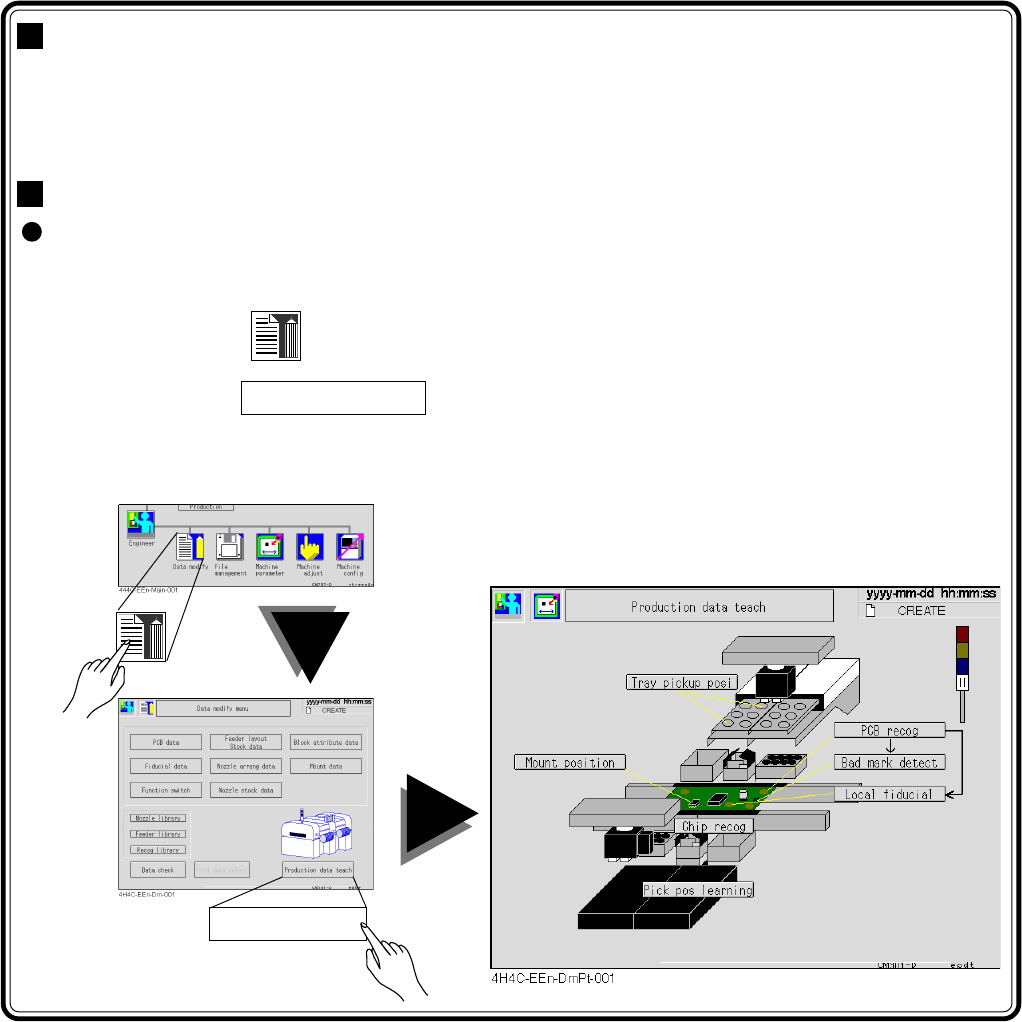
Entering the Production Data Teaching
The screen operation to start the production data teaching menu starts with the
main menu.
Start the first operation of each item with this.
1. Press
Data modify
in the main menu.
2. Press Prod data teach .
The “Production Data Teaching” screen appears. Start the next operation according to each item.
4H4C-E-OMA08-A01-02