4H4CEOM2.pdf - 第10页
Page 7-4 7-3 Board Recognition Data The board recognition data is checked. ∗ When the board recognition of the function switch is turned off on PT , you cannot enter it. 1 . Press Fiducial data . • The fiducial data scre…
Page 7-3
DATA MODIFICATION
7
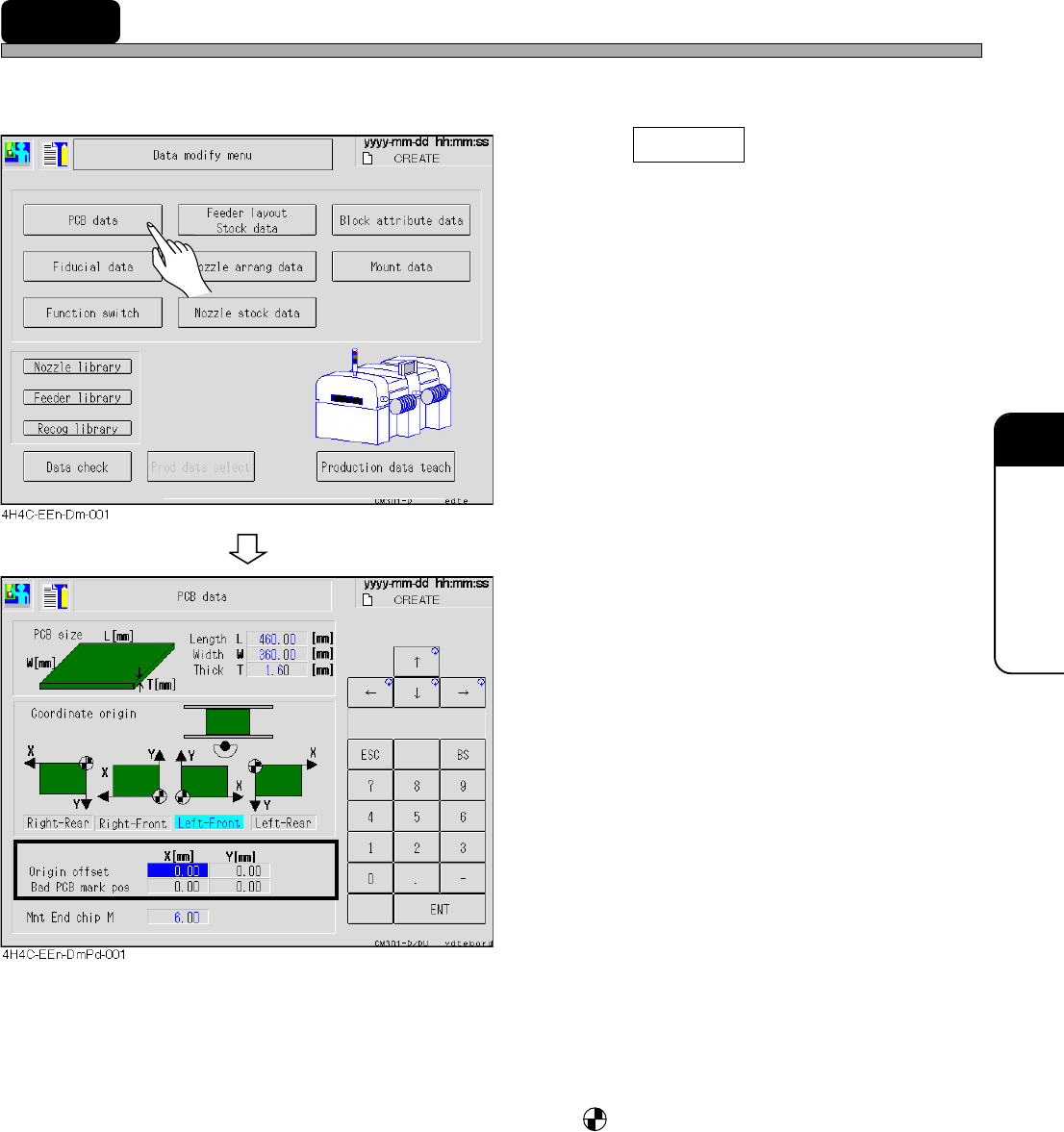
7-2 PCB Data
The PCB data is checked.
1. Press PCB data .
• The PCB data screen appears.
2. Modify data if necessary.
• Only data of the origin offset and the bad PCB
mark position can be modified.
• PCB size ------------------------------ L indicates the X direction of the mount data and W is that of the
Y direction.
• Coordinate origin ------------------ The origin mark, is the coordinate origin (0, 0) of the mount,
board recognition, and bad mark coordinates viewed from the
front of the machine.
• Origin offset ------------------------- The offset for whole board (mount, board recognition, and bad
mark coordinates).
• Bad PCB mark position --------- The mark position for marking the bad board mark.
For modification, set ON the bad PCB mark detection on PT by
the function switch.
4H4C-E-OMA07-A01-02
Page 7-4
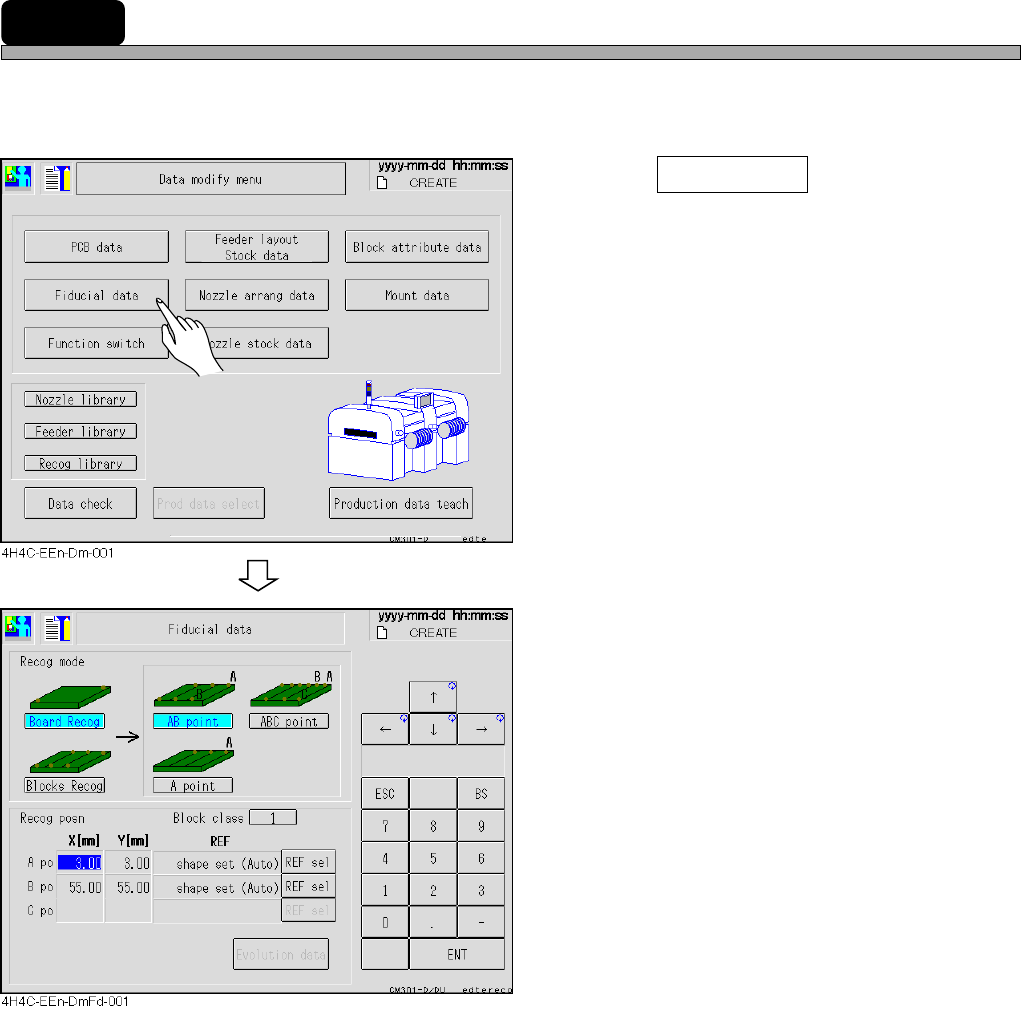
7-3 Board Recognition Data
The board recognition data is checked.
∗ When the board recognition of the function switch is turned off on PT, you cannot enter it.
1. Press Fiducial data .
• The fiducial data screen appears.
2. Modify data if necessary.
• The recognition mode and recognition position
(coordinates and REF types) can be modified.
• Recognition mode.........Recognition points depend upon the mode.
• Recognition posn..........Coordinates of the recognition mark and the REF type can be set.
4H4C-E-OMA07-A01-02
Page 7-5
DATA MODIFICATION
7
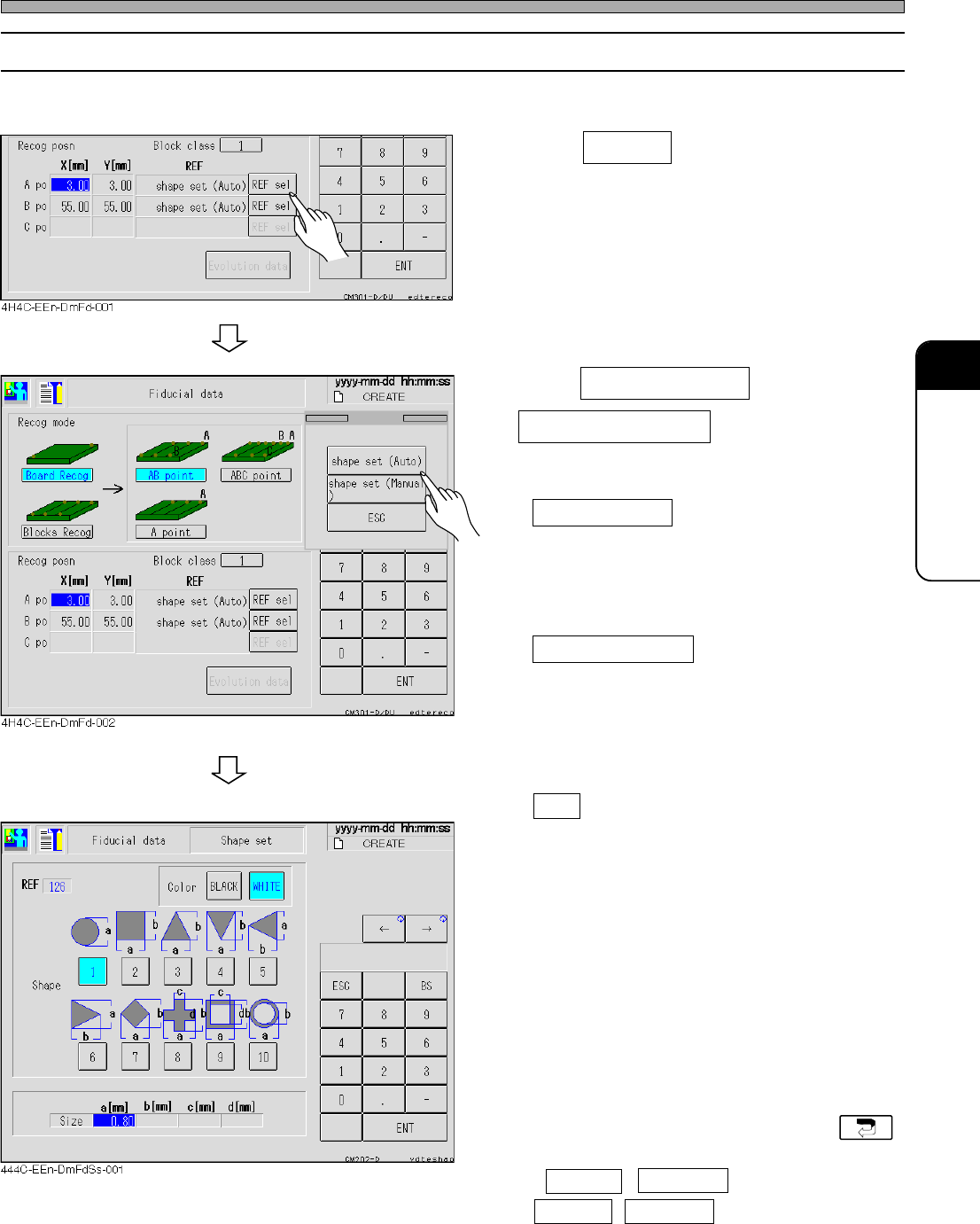
7-3-1 Selecting REF
Basically, only the shape set can be selected for the board recognition.
1. Press REF sel .
2. Press shape set (Auto) or
shape set (Manual) if you need to
change REF type.
• shape set (Auto)
Basically, this mode is selected for the board
recognition.
The lamp value of the camera is automatically
set.
• shape set (Manual)
When the shape set (auto) cannot be recog-
nized, select this mode.
The operator sets the lamp value of the
camera by hand.
∗ To quit the exchange of the REF type, press
ESC .
3. Enter data of the board recognition
mark if necessary.
• Color
Set black or white for judging the shape for
recognition.
• Shape
Select the corresponding shape.
• Size
Enter the size of the selected shape, referring
to the figure.
• If changing data is unnecessary, press .
∗ If AB point , ABC point for board or
AB point , ABC point for block are selected,
set other points in the same procedures.
Board Recognition Data
4H4C-E-OMA07-A01-02