4H4CEOM2.pdf - 第72页
Page 9-2 9-1 Changing the Production Data This section describes the example of loading data from PT . T o load data from PT , two of a) trans- ferring from PT to this machine and b) loading through the file operation ar…
Page 9-1
Changing the Production Board
To mount the parts on other board than the previous one, the adjustment of the
device and the supply of the production materials for each board are required.
This chapter describes how to change the production board, taking it for granted that
data of the production board is on PT.
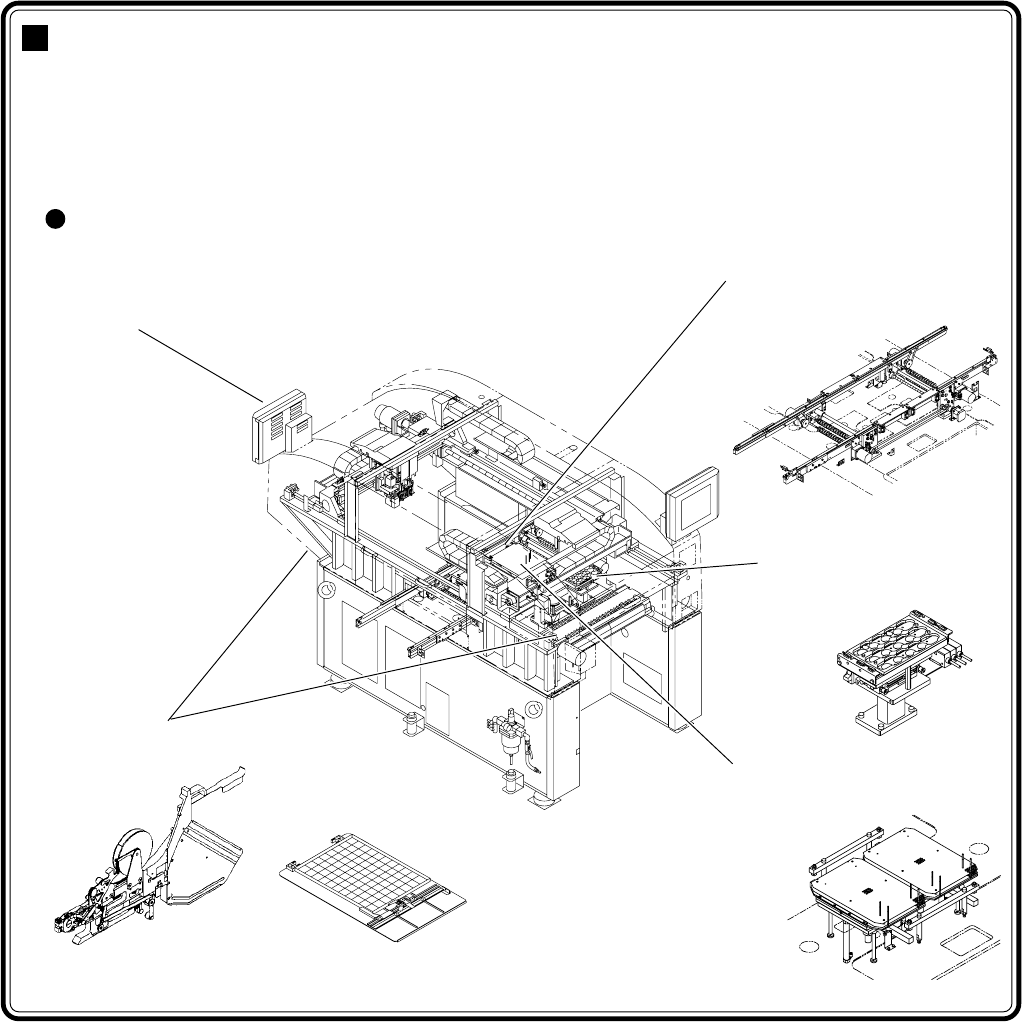
Machine adjustment points due to the exchange of the production boards.
4H4C-E-OMA09-A01-01
Chapter 9
CHANGING THE PRODUCTION
BOARDS
Board holder
Support pin position adjustment (manual)
Operation part
Changing the production data
(manual)
Board conveyor
Transfer rail width adjustment
(automatic)
Setting materials
4H4C-AC00
4H4C-011E
Nozzle changer
Nozzle exchange
M908AA
030CC00AA01
4H4C-020E
4H4C-021E
Page 9-2
9-1 Changing the Production Data
This section describes the example of loading data from PT. To load data from PT, two of a) trans-
ferring from PT to this machine and b) loading through the file operation are available.
• To load data in the floppy disk, refer to “Chapter 6 File Operation.”
∗ Loading the data to be used deletes old one. To keep old data, save it.
NOTICE
To use the chip which is not registered to the standard chip data library, the
chip recognition teaching by this device is required.
For the board recognition teaching and chip recognition teaching, refer to
“Chapter 8 Teaching.”
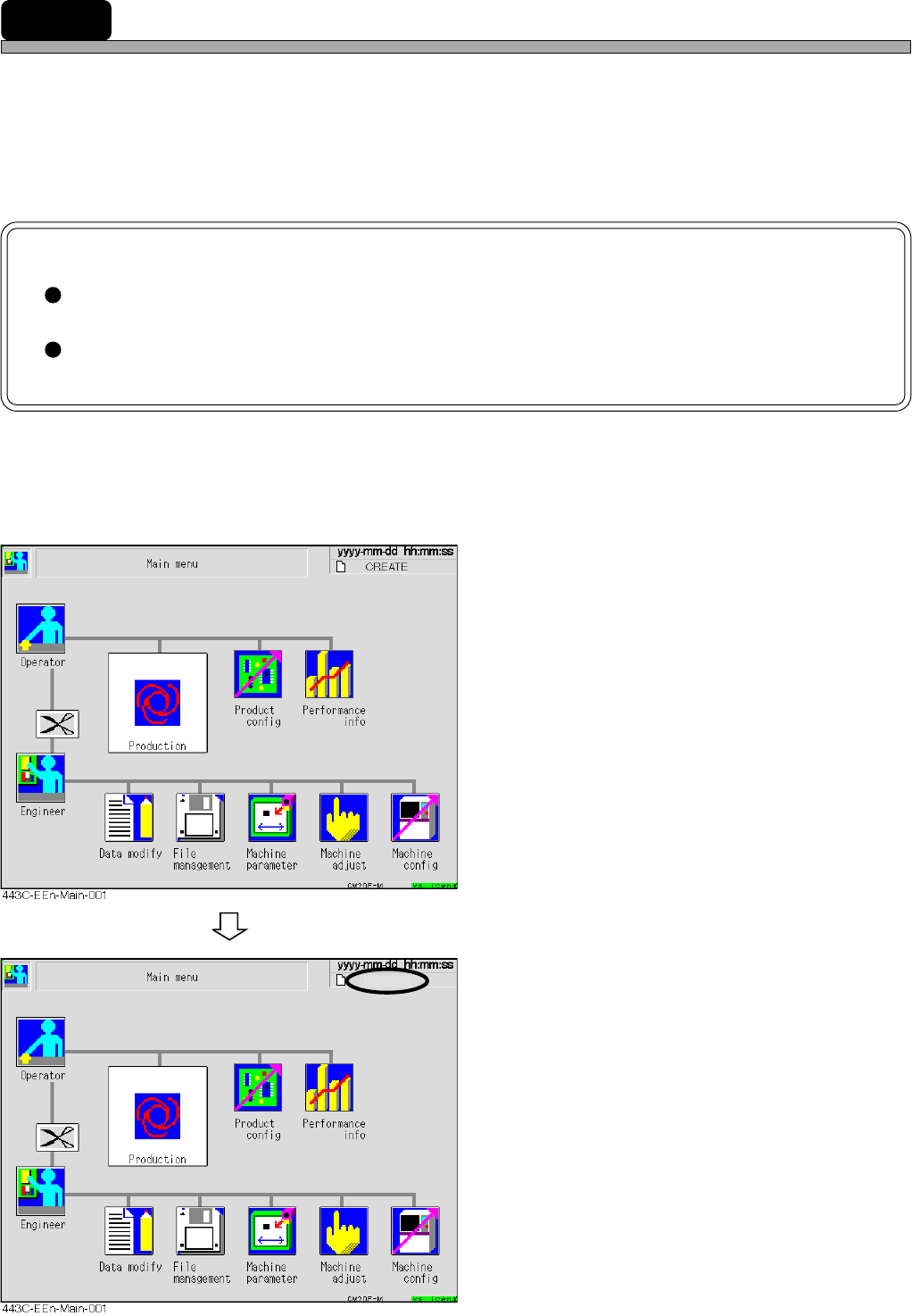
a) Transferring from PT to this machine
1. Display the main menu screen and
transfer the data of the production
board to be changed from PT.
∗ Refer to “Programming Manual” for transferring
data from PT.
• Transferring data from PT changes the data
name on the upper right of the screen to the
transferred data name.
Create-1
4H4C-E-OMA09-A01-02
Page 9-3
CHANGING THE
PRODUCTION BOARDS
9
Changing the Production Data
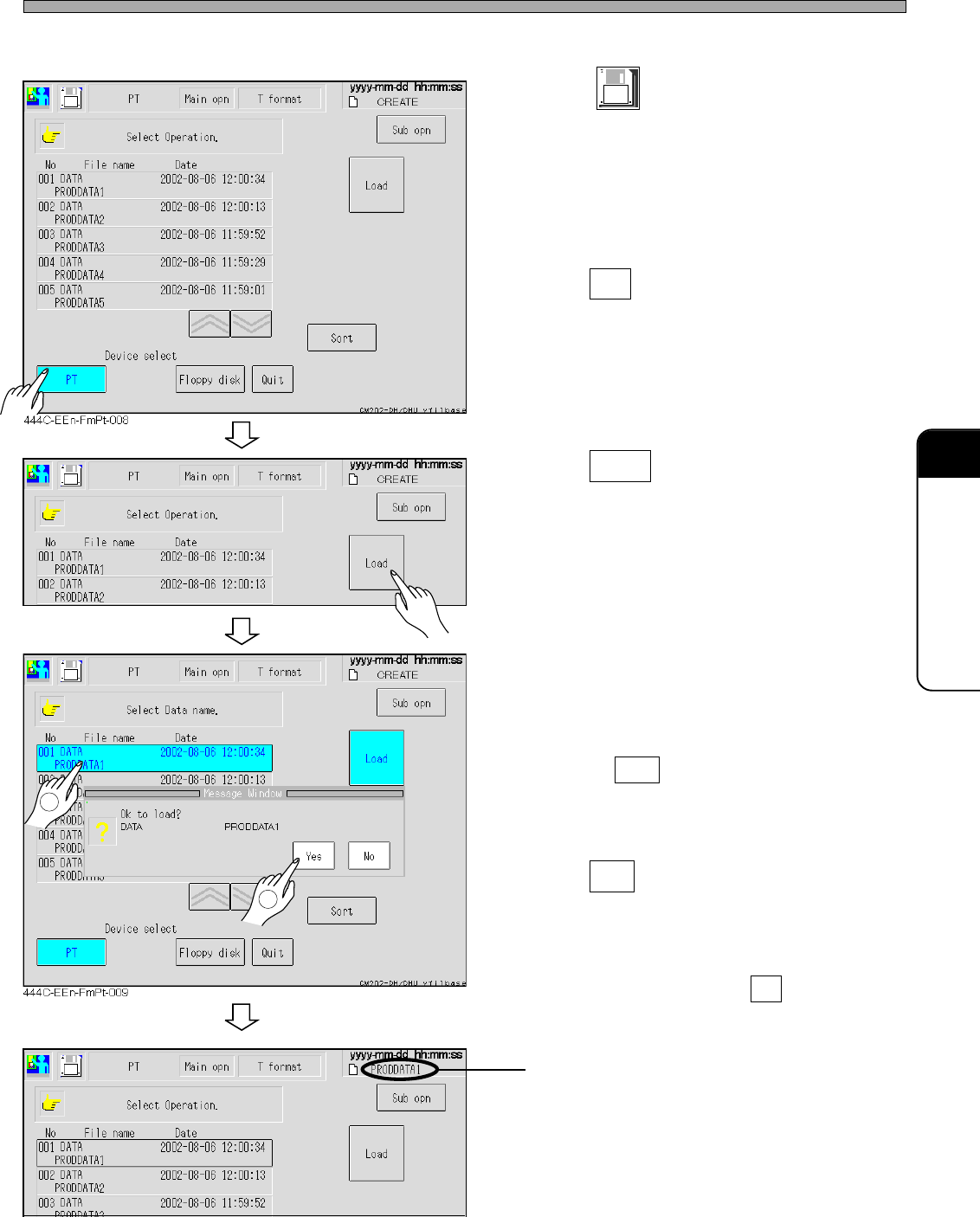
b) Loading by file operation
1. Press
File
managment
at the main menu.
• The file operation screen appears.
2. Press PT .
• The device is changed to PT.
∗ The data registered to the list on PT are
displayed.
3. Press Load .
4. Select the data name to be loaded.
• The selected data name is highlighted.
• Pressing Sort arranges data in descendent
order of date.
5. Press Yes .
• The message “Loading the data name” ap-
pears, and data are started to load.
∗ To quit loading data, press No .
The data name changes to the loaded data
name.
1
444C-EEn-FmPt-008
444C-EEn-FmPt-010
2
4H4C-E-OMA09-A01-02